
Best HVAC Dispatch Software (2026): 10 Tools Compared & Ranked
March 11, 2026 - 27 min read


March 11, 2026 - 27 min read

Table of Contents
| TL;DR: We compared 10 HVAC dispatch software tools on six dispatch-specific criteria, not generic FSM feature lists. FieldCamp wins for small-to-mid teams with fully autonomous AI dispatch. ServiceTitan dominates for large operations (50+ techs) but costs $245+/tech/month. |
Your dispatcher just double-booked two emergency AC calls on opposite sides of town. One customer is furious, the other is sweating through a 98-degree afternoon, and your best technician is stuck in traffic 30 minutes away from both.
Sound familiar? For most HVAC businesses, bad dispatching isn’t just an inconvenience; it’s lost revenue, burned-out techs, and one-star reviews that follow you forever.
HVAC dispatch software fixes this by giving your office real-time visibility into every technician’s location, availability, and skill set, so the right tech gets to the right job, every time. Unlike generic scheduling tools, dispatch software for HVAC is purpose-built for the chaos of field service: emergency rerouting, GPS-optimized routing, live customer ETAs, and instant job assignment from a drag-and-drop board.
We tested and compared 10 of the best HVAC field service dispatch software tools on the market, evaluating each specifically on its dispatch capabilities, not just its general feature lists.
Below, you’ll find real pricing, honest pros and cons, and a clear recommendation based on your team size and budget.
We compared 10 HVAC dispatch tools below. If you’d rather get a personalized recommendation based on your team size and budget, let AI do the work for you.
If you’re specifically looking for dispatching best practices to pair with your software, check out our HVAC dispatching tips guide.
KEY HIGHLIGHTS
Best HVAC Dispatch Software (2026)
Most “best of” lists slap a star rating on tools without explaining why. We didn’t do that. Every tool below was scored on six dispatch-specific criteria:
These weights reflect what real HVAC dispatchers tell us matters most: speed of assignment, knowing where your techs are, and keeping the back office in sync.
We have covered this blog into a podcast, check out below!
| Tool | Best For | Starting Price | Free Trial | Dispatch Board | GPS Routing | QuickBooks |
| FieldCamp | AI-powered dispatch for small teams | Custom | 14 days | AI auto-assign | AI-optimized | Yes (2-way) |
| ServiceTitan | Large operations (50+ techs) | ~$245/tech/mo | No | Advanced + AI add-on | Real-time + traffic | Yes |
| Housecall Pro | Dispatch + customer communication | $59/mo | 14 days | Drag-and-drop | Live GPS map | Yes (1-way) |
| FieldEdge | QuickBooks-integrated dispatch | Custom quote | No | Skill + location match | Real-time | Yes (Platinum 2-way) |
| Service Fusion | Unlimited-user dispatch | $208/mo (annual) | No | Drag-and-drop + map | Fleet GPS (all plans) | Yes |
| Jobber | Simple dispatch for small crews | $39/mo | 14 days | Drag-and-drop + map | Batch route optimization | Yes (2-way) |
| BuildOps | Commercial HVAC dispatch | ~$50/user/mo | No | Certification-aware | Map-based | Yes |
| FieldPulse | Dispatch + job costing | ~$99/mo | No | Drag-and-drop + workload | Nearest-tech GPS | Yes (2-way + Time) |
| Workiz | Call-to-dispatch workflow | $225/mo | 7 days | Drag-and-drop | One-click optimization | Yes (Online only) |
| Kickserv | Budget dispatch for solo techs | $75/mo | 30 days | Timeline + map grid | GPS check-ins | Yes (Gold 2-way) |
Most dispatch software still makes you play air traffic controller, dragging and dropping jobs manually while juggling phone calls.
FieldCamp takes a fundamentally different approach, using fully autonomous AI dispatch to build your entire schedule without human input and to self-adjust in real time.
Instead of a traditional dispatch board, FieldCamp’s AI matches technicians to jobs based on skill certifications, real-time GPS location, current workload, and equipment availability, then automatically assigns the job.
When an emergency call comes in, the AI identifies the nearest qualified tech and reroutes them instantly without disrupting lower-priority jobs.
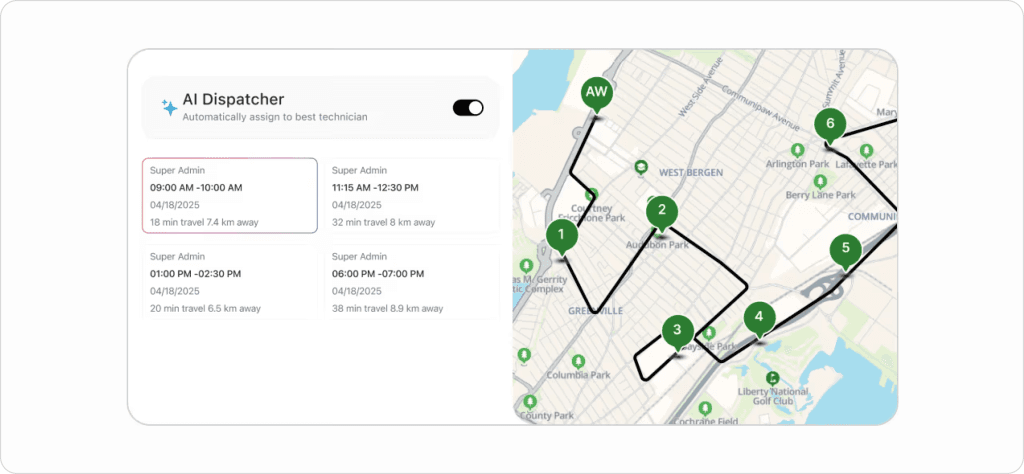
The AI generates optimized schedules for up to 30 days in seconds, balancing workloads across your team to prevent burnout while maximizing completed jobs per day.
Route optimization factors in real-time traffic, service zones, and drive time to cut fuel costs.
You can explore exactly how the AI dispatching engine works in FieldCamp’s AI Dispatching Playbook, which covers everything from how AI matches jobs to technicians to the ROI calculator that shows your projected savings.
Key dispatch features:
Learn how FieldCamp handles AI tech assignment step-by-step and see the fastest job routing workflow.
Pricing: Custom Pricing, requires demo for Quote| 14-day free trial
Best for: HVAC teams with 1–50 technicians who want AI to handle the dispatch decisions
Pros:
Cons:
The AI dispatching logic is more nuanced than it first appears. The AI Dispatching Playbook breaks down exactly how job matching, workload balancing, and emergency rerouting work under the hood.
ServiceTitan’s dispatch board is the most feature-rich in the industry, and their Dispatch Pro AI add-on takes it further by re-evaluating every job assignment every 10 minutes during business hours. What makes it unique: Dispatch Pro factors in predicted job revenue alongside tech skills and location, so it assigns the technician most likely to close high-value opportunities.
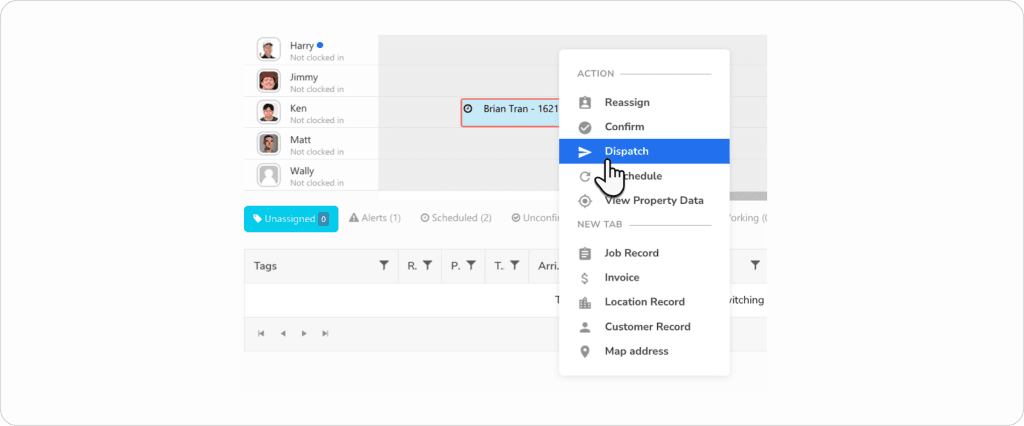
The pricing model has more layers than most teams expect. Our full ServiceTitan review breaks down the real total cost, and if the number gives you pause, how it stacks up against Housecall Pro is worth reading before you sign anything.
Key dispatch features:
Pricing: ~$245–500/technician/month + implementation fees ($5K–$50K+) | No free trial | Annual contract required
Best for: Large HVAC operations with 50+ technicians and high-revenue service calls
Pros:
Cons:
The implementation cost alone rules it out for most teams under 20 techs. The ServiceTitan alternatives guide covers what to use instead.
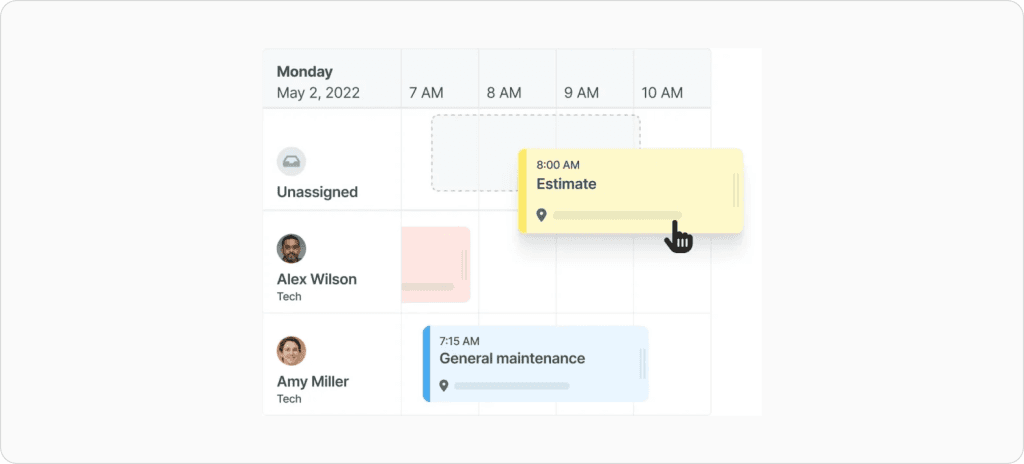
Housecall Pro wins on customer-facing dispatch features. Their “On My Way” system sends customers GPS-powered ETA texts automatically when a tech is dispatched, which dramatically reduces “where’s my technician?” calls. The drag-and-drop dispatch board is color-coded by area or employee, making visual scheduling fast.
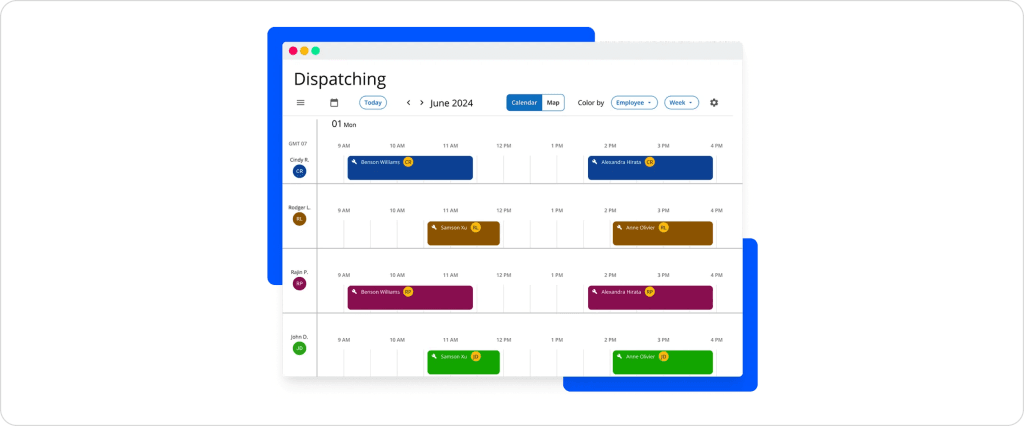
If the automation ceiling is a concern as you grow, our full Housecall Pro review breaks down exactly where it peaks out and what teams run into at scale.
Key dispatch features:
Pricing: $59/mo (1 user, annual) | $149/mo (5 users) | $299/mo (8 users) | 14-day free trial
Best for: Customer-facing HVAC businesses that want automated dispatch notifications
Pros:
Cons:
Housecall Pro alternatives cover what teams typically move to when they’ve outgrown it.
If your HVAC business lives in QuickBooks, FieldEdge is the gold standard. They invented the first full QuickBooks field service integration back in 1999 and hold Intuit Platinum Partner status. Every dispatch action: job assignment, completion, invoicing, syncs bidirectionally with QuickBooks in real time.
This makes FieldEdge the top pick for HVAC dispatch software with QuickBooks integration.
Key dispatch features:
Pricing: Custom quote only (must schedule demo) | No free trial
Best for: QuickBooks-dependent HVAC shops that need seamless financial sync from field to office
Pros:
Cons:
FieldEdge’s QuickBooks depth is genuinely unmatched, but the opaque pricing and no free trial make it a bigger commitment than most — our full FieldEdge review breaks down whether that tradeoff is worth it, and if it’s not the right fit, FieldEdge alternatives cover what else delivers on the accounting side.
Service Fusion’s killer feature is simple: unlimited users on every plan. While competitors charge $30–50/user/month, Service Fusion charges a flat rate, whether you have 5 techs or 50. GPS fleet tracking is included on all plans, too, not locked behind premium tiers.
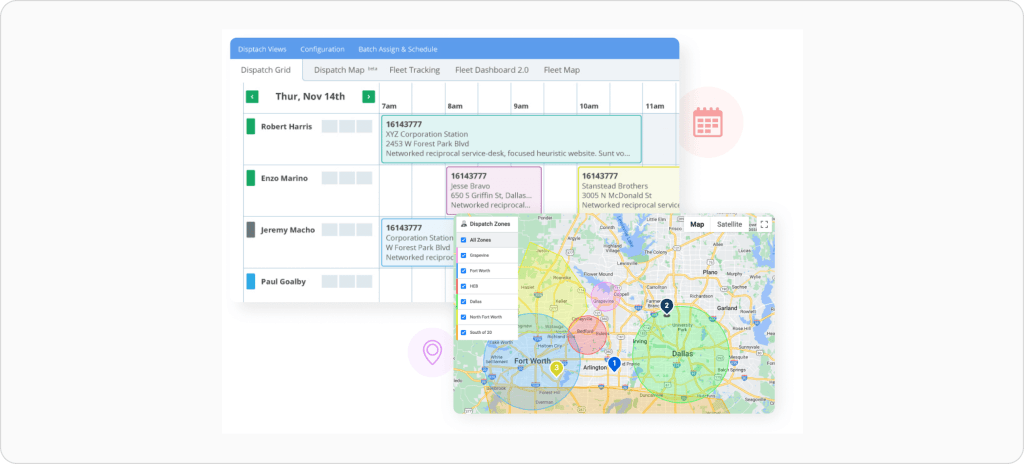
Key dispatch features:
Pricing: $208/mo annual ($245/mo monthly) | $325/mo Plus | $533/mo Pro | All plans unlimited users
Best for: Growing HVAC teams with 15+ techs who don’t want per-user pricing eating their margins
Pros:
Cons:
The flat-rate pricing is the headline, but the plan differences matter more than they look, our full Service Fusion review gets into what you actually get at each tier. If unlimited users still isn’t enough, Service Fusion alternatives covers what growing teams move to next.
Jobber is the easiest dispatch tool to learn on this list. If your team just needs a clean board, solid routing, and no complexity, Jobber delivers.
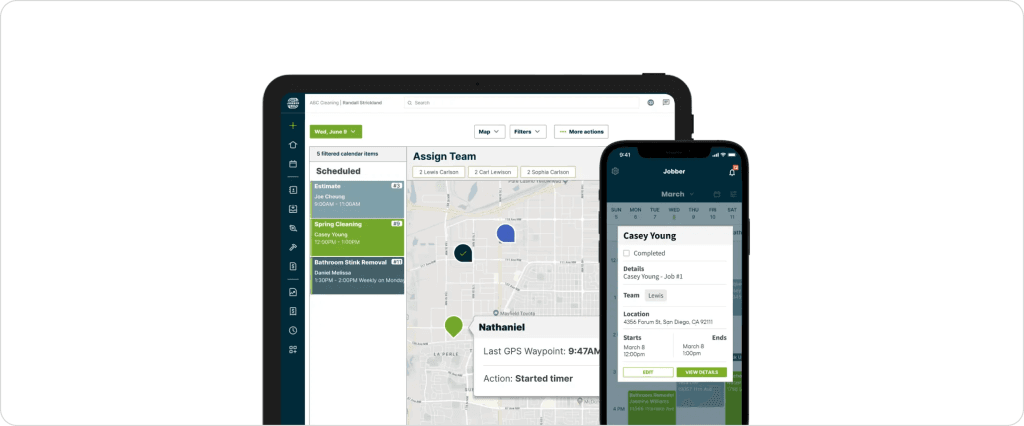
Its standout feature is batch route optimization; it generates fuel-efficient routes for your entire crew for a full week in one click, which no other mid-tier tool matches.
Key dispatch features:
Pricing: $39/mo (1 user) | $169/mo (5 users) | $349/mo (10 users) | 14-day free trial
Best for: Small HVAC crews (1–15 techs) who want simplicity with excellent routing
Pros:
Cons:
Jobber earns its reputation for simplicity, but the per-user pricing and automation limits show up fast as you scale — our full Jobber review covers where it holds up and where it doesn’t. If you’re already feeling the ceiling, Jobber alternatives break down what teams with 10+ techs typically switch to.
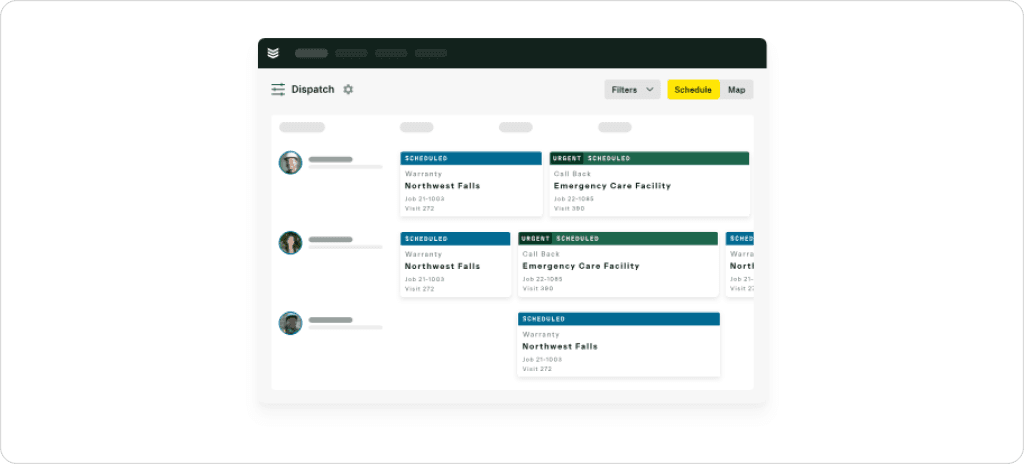
BuildOps is purpose-built for commercial contractors, and it shows. Their dispatch board displays tech certifications, job history, and current workload at a glance, critical for commercial HVAC dispatch software where compliance and multi-location management matter.
Key dispatch features:
Pricing: ~$50/user/month (scales down for larger teams) + implementation fees ($1K–$20K+)
Best for: Commercial HVAC contractors handling service contracts, multi-day jobs, and compliance requirements
Pros:
Cons:
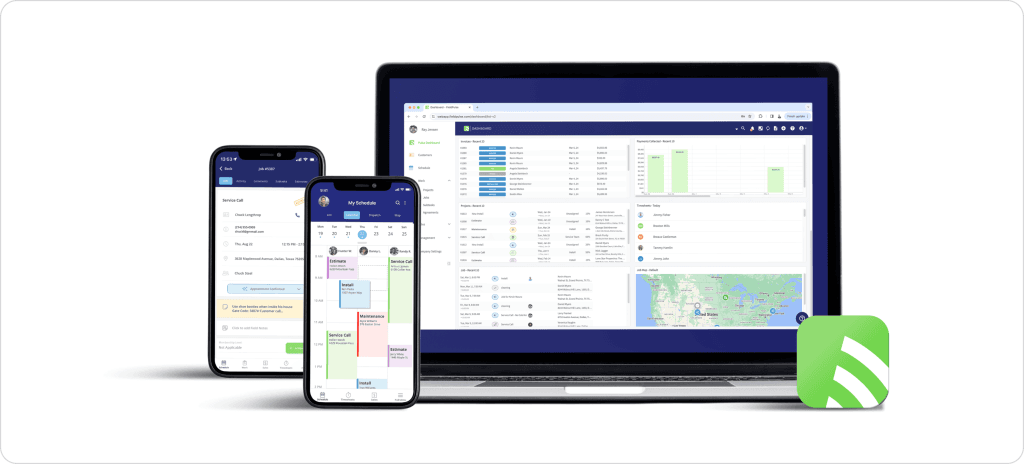
FieldPulse uniquely ties job costing directly into the dispatch workflow. Before you assign a tech, you can see projected margins, labor costs, and material expenses tied to that job. No other tool on this list connects dispatch decisions to profitability this tightly, making it ideal for HVAC dispatch and job costing software needs.
For more on tracking job profitability in HVAC, see our guide to AI-powered HVAC job costing.
Key dispatch features:
Pricing: ~$99/mo (estimated, 1–3 users) | Custom quotes | Add-ons for fleet GPS ($30/vehicle/mo)
Best for: HVAC teams that track profitability per job and want dispatch tied to financial performance
Pros:
Cons:
The job costing integration is genuinely useful, but the lack of a free trial and opaque pricing make it a harder sell than it should be — our full FieldPulse review breaks down whether the profitability upside justifies the commitment.
If your HVAC business runs on inbound phone calls, Workiz has the tightest call-to-dispatch pipeline in the market.
Their built-in VoIP phone system ties every call, recording, and text directly to a job; dispatchers never leave the platform. Their Genius Answering AI answers 100% of missed calls and can schedule jobs before competitors do.
Key dispatch features:
Pricing: $225/mo (3 users) | Additional users ~$46–55/mo each | 7-day free trial
Best for: High-volume inbound call HVAC shops where missed calls = missed revenue
Pros:
Cons:
Kickserv is the most affordable full-featured dispatch tool on this list. At $75/month for 5 users with GPS, QuickBooks integration, and a clean dispatch board, it’s built for small HVAC businesses that need the basics done well without paying $200+/month.
Key dispatch features:
Pricing: $75/mo (5 users) | $149/mo (10 users) | $249/mo (20 users) | 30-day free trial | 20% off annual billing
Best for: Solo HVAC operators and 2–5 person teams on a tight budget
Pros:
Cons:
These terms get used interchangeably, but they solve different problems. Understanding the difference helps you pick the right tool and avoid paying for features you don’t need.
| Aspect | Dispatch Software | Scheduling Software |
| Primary focus | Real-time job assignment | Planning and booking |
| Time horizon | Today, right now | This week, this month, next quarter |
| GPS tracking | Live technician location + routing | Calendar-based, no live tracking |
| Emergency handling | Priority rerouting mid-day | Not built for real-time changes |
| Best for | Day-of field operations | Recurring maintenance, appointment booking |
| Key metric | Response time, jobs completed/day | Utilization rate, booking rate |
Most modern HVAC platforms combine both, but they lean in one direction. If your biggest pain point is “I don’t know where my techs are, and I can’t reroute them fast enough,” you need dispatch-first software. If it’s “I can’t book appointments efficiently or manage recurring maintenance,” you need scheduling-first software.
For a detailed comparison of scheduling-first tools, see our guide to the best HVAC scheduling software.
Want to understand how AI is changing the dispatch vs. scheduling divide? FieldCamp’s playbook covers AI dispatching vs. traditional dispatch software in depth, and our guide to what an AI dispatcher actually is explains where the industry is heading.
Not all dispatch tools are created equal. Here are the seven features that separate great HVAC dispatch software from generic field service tools.
The dispatch board is your command center. At minimum, it should show every technician’s current status (available, en route, on-site, completed), their assigned jobs for the day, and open/unassigned work orders. The best boards let you drag-and-drop jobs between techs in seconds and color-code by priority, job type, or service zone.
FieldCamp takes this further with AI that handles assignments automatically, while tools like ServiceTitan and Housecall Pro offer polished manual boards. Learn how AI matches jobs to the right technician.
Knowing where your techs are in real time is non-negotiable. Good dispatch software shows live vehicle locations on a map, calculates optimal routes between jobs, and estimates drive times so you can make smarter assignments.
The best tools, like FieldCamp’s AI route optimization, factor in real-time traffic, service zone boundaries, and job priority to minimize windshield time. For HVAC technician routing and dispatch software, this feature alone can cut fuel costs by 20–30%.
See how route optimization works in practice and how FieldCamp’s fastest job routing workflow operates.
Your techs need to see job details, customer history, and driving directions the moment a job is assigned, without calling the office. The best HVAC dispatch software for iPad and mobile gives techs full access to work orders, photo/video capture, digital signatures, and real-time status updates from the field.
For a broader comparison of field apps, check out our guides to the best HVAC apps and best field service mobile apps.
When dispatch and accounting are disconnected, you get duplicate data entry, missed invoices, and revenue leaks. HVAC dispatch software with QuickBooks integration should sync job completions, invoices, and payments automatically, ideally two-way, so changes in either system reflect instantly.
FieldEdge (Platinum partner) and Kickserv (Gold partner) have the deepest QuickBooks integrations. FieldCamp offers two-way sync as well. For the full workflow breakdown, see how QuickBooks field service automation works.
HVAC emergencies don’t wait for business hours. Your dispatch software should handle priority flagging, on-call technician rotation, and mid-day rerouting without destroying the rest of your schedule.
FieldCamp’s AI handles this natively through emergency job handling and priority-based dispatching. The AI automatically identifies the nearest qualified tech and reshuffles lower-priority jobs.
Customers expect an ETA text when a tech is dispatched, an “on my way” notification when they’re en route, and a completion confirmation when the job is done. Automating these from your dispatch software eliminates “where’s my tech?” calls and dramatically improves review scores.
See how to set up real-time customer service updates with automated workflows.
The smartest HVAC dispatch tools connect every dispatched job to its actual cost: labor hours, materials used, travel time, and overhead. This turns your dispatch board from an operational tool into a profitability dashboard. HVAC dispatch job costing software like FieldPulse excels here, while FieldCamp ties job data to its reporting engine.
For a deeper dive into tracking job profitability, see our guide to AI-powered HVAC job costing and the detailed HVAC pricing guide.
Pricing varies wildly, from $35/month to $500+/technician/month. Here’s what you’ll actually pay:
| Tool | Starting Price | Pricing Model | Free Trial |
| FieldCamp | ~$35/user/mo | Per user | 14 days |
| Jobber | $39/mo (1 user) | Per plan + $29/extra user | 14 days |
| Housecall Pro | $59/mo (1 user, annual) | Tiered with user limits | 14 days |
| Kickserv | $75/mo (5 users) | Tiered with included users | 30 days |
| FieldPulse | ~$99/mo (1–3 users) | Per user (custom quote) | No |
| Service Fusion | $208/mo (annual) | Flat rate, unlimited users | No |
| Workiz | $225/mo (3 users) | Flat + ~$50/extra user | 7 days |
| ServiceTitan | ~$245+/tech/mo | Per technician + implementation | No |
| BuildOps | ~$50/user/mo | Per user (scales with team) | No |
| FieldEdge | Custom quote | Per technician | No |
Budget tier ($0–75/mo): FieldCamp and Jobber offer the most dispatch value at the lowest price point. Kickserv works for teams that prioritize QuickBooks integration on a budget.
Mid-range ($100–250/mo): Service Fusion wins for large teams thanks to unlimited users. Housecall Pro is the sweet spot for 3–8 tech teams. Workiz is worth it if inbound calls drive your business.
Enterprise ($300+/mo): ServiceTitan is the industry standard for large operations, but the total cost (licensing + implementation + add-ons) can exceed $1,000/month. BuildOps targets commercial contractors willing to invest in commercial-grade features.
Hidden costs to watch: Implementation/onboarding fees (ServiceTitan: $5K–$50K+), premium add-ons (Dispatch Pro, fleet GPS), per-user overages, and annual contract lock-ins.
For FieldCamp’s detailed pricing breakdown, visit the pricing page.
| Use Case | Best Pick |
| Solo operators or 2–5 person crews on a budget | Kickserv or Jobber |
| Small teams (5–20 techs) wanting AI automation | FieldCamp |
| Mid-size teams (15–50 techs) with lots of inbound calls | Workiz or Service Fusion |
| Large operations (50+ techs) | ServiceTitan |
| Commercial HVAC contractors | BuildOps |
| QuickBooks-first shops | FieldEdge or Kickserv |
| Teams tracking job-level profitability | FieldPulse |
For growing HVAC businesses that want to stop playing manual dispatcher and let AI handle the heavy lifting, FieldCamp is the clear winner. The AI doesn’t just recommend: it assigns, routes, and rebalances your entire operation in real time.
Ready to see how AI dispatch actually works for your HVAC team? Use FieldCamp’s AI Dispatcher ROI Calculator to see projected savings, or explore the full AI Dispatching Playbook to understand the technology.
Your Competitors Are Already Dispatching Smarter — Are You?
Every minute your dispatcher spends manually managing tech schedules is a minute your competitor’s AI is auto-assigning the nearest qualified technician, optimizing routes, and sending customers real-time ETAs.
The HVAC companies growing fastest right now aren’t working harder, they’re dispatching smarter.
The best HVAC dispatch software depends on your team size and priorities. For small teams (1–50 techs) that want AI-powered automation, FieldCamp is the top choice. For large enterprises (50+ techs), ServiceTitan offers the most advanced dispatch board. For budget-conscious teams, Jobber and Kickserv deliver solid dispatch at the lowest price points. See the full comparison table above for a side-by-side breakdown.
Most quality HVAC dispatch tools offer free trials rather than permanent free plans. FieldCamp offers a 14-day free trial, Kickserv gives you 30 days, and Jobber and Housecall Pro each offer 14 days. These trials give you enough time to test dispatch features with real jobs before committing. Check FieldCamp’s pricing for the latest trial details.
Yes. Every tool on this list offers a mobile app compatible with iPad and iPhone. ServiceTitan and Housecall Pro have particularly strong iPad experiences optimized for field technicians. FieldCamp’s mobile app auto-syncs dispatch changes in real time, so techs always see the latest schedule. For more mobile options, see our guide to the best HVAC apps.
Dispatch software focuses specifically on real-time job assignment, GPS tracking, and route optimization, getting the right tech to the right job right now. Field service management (FSM) software is broader, covering scheduling, CRM, invoicing, inventory, and reporting in addition to dispatch. Most tools on this list are FSM platforms with strong dispatch capabilities. Learn more about what field service management includes.
Most cloud-based tools take 1–3 days for basic setup and 1–2 weeks for full team onboarding. Simpler tools like Jobber and Kickserv can dispatch jobs within hours. Enterprise platforms like ServiceTitan typically require 4–8 weeks of implementation with dedicated onboarding specialists. FieldCamp’s AI dispatch can be configured quickly. See the guide on whether you should use an AI dispatcher.
Even 2–3 tech operations benefit from dispatch software. Without it, you’re relying on phone calls, texts, and memory to assign jobs, which works until it doesn’t. At minimum, you gain GPS visibility, automated customer notifications, and a paper trail for every job. For solo operators and small teams, tools like FieldCamp, Jobber, or Kickserv offer affordable entry points. If you’re just starting, our guide on how to start an HVAC business covers the software stack you need from day one.
All 10 tools on this list integrate with QuickBooks to varying degrees. The deepest integrations belong to FieldEdge (Intuit Platinum Partner, 25+ years of two-way sync), Kickserv (Intuit Gold Developer Award, two-way sync), and FieldCamp (two-way sync). Service Fusion, Jobber, and FieldPulse also offer solid two-way QuickBooks Online sync. Workiz supports QuickBooks Online only (Desktop discontinued). For the complete QuickBooks workflow setup, see how to automate QuickBooks with field service software and FieldCamp’s integrations page.