

Dispatch routing software that assigns the right tech and the best route, in one pass
Most tools plan routes. Some match technicians. FieldCamp does both at once: skills, zones, traffic, and customer preferences, all in a single optimization. No more dragging pins on a map.
Automated route planning that runs on your rules
FieldCamp evaluates every possible tech-and-route combination, then picks the best one, factoring in skills, vehicle types, time windows, and workload balance.

Thousands of combinations, one answer in seconds
The optimizer evaluates every tech-and-route combination against your constraints: skills, certifications, zones, vehicle types, customer preferences, workload limits, and returns the single best assignment for every job on the board. A 35-job morning for 8 techs means tens of thousands of possible combinations. The solver runs through all of them in under 30 seconds. You’d need a whiteboard the size of a wall and an hour of mental math to get close to what it produces before your first tech clocks in.
Routes that adjust through the day
Morning routes are a starting point, not a contract. As the day unfolds, traffic shifts, a job runs long, a new booking comes in, the engine recalculates and adjusts routes automatically. Your techs see updated ETAs. Your customers get notified. Nobody calls dispatch asking what changed.
Skills and preferences checked before routes are built
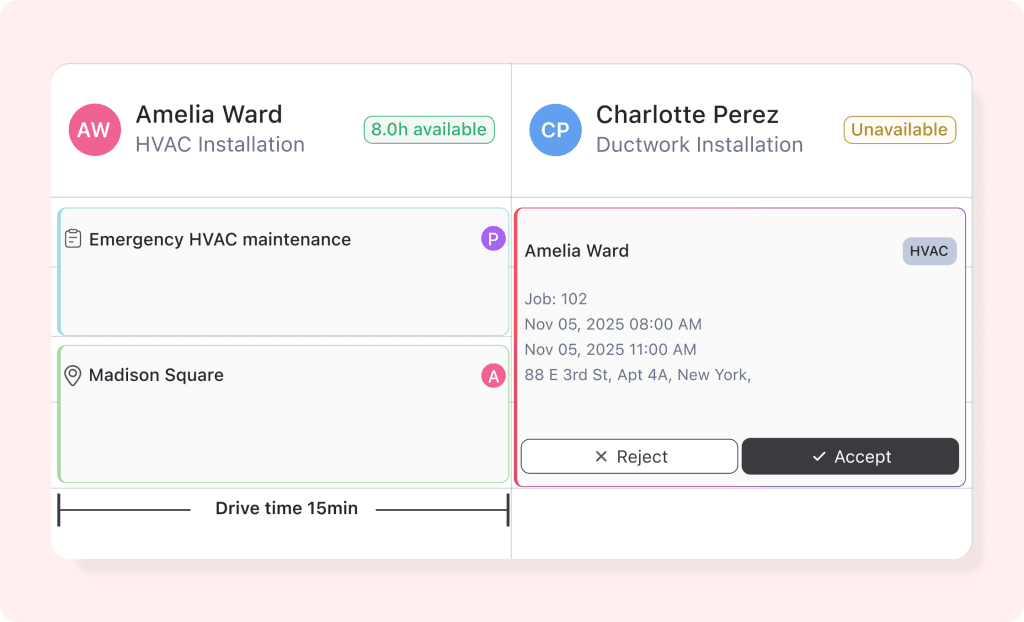
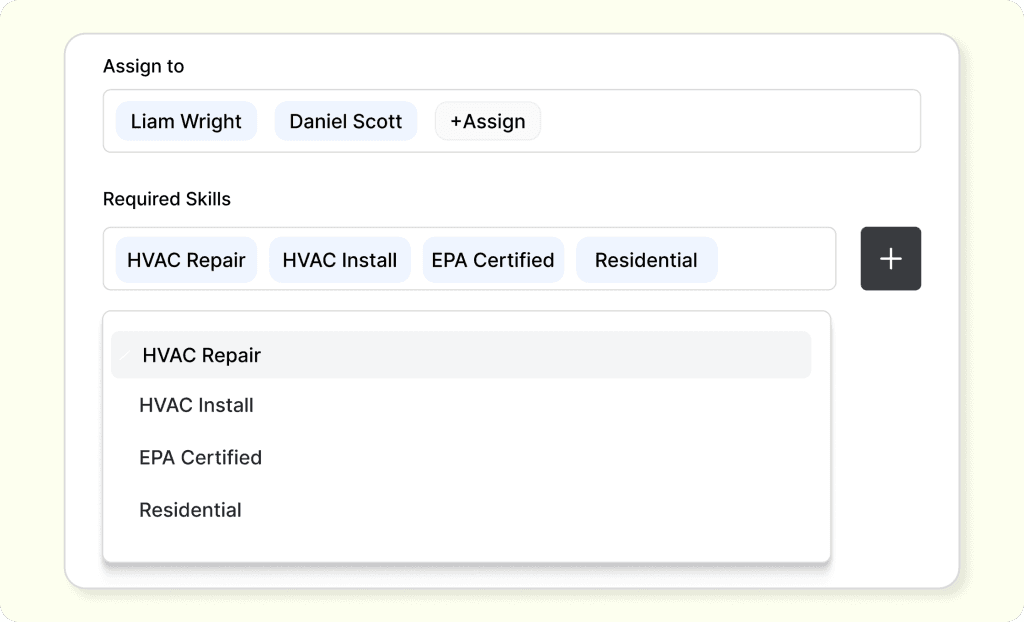
The system checks technician skills against job requirements before making any assignment. If a job needs “gas line certified” and a tech doesn’t have it, they’re never in the running, no matter how close they are. On top of that, customer preferences factor into the same decision. If Mrs. Johnson has been requesting Dave for two years, the AI tries to send Dave first, as long as he’s qualified, available, and the route math works. If he’s across town, the system automatically considers the next best match. Skills, preferences, and proximity, all weighed in one pass, not three separate decisions.
Let an assistant run your morning dispatch
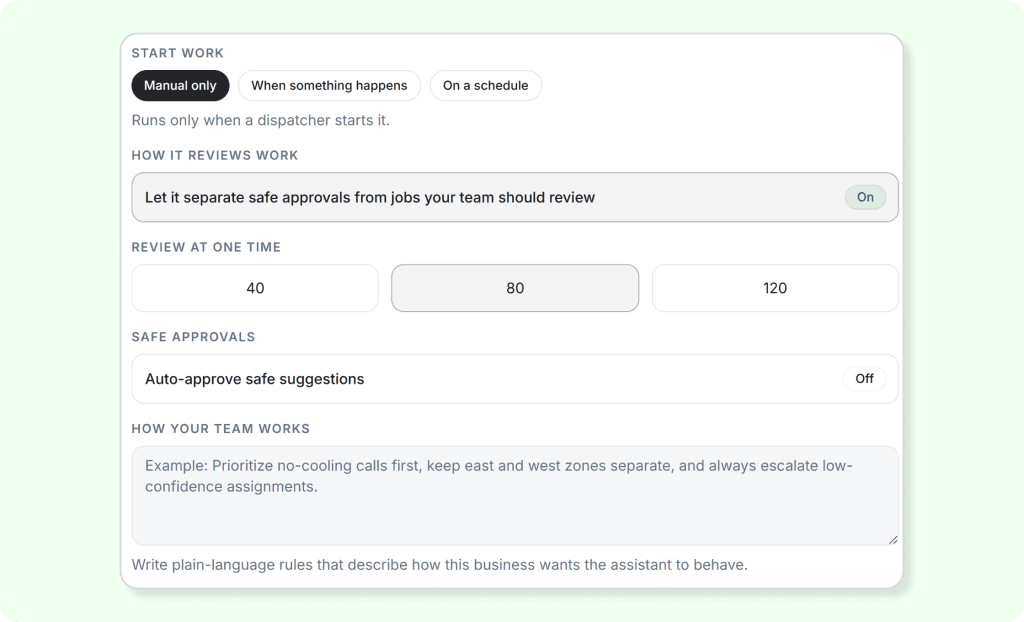
Set up a dispatch assistant to do it automatically. Define the rules: which job types, which techs, what confidence threshold, and the assistant runs the morning dispatch on schedule. Jobs that match cleanly get dispatched. Jobs with skill gaps, zone conflicts, or low-confidence scores get flagged for review. Your dispatcher starts the day approving a plan, not building one from scratch. Manual edits are always respected; the assistant never overrides a human call.

Routes built around time windows
Customers don’t just want a technician; they want one between 8 and 10 AM, or after 2 PM, or “not during lunch.” The optimizer treats time windows as hard constraints when you set them that way. Routes are built around when your customer is available, not the other way around. When a window is tight, the system clusters nearby jobs with similar windows so one tech can hit three morning-only appointments in the same neighborhood without backtracking.
Route optimization
software vs.
AI Dispatcher.
One plans routes. The other plans routes, assigns techs, checks skills, respects customer preferences, and adjusts through the day — all in one pass.
Manual route planning
You plan the routes, then assign techs separately
Optimizes distance, doesn’t know who’s qualified for what
Static morning plan, doesn’t adjust as the day changes
Customer preferences tracked in your head or a note
Every tech gets the same routing regardless of the vehicle
FieldCamp
AI Dispatcher
Routes and tech assignments optimized together in one pass
Skills and certifications are checked before anyone gets assigned
Routes adjust throughout the day as things change
Preferred technician matching is built into route decisions
Vehicle-specific routing, vans and trucks get different roads
How a plumbing company dispatches 35 jobs to 8 techs
Jobs sync overnight. Dispatcher filters and dispatches. Routes appear on the map.
35 service calls pulled from ServiceTitan. Each one is tagged with the service type, required skills, customer-preferred tech, and requested time window. They land in the queue automatically.
The dispatcher opens FieldCamp, reviews the job queue, and filters out the ones that need dispatching today. One click “Optimize.” Routes appear on the map. 8 techs, color-coded. Every job is placed on the right route with the right tech.
Emergency water heater call. The dispatcher sees it in the queue and adds it to today’s dispatch. The engine slots it into Tech #4’s route; he’s closest, has the skill, and has a gap between his next two stops. Other routes stay untouched.
Routes have auto-adjusted twice since morning; one tech ran long, and traffic shifted on the highway. Updated ETAs have already been pushed to customers. The dispatcher didn’t touch anything. The board just reflects reality.
↑ The dispatch board at 2 PM — routes adjusted, every tech on track.
Works with what you already run
ServiceTitan
Pull jobs, customer history, tech skills. Push optimized routes back. Bidirectional sync.
Jobber
Sync job list and client preferences. Optimized schedules write back so techs see updates in their app.
Housecall Pro
Import jobs and availability. Route assignments push back with accurate ETAs.
REST API
Build your own integration. JSON in, optimized schedule out. Full docs available.
Your Dispatcher has Better Things To Do
Import your jobs. Hit optimize. See every tech routed in under 30 seconds.
No credit card required · Live in 30 minutes · Cancel anytime