
15 Best Field Service Mobile Apps in 2026<gwmw style="display:none;"></gwmw><gwmw style="display:none;"></gwmw>
March 2, 2026 - 34 min read

March 2, 2026 - 34 min read

Table of Contents
| TL; DR: The best field service mobile apps help teams schedule jobs faster, reduce drive time, invoice on-site, and stay connected — even offline. FieldCamp stands out for AI-first dispatching, ServiceTitan for large residential trades, and Jobber or Housecall Pro for small service businesses. The right app depends on team size, workflow complexity, and integration needs. |
The field service industry is experiencing explosive digital transformation. With over 167,000 field service technicians in the United States and 22,000+ open positions, the demand for field service mobile apps that boost productivity has never been higher.
Whether you’re a solo HVAC technician juggling quotes between jobs, a plumbing crew optimizing routes across town, or a commercial electrical company tracking SLA compliance for enterprise clients, finding the right field service mobile app determines whether you’re completing 30-40% more jobs—or drowning in manual scheduling chaos.
Paper schedules get lost. Manual routing wastes 2-3 hours per day on drive time. Invoices sent days after job completion delay cash flow. Your phone rings constantly with “When will the tech arrive?” calls. Meanwhile, competitors with modern field service mobile apps complete more jobs with the same team size.
This guide compares 15 of the best field service mobile apps for 2026—from flexible-pricing options for solo technicians to AI-powered platforms for commercial operators. We’ll cover mobile-first architecture, offline capabilities, route optimization, automated customer communication, and the AI features transforming how field service works.
KEY HIGHLIGHTS
Best Field Service Mobile Apps to Look for in 2026
The field service industry is experiencing explosive digital transformation. With over 167,000 field service technicians in the United States and 22,000+ open positions, the demand for mobile tools that boost productivity has never been higher.
Whether you’re a solo HVAC technician juggling quotes between jobs, a plumbing crew optimizing routes across town, or a commercial electrical company tracking SLA compliance for enterprise clients, finding the right field service mobile app determines whether you’re completing 30-40% more jobs—or drowning in manual scheduling chaos.
Paper schedules get lost. Manual routing wastes 2-3 hours per day on drive time. Invoices sent days after job completion delay cash flow. Your phone rings constantly with “When will the tech arrive?” calls. Meanwhile, competitors with modern field service mobile apps complete more jobs with the same team size.
This guide compares 15 of the best field service mobile apps for 2026—from flexible-pricing options for solo technicians to AI-powered platforms for commercial operators. We’ll cover mobile-first architecture, offline capabilities, route optimization, automated customer communication, and the AI features transforming how field service works.
The best field service mobile app must offer offline capabilities, GPS-based routing, mobile invoicing, and real-time job access. Look for mobile-first architecture (not desktop software with a mobile app), integration with your accounting system (QuickBooks, Xero), automated customer notifications, and features matching your business size—flexible pricing for solo techs, team scheduling for crews, SLA tracking for commercial operations.
Core Mobile Capabilities:
Business-Critical Integrations:
User Experience Matters:
Pro Tip:
Test the mobile app (not just the desktop dashboard) during trials. If your technicians find it clunky, they’ll resist adoption—no matter how powerful the features.
Solo Technicians Need:
Small Crews (3-10 Techs) Need:
Commercial Operators Need:
Key Takeaways:
If your field technicians are your primary users (not office managers), prioritize mobile-first apps. If office staff manage most operations and techs just execute, mobile-capable works fine.
Mobile-first apps are built for mobile workers from the ground up—offline-first architecture, GPS-native, touch-optimized, and synced to optional desktop dashboards. Mobile-capable apps are desktop software with mobile apps bolted on—requires internet, compromises on UX, and treats mobile as secondary. For field technicians who work 95% from their phones, mobile-first architecture delivers better reliability and usability.
Mobile-First Examples: FieldCamp, Jobber, eLogii
Mobile-Capable Examples: ServiceTitan, Dynamics 365, Oracle Field Service
Choose mobile-first if your technicians:
Choose mobile-capable if you:
| Feature | Mobile-First | Mobile-Capable | Desktop-First |
| Primary Interface | Smartphone/tablet | Desktop + mobile | Desktop only |
| Offline Mode | Full functionality | Limited | None |
| GPS Integration | Core feature | Add-on | Not available |
| Touch UX | Optimized | Adapted | Poor |
| Setup Time | 10-30 min | 1-4 hours | 4-8 hours |
| Best For | Solo techs, small crews | Growing businesses, commercial | Enterprise only |
AI-powered field service mobile apps use machine learning to optimize routes (35% less drive time), match technicians to jobs based on skills and location (96% faster scheduling), and predict job duration. Look for AI dispatch that considers 5+ factors (skills, equipment, drive time, time windows, priority), conversational interfaces (ask questions in plain English), and predictive scheduling that learns from historical job data.
1. AI-Powered Route Optimization
2. Smart Dispatch = Intelligent Job Assignment
3. Predictive Scheduling
4. Conversational/Natural Language Interfaces
| Task | Manual Time | AI-Powered Time | Time Saved |
| Route planning (5 techs) | 45 min/day | 2 min/day | 96% reduction |
| Job-to-tech matching | 15 min/job | 30 sec/job | 97% reduction |
| Schedule adjustments | 30 min/change | Instant | 100% reduction |
| Drive time per tech | 3 hours/day | 2 hours/day | 35% reduction |
Pro Tip:
Not all “AI-powered” apps use real AI. Look for specific explanations of HOW the AI works (machine learning models, factors considered). If it just says “AI-powered” without details, it’s likely basic automation (not true AI).
Best For: HVAC, plumbing, electrical, and cleaning companies with 5-50 technicians
Pricing: Custom pricing based on team size and features needed—pay only for what you use
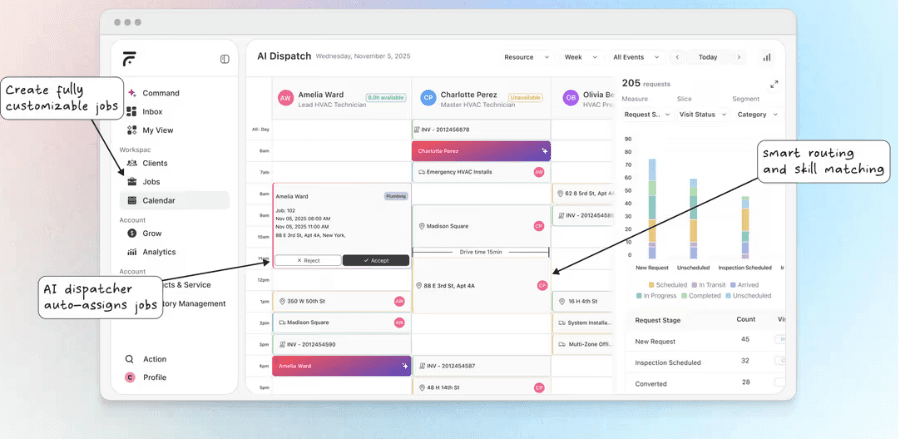
FieldCamp is an AI-first field service management platform built mobile-first for teams that need intelligent scheduling without enterprise complexity. The AI Dispatcher considers skills, certifications, equipment, drive time, and time windows to match jobs to technicians in seconds—delivering 96% reduction in manual scheduling time.
Key Features:
What Makes It Stand Out:
FieldCamp’s conversational AI interface eliminates menu navigation. Ask questions in plain English: “Which tech is closest to 123 Main Street?” or “Show me all emergency jobs this week.” The platform learns from your scheduling patterns and suggests optimal assignments.
Best Suited For:
Limitations:
Real Result: An HVAC company with 15 technicians in Arizona increased from 32 jobs/week to 45 jobs/week (40% more) using FieldCamp’s AI Dispatcher—without hiring additional staff.
Best For: Large HVAC, plumbing, and electrical businesses (25-200+ technicians)
Pricing: Custom enterprise pricing (typically $500-2,000+/month for 15-50 techs)
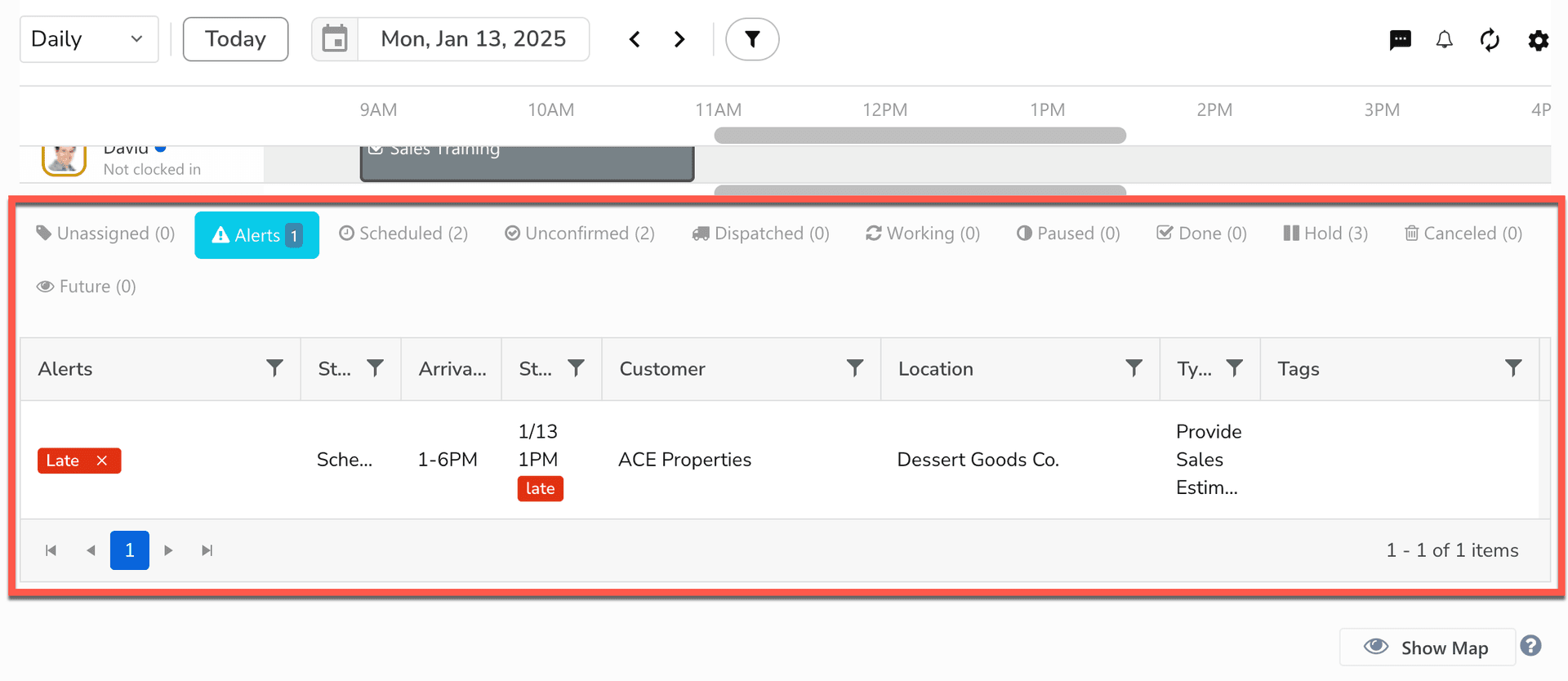
ServiceTitan is the dominant platform for residential trade contractors, offering comprehensive features from marketing automation to technician sales enablement. The mobile app is mobile-capable (desktop-first with robust mobile companion), making it ideal for businesses with dedicated office staff managing complex workflows.
Key Features:
What Makes It Stand Out:
ServiceTitan excels at turning technicians into salespeople—with built-in tools for presenting options, upselling maintenance plans, and closing jobs at higher ticket values. The platform tracks every customer interaction across marketing, sales, and service.
Best Suited For:
Limitations:
Best For: Large enterprises (100+ technicians) already using Microsoft 365, Teams, or Dynamics ERP
Pricing: Custom enterprise pricing (starts \~$95/user/month)
Dynamics 365 Field Service integrates deeply with the Microsoft ecosystem, offering predictive maintenance (Azure IoT), advanced scheduling with AI Resource Scheduling Optimization, and Power BI analytics. The mobile app (built on Power Apps) offers good offline workflows—better than most desktop-first platforms.
Key Features:
What Makes It Stand Out:
If your company runs on Microsoft tools (Office 365, Teams, Outlook, Dynamics CRM/ERP), Dynamics 365 Field Service integrates seamlessly. IoT predictive maintenance creates work orders automatically when equipment sensors detect issues.
Best Suited For:
Limitations:
Best For: Solo operators and small teams (1-20 technicians) across home services
Pricing: Starts at $49/month for 1 user, scales to $349/month for 20 users
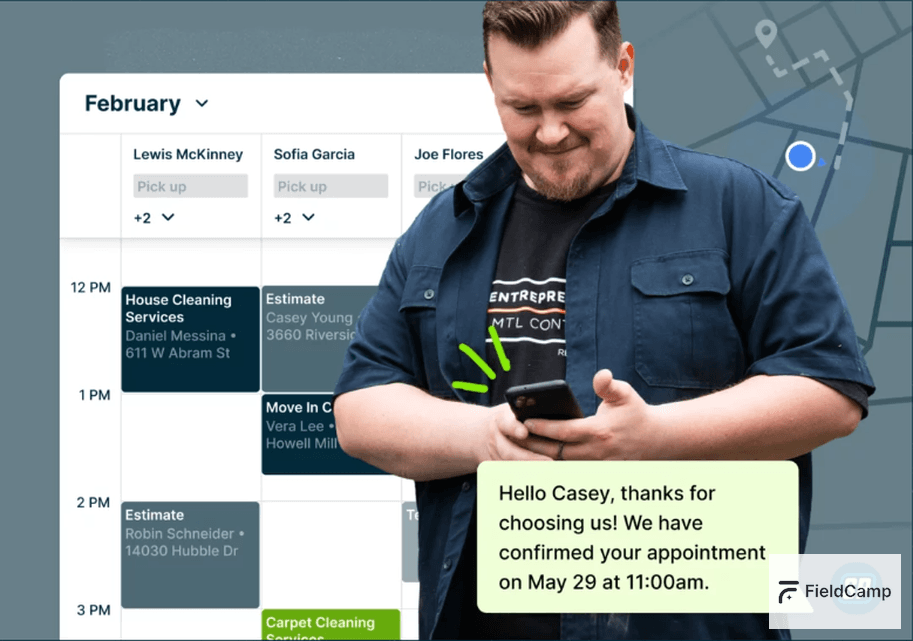
Jobber is a mobile-first platform offering excellent balance of features and ease of use. Online booking, automated customer communication, quote-to-invoice workflows, and client hub for customer self-service make it popular with home service businesses from solo operators to growing crews.
Key Features:
What Makes It Stand Out:
Jobber excels at customer-facing automation. The client hub lets customers approve quotes, book follow-ups, and pay invoices—reducing office calls by 40-60%.
Best Suited For:
Limitations:
Best For: Home service businesses (1-50 technicians) in plumbing, HVAC, cleaning, handyman
Pricing: Starts at $49/month (Basic), scales to custom enterprise pricing
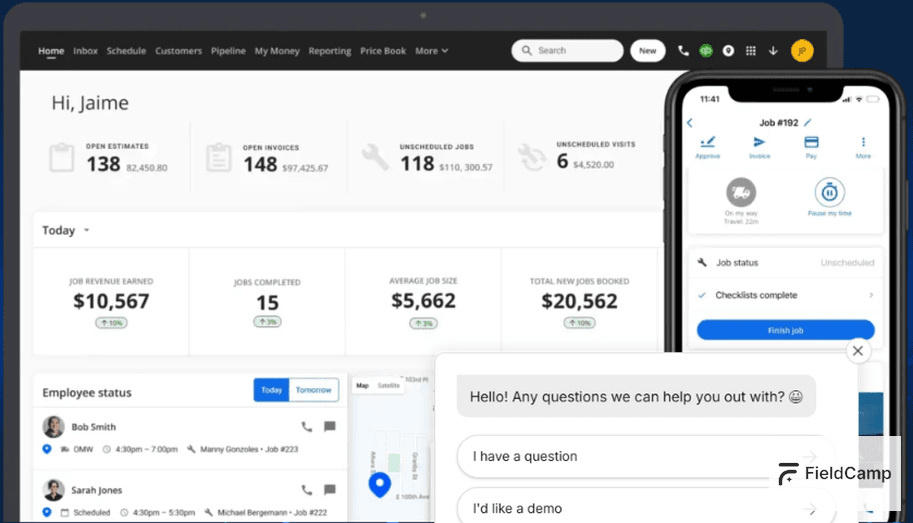
Housecall Pro focuses on residential service businesses with built-in payment processing, marketing automation (review requests, referrals), and branded customer communication. The mobile app is simple and fast—ideal for technicians who aren’t tech-savvy.
Key Features:
What Makes It Stand Out:
Marketing automation brings 20-30% more repeat customers through automated review requests (sent when job marked complete) and referral reward programs.
Best Suited For:
Limitations:
Best For: Construction and field service crews (3-100+ workers) needing precise time tracking
Pricing: $6/user/month + $50 base fee
Workyard specializes in GPS time tracking with 99.9% accuracy, geofencing (auto clock-in reminders when techs arrive at job sites), and seamless payroll integration. The mobile app is simple—optimized for time tracking, not comprehensive field service management.
Key Features:
What Makes It Stand Out:
Workyard’s GPS time clock eliminates timesheet disputes. If a tech clocks in from home instead of the job site, managers see the location mismatch immediately.
Best Suited For:
Limitations:
Best For: Service businesses with complex routing (10+ daily stops per technician)
Pricing: Custom pricing (higher than competitors, starts around $359/month)
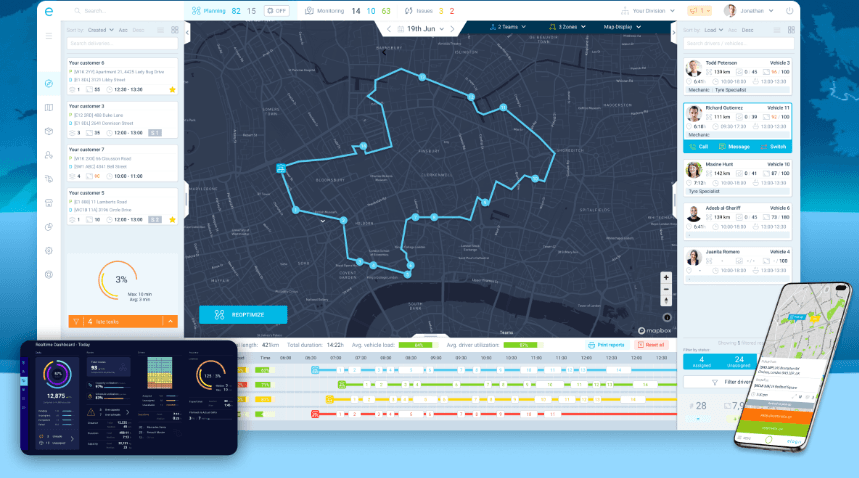
eLogii delivers advanced route optimization considering traffic, time windows, priority, technician skills, and vehicle capacity. The Field Service Mode adapts the platform for FSM workflows beyond just delivery routing. Full offline mode ensures technicians work without interruption.
Key Features:
What Makes It Stand Out:
eLogii reduces drive time by 35% through intelligent routing that dynamically adjusts for traffic, cancellations, and emergency jobs added mid-day.
Best Suited For:
Limitations:
Best For: Large enterprises (100+ technicians) with existing Salesforce investment
Pricing: Custom enterprise pricing (starts \~$150/user/month)
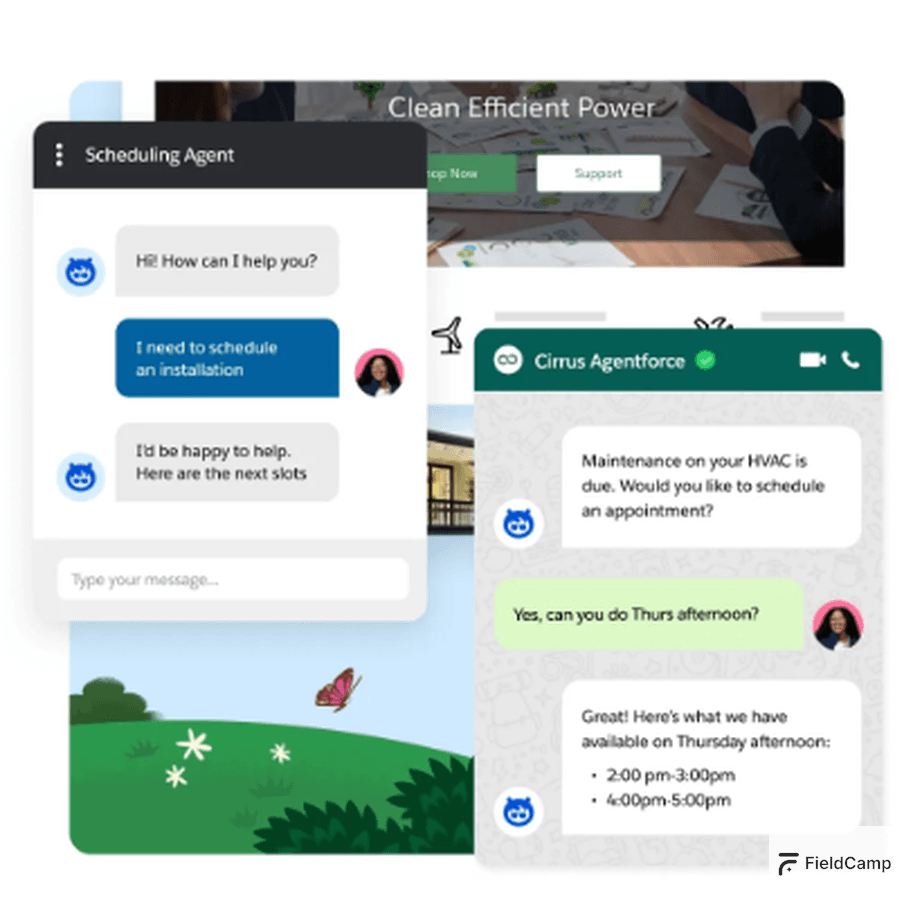
Salesforce Field Service integrates deeply with Salesforce CRM, providing a complete customer 360 view from first contact through service delivery. AI-powered scheduling (Einstein) optimizes technician assignments, and the mobile app offers offline capabilities.
Key Features:
What Makes It Stand Out:
If your sales team uses Salesforce CRM, Field Service connects service delivery to the entire customer journey—enabling upsell opportunities, proactive service based on purchase history, and unified customer communication.
Best Suited For:
Limitations:
Best For: Small to mid-size teams (up to 50 users) needing affordable all-in-one solution
Pricing: Free tier (up to 10 users), paid plans start at $29/month for up to 30 users
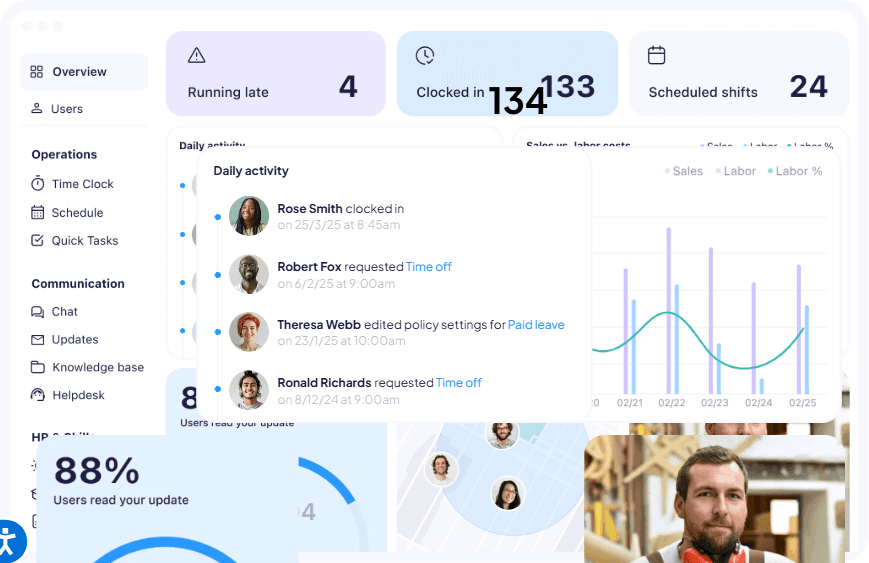
Connecteam offers scheduling, checklists, GPS time tracking, team chat, and forms at a fraction of competitors’ cost. The free tier is genuinely useful (not crippled), making it ideal for small teams.
Key Features:
What Makes It Stand Out:
Connecteam’s free tier supports up to 10 users without feature limitations—rare in the FSM market. Paid plans remain affordable as you scale.
Best Suited For:
Limitations:
Best For: Solo technicians completing fewer than 100 jobs/month
Pricing: Starter plan free (1 user, limited jobs), paid plans start at $29/month
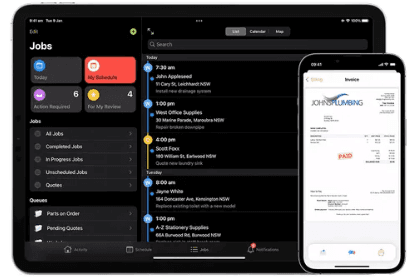
ServiceM8 offers a free starter plan for very light usage (1 user, job limits) and affordable paid plans for solo to small teams. The mobile app is simple and fast—ideal for technicians who need job cards, navigation, and basic invoicing.
Key Features:
What Makes It Stand Out:
ServiceM8’s simplicity appeals to solo technicians who don’t need complex features. Setup takes 15 minutes, and the mobile interface is intuitive.
Best Suited For:
Limitations:
Best For: Large enterprises (500+ technicians) in utilities, telecom, industrial services
Pricing: Custom enterprise pricing (typically $200-400+/user/month)
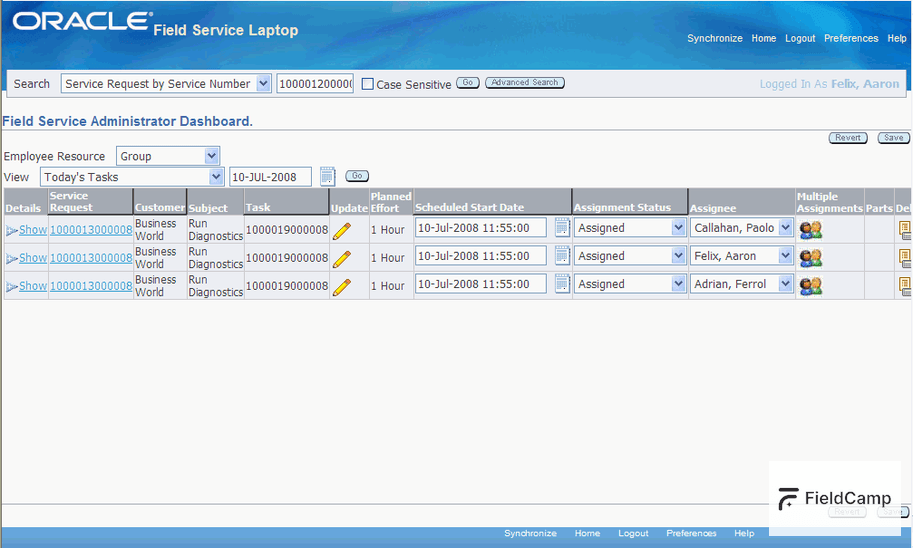
Oracle Field Service (formerly TOA Technologies) dominates enterprise field service for utilities, telecommunications, and industrial equipment maintenance. Self-learning AI optimizes routing and scheduling, and the platform handles complex multi-crew, multi-day projects.
Key Features:
What Makes It Stand Out:
Oracle’s self-learning AI improves over time—learning from every completed job to make better predictions about job duration, required skills, and optimal routes.
Best Suited For:
Limitations:
Best For: Healthcare, on-demand services, and gig economy field service
Pricing: Custom pricing (typically $50-100/user/month)
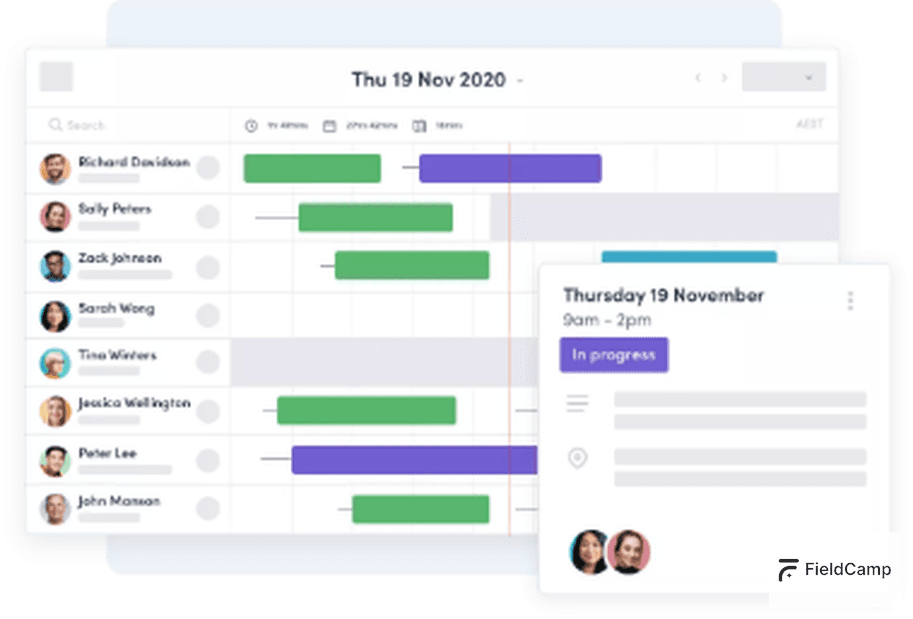
Skedulo focuses on deskless workforce management with strong mobile-first design, real-time scheduling, and intelligent matching of workers to jobs. Popular in healthcare (home health, mobile clinics) and on-demand services.
Key Features:
What Makes It Stand Out:
Skedulo’s real-time scheduling adapts to changing conditions—perfect for on-demand services where jobs are booked hours (not days) in advance.
Best Suited For:
Limitations:
Best For: Industries requiring strict compliance documentation (OSHA, ISO, industry-specific)
Pricing: Custom pricing (typically $60-120/user/month)
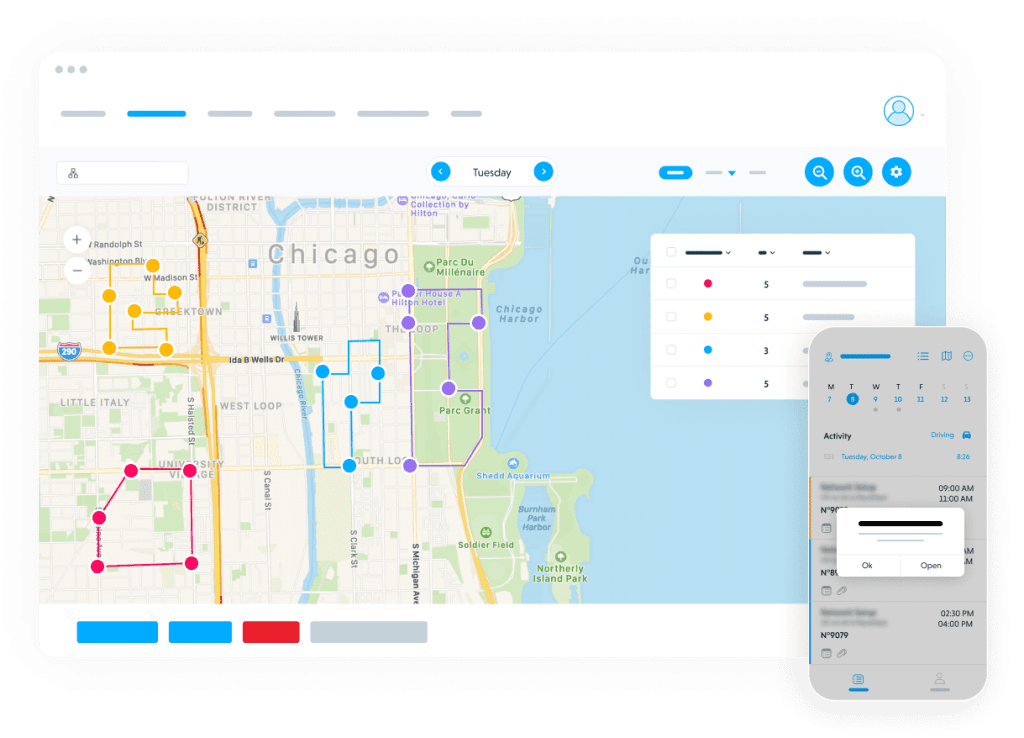
Praxedo specializes in compliance-heavy field service with digital checklists, photo documentation, e-signatures, and audit trails. Popular in equipment maintenance, industrial services, and regulated industries.
Key Features:
What Makes It Stand Out:
Praxedo’s audit trail captures every field action—perfect for industries where documentation and compliance are critical.
Best Suited For:
Limitations:
Best For: Small field service businesses (1-10 technicians) needing simple, affordable software
Pricing: Starts at $45/month for 1 user, scales to $220/month for 10 users
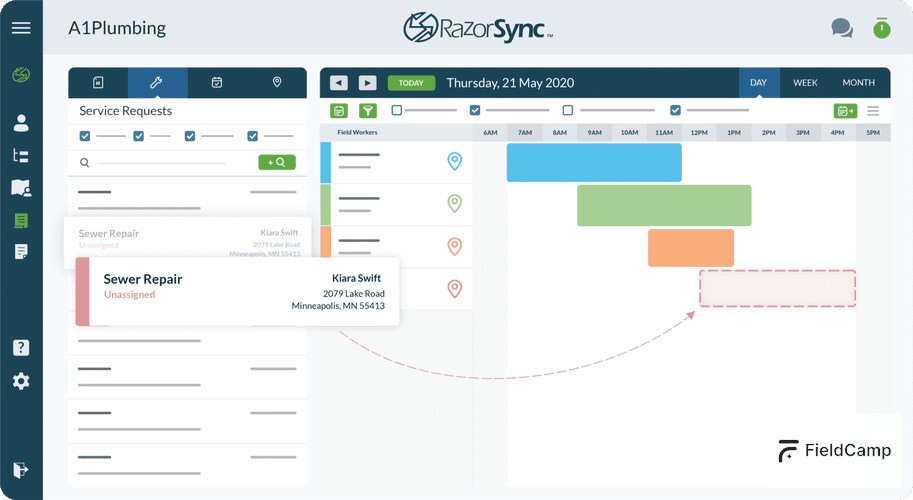
RazorSync offers simple field service management with scheduling, invoicing, customer management, and QuickBooks integration at an affordable price. The mobile app is basic but functional.
Key Features:
What Makes It Stand Out:
RazorSync’s simplicity and affordability appeal to small businesses that don’t need advanced features.
Best Suited For:
Limitations:
Best For: Home service businesses sourcing leads from HomeAdvisor/Angi
Pricing: Starts at $169/month (up to 3 users)
mHelpDesk integrates directly with HomeAdvisor and Angi, automatically importing leads into your FSM system. The platform offers scheduling, invoicing, and customer management—focused on residential home services.
Key Features:
What Makes It Stand Out:
If you source leads from HomeAdvisor or Angi, mHelpDesk eliminates manual lead entry—leads flow directly into your scheduling system.
Best Suited For:
Limitations:
| App | Best For | Pricing Starting | Mobile-First | Offline Mode | AI Features | Route Optimization |
| FieldCamp | AI-first, 5-50 techs | Custom pricing | \[x\] Yes | \[x\] Full | \[x\] AI Dispatcher | \[x\] Advanced |
| ServiceTitan | Large residential trades | $500-2,000+/mo | Desktop-first | Limited | Dispatch Pro add-on | Basic |
| Dynamics 365 | Enterprise Microsoft | \~$95/user/mo | Desktop-first | \[x\] Good | \[x\] Yes | \[x\] Advanced |
| Jobber | Solo to 20 techs | $49/mo | \[x\] Yes | Limited | No | Basic |
| Housecall Pro | Residential services | $49/mo | \[x\] Yes | Limited | No | Basic |
| Workyard | GPS time tracking | $6/user + $50 | Time-tracking focused | Limited | No | Basic |
| eLogii | Advanced routing | \~$359/mo | \[x\] Yes | \[x\] Full | \[x\] Route AI | \[x\] Best-in-class |
| Salesforce FS | Enterprise with Salesforce | \~$150/user/mo | Desktop-first | \[x\] Good | \[x\] Einstein | \[x\] Advanced |
| Connecteam | Budget-conscious teams | Free-$29/mo | \[x\] Yes | Limited | No | None |
| ServiceM8 | Light-use solo | Free-$29/mo | \[x\] Yes | Limited | No | None |
| Oracle FS | Enterprise utilities | $200-400+/user | Desktop-first | \[x\] Full | \[x\] Self-learning AI | \[x\] Advanced |
| Skedulo | Healthcare, on-demand | $50-100/user | \[x\] Yes | \[x\] Good | Skills matching | Basic |
| Praxedo | Compliance-heavy | $60-120/user | Mobile-capable | \[x\] Good | No | Basic |
| RazorSync | Simple, affordable | $45/mo | Mobile-capable | Limited | No | None |
| mHelpDesk | HomeAdvisor integration | $169/mo | Mobile-capable | Limited | No | None |
Choose a field service mobile app based on business size, budget, and must-have features. Solo technicians need mobile invoicing and flexible pricing. Small crews need team scheduling and route optimization. Commercial operators need SLA tracking and enterprise integrations. Test mobile UX during trials (not just desktop dashboards), verify offline capabilities, and confirm integrations with existing tools (QuickBooks, payroll).
Step 1: Identify Your Business Size
Step 2: List Must-Have Features
Step 3: Set Budget
Step 4: Test Mobile App (Not Just Desktop)
Step 5: Verify Integrations
Step 6: Check Training/Setup Time
Step 7: Calculate ROI
Step 8: Start with Trial or Demo
Common Mistake: Choosing based on desktop features when your techs will use mobile 95% of the time. Always test the mobile app first.
The best offline-capable field service mobile apps are FieldCamp, eLogii, and Dynamics 365—all offer full functionality without internet connection including job access, photo capture, form completion, and customer notes. Offline mode matters for rural areas, basements, industrial sites, and areas with poor cell coverage.
40% of field service work happens in areas with poor or no cell coverage:
Without offline mode:
| App | Offline Mode | What Works Offline | Sync Method |
| FieldCamp | \[x\] Full | All features: jobs, photos, forms, notes, time tracking | Automatic when connected |
| eLogii | \[x\] Full | All features including proof of service, barcode scanning | Manual sync button + auto |
| Dynamics 365 | \[x\] Good | Workflows via Power Apps offline | Automatic |
| Jobber | Limited | Job view, photos, notes (no job creation) | Automatic |
| ServiceTitan | Limited | Job access, some features limited | Automatic |
| Workyard | Limited | Time clock, basic job access | Automatic |
Pro Tip:
Test offline mode during trials. Turn on airplane mode and try completing a full job workflow. If core features break, it’s not truly offline-capable.
AI is transforming field service mobile apps by automating scheduling (96% time reduction), optimizing routes (35% less drive time), and matching jobs to technicians based on skills, location, and availability. AI-powered platforms like FieldCamp use conversational interfaces—ask questions in plain English instead of navigating menus. The result: 30-40% more jobs completed with the same team size and faster customer service.
Most field service businesses hit a wall when they grow past 5-10 technicians. Manual scheduling becomes:
Traditional approach: Hire a full-time dispatcher at $40-50K/year
AI approach: Automate dispatch for custom pricing based on team size
FieldCamp’s AI considers 5 factors simultaneously when matching jobs to technicians:
1. Skills & certifications – Does the tech have the right licenses?
2. Equipment – Is the required equipment on their truck?
3. Drive time – Who’s closest to the job location?
4. Time windows – Does it fit the customer’s requested time?
5.Priority – Is this an emergency or scheduled maintenance?
Manual scheduling: 10-15 minutes per job, considering 1-2 factorsAI scheduling: 30 seconds per job, optimizing across all 5 factors
Result: 96% reduction in scheduling time
Instead of navigating menus, FieldCamp users ask questions in plain English:
Why this matters: Faster workflows, less training time, higher user adoption
HVAC Company (8 technicians, Arizona):
Plumbing Company (5 technicians, California):
The Bottom Line: AI isn’t hype in field service—it’s delivering measurable results. Companies using AI-powered apps are completing 30-40% more jobs without hiring more technicians or dispatchers.
Try FieldCamp’s AI Dispatcher Free >>
The foundation of field service management rests on three core elements: scheduling and dispatching, work order management, and customer experience.
Efficient scheduling ensures the right technician is sent to the right job at the right time. Work order management keeps all job-related information—like customer details, notes, and checklists—centralized and accessible. And finally, delivering a great customer experience through timely service and clear communication builds trust and loyalty. When these three elements work together, your operations become smoother, faster, and more customer-centric.
Improving the first-time fix rate starts with preparation. When technicians have access to the right tools, job history, and diagnostic information before they arrive on site, they’re far more likely to resolve issues during the first visit.
Training also plays a major role, ensuring your team is up to date with the equipment they service.
Tools like FieldCamp help technicians by giving them instant mobile access to job forms, parts checklists, and service records, all of which contribute to higher fix rates and happier customers.
Reducing mean time to repair (MTTR) requires both skilled technicians and streamlined workflows. Faster diagnostics, real-time inventory access, and clear service protocols all help bring down repair time. Equipping your team with mobile access to service manuals, past job data, and automated checklists minimizes delays on-site. FieldCamp also helps track MTTR trends, so you can identify slowdowns and act quickly to fix them, whether it’s a process gap, training issue, or parts delay.
Effective route planning is all about smart job assignment. When you assign technicians based on real-time location, skillset, and proximity to the customer, travel time drops significantly. Route optimization software, like what’s built into FieldCamp, automatically groups jobs by area and reorders them for the shortest path. This not only helps reduce fuel and labor costs but also ensures more on-time arrivals, fewer delays, and higher technician productivity.
To improve customer satisfaction, focus on metrics that directly reflect the service experience. Start with Customer Satisfaction Score (CSAT), which captures how customers feel after each visit. First-time fix rate is another important one—it shows whether issues are being resolved quickly and accurately. Add in the on-time arrival rate, average response time, and how fast you resolve complaints. Together, these KPIs give you a complete picture of what matters most to your customers and where to fine-tune operations.
AI can make field service scheduling smarter by analyzing historical data, technician skill levels, and geographic proximity to assign jobs more accurately. It helps predict how long each job will take and automatically prioritizes urgent or nearby tasks to save travel time.
Platforms like FieldCamp use AI-driven logic to match the right technician with the right job, balancing workloads, reducing overtime, and improving service speed—all without manual effort.