

Get Paid the Moment the Job’s Done
Stop waiting days to bill clients. FieldCamp’s field service invoicing software turns completed jobs into professional invoices in seconds—so your team gets paid faster, without the paperwork chaos.
Trusted by





Why FieldCamp Simplifies Invoicing for Every Field Team
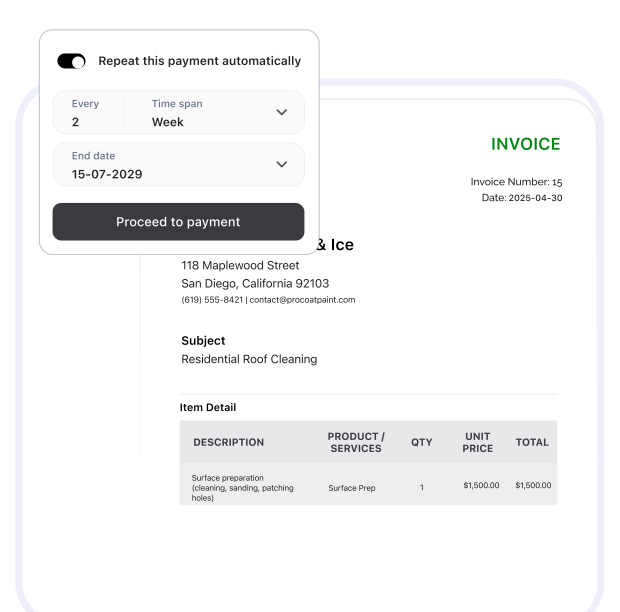
Instant Invoice Creation
Convert any finished job into a detailed invoice instantly. FieldCamp captures job details, taxes, discounts, and photos automatically—so your invoices are accurate, professional, and ready to send.
Flexible Payment Options
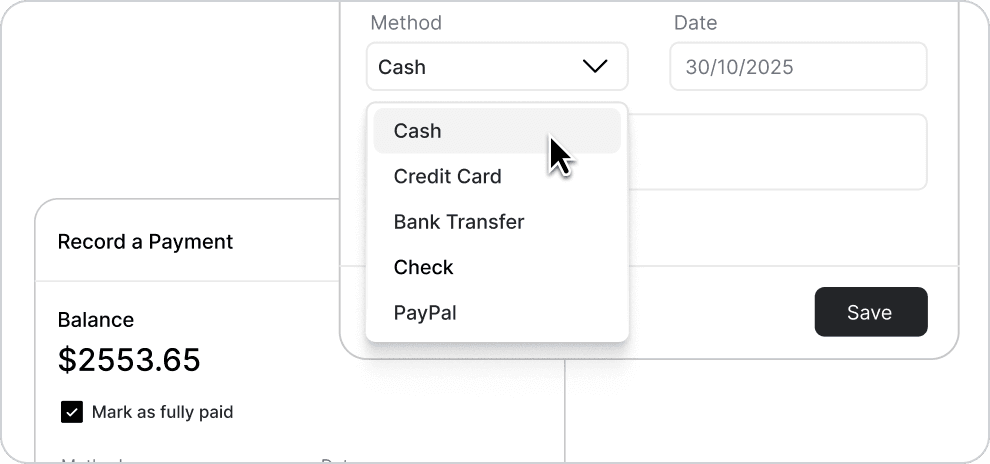
Accept payments however your customers prefer—credit card, ACH, PayPal, Stripe, or even checks. Add a “Pay Now” button and get paid with a click.
QuickBooks Integration
Sync every invoice and payment automatically with QuickBooks. No double entries, no manual exports, no end-of-month reconciliation chaos.

Manual Billing vs. Smart Invoicing Automation
See how FieldCamp replaces delay-filled processes with real-time accuracy.
Before FieldCamp

Technicians report job details manually
Office staff retypes notes into invoices
Frequent errors and missed charges
Invoices sent days after service
Payment updates tracked in spreadsheets

After FieldCamp Invoicing
Job completion triggers instant invoice generation
All job data, photos, and costs flow automatically
Smart automation applies totals and taxes accurately
Customers receive bills within minutes
Real-time payment tracking across all channels
Advanced Features That Make Billing Effortless
From job completion to full payment, FieldCamp automates every step. Create, send, and track invoices seamlessly—all connected to your jobs, CRM, and accounting system.
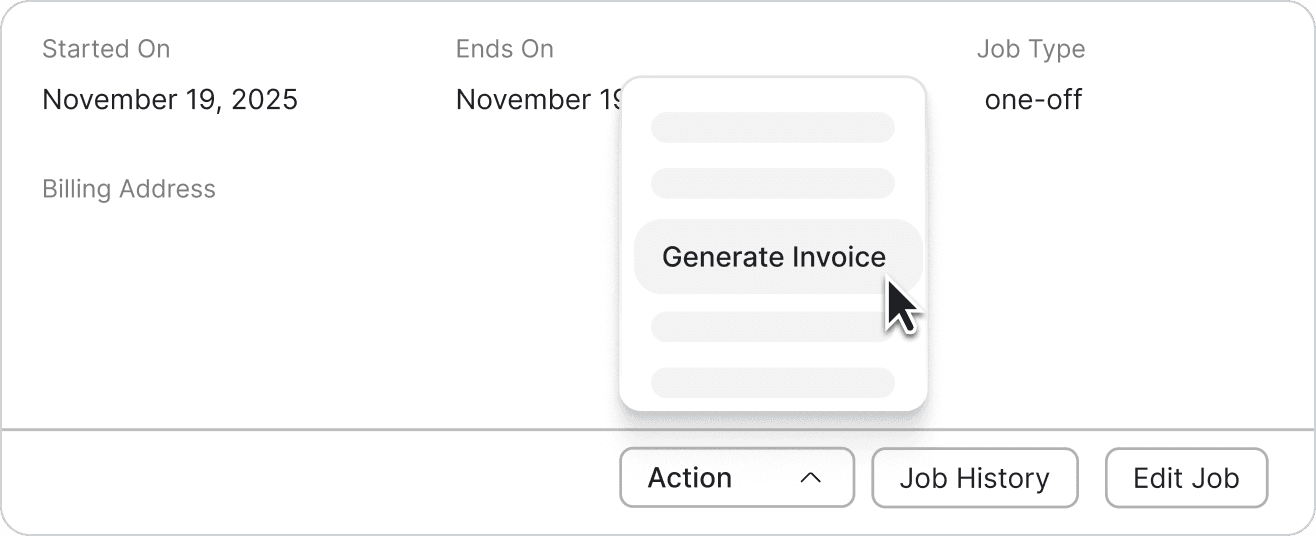
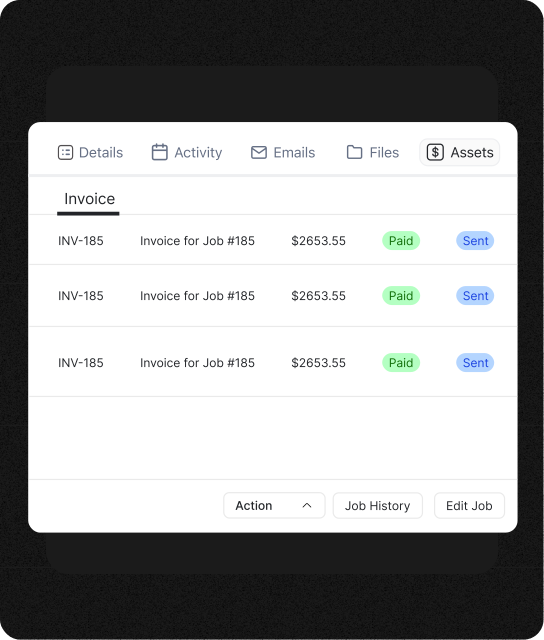
Job-to-Invoice Automation
Technicians finish work; FieldCamp builds the invoice automatically. Every detail—service, materials, photos—flows in seconds.
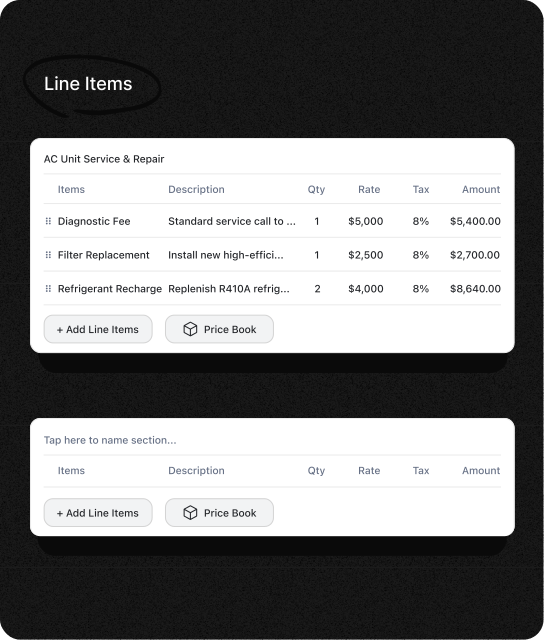
Custom Line-Item Control
Group labor, materials, or parts however you want. Apply taxes or notes with complete flexibility.
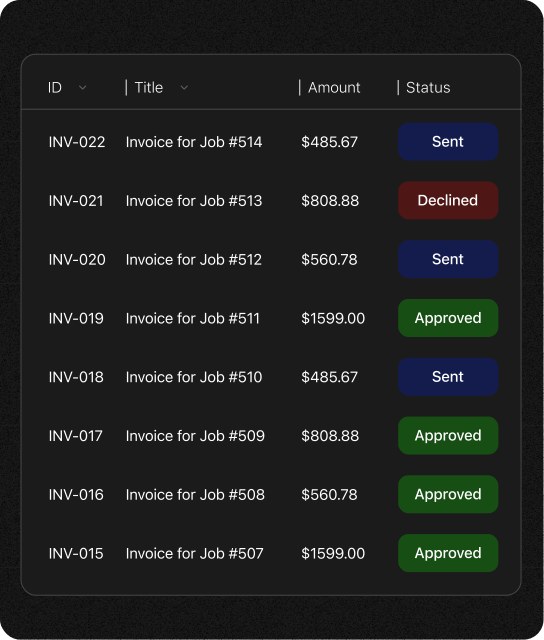
Smart Payment Tracking
See who paid, who’s pending, and which invoices are overdue. FieldCamp updates everything in real time—no spreadsheets needed.
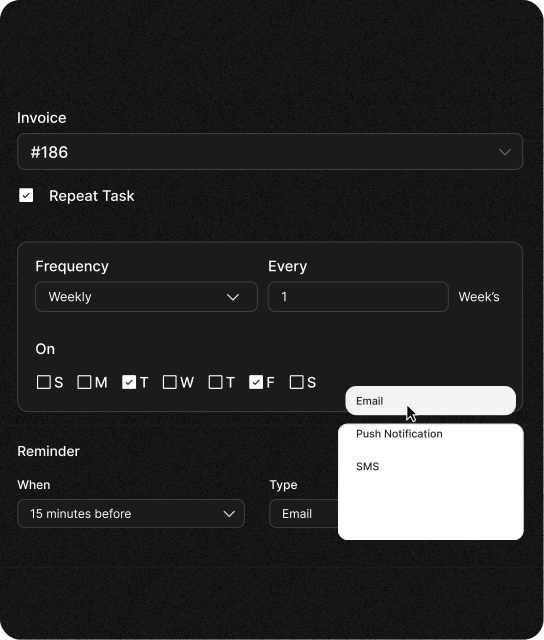
Automated Payment Reminders
FieldCamp sends polite reminders on schedule, keeping payments timely without awkward follow-ups.
Frequently Asked Questions
Unlock efficient growth with one platform that automates scheduling, routing, enrichment, and intent workflows.
How quickly can I create an invoice after completing a job?
Instantly. Once a technician marks the job as complete, FieldCamp auto-generates a professional invoice with all service details included.
Does FieldCamp integrate with accounting tools like QuickBooks?
Yes. Every invoice, payment, and client record syncs automatically with QuickBooks for error-free accounting.
Can customers pay invoices online?
Absolutely. Clients can use credit cards, ACH, PayPal, or Stripe through a secure “Pay Now” link embedded in your invoice email.
What if I need to invoice for partial work or deposits?
FieldCamp supports partial, milestone, or deposit-based invoicing. Track every stage, apply payments, and keep clients informed effortlessly.
Can I customize my invoice templates?
Yes. Adjust logo, color, layout, line items, and payment terms to match your brand and billing preferences.
How does FieldCamp handle recurring invoices?
You can schedule invoices for ongoing maintenance contracts or recurring services. They’ll send automatically without manual creation.
What happens if a customer disputes an invoice?
You can edit or comment directly on disputed invoices. All communication and status changes are logged for transparency.
Is there a limit to how many invoices I can create?
No limits at all. FieldCamp scales with your business—whether you’re sending five invoices a week or five hundred a day.
Billing Done Right = Faster Cash Flow
No more delays or missed payments. FieldCamp ensures every job turns into a paid invoice automatically—so your team focuses on work, not chasing checks.
