
Free Property Maintenance Invoice Template
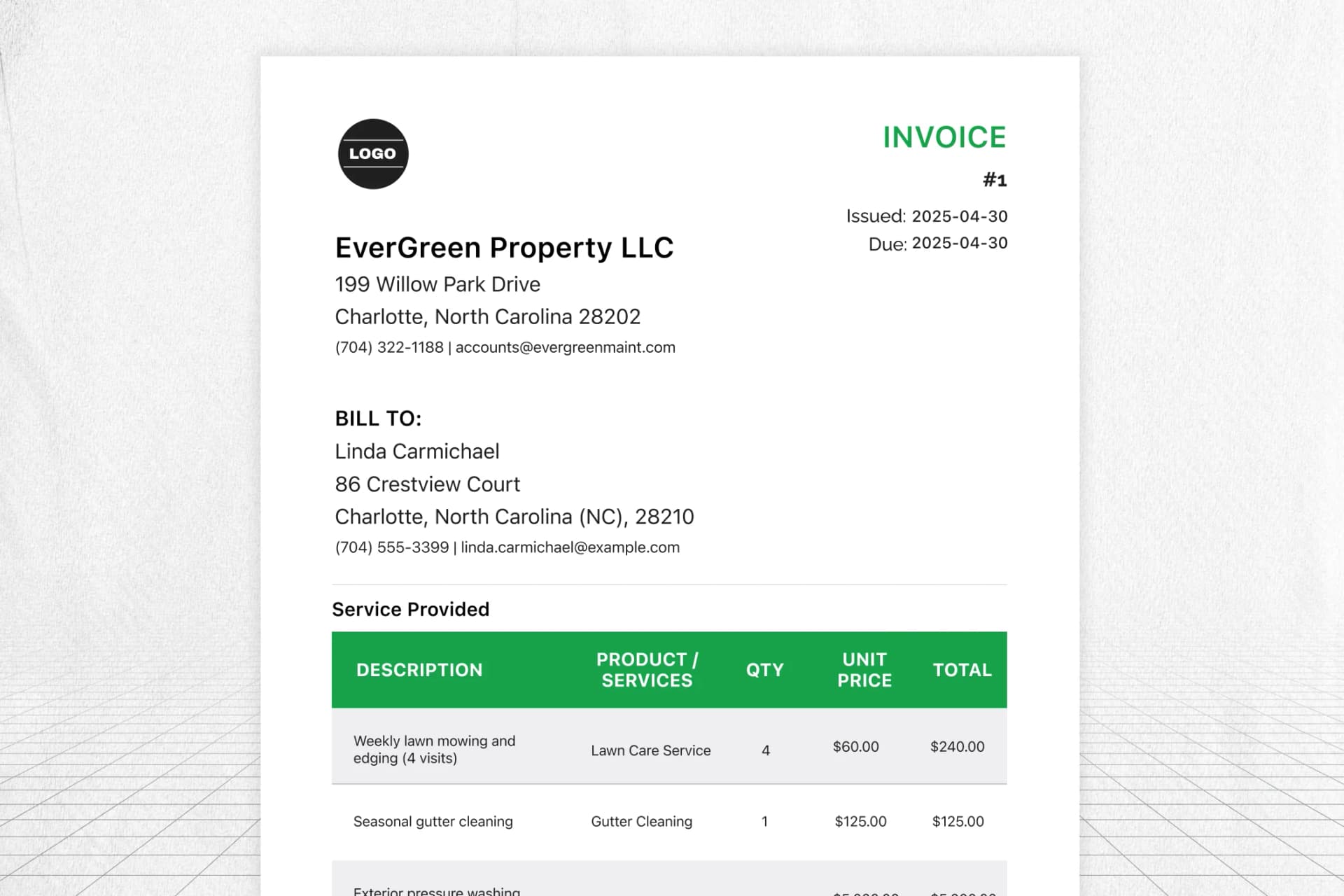
About this template
A ready-to-use property maintenance invoice template built for contractors, handyman services, and in-house maintenance teams who bill property owners, landlords, or management companies. Pre-filled fields cover service descriptions, material costs, labor charges, property address details, and tax calculations.
Customize it with your business info, download as PDF, and send professional invoices for routine upkeep, emergency repairs, or unit turnovers. Works for residential, commercial, and HOA-managed properties.
Key Features
- Built for property maintenance professionals
- Easy download and reuse for every property
- Clear payment terms for faster collections
- Professional layout builds client trust
,
|
INVOICE
#1
Issued: 2026-06-03
Due: 2026-06-03
BILL TO:
Services Provided
| DESCRIPTION | PRODUCT / SERVICE | QTY | UNIT PRICE | TOTAL |
|---|---|---|---|---|
| Replace 20x25x1 air filters in Units 101–104 | HVAC Filter Replacement | 1 | $18.00 | $18.00 |
| Remove and replace leaking kitchen faucet, Unit 202 | Plumbing Repair - Kitchen Faucet | 1 | $165.00 | $165.00 |
| Common area lighting repair, smoke detector battery check, door hardware adjustment | General Maintenance Labor | 1 | $65.00 | $65.00 |
Built for Property Management Services
Stop wrestling with spreadsheets and generic invoice templates that don’t fit property maintenance work. This template is designed for the way maintenance billing actually works – tying every charge to a specific property address, separating materials from labor, and documenting the work clearly enough that property managers approve payment without back-and-forth.
Whether you’re billing for a routine HVAC tune-up, an emergency pipe burst at 2 AM, or a full unit turnover between tenants, the format handles it. Use it for one-off repair calls or recurring maintenance contracts across a portfolio of residential, commercial, or HOA properties.
For teams ready to automate invoicing entirely, FieldCamp’s property maintenance software connects work orders to invoices automatically. Every completed job turns into a professional invoice with the property address, service details, and pricing already filled in.
Learn how to create and manage invoices in FieldCamp or set up auto-deducting payments for recurring maintenance clients.
How to Use FieldCamp’s Property Maintenance Invoice Template
Using this property maintenance invoice template is straightforward:
- Add your business details: Enter your company name, logo, address, phone number, and email so every invoice looks professional and traceable.
- Fill in client and property information: Add the client’s billing name, the specific property address, and the unit or suite number where work was performed. This ties every charge to the right property for accounting.
- Itemize each service separately: List every task as its own line item with a clear description (e.g., “Replace kitchen faucet – Unit 12B”), quantity, and unit cost. Don’t bundle unrelated work into one line.
- Break out materials and labor: Show material costs and labor charges as separate entries. Most property management contracts require this split for payment approval. Not sure how to structure labor pricing? Our guide on how much to charge per hour covers rate-setting for service work.
- Apply taxes and discounts: Enter your local tax rate and any contract-based discounts. The template auto-calculates the total.
- Download as PDF and send: Save your completed invoice as a PDF for professional delivery via email. Keep a copy for your records and the property’s maintenance history.
For teams handling 10+ properties, FieldCamp’s invoicing software generates invoices automatically from completed work orders without manual data entry.
Maintain Properties, Maintain Cash Flow
Property maintenance is about consistency, and so is your billing. FieldCamp helps you stay on top of invoices for recurring upkeep, unexpected repairs, and scheduled inspections, ensuring that every job is documented, every payment is collected, and nothing slips through the cracks.
Frequently Asked Questions
How do I make a maintenance invoice?
Start with your business details: company name, address, phone, email, and logo. Add the client’s billing information and the specific property address where work was performed. List each service as its own line item with a clear description (e.g., “Replaced kitchen faucet – Unit 12B”), separating material costs from labor charges. Include the service date, your tax rate, any contract discounts, and payment terms. You can use this free template to fill in details and download a PDF, or use FieldCamp’s invoicing software to generate invoices directly from completed work orders.
What should a property maintenance invoice include?
At minimum: your business info, client billing details, the property address, a work order reference number, itemized service descriptions with individual pricing, materials list, labor breakdown, applicable taxes, total due, and payment terms. For property management work specifically, also include the unit or suite number and whether the work was preventive, corrective, or emergency. This level of detail creates a maintenance history that property owners rely on for budgeting and insurance documentation.
How do I separate material and labor costs on a maintenance invoice?
List materials and labor as separate line items. For materials, include the product name, quantity, and unit cost (e.g., “Moen kitchen faucet – 1 unit – $189.00”). For labor, show hours worked, hourly rate, and number of technicians. If you brought in a subcontractor, list their charges separately with their company name. Most property management contracts require this breakdown – combining everything into one line item will slow down payment approvals.
What payment terms work best for property maintenance?
For contract clients with monthly maintenance agreements, Net 30 is standard. For one-off repair calls, Net 15 or due-on-completion works better. For emergency or after-hours work, many contractors require payment upon completion or Net 7. Always spell terms out on every invoice: “Payment due within 30 days of invoice date. A late fee of 1.5% per month applies to balances past due.” Include accepted payment methods – property management companies often prefer ACH or check. You can add payment terms and notes directly to your invoices using FieldCamp’s contract and terms features.
How do I invoice for emergency or after-hours maintenance?
Show the emergency call-out fee or after-hours premium as its own line item – don’t bury it in your labor rate. Note the time you were contacted, when you arrived, and when the issue was resolved. Add a “Reason for Emergency” note (e.g., “Tenant reported flooding from burst pipe in Unit 204 at 11:45 PM”). This documents your response time, which matters for service agreements with guaranteed response windows.
Should I send separate invoices for different properties?
Yes. Always create a separate invoice per property address. Property managers allocate expenses by property for accounting, tax, and insurance purposes. If you service 10 properties for the same management company, send 10 invoices. For portfolio clients, include a monthly summary cover sheet listing all properties serviced with invoice numbers and totals.
What’s the difference between a maintenance invoice and a work order?
A work order authorizes the work, it describes what needs to be done, where, and by when. An invoice bills for the completed work, it describes what was done, what it cost, and when payment is due. Your invoice should always reference the work order number so the property manager can match the charge to the authorized request. This prevents disputes and speeds up payment approvals.
Can I customize this template for recurring maintenance contracts?
Yes. For recurring work like monthly HVAC maintenance, quarterly inspections, or seasonal property checks, save this template with your standard line items and client details pre-filled. Reuse it each billing cycle, updating only the service dates and any variable charges. For fully automated recurring invoices, FieldCamp lets you set up deducting payments so contract clients are billed automatically without manual invoice creation
Who needs a property maintenance invoice template?
Independent maintenance contractors, in-house property maintenance teams, facility management companies, handyman services working with landlords, HOA-contracted vendors, and commercial building service providers. Anyone who maintains someone else’s property and gets paid for it needs an invoice that documents the work, the cost, and the property, for both payment and legal protection.