

Free Window Cleaning Invoice Template
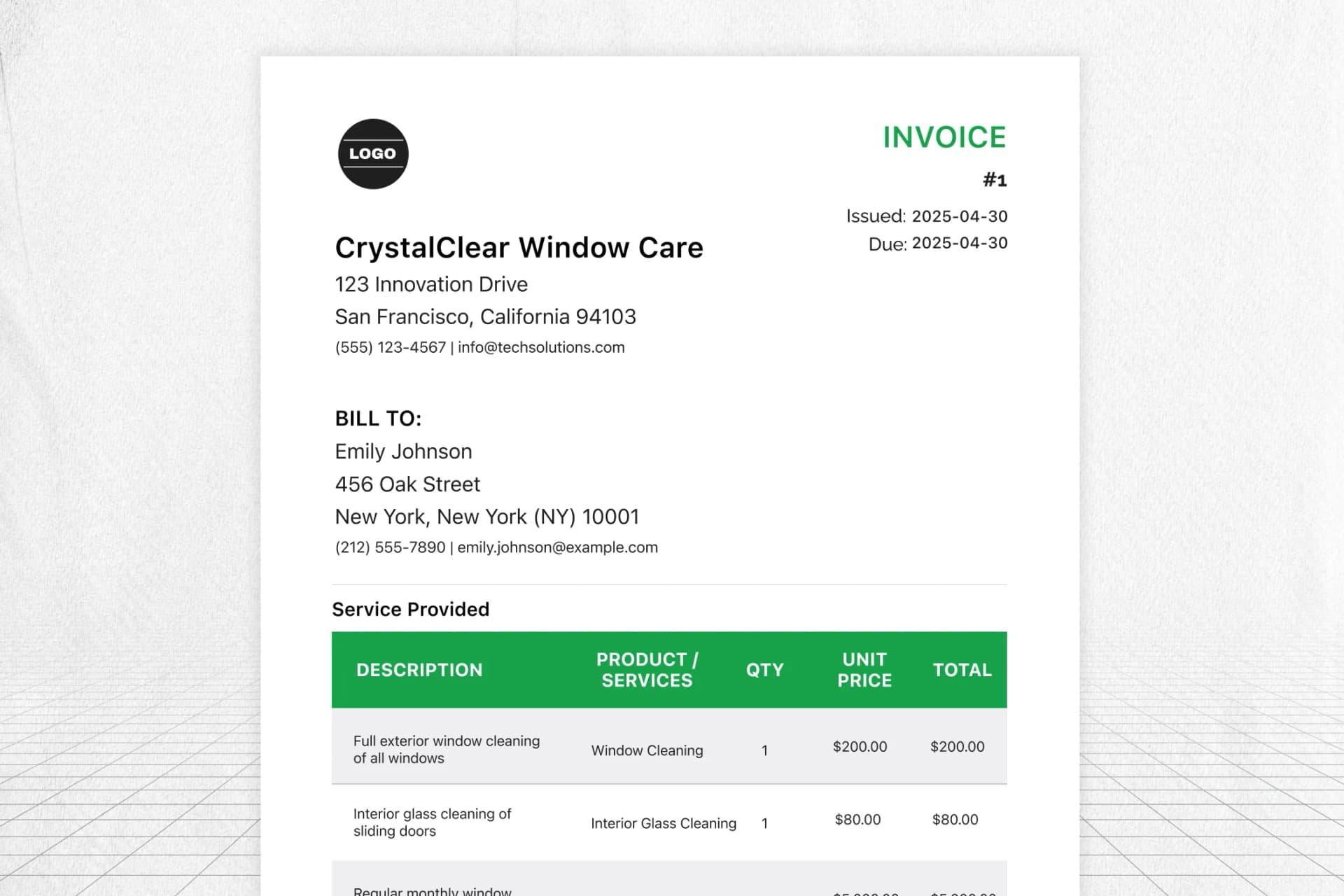
About this template
FieldCamp’s free window cleaning invoice template keeps your billing process as clear as the windows you shine. Easily add customer details, cleaning services provided, material costs, and job-specific notes in a format that’s easy to fill and even easier to understand.
Customize your invoice with your business logo, a unique invoice number, payment terms, and tax info. From cozy houses to glass-fronted offices, manage your window cleaning services and present a professional invoice that helps you get paid faster.
Key Features
- Automatic price & tax calculations
- Custom line items for window cleaning services
- Include business logo & customer details
- Download, print, or modify on any device
,
|
INVOICE
#1
Issued: 2026-03-21
Due: 2026-03-21
BILL TO:
Services Provided
| DESCRIPTION | PRODUCT / SERVICE | QTY | UNIT PRICE | TOTAL |
|---|---|---|---|---|
| Polishing all exterior-facing windows for a streak-free finish | Exterior Window Cleaning Polishing all exterior-facing windows for a streak-free finish | 1 | $8.00 | $8.00 |
| Cleaning window panes, sills, and frames inside the house | Interior Window Detailing | 1 | $10.00 | $10.00 |
| Cleaning upper-level glass surfaces using a safety harness | High-Rise Window Service | 1 | $25.00 | $25.00 |
Just The Right Invoice Generator for Busy Cleaning Experts
FieldCamp’s window cleaning invoice template makes billing fast and hassle-free for all types of cleaning services. Whether you’re handling residential windows or commercial properties, you can create your window cleaning invoice with all the essential customer details, services, price, and payment terms in just minutes.
Easily add a unique invoice number, apply tax, and include any materials or special charges. Download, print, or modify the invoice template anytime to stay organized and professional, so you can focus on what matters: delivering streak-free, spotless results that get noticed.
Keep It Clear, Keep It Paid
A professional invoice is your key to building trust. Simplify billing, avoid mistakes, and get paid on time for every window cleaning job.
Frequently Asked Questions
How do I make my window cleaning invoice look professional?
Use a clean, well-structured invoice template that includes your business logo, client details, clear payment terms, and an accurate summary of window cleaning services provided. FieldCamp helps you maintain a polished, professional image with minimal effort.
Is it better to use a digital invoice or a paper one for window cleaning jobs?
Digital invoices are faster, easier to track, and can be stored securely. They also allow you to modify, fill, and send updates instantly. Plus, they make your invoicing process look modern and efficient, something your clients will appreciate
How detailed should the cost breakdown be in a window cleaning invoice?
Be as specific as possible. Include materials, service rates, and tax if applicable. Breaking it down helps customers understand the pricing and builds trust in your cleaning services.
Can I send window cleaning invoices directly through the software?
Yes, with FieldCamp’s AI-driven window cleaning business software, you can send invoices straight to your clients. Our software provides a clear dashboard view where you can track, monitor overdue, or check the status of overall financial status of your window cleaning business.
Can I reuse past invoices for repeat clients or similar jobs?
Absolutely! You can reuse, download, or print previously saved invoices to save time, especially for regular clients or recurring window cleaning services. Just update the date, adjust pricing if needed, and you’re good to go.