

THE LAST TIME YOU’LL NEED TO “MANAGE” SOFTWARE
What If Your
Business Ran Itself?
Not “better software.” Not “more features.” Actual automation that does the work while you’re offline.
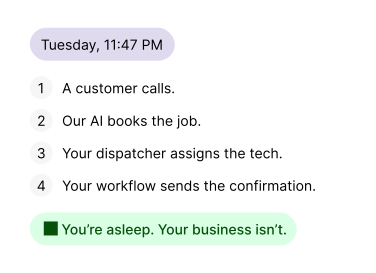
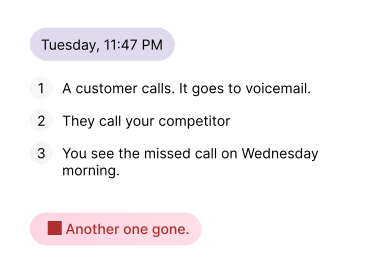
Used By People Who Were Skeptical Too





What Running a Field Business Should Feel Like
We built FieldCamp to take over the boring, manual work that keeps owners stuck in operations.
You set the direction, FieldCamp does the rest.
AI Dispatcher
Every morning used to start the same way: check who’s available, who’s qualified, who’s nearby. One sick technician, and the day’s plan fell apart.
Now, dispatching runs itself.
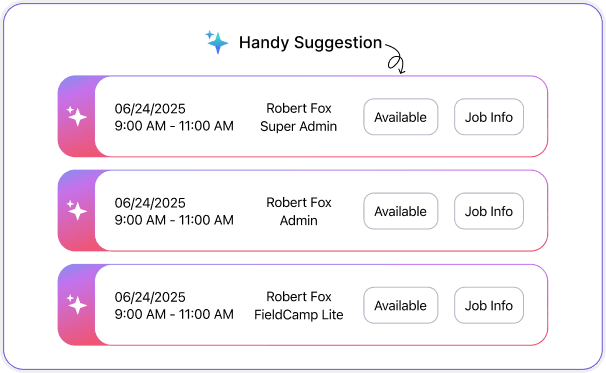
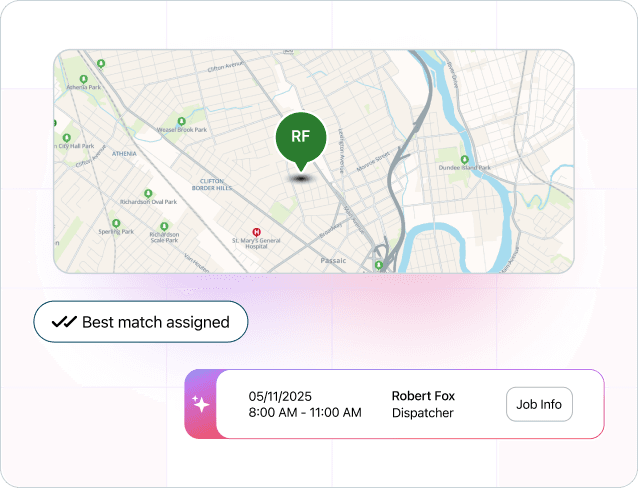
In eight seconds, jobs are assigned, routes are optimized, and schedules adapt when things change.
Assigns work to the right tech, instantly
We match each job to certified techs based on skills, past jobs, and location. No more guessing who should take what.
Builds routes that actually make sense
Our automation finds the fastest, smartest path for every day. Less driving, lower fuel costs, more time spent on billable work.
Handles sick days without any help
If someone calls out, we reshuffle automatically. Cancelled job? We fill the gap. The schedule stays balanced without you touching it.
Learns how you actually operate
Week one: solid automation. Week three: It feels like it reads your mind. Every change helps it learn how you operate.
AI finds the perfect time slot for you
You set the job duration, deadline, and travel limits. AI scans routes, workload, and availability, then suggests the best time instantly.
Customers book anytime they want
A simple self-service portal shows real availability. Clients pick a time that works, and it books directly. No back-and-forth
AI suggests which tech should take it
We match jobs to techs based on skills, certifications, and proximity. Each booking automatically goes to the best fit.
Travel time optimizes itself
The system clusters nearby jobs, factors in traffic, and minimizes drive time. Fewer miles, more revenue.
Recurring jobs schedule themselves
Set it once: monthly, quarterly, annually. FieldCamp repeats it automatically, updates routes, and notifies techs.
AI Scheduling
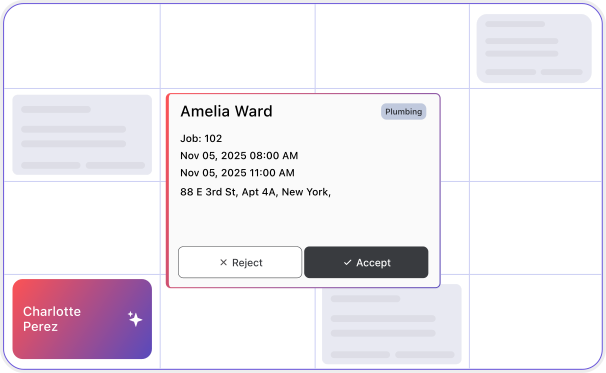
A customer calls at 9 PM.
Old way: you check voicemail tomorrow, find a slot, call back, confirm, send details.
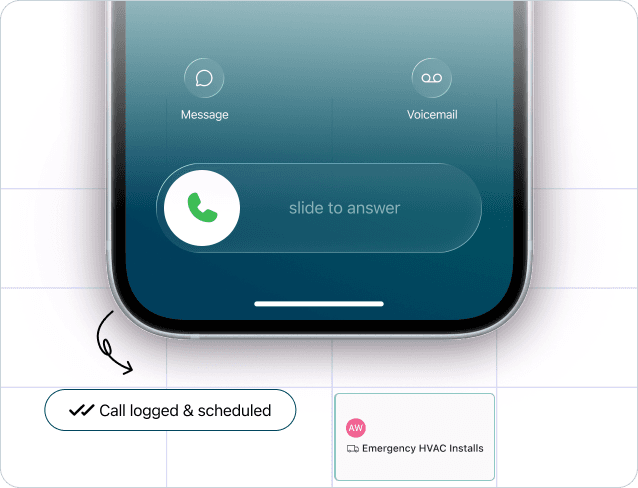
New way: AI picks up, checks availability, finds a slot, books it, sends confirmation, before they hang up.
Scheduling that runs 24/7.
Workflow Automation
A job wraps up at 11:30 AM.
Now, dispatching runs itself.
Normally, you’d send an invoice, process payment, update CRM, and send a review request, spending fifteen minutes every time.
With FieldCamp, it all happens automatically.
Build a simple chain once: “When job completes → send invoice → process payment → update CRM → request review.”
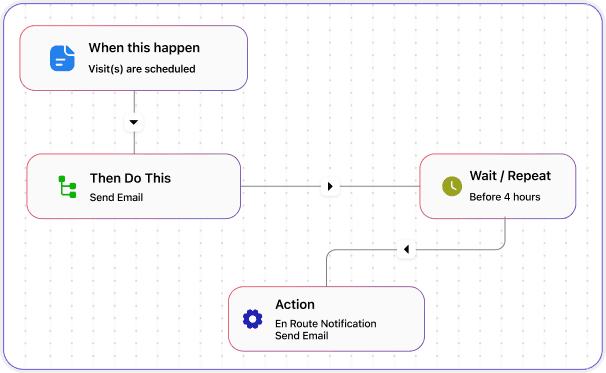
Build automation like LEGO blocks
Just drag, drop, and connect. “When this happens, do that.” Anyone on your team can create a workflow without coding.
Every boring task runs itself
Invoices, reminders, follow-ups, review requests, all on autopilot. If you’ve done it twice, it’s worth automating.
Templates that work right out of the box
FieldCamp offers ready templates for payment, QuickBooks sync, and estimate follow-ups. Just activate & you’re live.
Connects the tools you already use
Stripe, Gmail, QuickBooks, Google Calendar, everything works together. One workflow triggers actions across your entire stack.
Monitors itself and improves over time
The system notices inefficiencies and suggests fixes automatically. It’s like having an operations analyst built in.
Books appointments while talking
It checks your calendar and books jobs during the call. The right tech, right time, right customer, done automatically.
Learns your business and rules
Upload your pricing, FAQs, and service menu. It follows your scripts exactly, handling quotes, emergencies, and payments your way.
Sounds human, not robotic
The conversation feels real. No menus or “press 1” prompts. Customers simply talk, and it understands.
Records, transcribes, and follow-ups
Every call is logged and summarized. Confirmations, directions, and payment links go out automatically before the call even ends.
AI Receptionist
How many calls went to voicemail last month because you were on another line, in the field, or closed for the day?
Now imagine each one was worth $500.
Some were.
Our AI Receptionist answers every call, 24/7. It books jobs right into your FieldCamp calendar, knows your pricing and services, and sounds completely natural.
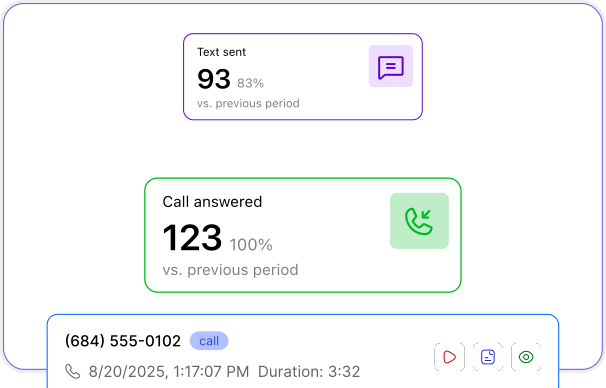
What Took an Hour Now Takes 8 Seconds
Here’s what changed:
1
Incoming Call Handled
Call answered, job details captured, appointment booked, all automatic.
2
Tech Assigned
The best technician is picked based on skills and distance.
3
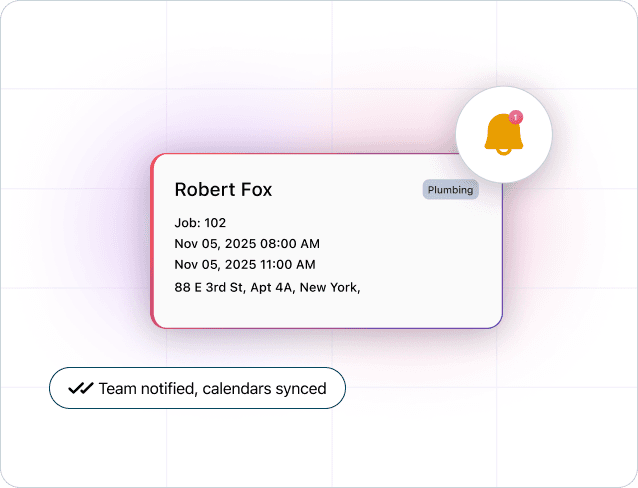
System Notified
Notifications sent to everyone who needs to know. Calendars update themselves.
4
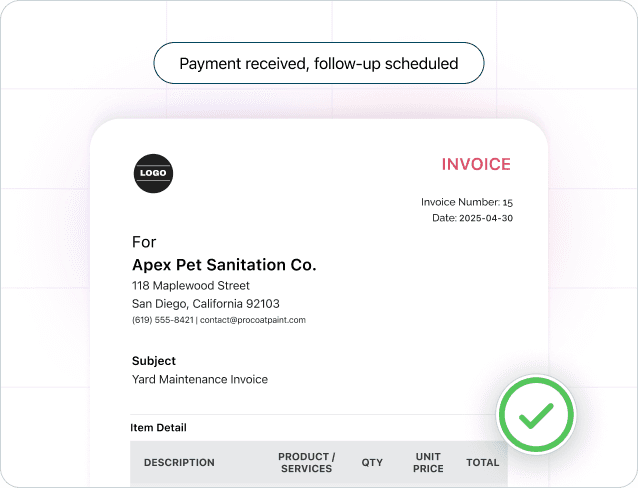
Job Completed
Invoice sent, payment processed, follow-up triggered.
We Don’t Sell Software, We Sell Freedom

“FieldCamp didn’t just improve our operations; it transformed them. We went from constant scheduling chaos and double-bookings to complete control. Our AI Receptionist handles bookings 24/7, and our dispatch system assigns equipment automatically. We’re doing 40% more rentals with the same team.”
Huseyin T.
Operations Manager
18 hrs/week
Time saved
Zero
Double-bookings
See Huseyin eliminated manual scheduling, reduced equipment conflicts by 100%, and scaled operations without adding administrative staff.
What Would You Do With 20 Extra Hours a Week?
That’s what automation gives you back. See how FieldCamp runs dispatch, booking, and workflows without your involvement.

Frequently Asked Questions
Unlock efficient growth with one platform that automates scheduling, routing, enrichment, and intent workflows.
What is field service automation and how does it work?
Field service automation uses AI to handle dispatching, scheduling, and customer communication automatically. FieldCamp assigns jobs based on technician skills and routes, books appointments 24/7, and manages invoicing and follow-ups without manual input.
How is automated dispatching different from traditional scheduling software?
Traditional software still needs human input. Our automated dispatching looks at real-time availability, skills, and travel time, then assigns jobs automatically. When something changes, it rebalances the schedule by itself.
Can AI really handle customer calls and book appointments accurately?
Yes. FieldCamp’s AI Receptionist is trained on your service details and pricing. It books directly into your calendar, checks availability, and assigns jobs based on technician skill — during the call.
Do I still control dispatch decisions, or does AI take over completely?
Not at all. You decide how far automation goes: assist mode (AI suggests), batch mode (you review), or real-time mode (fully automatic). You can pause or override at any time.
How long does it take to implement field service automation?
Most teams are live in 3–5 days. Day 1: data import. Days 2–3: configuration. Day 4: testing. Day 5: go-live. From there, accuracy keeps improving as the system learns your workflow.