
Service Dispatch Software: AI vs Traditional: Which Is Right?
Invalid Date - 22 min read

Invalid Date - 22 min read

Table of Contents
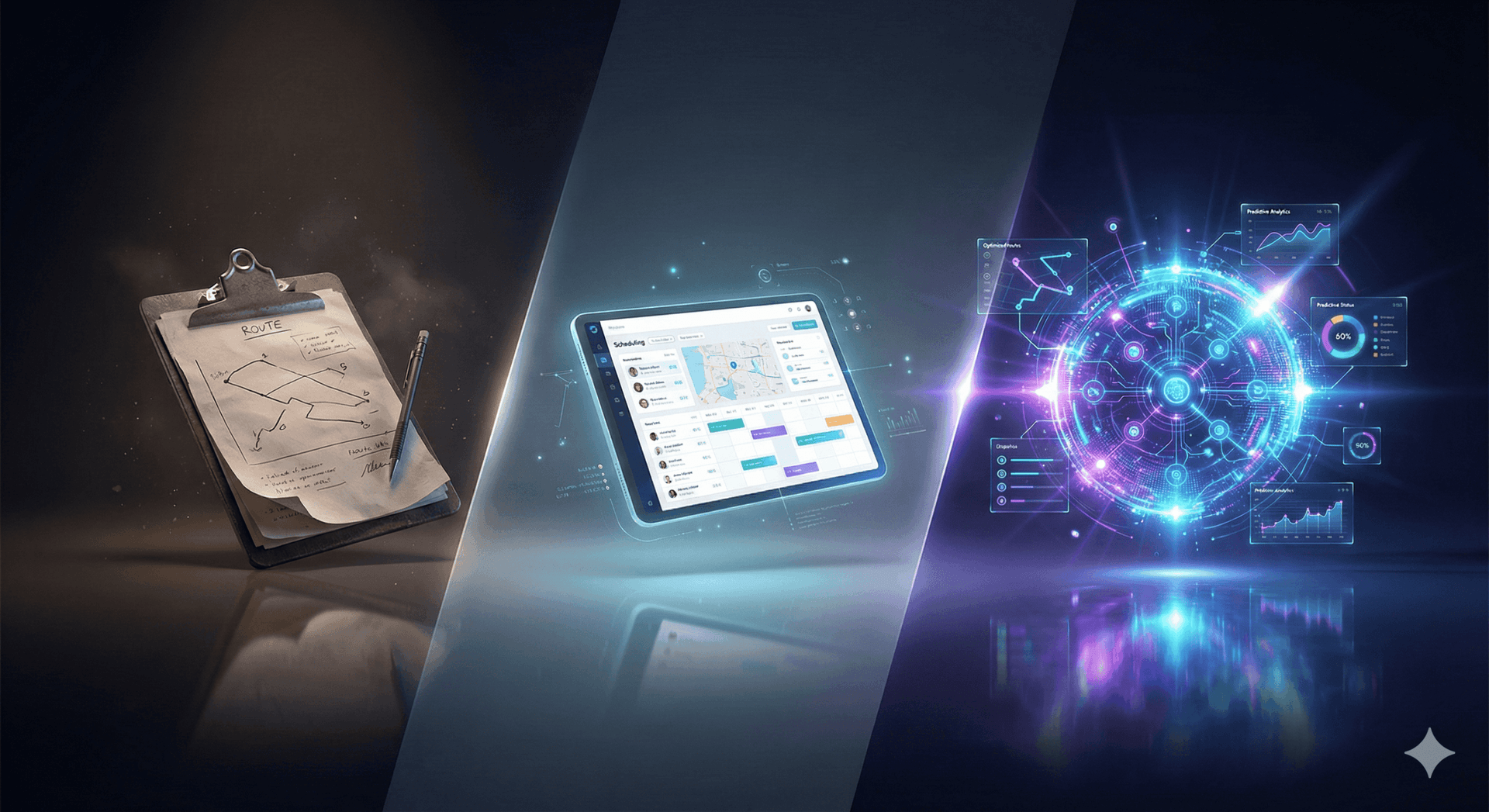
Traditional dispatch software shows you a calendar and lets you drag jobs around. You still decide everything: who goes where, what order, and how to fix delays. AI dispatching makes those decisions for you. It picks the right technician, builds the route, and adjusts automatically when the day changes. Traditional software helps you do the work. AI software does the work.
Your dispatcher just spent 45 minutes reshuffling tomorrow’s schedule because one technician called in sick. By the time they finished, two customers had already called asking where their technician was.
Sound familiar?
Traditional dispatch software is a rule-based scheduling system where dispatchers manually assign jobs using drag-and-drop calendars and predefined filters. AI dispatching uses constraint programming and optimization algorithms to make assignment decisions automatically, in seconds, not hours.
The difference isn’t just speed. It’s who makes the decisions.
Traditional software digitized the calendar but kept decision-making manual. AI dispatching automates the decisions themselves.
This article explains the practical difference between both approaches, shows you where traditional software breaks down, and helps you figure out if your operation has outgrown manual scheduling.
If you prefer listening over reading, we unpack this exact topic with real examples in the podcast below.
This article explains the practical difference between both approaches, shows you where traditional software breaks down, and helps you figure out if your operation has outgrown manual scheduling.
Prefer a visual explanation? Watch the breakdown below.
Traditional dispatch software shows you who’s available but doesn’t tell you who should go. The system filters and displays information. Every assignment decision still requires human judgment.
When a job comes in, dispatchers manually evaluate multiple variables: Does this technician have the right certifications? How far away are they? Can they arrive within the customer’s preferred slot? How many jobs do they already have today?
Traditional software follows static rules. It surfaces options. The dispatcher picks one.
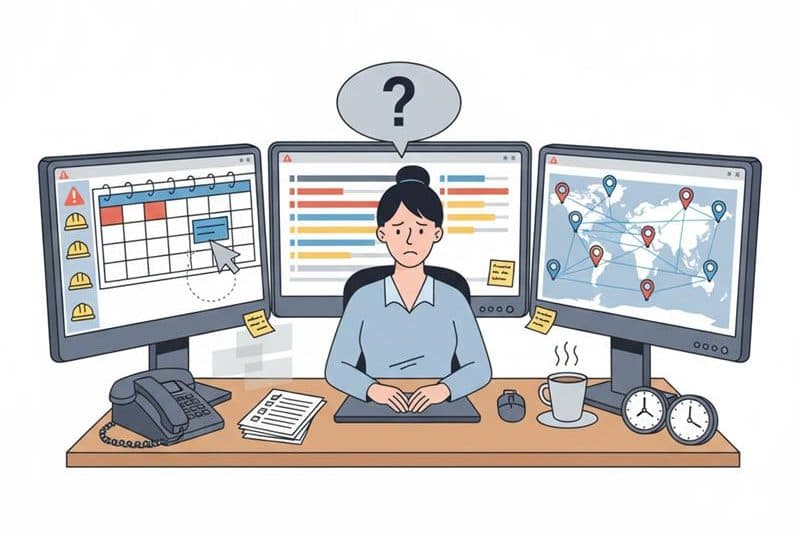
Here’s what happens with an emergency HVAC call at 2 PM when the customer needs service by 5 PM:
The dispatcher opens the calendar, filters by HVAC-certified technicians, checks who’s in the area, estimates drive time using mental math or Google Maps, drags the job onto a technician’s schedule, then manually adjusts other jobs to fit.
Time to assign: 8-12 minutes.
The hidden risk? The dispatcher doesn’t see that this assignment creates overtime for the technician or delays tomorrow’s first appointment.
Traditional software can’t predict downstream impacts. One HVAC company found that 23% of their overtime hours came from these invisible ripple effects, assignments that looked fine in the moment but broke something else downstream.
Traditional tools typically handle these basics:
For step-by-step guidance on using dispatch calendars, see FieldCamp’s Dispatch documentation.
The limitations become obvious as you grow:
Traditional dispatching struggles because field service work is unpredictable. No matter how well the day starts, real conditions change constantly. Jobs run longer than expected. Technicians hit traffic. Someone’s shift ends earlier. A customer suddenly reschedules. Add an emergency call on top, and the entire schedule is thrown off balance.
Traditional software doesn’t adapt to these real-time changes. It relies on the dispatcher to manually fix every delay and move jobs around one by one.
Here’s how quickly the traditional model becomes unstable:
| Team Size | Jobs/Day | Manual Dispatch Stability |
| 1-3 techs | 6-12 | Stable |
| 4-6 techs | 15-25 | Sometimes unstable |
| 7-10 techs | 25-45 | Unstable |
| 10+ techs | 40-80 | Frequently breaks |
Owners across HVAC, plumbing, electrical, and appliance repair share the same pattern: once a business crosses 6-8 technicians, the traditional scheduling model starts collapsing under pressure.
One plumbing company with 9 technicians tracked their dispatcher’s time for a month.
Result: 2.5 hours per day spent on schedule adjustments alone, not building the initial schedule, just fixing it as the day fell apart.
The reason is simple. Traditional systems show the schedule, but they don’t manage it. Every delay, cancellation, or emergency needs a human to make the next decision. As your team grows, those decisions multiply fast.
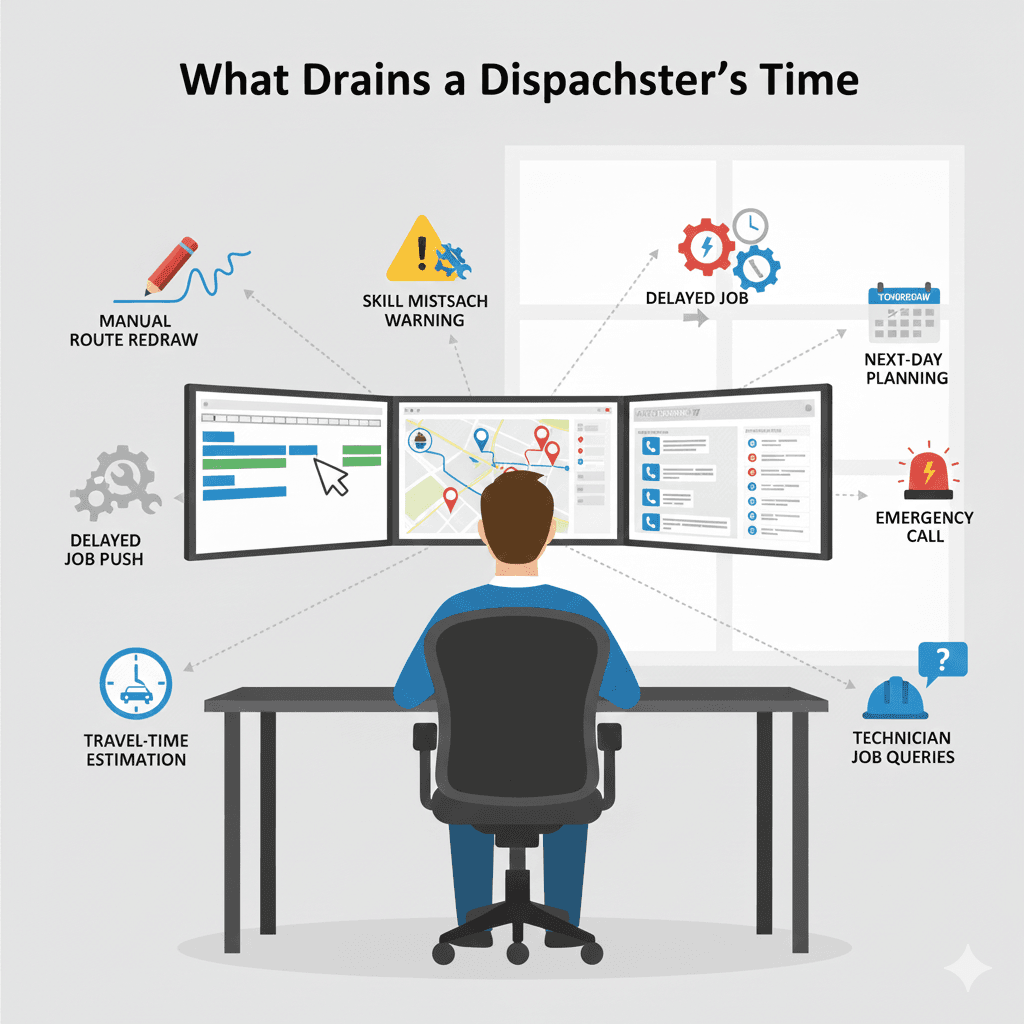
AI dispatch software is the next evolution of field service scheduling. Instead of relying on manual drag-and-drop decisions, AI evaluates thousands of scheduling possibilities in seconds and recommends (or fully automates) the best option.
It understands technician skills, travel time, job priority, time windows, emergencies, and real-time updates, all at once.
Traditional systems show information.
AI dispatching thinks through the information.
This shift removes the heavy cognitive load from dispatchers and stabilizes the entire day, especially when the field becomes unpredictable.
Under the hood, AI dispatching uses two core mechanisms:
These are non-negotiable requirements. The technician must have the required certification. The job must fit within the customer’s time window. No double-booking. No overtime violations. Think of constraints as the “must-haves.” If the system can’t satisfy them, it won’t make the assignment.
Once constraints are met, the AI optimizes across competing priorities: minimize drive time, balance workload across the team, assign preferred technicians you’ve configured for specific customers or job types, and respect zone assignments for geographic efficiency.
When a new job arrives, the AI runs “what-if” simulations, testing multiple assignment scenarios, calculating impact on every technician’s remaining schedule, and selecting the option that scores highest across all priorities. Based on benchmarks from 10,000+ assignments, this process takes 2-5 seconds versus 8-12 minutes manually.
For more on the technical side, see how AI route optimization works.
That 2 PM emergency HVAC call? Here’s how AI handles it:
The system receives the job request, instantly checks all HVAC-certified technicians, calculates real-time drive time from each tech’s current location, uses the configured duration for that job type, evaluates the impact on each technician’s remaining schedule, assigns to the technician with the optimal fit, and automatically adjusts affected jobs to prevent conflicts.
Time to assign: 2-5 seconds.
Job assigned, route optimized, customer ETA sent automatically, no other jobs disrupted.
AI dispatching doesn’t replace dispatchers. It removes the repetitive, high-pressure decision-making that used to consume their entire day.
Humans still stay in control, but they no longer have to calculate routes, manage time windows, or constantly rebuild schedules.
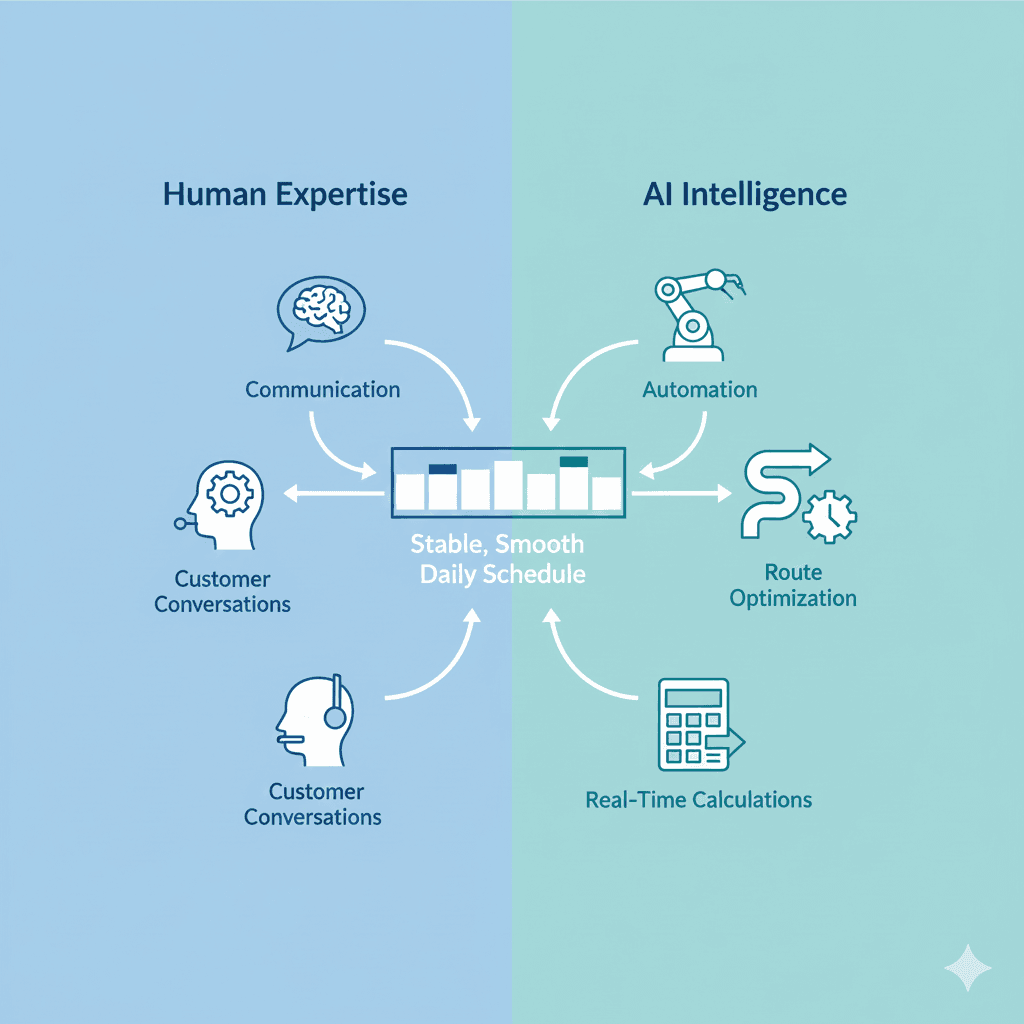
| What AI Handles | What Dispatchers Handle |
| Job assignment optimization | Customer escalations |
| Route sequencing | Complex judgment calls |
| Real-time schedule adjustments | Override decisions when needed |
| Workload balancing | Building customer relationships |
| Predicting conflicts | Managing edge cases |
An electrical contractor in Phoenix put it simply: “My dispatcher used to spend her mornings building the schedule and her afternoons fixing it. Now she spends her time actually talking to customers and handling the weird situations that need a human brain.”
Together, they form a hybrid model that delivers smoother schedules, fewer surprises, and a team that finally gets breathing room.
Learn more about setting up team roles in FieldCamp’s Admin documentation.
Traditional: 1-2 hours of a dispatcher’s day. Delays force constant reshuffling.
AI: Evaluates thousands of combinations in seconds. Builds the most stable plan without manual guesswork.
| Task | Traditional | AI |
| Build a daily schedule | 1-2 hours | Under 30 seconds |
| Rebuild after delays | 20-40 minutes | 2-5 seconds |
| Plan a full week (150-200 jobs) | Half a day | Under 2 minutes |
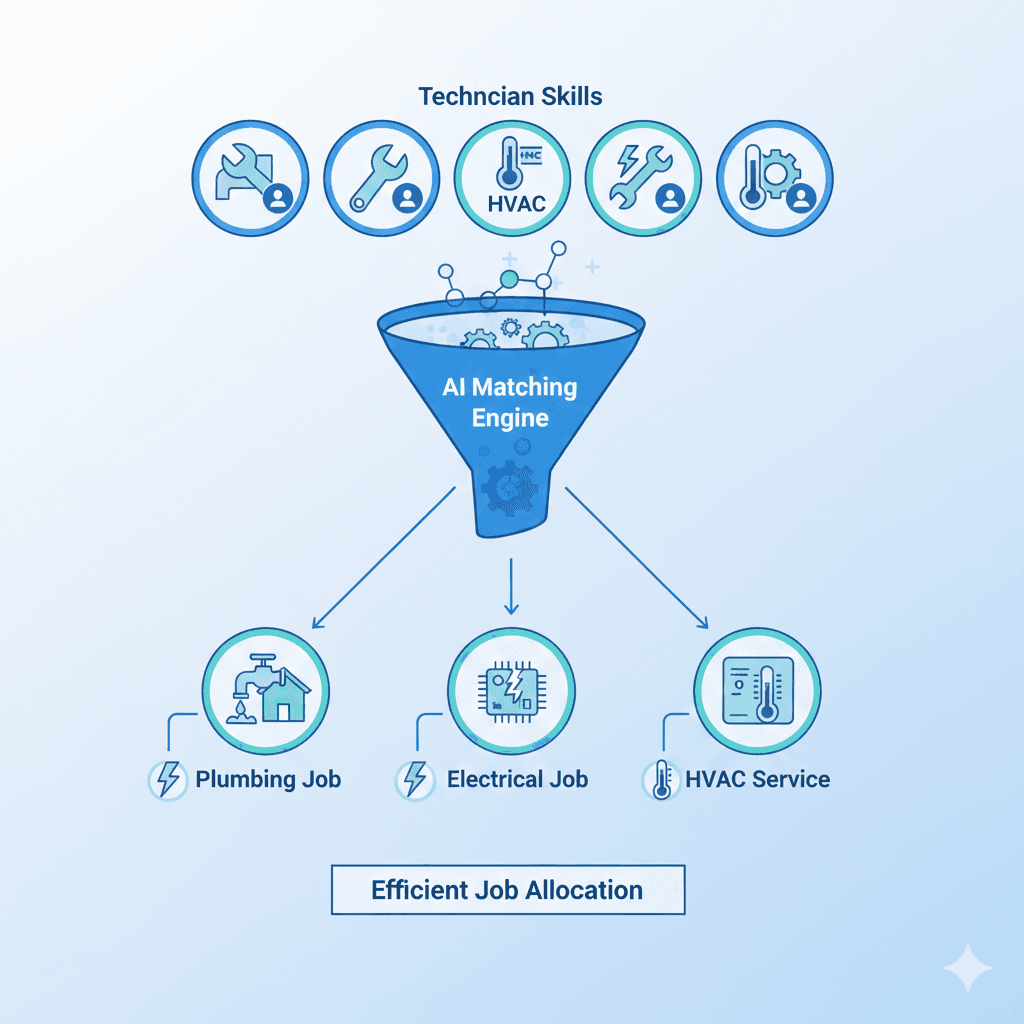
Traditional: Relies on dispatcher memory. Who’s certified? Who handles complex installs? Mistakes happen, especially during busy hours.
AI: Uses technician profiles with skills, certifications, zones, and success rates to match the right technician to every job automatically.
One appliance repair company discovered they were sending uncertified techs to warranty jobs 12% of the time, each one a potential callback and warranty dispute. After switching to AI-based skill matching, misassignments dropped to under 1%.
This ensures consistent quality and fewer callbacks. Learn more about team management and skill-based assignments, or see the Job Management documentation for setup guides.
Traditional: Simple “send whoever is closest” approach. Ignores traffic, job order, technician zones, or predicted job durations.
AI: Analyzes live traffic, job sequence, technician start points, predicted duration, and customer windows to build the most efficient route possible.
| Metric | Traditional | AI |
| Drive time per tech | 2-3 hours | 1-1.5 hours |
| Jobs per tech | 4-6 | 6-9 |
| Routing logic | Proximity only | Multi-variable optimization |
A pest control company tracking fuel costs found its technicians were driving an average of 47 miles per day on inefficient routes.
After AI optimization: 31 miles. That’s 34% less driving, which translates to $1,200/month in fuel savings for a 12-tech team.
See how AI route optimization reduces drive time by 30-40%.
Traditional: Panic mode. Dispatchers scramble to bump jobs, call customers, and shift half the schedule. One urgent case can derail an entire day.
AI: Re-ranks priorities, analyzes impact, and inserts the urgent job in the exact spot that creates the least disruption. Instead of ripping apart five routes, it makes the smallest possible adjustment.
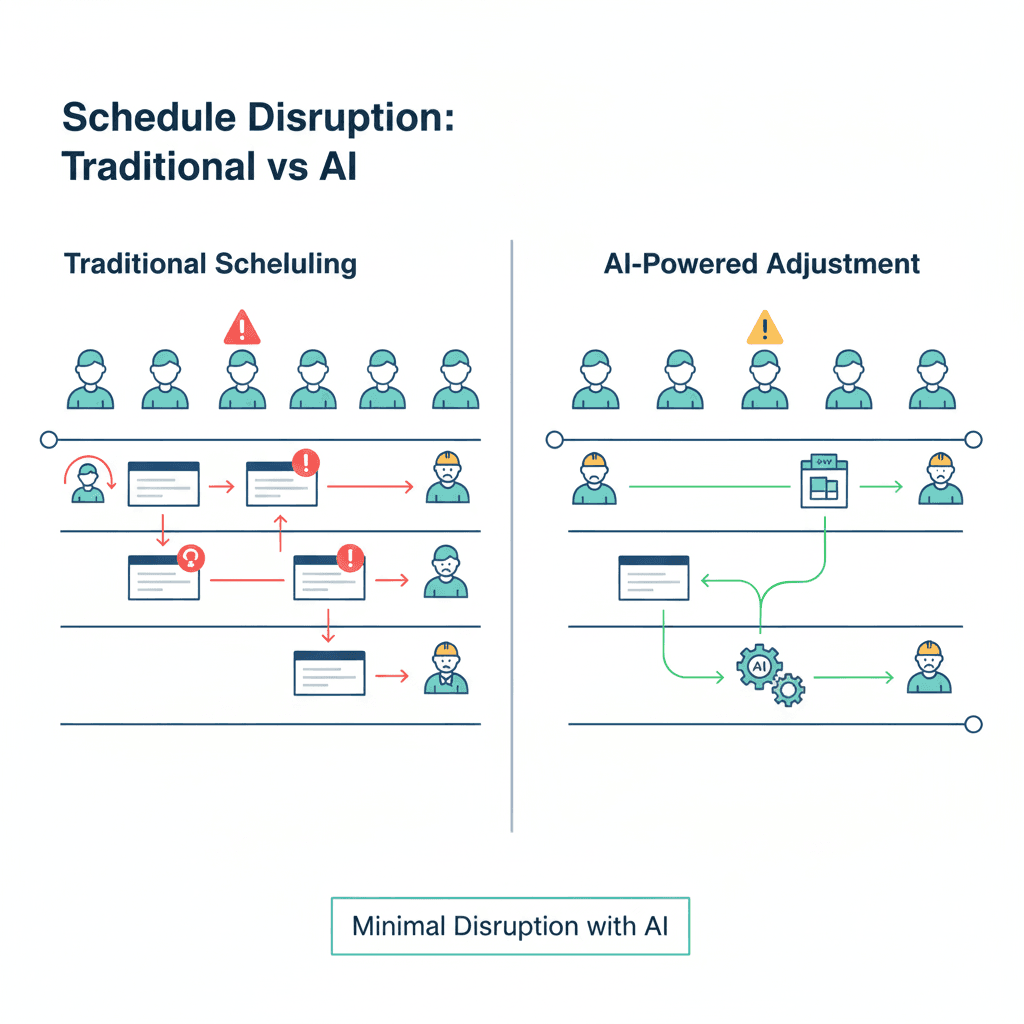
Traditional: Only displays time windows. Doesn’t protect them. When jobs run late, customers wait, windows get broken, and reviews suffer.
AI: Predicts which windows are at risk. Flags unstable schedules early and suggests adjustments before the problem becomes visible to the customer.
| Category | Traditional | AI |
| Missed windows | Common | Rare |
| Window protection | Manual | Predictive |
| Reschedules | Frequent | Reduced |
For setup guidance on time windows, see the fixed time scheduling guide using our online booking documentation.
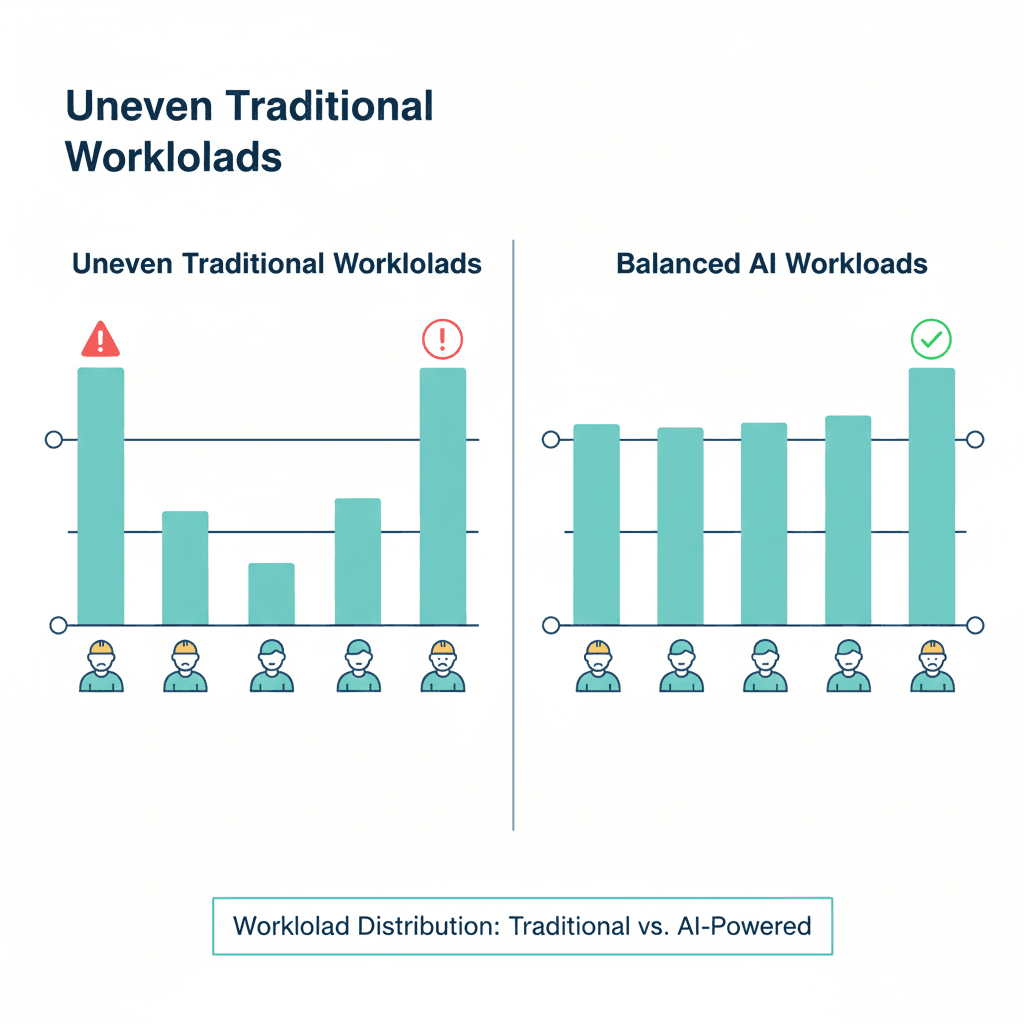
Traditional: Often leads to imbalance. One technician is overwhelmed while another has an easier day. This affects morale, overtime, and service quality.
AI: Distributes workload using real parameters: hours booked, travel time, job complexity, technician strengths, and daily limits. Builds predictable weekly plans with fair distribution.
One HVAC contractor noticed their top performer was burning out, averaging 9.2 jobs per day, while others averaged 5.8. After enabling AI workload balancing, the spread tightened to 6.5-7.5 jobs across the team. Overtime dropped 40%, and the top performer stayed.
Traditional: Schedules break the moment reality changes. One late job can require rebuilding entire routes manually.
AI: Updates only the exact part of the schedule that needs fixing. Keeps the rest intact. Adjusts dynamically without forcing a full rebuild.
| Trigger | Traditional Response | AI Response |
| Job running late | Move several jobs | Adjust only the affected slot |
| Last-minute customer change | Manual reshuffle | Auto-insert optimally |
| Risk of missed window | Dispatcher reacts late | AI flags early |
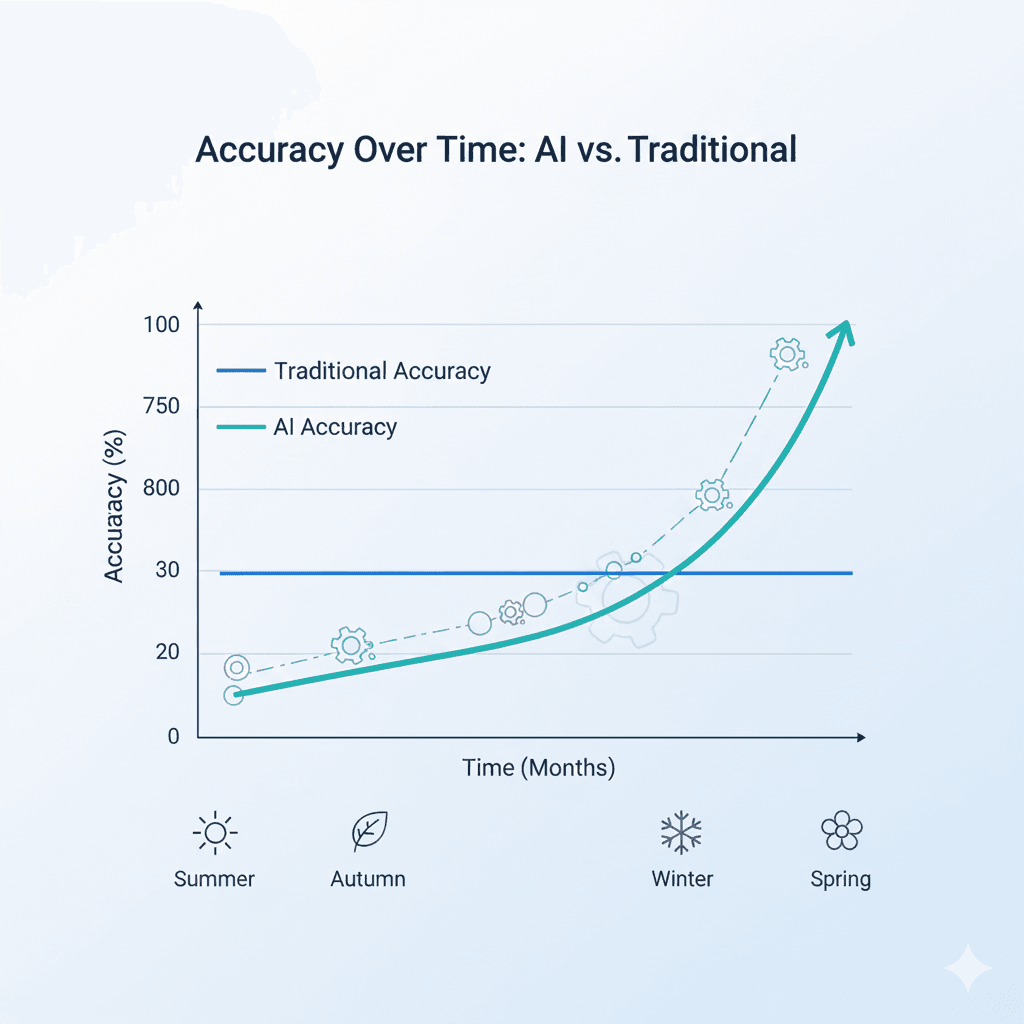
Traditional: Static. Doesn’t get better. You have to constantly improve processes manually and retrain dispatchers to avoid repeating mistakes.
AI: Learns continuously. Studies technician performance, job duration patterns, seasonal workload changes, customer history, and service success rates. Every completed job makes the system smarter.
Numbers are one thing. Seeing actual results is another.
Here’s what changes when a field service team moves from traditional scheduling to AI-powered dispatching:
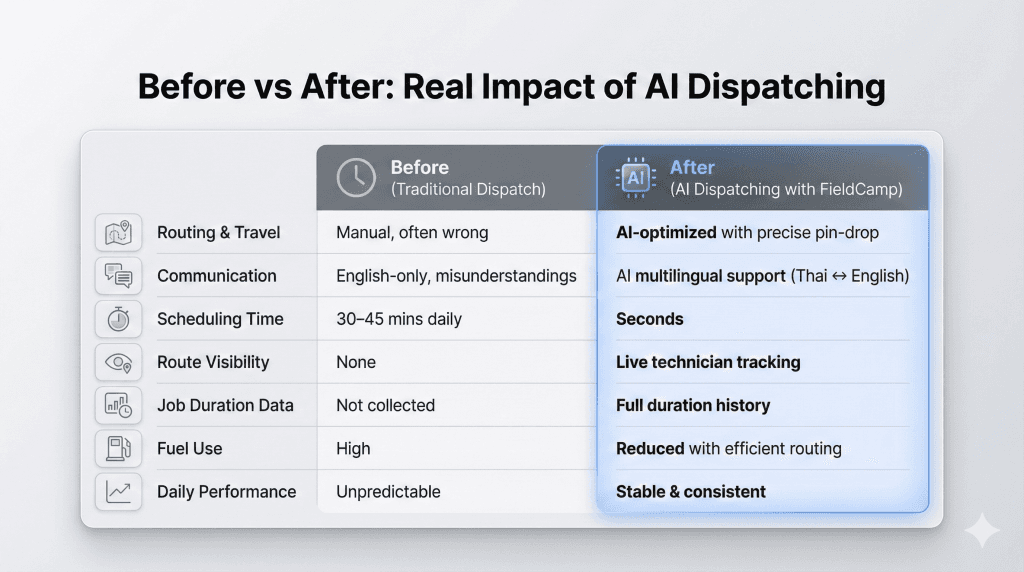
The pattern is consistent across HVAC, plumbing, pest control, and multi-trade teams:
The dispatcher’s job doesn’t disappear. It transforms. Instead of spending the day rebuilding schedules, they focus on customer relationships and handling the exceptions that actually need human judgment.
For real implementation examples, explore FieldCamp case studies.
Consider a team with 12 technicians, 60 jobs per day, 3 skill levels, and 2 service zones.
With traditional software: Dispatcher spends 90+ minutes each morning building the schedule, then multiple hours throughout the day fixing conflicts, delays, and emergencies.
With AI dispatching: System builds initial schedule in under 3 minutes, auto-adjusts throughout the day as conditions change.
Traditional systems use static estimates. If your system says ‘HVAC repair = 2 hours,’ that’s what it uses regardless of context.
AI dispatching lets you configure job durations by category and type. You can set different durations for different job categories (e.g., ‘AC Repair Under 10 Years = 2 hours’ vs ‘AC Repair Over 10 Years = 3 hours’).
This category-based approach gives you more accurate scheduling than one-size-fits-all estimates.
When one job runs late in traditional software, the dispatcher manually fixes everything downstream. This reactive firefighting consumes hours of productive time.
AI dispatching automatically adjusts only the affected portions of the schedule.
Traditional software forces dispatchers to choose one priority (revenue, drive time, or workload balance) instead of optimizing across all three.
AI dispatching optimizes across all priorities simultaneously.
Not every team needs AI dispatching. But there are clear indicators that traditional software has hit its limit.
Your operation has likely outgrown traditional software if you meet 3+ of these criteria:
| Indicator | Traditional Limit | You Need AI When… |
| Team size | 5-7 technicians | 8+ technicians |
| Daily job volume | 30-40 jobs | 50+ jobs |
| Skill levels | 1-2 types | 3+ types |
| Service zones | Single zone | 2+ zones |
| Dispatcher scheduling time | 2-3 hours/day | 4+ hours/day |
| Daily scheduling conflicts | 1-2 conflicts | 3+ conflicts needing manual fixes |
The dispatcher ceiling test: You know you’ve hit the ceiling when your dispatcher says: “I can’t add another technician. I’m already spending half my day just keeping the schedule from falling apart.”
AI dispatching isn’t the right choice for every operation. Here’s when traditional software is still the better fit:
Small, simple operations: If you have 3-5 technicians doing similar work in a single area, manual scheduling is faster than the setup time required for AI. The complexity that AI solves doesn’t exist yet.
Highly variable, unpredictable work: If every job is a custom project with unknown duration, AI can’t optimize what it can’t predict. The system needs patterns to learn from.
Inconsistent data: If your job types, skills, and time estimates are all over the place, fix that first before adding AI. Clean data is a prerequisite, not an outcome.
No clear scheduling rules: If assignments are based on “gut feel” or personal relationships rather than skills, location, and availability, AI won’t replicate that. You need definable logic for AI to automate.
The honest assessment: If you’re a 4-person handyman crew where everyone does everything, and you all work within 10 miles of the shop, traditional software is fine. AI dispatching is built for complexity. If you don’t have complexity, you don’t need it.
Traditional scheduling feels familiar, but as your team grows, it quietly becomes one of the most expensive parts of running a field service business.
Traditional tools still leave humans to do the hardest work: rearranging routes, solving delays, picking which job can move, and fixing mistakes on the fly. This constant firefighting leads to stress, turnover, and operational inconsistency.
Most companies don’t track the revenue they lose because of inefficient routing or poor scheduling:
Traditional dispatching can’t proactively protect time windows or predict delays. Missed windows, late arrivals, and repeat scheduling become common. These issues directly impact reviews, referrals, and long-term customer trust.
Traditional dispatching works fine when you have a few technicians. But once you reach 6-8 techs, the day becomes too unpredictable for manual control. Dispatchers become bottlenecks, and the company hits a point where growth requires hiring more staff.
Competitors using AI dispatching finish more jobs with the same team size, respond faster to emergencies, and operate with a lower cost per job.
| Metric | Traditional | With AI |
| Avg jobs/day | 40-55 | 55-75 |
| Overtime hrs/month | 25-40 | 5-10 |
| Lost revenue/month | $3,000-$6,000 | Reduced significantly |
Realistically, a 10-tech team can save an average of $5,000-$8,000/month simply by eliminating inefficiencies.
Switching to AI dispatching is easier than most teams expect. You don’t need to rebuild your entire operation. You just need a few foundational pieces in place so the AI can make accurate, reliable decisions.
Before AI can recommend who should take which job, it needs clear technician profiles. Make sure each tech has defined skills and certifications, service zones, shift hours, availability, and starting location or home base.
See Admin documentation for team setup guides.
AI makes smarter decisions when each job includes job type or category, expected duration, priority level, customer time window, and special notes.
See Job Management documentation for job configuration.
AI scheduling becomes significantly more accurate when your business rules are defined: acceptable arrival windows, overtime boundaries, lunch/break rules, repeat customer preferences, and territory boundaries.
These rules prevent unrealistic schedules and ensure the AI respects how your team actually works.
For workflow automation, see Workflow Automation documentation.
Use this guide to organize your data, tighten your workflow, and prepare your dispatcher for automation. The deeper, step-by-step breakdown is included inside the full PDF.
Based on typical onboarding patterns:
AI dispatching requires clean data and well-defined job types. If your current system has inconsistent skill tags, vague job descriptions, or inaccurate time estimates, you’ll need to clean that up first. AI can’t fix bad data. It just exposes it faster. For onboarding guidance, see getting started documentation.
AI scheduling is evolving fast.
Soon, it won’t just assign jobs. It will predict delays before they happen, understand job dependencies, and connect your CRM, invoicing, and inventory into one unified system.
Teams that prepare now will have a significant head start over competitors still relying on manual methods.
Explore Handy AI documentation to see what’s already possible.
Traditional dispatch software digitized the calendar but kept decision-making manual. Dispatchers still evaluate constraints, predict outcomes, and build schedules one job at a time.
AI dispatching automates the decision-making itself, using constraint programming and optimization algorithms to evaluate hundreds of variables simultaneously and optimize across multiple priorities in seconds.
Traditional software is a tool the dispatcher uses. AI dispatching is a system that makes decisions and asks the dispatcher to review exceptions.
Switch when: Your dispatcher spends multiple hours daily on scheduling, your team has 8+ technicians with varying skills, or you’re experiencing frequent scheduling conflicts and customer delays.
Next step: Want to see how AI dispatching handles real scheduling challenges? Explore FieldCamp’s AI dispatcher or book a demo and bring your toughest scheduling problem.
FieldCamp handles routing, scheduling, and daily coordination while you stay in control.
No. AI removes the repetitive scheduling work so dispatchers can focus on decisions that need human judgment: customer handling, exceptions, and real-time problem-solving. Most teams report dispatchers are happier because they’re solving problems instead of playing calendar Tetris all day. Dispatchers stay in control, AI handles the heavy calculations.
Dispatch AI is software that uses advanced optimization algorithms to assign jobs, plan routes, balance workloads, and handle real-time schedule changes. It analyzes skills, locations, time windows, and priorities to build the most efficient schedule automatically.
No. Smaller teams (8-15 technicians) often see the biggest improvements first because they have enough complexity to benefit but not so much that implementation is overwhelming. The threshold isn’t company size, it’s operational complexity.
Setup typically takes 1-2 weeks (data migration, job type configuration, skill mapping). Most companies start seeing results within days once basic data is ready. Teams usually see measurable improvements within 30 days. Full adoption, where the team trusts the system and stops constantly overriding, takes 60-90 days.
Dispatchers can override any AI assignment with a single click. The system respects your decision immediately and adjusts the schedule around your change. To prevent similar situations in the future, you can update technician preferences, skill requirements, or zone assignments in your configuration, ensuring the AI follows your business rules from the start.
The opposite. AI adapts in real time when jobs run long or customers reschedule. That’s the entire point: traditional systems are rigid because humans can’t recalculate everything instantly. AI can.
Per-seat cost is often similar, but ROI comes from reduced dispatcher time, lower fuel costs (optimized routes), less overtime, and higher job capacity. Most teams break even within 3-6 months and see significant cost reductions through reduced dispatcher time, fuel savings, and overtime elimination.
Yes. AI dispatching reoptimizes in real time when new jobs arrive. The system evaluates which technician can respond fastest without disrupting other commitments, reassigns if needed, and updates all affected ETAs automatically.
AI uses skills, zones, time windows, priority levels, and configured preferences to make accurate decisions. It evaluates all your business rules simultaneously, something impossible to do manually at scale. The more precisely you configure job categories, technician skills, and customer preferences, the better your schedules become.