
How AI Reduces Drive Time
Invalid Date - 16 min read
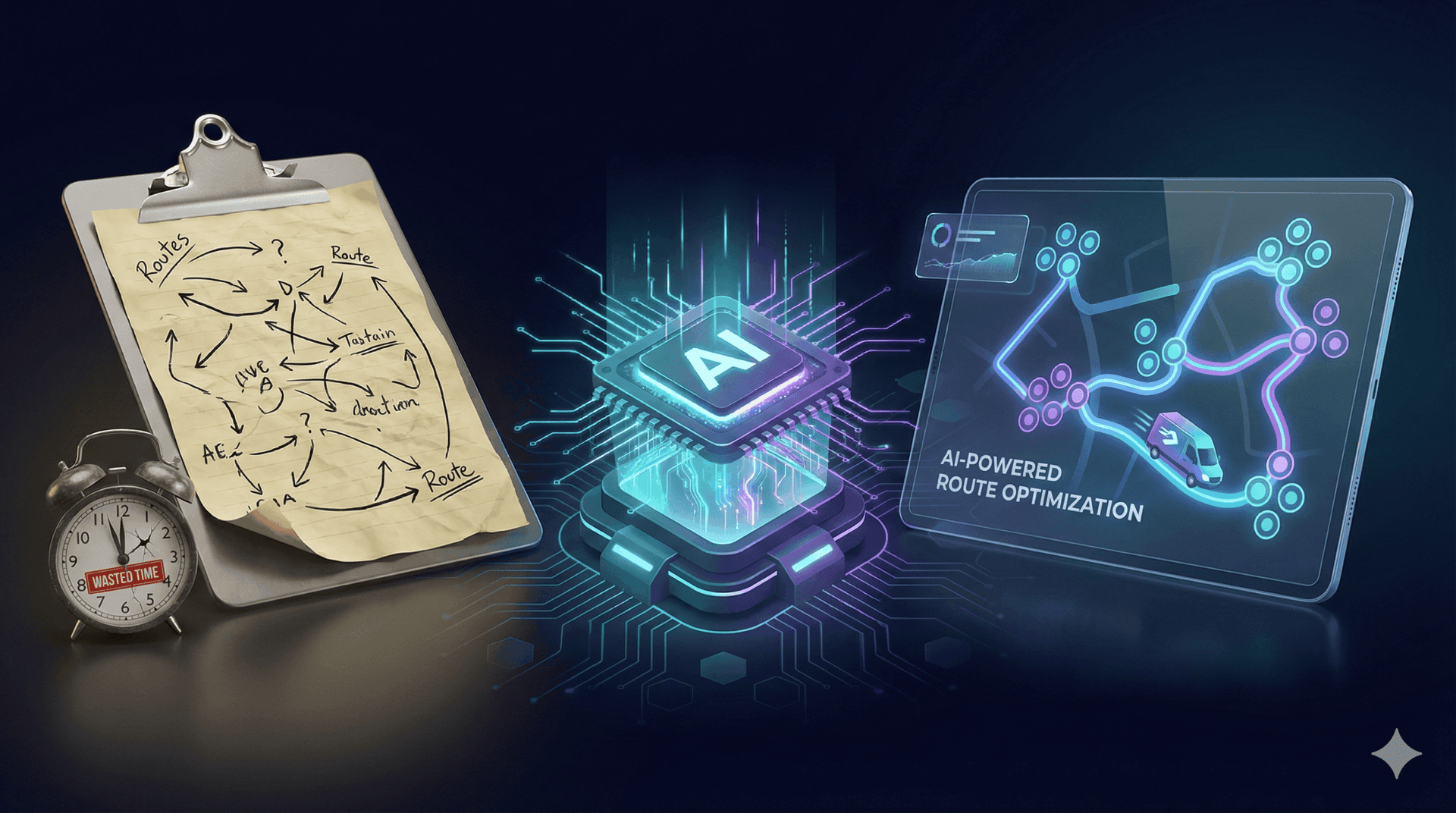

Invalid Date - 16 min read

Table of Contents
The mechanics behind AI-optimized routing, and why manual dispatching can’t compete.
AI reduces drive time by analyzing job locations, technician positions, traffic patterns, and time windows to build optimized routes automatically. Instead of dispatchers manually assigning jobs based on availability alone, AI groups nearby jobs together, sequences stops to eliminate backtracking, and reroutes around traffic in real time.
The result: Less driving, more jobs completed, and technicians who aren’t burned out from windshield time.
Your technicians spend 2-3 hours per day just driving. That’s 25-35% of their shift: unpaid, unproductive windshield time. For a 5-technician team, that’s 10-15 hours of lost productivity every single day.
AI fixes this by analyzing job locations, traffic patterns, and time windows to sequence jobs that eliminate backtracking, cluster nearby appointments, and adapt routes in real time.
Instead of a dispatcher manually assigning jobs based on availability alone, AI groups three jobs within a 2-mile radius for one technician while routing another to a different cluster.
New to AI routing? Start with how AI route optimization works.
This article breaks down the specific mechanisms, from geographic clustering to real-time traffic adaptation, that translate routing decisions into measurable time savings.
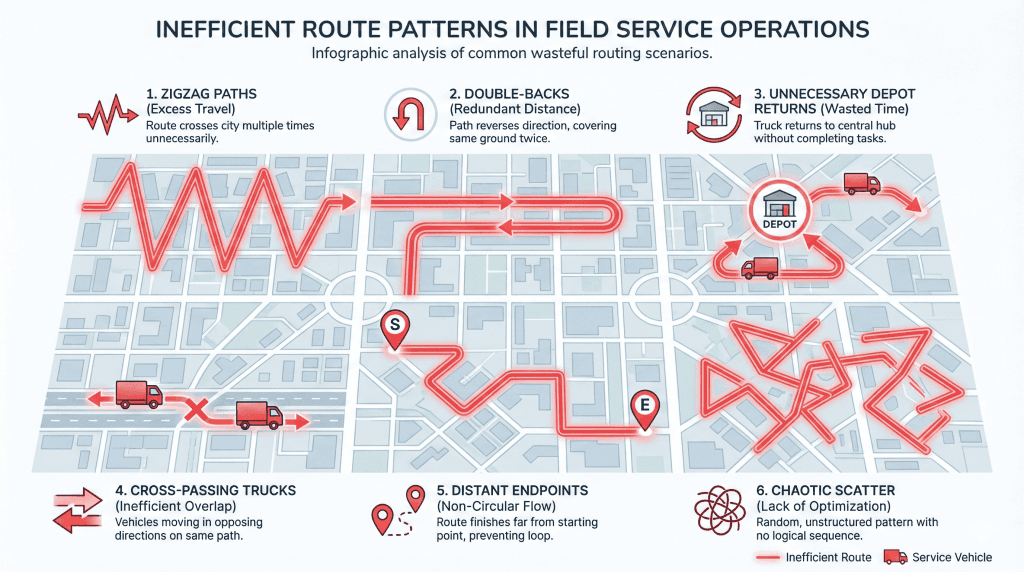
Manual dispatching creates six distinct patterns of wasted drive time that AI systematically eliminates.
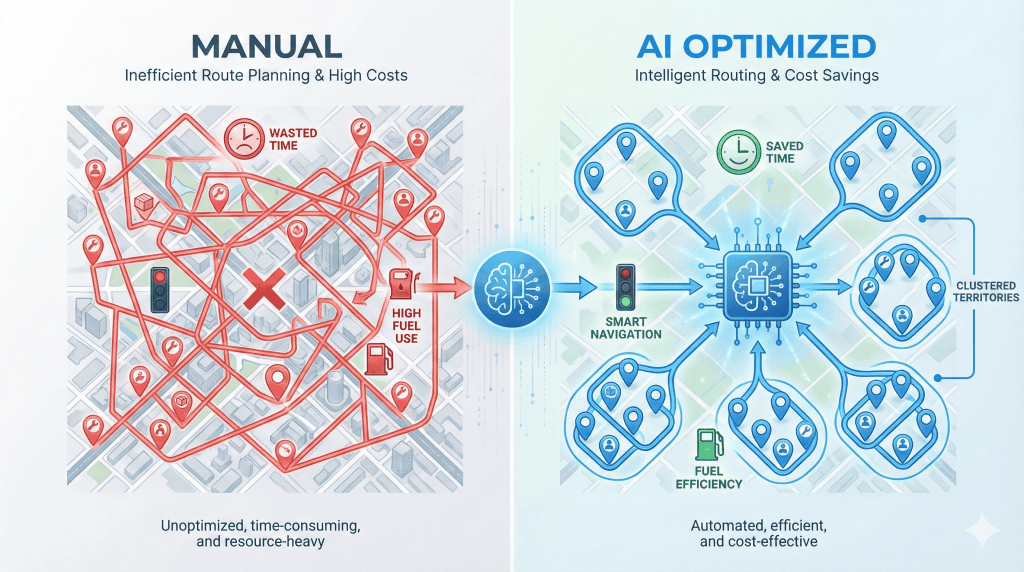
Backtracking occurs when a technician travels back through previously covered territory to reach the next job, adding unnecessary miles and time to their route.
In manual dispatching, this often happens when jobs are assigned based on availability or urgency without considering geographic sequence.
A tech finishes a job up north, drives south for the next one, then back north again, same roads, twice.
This happens when technicians jump between service zones without a logical geographic flow.
A dispatcher assigns Job A in the northwest, Job B in the southeast, then Job C back in the northwest, creating a zigzag pattern across the metro area.
Unnecessary returns to the depot mid-day for equipment or parts that could have been pre-staged. Every depot trip adds 30-60 minutes of unproductive drive time.
When equipment must transfer between technicians, inefficient handoff paths can add significant drive time. Without optimization, Tech A might drive 45 minutes to hand off a bucket truck when a 15-minute midpoint meeting would work.
The last job of the day is far from the technician’s home, adding 30-45 minutes of unpaid drive time. This happens when dispatchers fill schedules without considering where technicians need to end up.
Urgent jobs are inserted without considering the impact on the remaining route efficiency. A single emergency call can disrupt an entire day’s routing if not handled intelligently.
| Waste Type | Manual Miles | AI-Optimized Miles | Time Saved |
| Backtracking | 47 miles | 28 miles | 38 minutes |
| Zone Ping-Pong | 62 miles | 41 miles | 42 minutes |
| Depot Deadhead | 35 miles | 12 miles | 46 minutes |
Manual dispatching typically results in unnecessary drive time from these six waste patterns.
Geographic clustering is an AI optimization technique that groups jobs by proximity to minimize the total distance traveled between appointments.
In field service operations, this means the AI identifies natural job groupings within specific geographic areas and assigns them to the same technician on the same day, rather than scattering jobs across a wide service area.
The AI calculates distance matrices between all unassigned jobs and available technicians. It then creates natural “job clusters” within 2-5 mile radii depending on job density.
Instead of splitting geographically close jobs across multiple technicians, the system assigns entire clusters to single techs.
For example, if 5 jobs are located within a 3-mile radius in north Atlanta, AI will assign all five to one technician. Rather than splitting them across multiple routes that would require unnecessary cross-town driving.
The numbers show why clustering works:
Even with fewer total jobs, the clustered technician completes work faster and with less fatigue. The time saved on driving can then accommodate additional jobs.
A plumbing company has 12 jobs across the metro area. Here’s how manual vs. AI dispatching compares:
Manual dispatch: 4 techs each get 3 jobs scattered across zones. Average distance between jobs: 18 miles.
AI clustering:
Result: Total drive time reduced by 38%.
Clustering respects time windows and skill requirements, not just proximity.
The AI won’t cluster jobs together if they require different certifications or if time windows make the sequence impossible.
It also respects customer preferences; if a customer requests a specific tech, AI factors that into the route. See preferred technician assignment.
FieldCamp’s clustering algorithm typically creates routes where 70-80% of jobs are within 5 miles of the previous stop. This density creates natural efficiency that manual dispatching simply cannot match.
For more on optimizing high-volume routes, see multi-stop route planning with AI.
Static route planning only gets you halfway. Traffic accidents, construction delays, and unexpected congestion disrupt routes daily. AI goes beyond static optimization to dynamic, traffic-aware routing. For technical details on how this works, see how AI dispatcher algorithms work.
AI integrates live traffic data (Google Maps API, Waze, etc.) into route calculations. The system continuously monitors traffic conditions along planned routes and automatically suggests reroutes when traffic incidents are detected.
More importantly, it recalculates ETAs for remaining jobs when delays occur. This prevents “cascade delays” where one traffic jam ruins the entire day’s schedule.
Here’s how real-time traffic adaptation works in practice:
1:47 PM: AI detects traffic incident on I-285
1:48 PM: Calculates alternate routes, identifies best option
1:49 PM: Sends reroute suggestion to technician mobile app
1:50 PM: Technician accepts, navigation updates
1:51 PM: AI recalculates ETAs for jobs 3, 4, 5 based on the new route
Result: 14 minutes saved vs. staying on the original route.
A technician is en route to a 2 PM appointment. The AI detects an accident on the planned route that would add 22 minutes of delay.
Without AI: The Technician sits in traffic, arrives late, and the 3:30 PM appointment gets pushed back. The 5 PM job becomes impossible, requiring rescheduling and an unhappy customer.
With AI: The system immediately suggests an alternate route (adds only 8 minutes) AND notifies the dispatcher that the 3:30 PM appointment may need adjustment. The dispatcher approves the reroute.
The technician arrives on time, and the rest of the schedule is preserved.
Real-time traffic adaptation prevents 60-70% of schedule disruptions caused by unexpected delays.
For more on how machine learning predicts traffic patterns, see our guide to types of machine learning models in AI dispatching.
Single-day optimization requires technicians to start and end at home daily. Multi-day route chaining eliminates this constraint for businesses with large service areas.
Instead of returning home each night, the system plans routes where each day starts where the previous day ended. This eliminates the “return to depot” drive time between consecutive work days.
This strategy is particularly valuable for businesses with geographically dispersed service areas or technicians who cover large territories.
Day 0: Tech starts in Dallas (home), works Dallas jobs, ends in Fort Worth
Day 1: Tech starts Fort Worth (where Day 0 ended), works Fort Worth → Waco → Austin, ends Austin
Day 2: Tech starts in Austin, works in Austin → San Antonio → back toward Dallas
Result: Eliminates 2+ hours of daily “return home” driving, reduces total weekly drive time by 12-15 hours.
| Strategy | Daily Start Point | Daily End Point | Avg Daily Drive Time | Weekly Total |
|---|---|---|---|---|
| Single-Day (Traditional) | Home/Depot | Home/Depot | 2.8 hours | 14 hours |
| Multi-Day Chaining | Previous day end | Next cluster | 2.1 hours | 10.5 hours |
| Savings | — | — | 0.7 hours/day | 3.5 hours/week |
Multi-day route chaining reduces average daily drive time by 18-25% for businesses with service areas larger than a 50-mile radius. For a complete breakdown, see our multi-day scheduling guide.
This approach works especially well for utility companies, seasonal service businesses, and regional contractors.
Many field service businesses share expensive equipment across multiple technicians: bucket trucks, sewer cameras, specialized diagnostic tools. Without optimization, equipment handoffs can add hours of wasted drive time.
AI calculates the optimal handoff strategy based on technician locations and remaining schedules:
DIRECT (Tech-to-Tech): Tech A drives equipment directly to Tech B’s location. Best for nearby technicians in urban areas.
DEPOT (Centralized Hub): Tech A returns equipment to the central depot, Tech B picks up from the depot. Best for overnight handoffs or when equipment needs maintenance.
MEET_HALFWAY (Midpoint): Both technicians travel to a geographic midpoint. Best for rural areas or when techs are far apart.
| Strategy | Use Case | Typical Buffer Time | Drive Time Impact | Example: Tree Service |
|---|---|---|---|---|
| DIRECT | Techs nearby (<20 min) | 20-30 min | Lowest | Crew A (north side, 10:30 AM finish) drives truck to Crew B (northeast, 11:00 AM start) = 15 min travel + 15 min coordination = 30 min total |
| DEPOT | Overnight handoffs, equipment maintenance needed | 60-90 min | Moderate | Return to depot + pickup would add 60+ minutes |
| MEET_HALFWAY | Techs far apart, no depot nearby | 35-50 min | Low-Moderate | Both crews travel to midpoint |
Optimized equipment handoff routing reduces shared-resource drive time by 40-50% vs. default depot returns.
FieldCamp’s default maximum travel time parameter is 15 minutes between consecutive jobs. This creates natural efficiency boundaries that prevent excessive drive time.
The AI assigns jobs only when the next job is within 15 minutes of travel time. This forces the system to find nearby jobs rather than accepting long drives to fill schedule gaps.
Trade-off: This may leave some jobs unassigned if no technician is within range. However, the efficiency gains typically outweigh occasional scheduling gaps.
The 15-minute default works for most suburban markets. Here’s how to adjust:
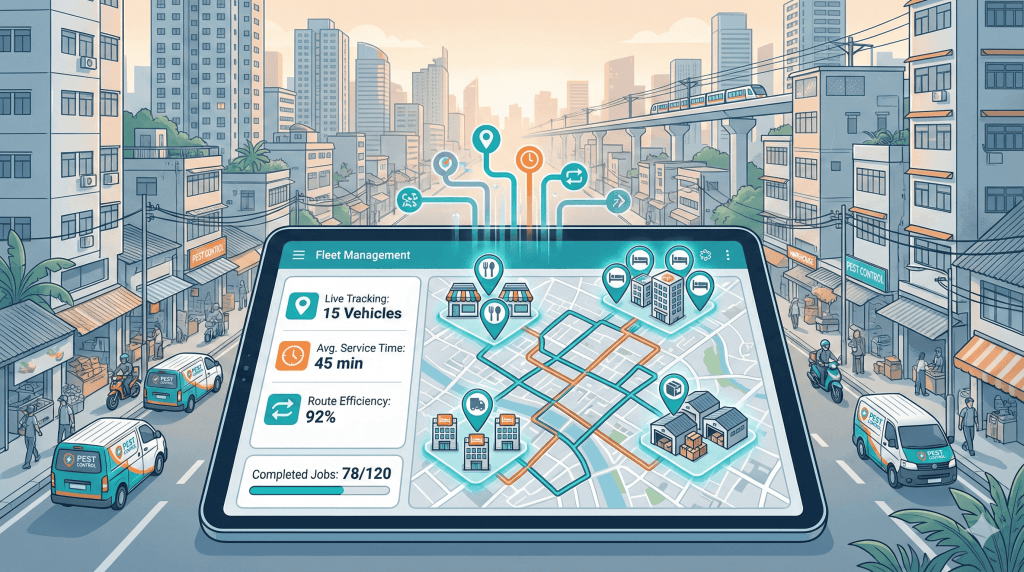
Industry Baseline vs. AI Optimization
The 25-40% range depends on job density, service area size, and time window flexibility. Urban areas with flexible customers see the highest savings.
Where does the drive time reduction come from? These mechanisms overlap; actual savings depend on which combinations apply to your operation.
| Metric | Manual Dispatching | AI Optimization | Improvement |
|---|---|---|---|
| Avg Daily Drive Time | 3.2 hours | 2.1 hours | 34% reduction |
| Jobs Per Day | 5.8 | 7.1 | +1.3 jobs |
| Weekly Drive Time (5 techs) | 80 hours | 52.5 hours | 27.5 hours saved |
| Annual Fuel Cost | $31,200 | $21,500 | $9,700 saved |
For a 5-technician operation saving ~1 hour of drive time per tech per day:
The exact numbers depend on your labor rates, fuel costs, and service area, but teams typically recover tens of thousands annually in reduced windshield time alone.
FieldCamp’s AI Dispatcher software uses a hybrid VRP approach (Google OR-Tools + Timefold) to optimize routes across all six waste categories simultaneously. Here’s what makes it different.
1. AI analyzes all unassigned jobs and available technicians
2. Creates geographic clusters based on proximity and time windows
3. Sequence jobs within each cluster to minimize backtracking
4. Applies real-time traffic data to route calculations
5. Suggests optimal equipment handoff strategies if shared resources are involved
6. Continuously monitors and adjusts routes as conditions change
FieldCamp doesn’t just calculate routes; it eliminates the six types of drive time waste that manual dispatching can’t see.
AI routing sequences jobs so your team drives less and completes more. No more zigzagging across town.
Six mechanisms drive the reduction: clustering eliminates backtracking, sequencing prevents ping-ponging, traffic adaptation avoids delays, multi-day chaining cuts depot returns, handoff optimization reduces equipment travel, and travel time rules prevent sprawl.
Every hour technicians spend driving is an hour they’re not completing billable work.
For that 5-technician HVAC company losing 10-15 hours daily to inefficient routes, AI dispatching recovers 7-10 of those hours, turning windshield time into billable work.
Want to see how AI balances drive time reduction with workload equity across your team? AI dispatching doesn’t just reduce drive time: it distributes work fairly.
See how in our guide on how AI matches jobs to technicians.
AI dispatching typically reduces drive time by 25-40% compared to manual scheduling. For a technician who currently drives 3 hours per day, that’s 45-72 minutes saved daily, which translates to 1-2 additional jobs completed per day. The exact savings depend on job density, service area size, and time window flexibility.
The six primary causes are: (1) backtracking through previously covered territory, (2) ping-ponging between service zones, (3) unnecessary depot returns, (4) inefficient equipment handoff routes, (5) end-of-day sprawl with last jobs far from home, and (6) emergency job insertions that disrupt route efficiency. AI eliminates this waste through geographic clustering and intelligent sequencing.
Yes, but the drive time savings are typically lower (15-25% vs. 30-40% in urban areas) because jobs are naturally more dispersed. AI still optimizes by creating the most efficient sequence and avoiding backtracking, but the baseline drive time is higher due to geography. Adjusting the max travel time parameter (e.g., 25-30 minutes instead of 15) helps AI find workable routes in rural service areas.
FieldCamp’s AI continuously monitors traffic conditions along planned routes using live data feeds. When it detects delays (accidents, construction, congestion), it automatically calculates alternate routes and suggests reroutes to technicians via the mobile app. This prevents small delays from cascading into schedule disruptions and typically saves 10-15 minutes per incident.
Yes, but savings may be 20-30% instead of 30-40% because time windows constrain routing flexibility. AI still optimizes by clustering jobs with compatible time windows and sequencing them efficiently within those constraints. The tighter the time windows, the less flexibility for geographic optimization, but AI will always find the best possible route given the constraints.