
Territory Management for Field Service: Zone-Based Dispatching
Invalid Date - 20 min read

Invalid Date - 20 min read

Table of Contents
The 3 PM Nightmare: When Territories Fall Apart
Your dispatcher just assigned Mike, your best HVAC tech in the North region, to an emergency call 45 miles south. The customer is furious because he’s running two hours late.
Meanwhile, three jobs in Mike’s actual territory are now behind schedule. And Sarah, who covers the South zone, is sitting idle, wondering why she wasn’t assigned the job that’s literally five minutes from her location.
This happens more often than most field service companies like to admit. Without proper zone and territory constraints, even the smartest AI dispatching system will optimize for the wrong outcomes. It’ll send technicians across town when someone closer was available, or worse, create scheduling chaos that ripples through your entire operation for the rest of the day.
The fix isn’t more dispatchers. It’s smarter boundaries.
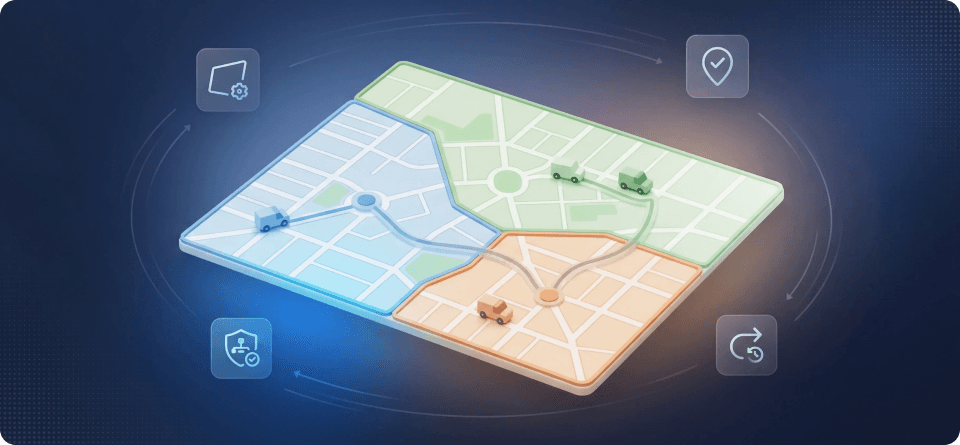
Zone and territory constraints are geographic rules that define where each technician can and cannot work. Think of them as invisible fences in your AI dispatch scheduling system. They make sure jobs get assigned to technicians who actually serve that area, not just whoever happens to be free.
But here’s where it gets interesting. Not all boundaries are created equal.
| Constraint Type | Definition | Example | Flexibility |
| Service Zones | Geographic areas are divided by region | North, South, East, West districts | Hard constraint, never crossed |
| Territory Assignments | Specific technicians assigned to specific zones | Mike covers the North Zone only | Configurable (hard or soft) |
| Business Unit Separation | Departmental boundaries | HVAC Division vs. Plumbing Division | Hard constraint, no crossover |
| Coverage Overlap | Zones where multiple techs can work | Downtown core accessible by 3 techs | Soft constraint with preferences |
Understanding these distinctions is critical. When your AI scheduling system knows which constraints are negotiable and which aren’t, it can make smarter trade-offs during dynamic rerouting scenarios.
Let’s break down the real-world impact of poorly configured, or completely missing, zone constraints.
1. Drive Time Explosion
Without geographic boundaries, optimization algorithms chase the “best fit” technician regardless of location. The result? Your route optimization works overtime while your actual drive times balloon.
A plumbing company we analyzed was averaging 47 minutes of drive time per job. After implementing zone constraints? 28 minutes. That’s a 40% reduction, and it didn’t require hiring anyone new.
2. Technician Burnout
When techs constantly work outside their familiar territory, they lose the efficiency that comes from knowing the area. They miss shortcuts, underestimate traffic patterns, and spend mental energy navigating instead of focusing on the job at hand.
This directly impacts workload balancing and contributes to the technician turnover problem that plagues field service companies across the board.
3. Customer Experience Takes a Hit
Customers notice when a technician seems unfamiliar with the area. “You’re not the usual guy” isn’t just small talk. It signals a breakdown in service consistency that slowly erodes trust over time.
4. SLA Violations Start Piling Up
Geographic misassignments are the leading cause of SLA breaches in field service. When a tech is 45 minutes away instead of 15, that 2-hour response window suddenly becomes very tight.
Effective zone and territory constraints rest on three foundational elements. Get these right, and your AI dispatcher becomes dramatically more effective.
This is the foundation. You define geographic service zones, typically by region, zip code clusters, or municipal boundaries, and assign technicians to specific zones.
How it works in practice:
Zone: North District
Boundaries: Zip codes 90001-90025
Assigned Technicians: Mike, Jennifer, Carlos
Constraint Type: HARD (never assign outside zone)
When a job comes in from zip code 90015, the AI dispatcher immediately filters the technician pool to only Mike, Jennifer, and Carlos. Sarah, who covers the South District, isn’t even considered. It doesn’t matter if she’s free or has the right skills.
Why this matters for priority-based dispatching:
Even emergency jobs (P0 priority) respect zone constraints. If Mike, Jennifer, and Carlos are all booked, the system doesn’t automatically pull from another zone.
Instead, it triggers an escalation workflow. Your dispatcher gets visibility into the capacity problem rather than the system silently creating a cross-zone assignment that breaks your operational model.
This constraint operates at a higher level than geography. Business units represent distinct operational divisions within your company, and they should never mix.
Common business unit structures:
| Business Unit | Typical Setup | Why Separation Matters |
| HVAC Division | Dedicated techs, equipment, certifications | Skill requirements are fundamentally different |
| Plumbing Division | Separate licensing requirements | Cross-assignment could violate regulations |
| Commercial Services | Different SLA tiers, pricing models | Customer expectations vary significantly |
| Residential Services | Higher volume, shorter job durations | Capacity planning differs entirely |
Here’s the hard rule. A job tagged to the HVAC Division will never be assigned to a Plumbing Division technician, even if that tech has HVAC certifications and is available. Business unit separation is always a hard constraint. Non-negotiable under any circumstances.
Zones and business units handle the big-picture organization. Tags are where you add precision.
Practical tag applications:
Tags work alongside zone constraints, not instead of them. A VIP customer in the North Zone still gets assigned to North Zone technicians. But the tag ensures they get the best North Zone technician available.
Not every territorial rule should be absolute. The key is knowing which constraints deserve hard enforcement and which ones can flex when the situation calls for it.
These constraints are never violated, regardless of circumstances:
| Hard Constraint | Rationale | What Happens When Violated |
| Business unit separation | Regulatory compliance, skill mismatch risk | Job goes unscheduled; escalation triggered |
| Licensing boundaries | Legal requirements (state lines, municipal licenses) | System blocks assignment entirely |
| Active restriction zones | Safety concerns, customer bans | Technician removed from candidate pool |
When a job can’t be assigned due to hard constraint conflicts, your AI dispatching system should generate an unassigned visit report explaining exactly why. Whether it’s a skill mismatch, a zone violation, or capacity exhaustion, the dispatcher should never have to guess.
Soft constraints influence scheduling decisions but can be overridden when business logic demands it:
| Soft Constraint | Default Behavior | Override Scenario |
| Preferred zone assignment | Tech stays in the assigned zone | Emergency in the adjacent zone with no local availability |
| Territory overlap preferences | Primary zone tech prioritized | Primary tech at capacity; secondary available |
| Drive time thresholds | Jobs beyond 30 min flagged | High-priority job with no closer alternative |
The penalty system: Modern AI dispatchers use weighted penalties to handle soft constraints. Assigning a job outside the preferred territory might carry a penalty score of 50 points, while missing an SLA carries 200 points. The algorithm minimizes total penalty, which means it sometimes accepts a zone violation to prevent a more costly SLA breach.
This is fundamentally different from traditional dispatch software, which treats rules as binary. It’s either allowed or it isn’t, with no room for nuance.
Let’s walk through how properly configured zone and territory constraints handle a typical Tuesday morning.
Your company:
Zone configuration:
| Zone | Technicians | Business Units | Daily Capacity |
| North | Mike, Jennifer, Carlos, David | Residential, Commercial | 16 jobs |
| Central | Sarah, Tom, Lisa | Residential only | 12 jobs |
| South | James, Maria, Kevin, Amy, Chris | Residential, Commercial | 18 jobs |
A commercial client in the North Zone reports a complete HVAC failure. It’s July. The building is already at 84 degrees.
Without zone constraints: The AI scans all 12 technicians, finds Maria in the South Zone with an open slot, and assigns her. Maria drives 52 minutes. The customer waits. Three jobs in the South Zone get pushed back. Maria misses her lunch break, trying to catch up.
With zone constraints, the AI immediately filters tothe North Zone + Commercial Business Unit. That narrows it down to Mike, Jennifer, Carlos, and David. Jennifer has a 45-minute gap at 9:30 AM. She gets the job. Drive time: 11 minutes. Customer is cooling down by 10:15 AM.
Four new residential jobs come in for the North Zone. But Mike is on a complex multi-day installation, Jennifer just took the emergency, Carlos is booked solid, and David is on PTO.
The constraint hierarchy kicks in:
Sarah takes two of the jobs, the ones closest to the Central/North border. The other two trigger a time window optimization workflow where the system contacts customers to offer alternative appointment times when North Zone capacity returns.
A VIP residential customer in the South Zone specifically requests Mike, who normally works North Zone.
How tags interact with zones:
Resolution: The AI flags this as a constraint conflict. VIP status doesn’t override zone assignments automatically. That would undermine the entire territory model. Instead, the system presents options to the dispatcher:
This keeps humans in the loop for decisions that could set problematic precedents.
Ready to configure territory constraints in your operation? Here’s how to approach it systematically.
Before configuring anything, you need to understand your actual service patterns.
Data to gather:
Pro tip: Your zones should reflect how work actually clusters, not arbitrary administrative boundaries. If 80% of your North Zone jobs happen in a 5-mile radius, that’s your real zone, even if it doesn’t match zip code lines perfectly.
Using your geographic analysis, establish clear zone definitions:
Zone: North District
Primary Coverage: Zip codes 90001-90025
Secondary Coverage: Zip codes 90026-90030 (overlap with Central)
Hard Boundary: South of Highway 10 = NOT North District
Overlap zones are important. They give your AI route optimizer flexibility in edge cases without creating the chaos of boundary-free dispatching.
Match technicians to zones based on:
One common mistake to avoid here: don’t assign your best techs to the highest-volume zone. That creates an imbalance. Instead, match capacity to demand across all zones so no single territory is carrying all the weight.
Establish clear rules for how constraints interact:
Document this hierarchy. When your AI dispatcher makes decisions, everyone on the team should understand the logic behind them.
Constraints need escape valves. Configure what happens when:
Each scenario should have a defined workflow, whether that’s automatic escalation, dispatcher notification, or customer communication.
The problem: If your “North Zone” covers 200 square miles, you haven’t really created a zone. You’ve just labeled a huge area and called it a day.
The fix: Zones should be sized so any technician can reach any job within the zone in under 30 minutes during normal traffic. If that’s not possible, subdivide.
The problem: Two locations might be 10 miles apart, but 45 minutes apart during rush hour. Static zone boundaries don’t account for this.
The fix: Use dynamic rerouting capabilities that factor real-time traffic into zone boundary decisions. Some AI dispatchers can adjust effective zone coverage based on the time of day.
The problem: When zones have hard edges with no overlap, edge cases become nightmares. A job one block outside the zone boundary can’t be efficiently served by anyone.
The fix: Create buffer zones, areas where two or more territories overlap. Techs from either zone can serve these areas, with preference given to whoever is closest.
The problem: When everything is a “hard constraint,” the system becomes too rigid. Jobs go unscheduled. Customers get frustrated.
The fix: Be ruthless about classifying constraints. Only regulatory requirements and true operational necessities deserve hard constraint status. Everything else should be a weighted soft constraint that the AI can optimize around.
The problem: Your zones were configured two years ago. Since then, you’ve added three technicians, expanded into new areas, and shifted customer demographics. The old zones don’t reflect your current reality.
The fix: Review zone configurations quarterly. Look at:
How do you know if your territory configuration is actually working? Track these metrics.
| Metric | Target | Red Flag |
| In-zone assignment rate | >90% | <80% |
| Average drive time | <25 min | >35 min |
| Zone override frequency | <5% of jobs | >15% of jobs |
| Capacity utilization by zone | 75-85% | <60% or >95% |
| Metric | What It Tells You |
| Cross-zone job completion time | Whether out-of-zone assignments are hurting efficiency |
| Customer satisfaction by zone | Whether some territories are underserved |
| Technician overtime by zone | Whether capacity is misallocated |
| First-time fix rate by zone | Whether local knowledge correlates with quality |
If your in-zone assignment rate is below 80%, your zones aren’t configured correctly. Or you have a fundamental capacity problem that territory constraints alone can’t solve.
Territory management doesn’t exist in isolation. Here’s how zone constraints interact with other AI dispatching capabilities.
Zone constraints filter first, then skill matching applies. A job requiring EPA certification in the North Zone will only consider North Zone techs with that certification, not all EPA-certified techs company-wide.
Capacity planning operates within zone boundaries. When the AI calculates available capacity, it does so per-zone. That gives you visibility into where you’re overbooked and where you have slack.
Time windows interact with zone constraints to create realistic schedules. A 9-11 AM appointment in the North Zone won’t be assigned to a tech finishing a South Zone job at 8:45 AM, even if “technically” they could make it.
For jobs spanning multiple days, zone constraints ensure the same territory rules apply consistently. A three-day installation project won’t get reassigned mid-project to a different zone’s technician.
When you’re optimizing for revenue, zone constraints prevent the AI from cherry-picking high-value jobs across territories at the expense of geographic efficiency. You might make an extra $200 on a single job, but if it costs $150 in additional drive time and burns out your tech, that’s not actually profitable.
Different field service industries have unique territory management needs. Here’s what to keep in mind depending on your trade.
Key consideration: Seasonal demand varies dramatically by zone. Northern zones might peak in winter (heating), while southern zones peak in summer (cooling).
Configuration tip: Build seasonal capacity multipliers into your zone planning. The same zone might need 4 techs in January and 6 in July.
Learn more about HVAC field service management →
Key consideration: Emergency response is critical. Zone constraints need exception workflows that can get someone on-site fast for water main breaks.
Configuration tip: Create “emergency float” technicians who can cross zone boundaries for P0 calls without triggering override workflows.
Learn more about plumbing business software →
Key consideration: Licensing requirements often follow municipal boundaries, creating hard constraints that match actual legal requirements.
Configuration tip: Map your zone boundaries to licensing jurisdictions. A tech licensed only in City A cannot legally work in City B. That’s not a preference. It’s a hard constraint.
Learn more about electrical contractor software →
Key consideration: Commercial clients often have multiple locations. A single customer might have properties in three different zones.
Configuration tip: Use customer-level tags to ensure consistency. The same tech (or at least the same team) should service all locations for a given commercial account, even if that requires planned zone crossing.
Zone and territory constraints are evolving. Here’s what’s on the horizon.
Dynamic zone boundaries: Instead of static geographic areas, AI systems will adjust zone shapes in real-time based on traffic, technician locations, and demand patterns.
Predictive capacity allocation: Rather than reacting to capacity crunches, AI will forecast zone-level demand and recommend proactive technician reassignments before problems happen.
Customer-centric territories: Zones optimized not just for efficiency but for customer relationship continuity, automatically keeping high-value accounts with their preferred technicians.
Integration with continuous planning: Real-time zone constraint evaluation that adjusts throughout the day as conditions change.
Ready to implement or optimize zone and territory constraints? Use this checklist to make sure you’ve covered all your bases.
It sounds counterintuitive, but constraints create freedom. When your AI dispatcher operates within well-defined zone and territory boundaries, it makes faster decisions, produces more efficient routes, and creates schedules that actually work in the real world.
The alternative, boundary-free optimization, looks good on paper but falls apart in practice. Technicians end up everywhere. Drive times spiral. Customers wonder why they never see the same person twice.
Zone and territory constraints aren’t limitations. They’re the framework that makes intelligent dispatching possible.
Your dispatchers shouldn’t spend their days manually managing territories. That’s exactly what AI dispatch scheduling was built to handle.
But it only works when it’s configured with the geographic intelligence your operation requires.
Start with your zones. Get the boundaries right. Then let the AI do what it does best: optimize everything within those boundaries.
Boundaries shouldn’t be something your dispatcher manages from memory. Let FieldCamp’s AI handle your zone constraints, territory assignments, and real-time rerouting while your team focuses on the actual work.
A zone is a geographic area, a region on a map with defined boundaries. A territory is the assignment of that zone to specific technicians or teams. You can have one zone covered by multiple technicians (shared territory) or multiple zones covered by a single technician (if they’re qualified for broader coverage).
Yes, with proper configuration. You can assign technicians to a primary zone (preferred) and secondary zones (available when needed). The AI dispatcher will prefer keeping techs in their primary zone but can assign secondary zone jobs when capacity or urgency demands it.
Zone constraints can be configured as hard or soft for emergency scenarios. Most operations keep them as soft constraints for emergencies, allowing the AI to pull the nearest qualified technician regardless of zone when response time is critical. The key is defining what qualifies as an “emergency” to prevent constraint erosion over time.
Depending on your configuration, the AI dispatcher will either: (1) offer alternative time windows when capacity returns, (2) check for adjacent zone technicians who can cross over, or (3) flag the job as unassignable for dispatcher intervention. The unassigned visit report will explain exactly why the job couldn’t be scheduled.
Quarterly review is recommended for most operations. Look at override frequency, drive time trends, and capacity utilization by zone. If any zone consistently shows problems, that’s a signal to adjust boundaries, reassign technicians, or reconsider your constraint configuration.
Yes, but zone constraints take precedence. If a customer prefers Technician A but their job is in Zone B (and Technician A only covers Zone A), the preference cannot be honored without a zone override. Smart configuration uses preference as a tie-breaker within zone constraints, not a zone-crossing mechanism.