
Paint More Profits: The Power of Customizable Contractor Software
Invalid Date - 11 min read

Invalid Date - 11 min read

Running a painting business with basic software is like painting a house with the wrong brush—you might finish, but it’ll cost you extra time and money.
Smart contractors know custom painting contractor software was a luxury; now it has become a necessity. The difference between struggling through chaotic days and running a streamlined, profitable operation.
FieldCamp stands out as the ideal solution for painting contractors, pairing powerful customization with ease of use. In this guide, we’ll use FieldCamp as our benchmark to show how customizable your software can revolutionize your workflow and boost your bottom line.
Visual learner? We hear your preferences. Check out the video below:
Most painting contractors face a tough choice: use basic software that doesn’t fit their needs or pay big money for custom development.
The best option sits right in the middle. Look for platforms with strong built-in customization. These let you:
FieldCamp works this way. You can modify forms, adjust workflows, and personalize interfaces using simple tools that anyone in your office can handle.
To understand the capabilities of your software, check out the benefits of using the right painting contractor software.
Your estimates and proposals should look professional, not generic. Good software lets you:
This builds trust with customers and helps you charge higher prices.
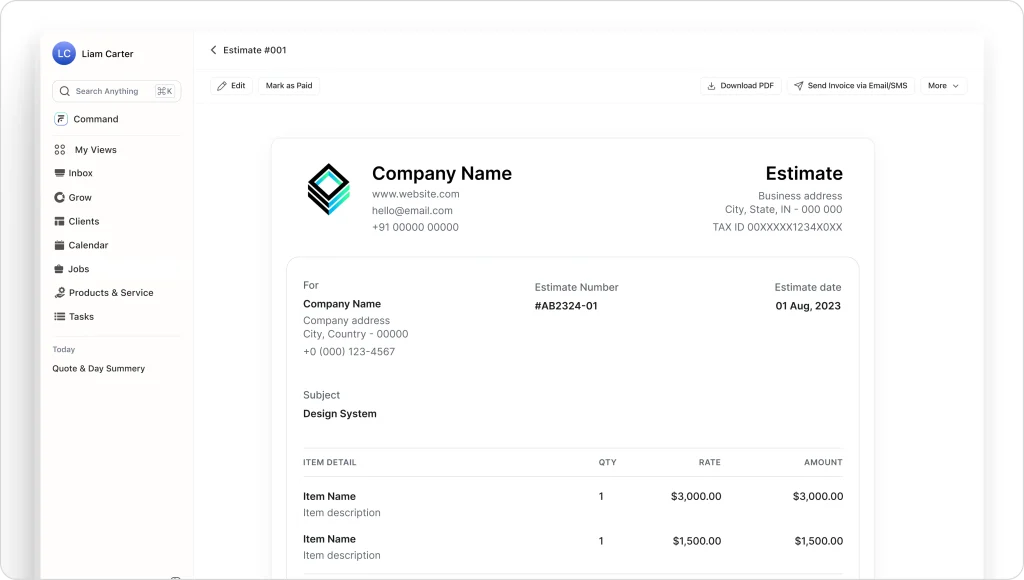
Every painting business tracks different details. Some focus on square footage. Others care more about surface prep details.
Custom fields let you capture what matters to your business:
Generic workflows hurt your efficiency. Smart software adapts to how you work. Set up different processes for:
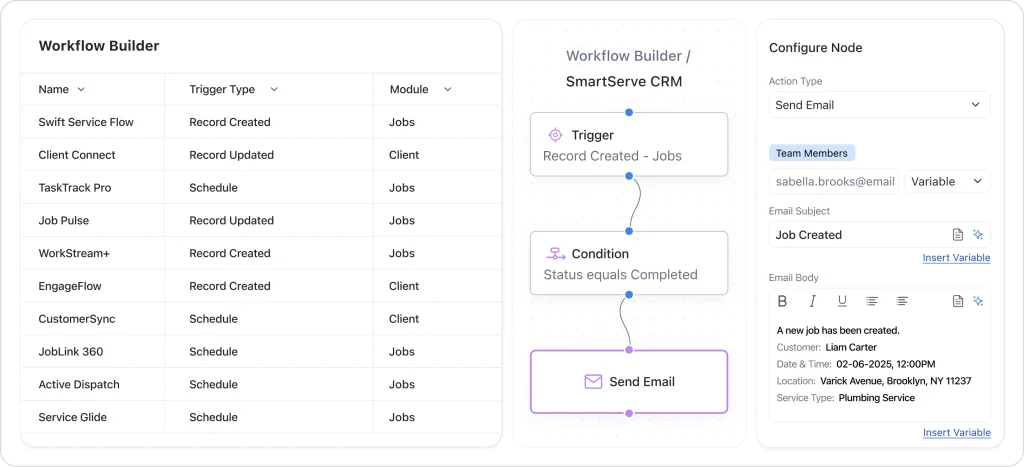
Wondering how this happens? Check out our guide on how painting contractor software works.
Residential and commercial painting jobs work completely differently. Smart software lets you configure separate systems for each type.
Residential setup:
Commercial setup:
Accurate pricing makes the difference between profit and loss. Custom estimate templates handle different pricing models:
| Pricing method | Best for | Key features |
| Per Square Foot | Interior painting | Auto calculations, room measurements |
| Linear Foot | Trim and detail work | Precise measurements, material lists |
| Project-Based | Specialty finishes | Custom labor rates, unique materials |
| Hourly | Small repairs | Time tracking, progress billing |
With built-in calculators, modern estimate templates can automatically factor in surface prep, coat counts, and material specs. Integrated invoicing software ensures those calculations seamlessly flow into accurate billing.
Professional digital proposals close more deals at better prices. Custom proposal templates should include:
Custom job statuses keep everyone informed:
Some clients want daily updates. Others prefer weekly summaries. Custom communication settings handle different preferences:
Daily update clients:
Weekly summary clients:
Automated messages include project photos, timeline updates, and next steps tailored to each client’s style.
Your project manager doesn’t need the same view as your estimator. Custom dashboards show relevant information first:
For crews:
For sales staff:
For management:
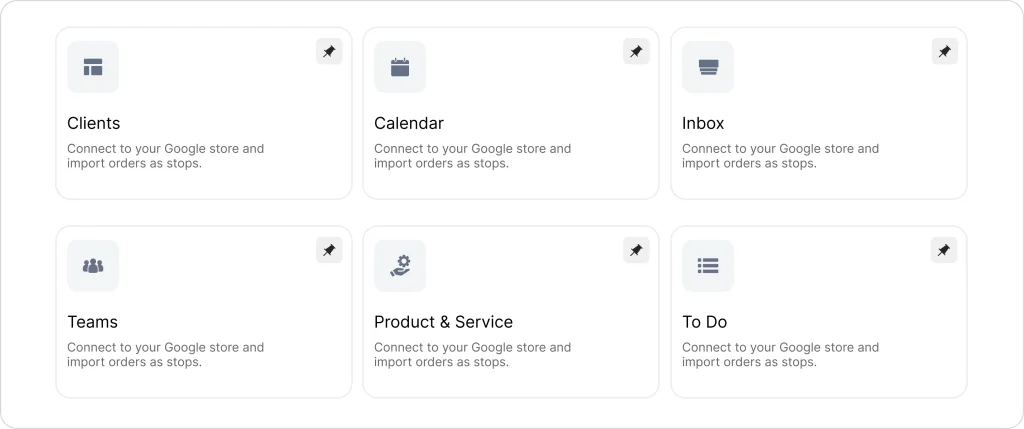
Field crews need simple, mobile-friendly screens. Office staff need detailed views with full project history.
Field crew interface:
Office staff interface:
Role-based permissions ensure everyone sees what they need without extra complexity.
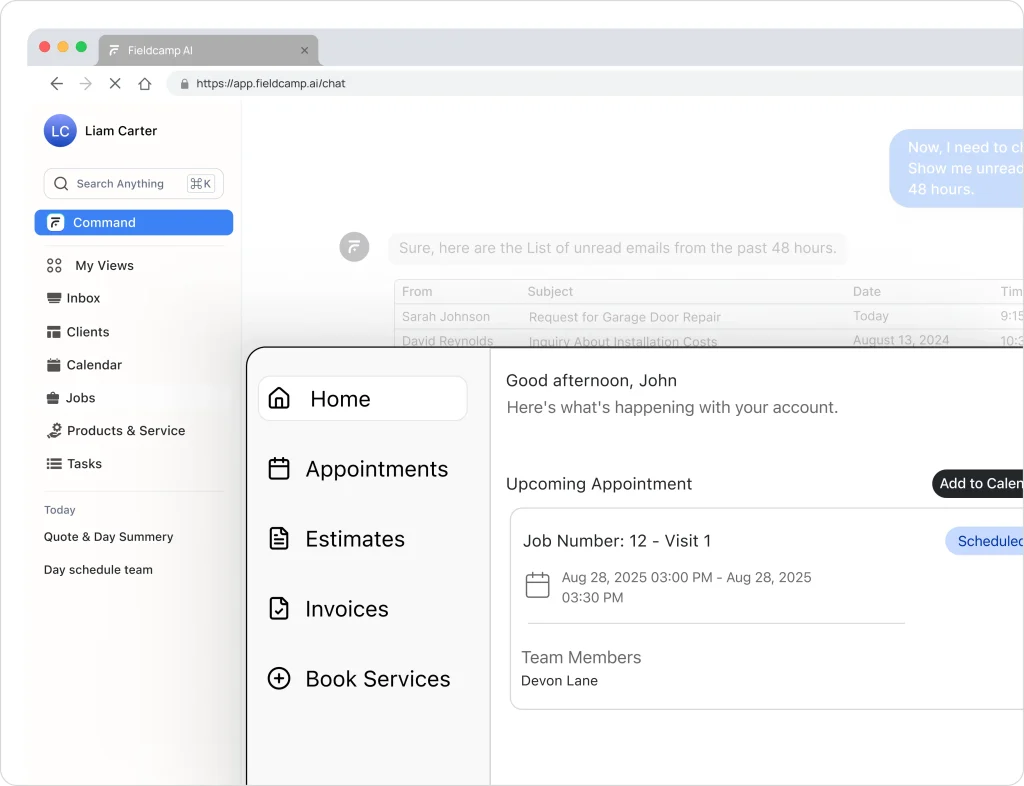
Painters work on ladders, not at desks. Mobile customization ensures field teams can complete tasks quickly:
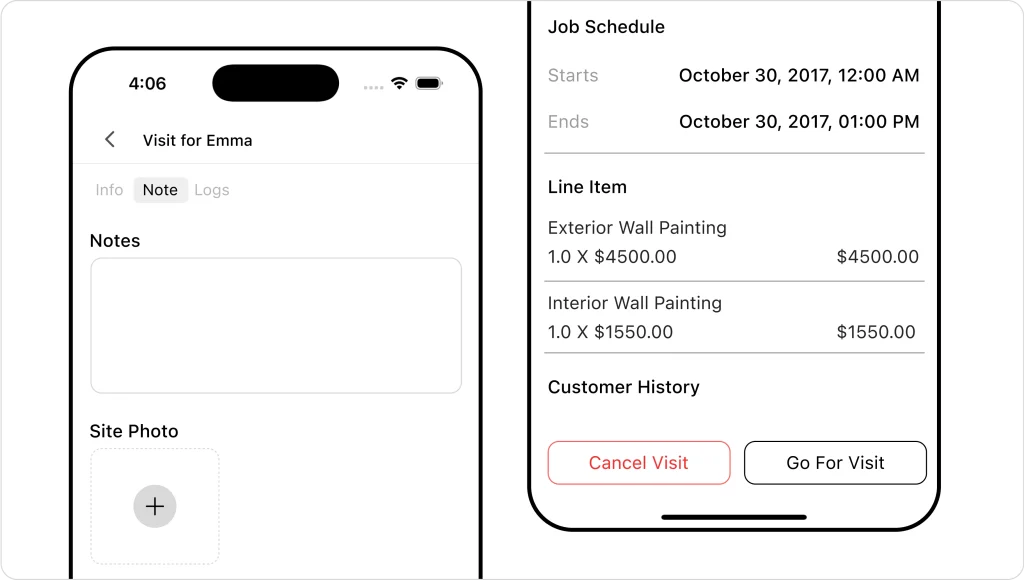
Looks super simple, right?
Check out how easy it is to adapt FieldCamp for your painting business.
Generic reports rarely answer your specific questions. Custom reporting lets you track what matters:
Crew performance reports:
Financial performance reports:
Different roles focus on different numbers:
| Role | Key metrics | Update frequency |
| Sales Manager | Conversion rates, pipeline value | Daily |
| Operations Manager | Project completion, material costs | Daily |
| Owner | Net profit, cash flow, growth rate | Weekly |
| Team Leaders | Quality scores, efficiency ratings | Weekly |
Manual reports waste time and create gaps. Automated scheduling ensures stakeholders get regular updates:
Numbers tell stories, but charts tell them better. Custom visualization options help you:
Choose from bar charts, line graphs, heat maps, or pie charts based on what makes your data clearest.
Smart customization investments pay for themselves quickly. Here’s what to expect:
Basic customizations (1-2 weeks):
Advanced customizations (1-2 months):
Most painting contractors see positive returns within 6-12 months when focusing on high-impact areas like estimating accuracy and scheduling efficiency.
Customizations need ongoing attention. Software updates might affect custom fields or workflows.
Best practices:
The best customizations are worthless if your team doesn’t use them. Factor training time into your timeline:
Week 1: Basic feature training for all users
Week 2: Role-specific advanced training
Week 3: Troubleshooting and optimization
Ongoing: Monthly check-ins and refreshers
Remember: the goal isn’t having the most customized software. It’s having the most profitable painting business. When your software works the way you work, everything else falls into place – happier customers, more efficient crews, and significantly better profits.
The painting industry is evolving fast, and contractors who leverage customizable software like FieldCamp are dominating their markets. This isn’t just about efficiency anymore – it’s about creating a sustainable competitive advantage that drives real profit growth.
Your competitors are still struggling with generic tools that don’t fit their business. Meanwhile, you can optimize every aspect of your operation with software that adapts to your proven processes.
Customers notice when a painting contractor operates professionally with real-time updates, accurate estimates, and smooth project execution. This professional image justifies premium pricing and generates more referrals.
The question isn’t whether you can afford to invest in customizable painting contractor software. The real question is whether you can afford not to, especially when solutions like FieldCamp make customization accessible and profitable for businesses of all sizes.
FieldCamp customizes to how you schedule and complete painting jobs. No forcing your process into someone else’s system.
No, customizing your painting software won’t delete or damage existing data. Platforms like FieldCamp preserve all current projects, customer information, and historical data during customization. New custom fields and workflows apply to future projects, while existing jobs continue unchanged. Most platforms allow you to gradually migrate old projects to new workflows when convenient.
Yes, modern platforms like FieldCamp use drag-and-drop builders and simple menus. You can customize forms, workflows, and templates without needing to code. Step-by-step guides and customer support help with setup.
Priority customizations include: custom estimate templates with your branding, job workflow automation matching your painting process, custom fields for surface types and paint specs, automated customer updates, and mobile forms for field crews.
Basic customizations take 1-3 days. Moderate features like automated workflows need 1-2 weeks. Complex integrations require 4-8 weeks. Team training typically takes 1-2 weeks, with full adoption in 30 days.