
How to Implement Painting Contractor Software? Tips for a Smooth Rollout
Invalid Date - 12 min read

Invalid Date - 12 min read

Implementing new painting contractor software can feel overwhelming, but with the right approach, you can ensure a smooth transition that your entire team will embrace.
Many painting business owners worry about disrupting their daily operations or facing resistance from long-time employees who are comfortable with current processes.
The truth is that thousands of painting contractors have successfully made this transition by using a systematic approach that minimizes disruption while maximizing benefits. Whether you’re moving from paper-based systems, basic spreadsheets, or outdated software, this guide provides practical, field-tested guidance from real contractor experiences.
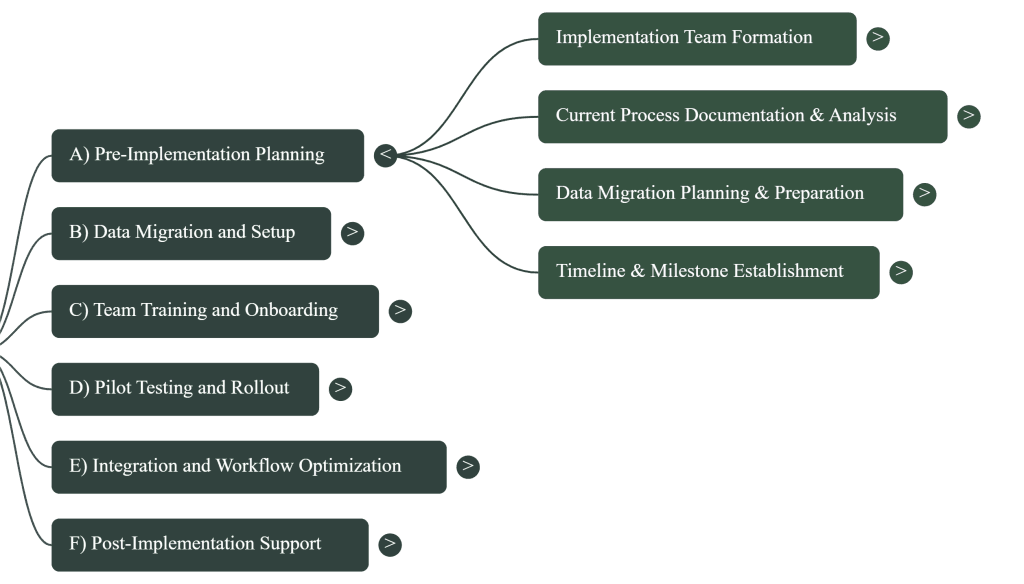
We’ll guide you through a systematic six-phase approach that encompasses everything from initial planning to long-term optimization.
By following this guide, you’ll have a clear roadmap from initial planning through successful deployment and beyond. This ensures your investment in technology pays dividends for years to come.
Thinking about FieldCamp for your Painting Business?
While this guide covers general software implementation best practices, FieldCamp is designed to be easier and faster to implement than traditional software rollouts. Learn more about implementing FieldCamp in your painting business here.
Want to explore this visually? Have a look at our video.
Success starts with assembling the right team before you begin the technical aspects.
Your project champion should be someone with authority to make decisions, often the owner or operations manager, who can remove obstacles and keep the project moving forward.
Key team members:
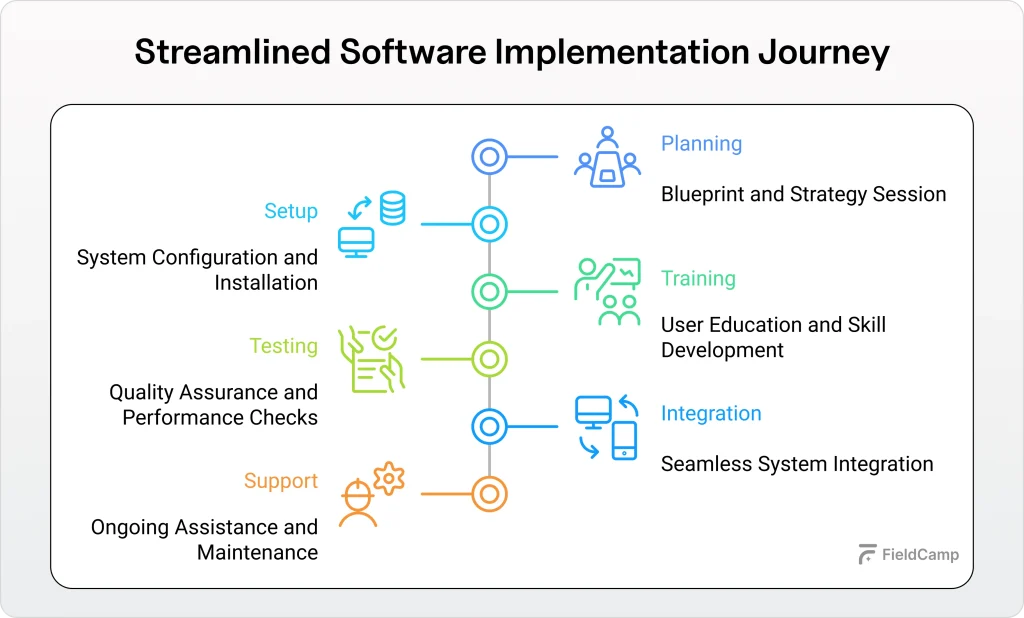
Each team member should have clearly defined responsibilities. Create communication protocols for regular updates through weekly check-in meetings during implementation.
If you’re still deciding whether making this shift is worth it, here are the real benefits of using painting contractor software that contractors have seen in their daily operations.
Before changing anything, map your existing workflow from initial lead contact through final payment collection:
Essential documentation areas:
Identify current pain points that software should address:
These pain points become your success metrics for measuring improvement.
Not sure if this type of solution is right for you? Check out our guide on who should use painting contractor software to see if it fits your business stage and crew size.
Data migration planning is critical for success. Start by auditing all existing customer data sources:
Data sources to review:
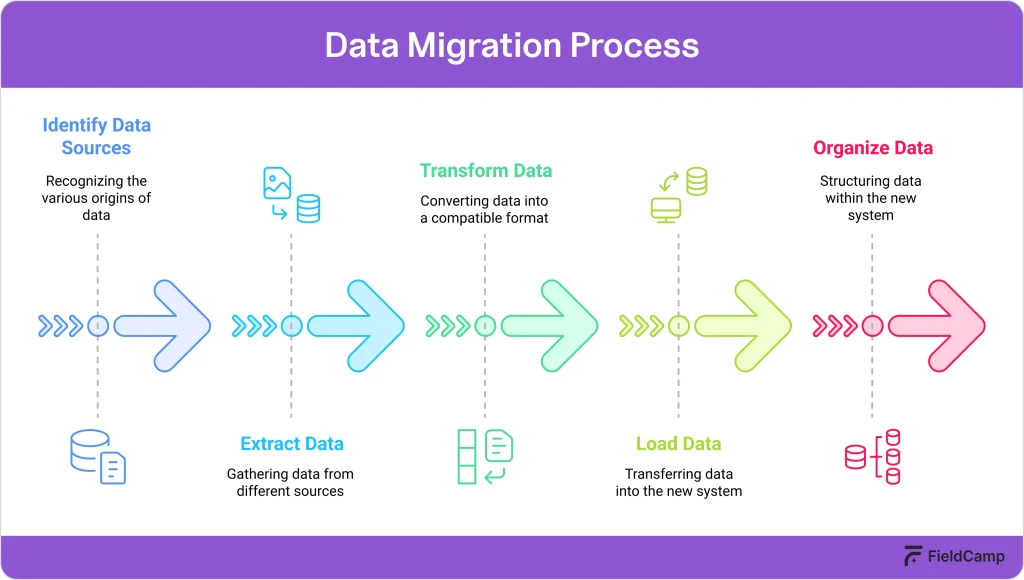
Data cleanup process:
Organize project history by status: active jobs, completed projects, and archived work. Create comprehensive backups before beginning any migration process.
Set realistic implementation phases (typically 2-8 weeks) with buffer time for unexpected challenges:
Sample timeline:
Start by exporting existing customer lists from all current systems.
Format data according to your new software’s requirements; most systems provide import templates specifying required fields and formatting.
Import best practices:
Prioritize which historical data needs importing versus what can remain in legacy systems:
Import priorities:
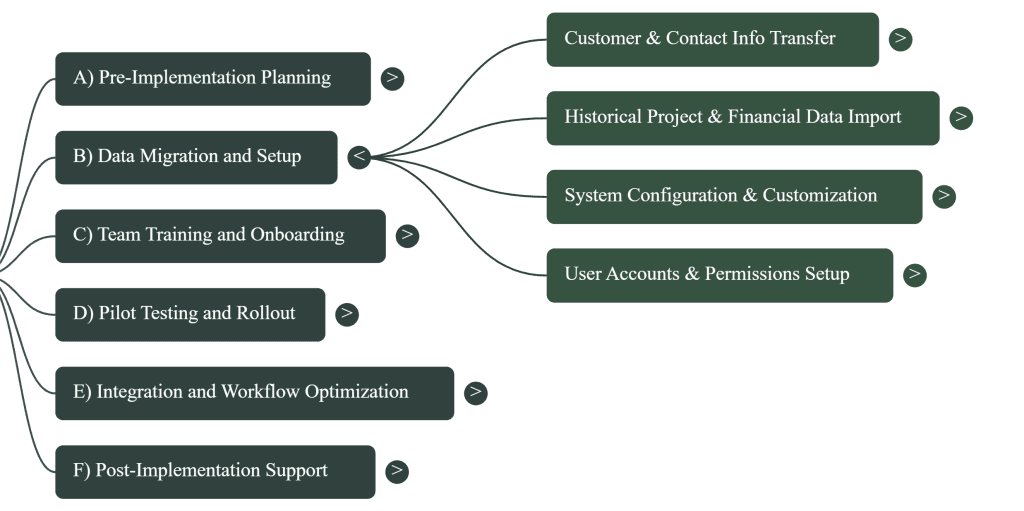
Configure essential elements for a professional presentation:
Branding setup:
Service configuration:
Create individual accounts with role-based permissions:
Access levels:
Begin with platform basics before advanced features:
Training modules:
Practice with real examples from your business rather than generic scenarios.
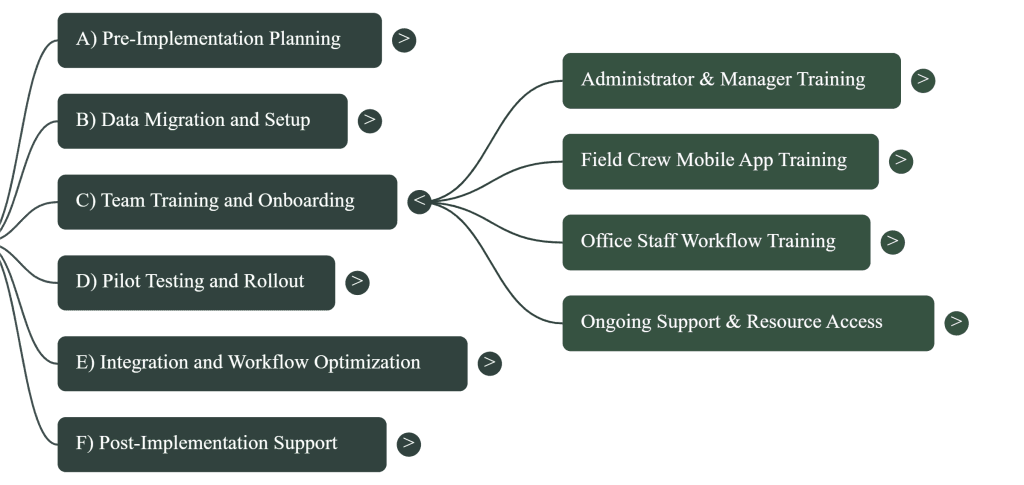
Schedule convenient training sessions for training for painters focused on mobile functionality:
Mobile training essentials:
Create quick reference cards for job sites during the onboarding process.
Map new digital workflows to replace paper processes:
Key workflow changes:
Wish to test the waters before diving in? Check out FieldCamp’s painting invoice template to get the gist.
For a clearer picture of what happens behind the scenes, here’s a simple breakdown of how painting contractor software works.
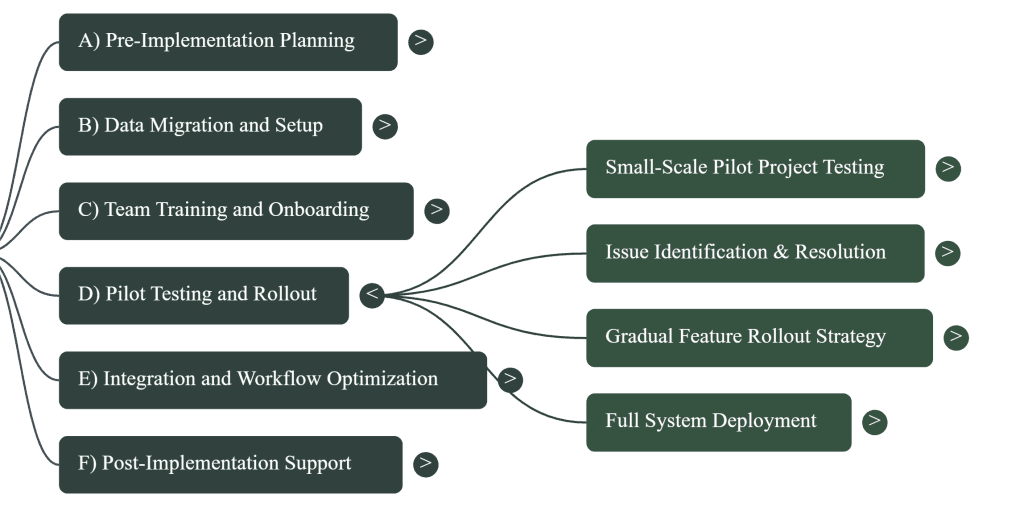
Select 3-5 diverse projects representing your typical work variety:
Choose enthusiastic early adopters who can provide constructive feedback.
Create multiple feedback channels:
Feedback collection methods:
Issue priority levels:
Introduce features systematically:
Rollout phases:
Announce the go-live date with comprehensive preparation:
Want a full roadmap of best practices? Here’s a detailed guide on how to implement painting contractor software.
Connect essential business systems:
Priority integrations:
Test all integrations thoroughly before relying on them for critical processes.
Review workflows after initial implementation:
Using checklists & forms helps crews avoid missed steps.
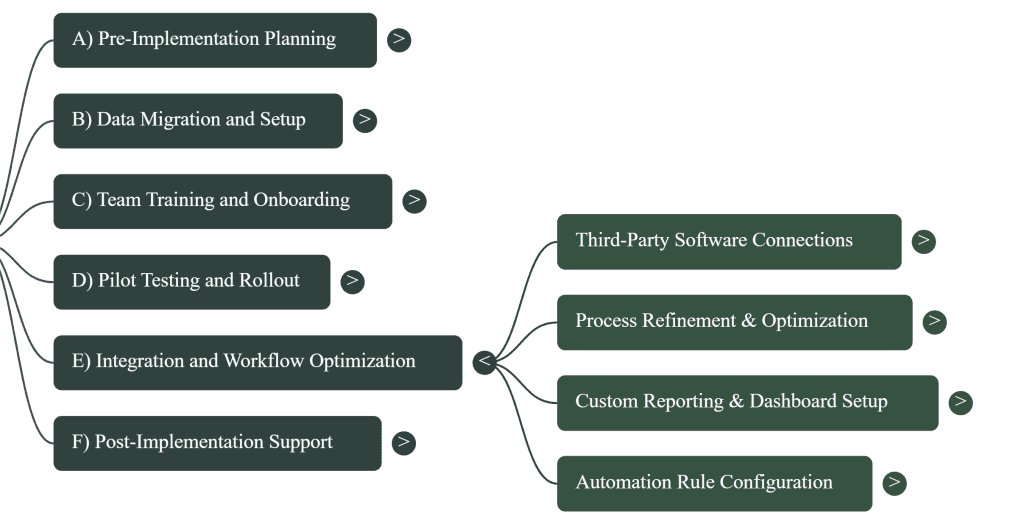
Configure dashboards for different roles:
Set up key automations:
If you’re just starting your journey, here’s a step-by-step guide on getting started with painting contractor software, and if automation is your main priority, here’s a closer look at workflow automation for painting contractors.
Track system usage and improvements:
Key metrics:
Compare results to pre-implementation baseline measurements.
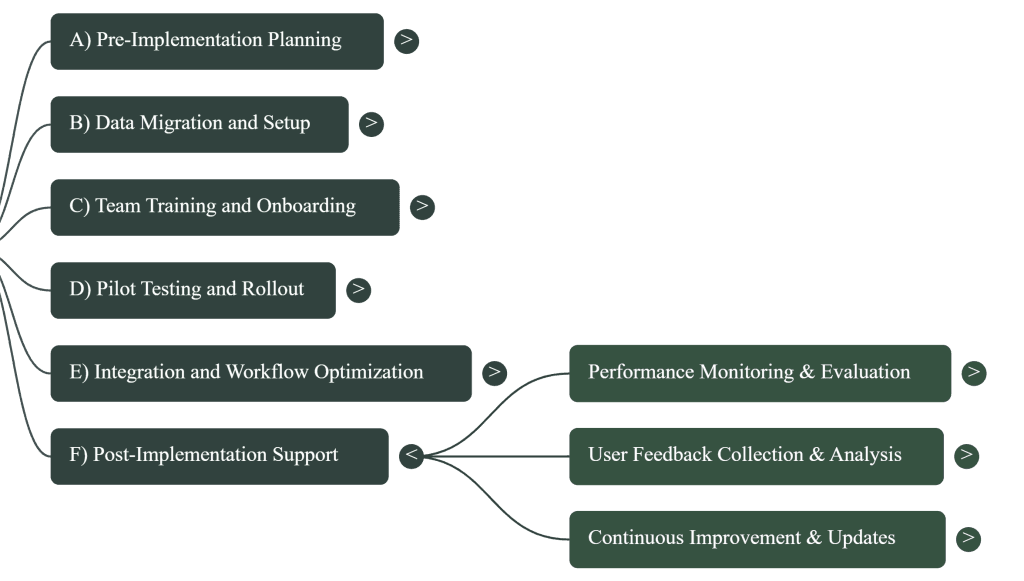
Maintain ongoing communication:
With dispatch scheduling, you can keep operations smooth even as your business scales.
Successful painting contractor software implementation is absolutely achievable with proper planning and systematic execution. While the process requires investment in time and effort, the long-term benefits in efficiency, customer satisfaction, and business growth far outweigh temporary disruption.
Start with small, manageable steps rather than waiting for perfect conditions. The transformation from manual processes to integrated software systems positions your business for sustained growth and competitive advantage. With this systematic approach, you’ll minimize risks while maximizing your technology investment return..
Every day you spend buried in admin work is a day you’re not mastering your craft or building wealth. Time doesn’t wait. Your potential doesn’t pause. With FieldCamp, the hardest part is deciding to start.
Most painting contractors complete implementation in 2-8 weeks. The onboarding process includes data migration, team training, and pilot testing before full deployment.
Painting-specific software includes pre-built estimating templates, material catalogs, and industry workflows. Generic software requires extensive customization, increasing setup time and costs significantly.
Start with mobile basics: clock in/out, photos, job updates. Use hands-on training for painters with simple reference cards and peer mentoring for best results.
Prioritize active customers, current projects, outstanding invoices, and warranty obligations. Historical data older than 12 months can remain in your previous system.
Yes. Clean critical customer data first, migrate gradually, and update incomplete records during regular business operations. Perfect data isn’t required to start benefiting.
Connect accounting software (QuickBooks), payment processing (Square/Stripe), and email first. These eliminate duplicate data entry and provide immediate time savings and improved cash flow.