
Your All-in-One AI Dispatch Software
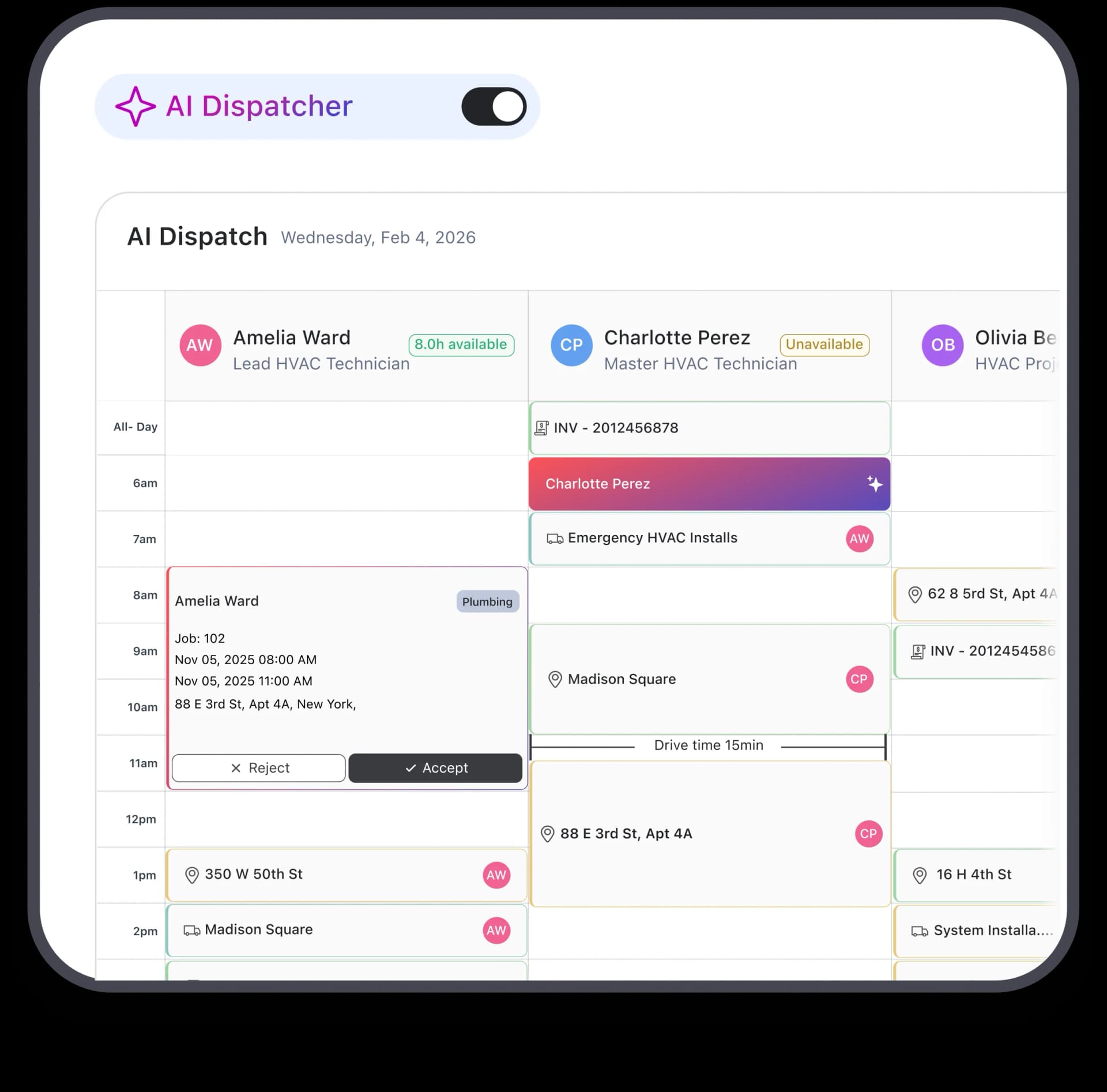
AI dispatch system that places the right tech at the right job. Build automated job assignments in seconds considering skills, routes, and tech availability in real time. No more calendar chaos. No more overlapping schedules. Just seamless job execution running itself.
Trusted by





Think Faster, Dispatch Smarter. Win the Day.
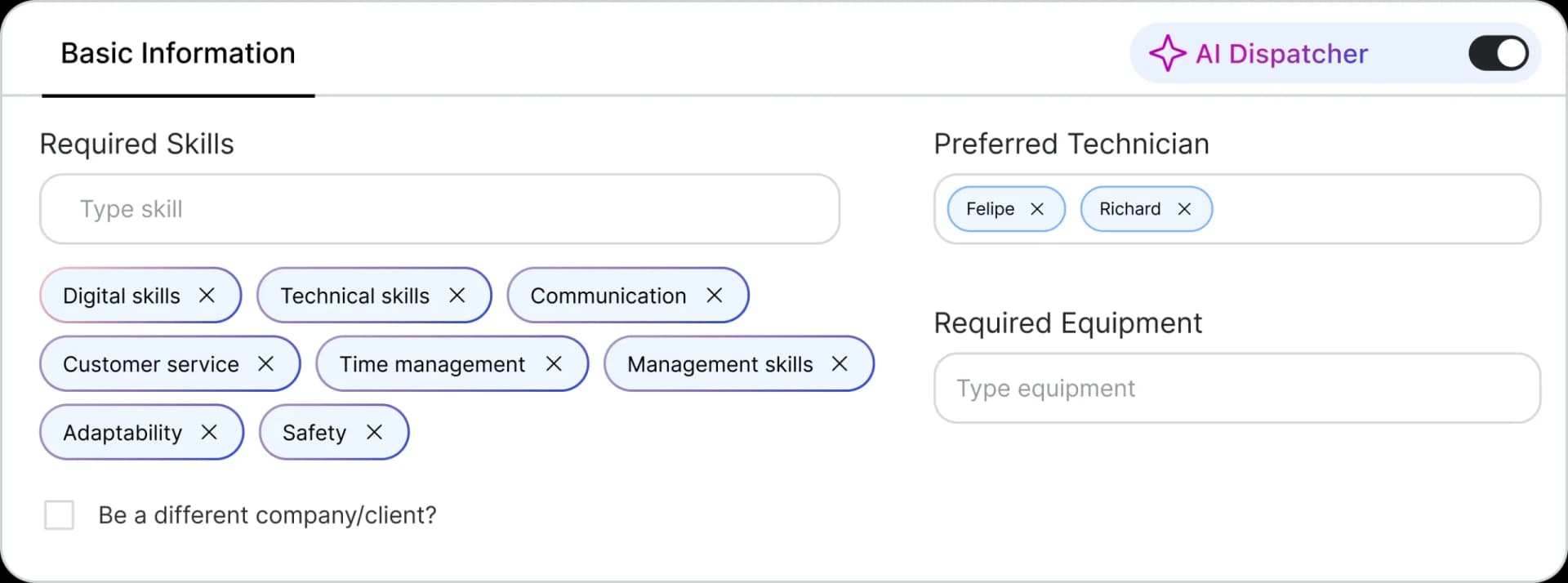
Skill-Based Dispatch That Never Mismatches
Wrong tech at the door? Costly. Uncertified tech on a permitted job? Risky. FieldCamp’s AI matches skills and certifications automatically, before the assignment is made. Read the full skill-based dispatching breakdown. Your customers get qualified techs. Every time.
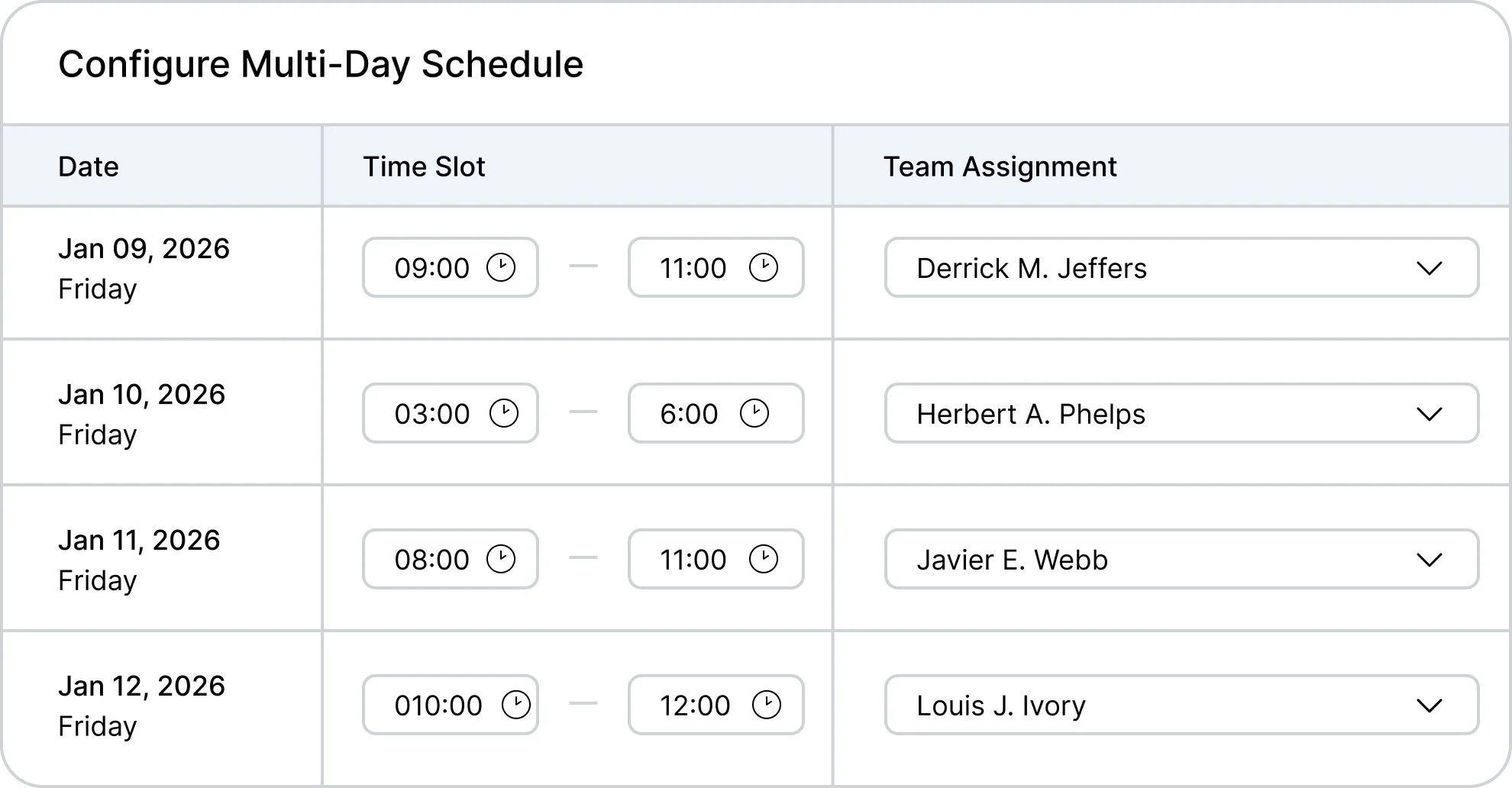
Multi-Day Scheduling, Handled On Its Own
30 days of automated job scheduling. Seconds to generate. Capacity? Checked. Priorities? Sorted. Workloads? Balanced. No more late-night planning. No more morning chaos. Just dispatch, done ahead of time.
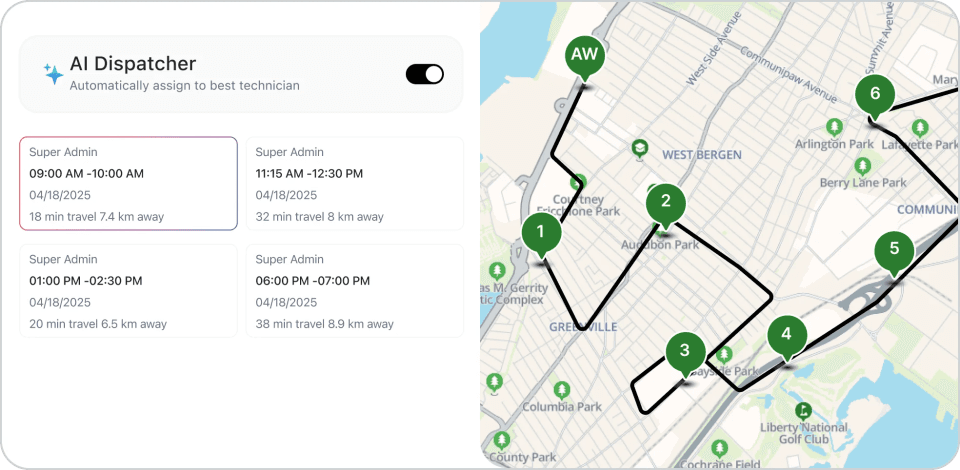
On-Time Arrivals That Earns Customer Trust
Traffic? Calculated. Previous job overrun? Buffered. Customer’s 2-4 PM window? Protected. The AI builds realistic schedules that account for the real world. No more guessing. No more “where’s my tech?” calls. Just punctual arrivals that build trust.

From Manual Dispatch Review to AI Agents That Dispatch for You
FieldCamp’s AI Agent layer runs on top of AI Dispatcher, Calendar, and Jobs. Morning Route Optimizer, Schedule Gap Filler, Voicemail-to-Dispatch Copilot, and Daily Dispatch Summary run on schedules or triggers you set.
Without AI Agent

You open AI Dispatcher every morning, scroll through the suggestions, and approve assignments one by one before the first tech rolls out of the yard
Schedule gaps get spotted only when a dispatcher checks the calendar between phone calls, and by then the open slot is usually too close to fill
Voicemails stack up in the Inbox, someone listens to each one, transcribes the details, and manually converts every message into a dispatch note
Evening wrap-up on today’s visits gets done by whoever remembers to check the jobs tab, usually the owner, usually long after dinner is over
Cross-feature tasks like “move Friday’s Acme jobs to Mike and requote Job #47” need you to open three screens and rerun the same filter twice

With AI Agent
Morning Route Optimizer reviews today’s scheduled work at 8 AM and proposes a tighter route plan with timing changes before the first tech clocks in
Schedule Gap Filler watches for cancellations and open capacity every hour, recommends which pending jobs to pull forward, drops the list into your inbox
Voicemail-to-Dispatch Copilot transcribes every voicemail, extracts urgency and next step, preps a dispatch-ready note, and assigns it to the right rep
Daily Dispatch Summary compiles the day’s visits, completions, revenue, and follow-up flags into one report delivered to your inbox every evening at 6 PM
Custom agents built in plain English, for example “every Monday pull jobs over $5K and email Emma”, run on schedule, event, or manual trigger
AI Dispatching Capabilities to Fuel Your Job Assignments
As operations grow, scheduling gets complicated. FieldCamp’s smart dispatch software scales with you; managing job priorities, shared equipment, overtime rules, and service territories automatically. Our AI handles complexity that would overwhelm manual dispatchers.
Emergencies Handles Effortlessly
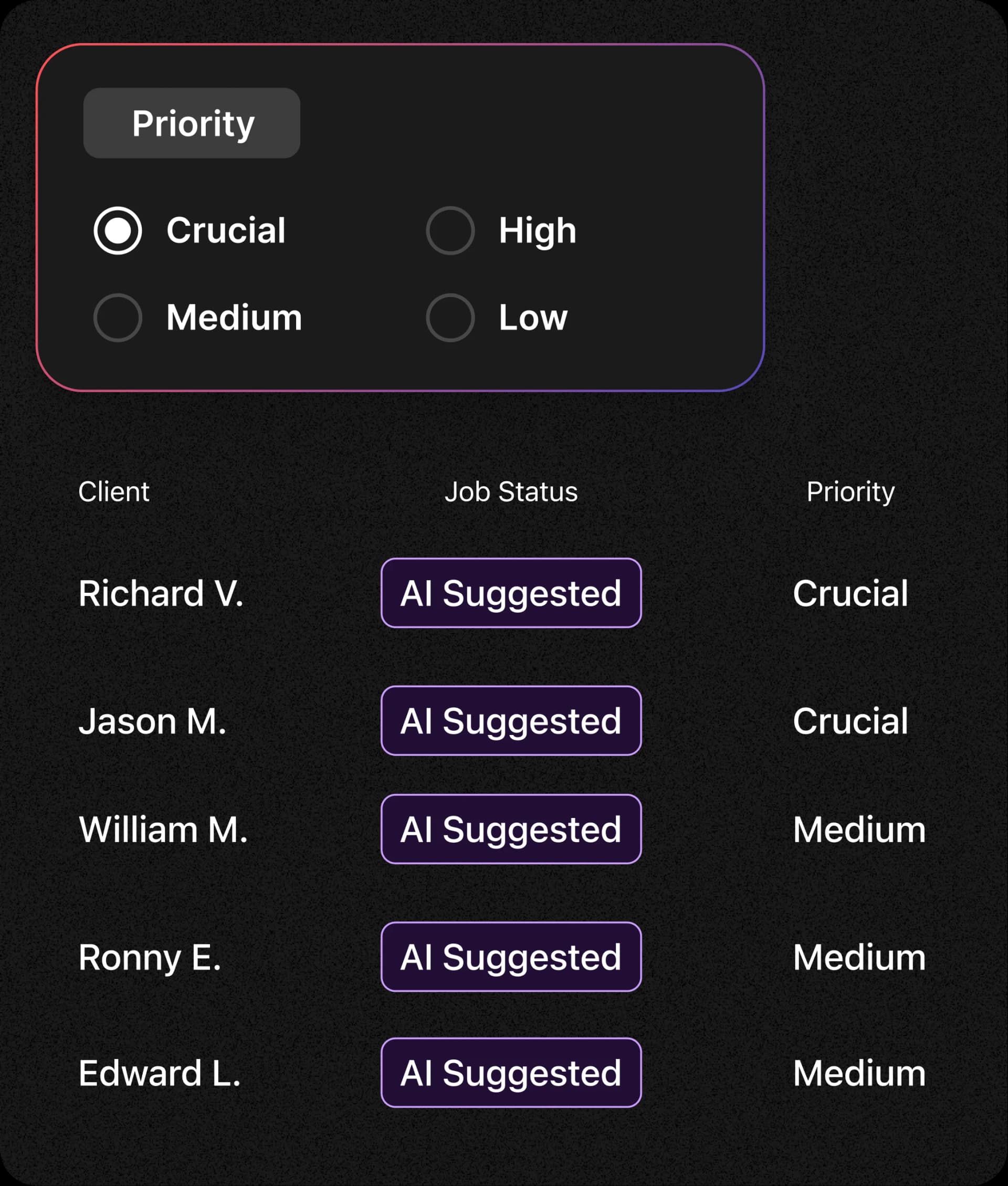
Gas leak call? Scheduled instantly. Routine maintenance? Shifted automatically. Rest of the day? Still intact. The AI prioritizes P0 emergencies, bumps lower-priority jobs, and rebalances the schedule. No manual juggling. No blown-up calendars. Just urgent handled, fast.
AI That Keeps Workload Even
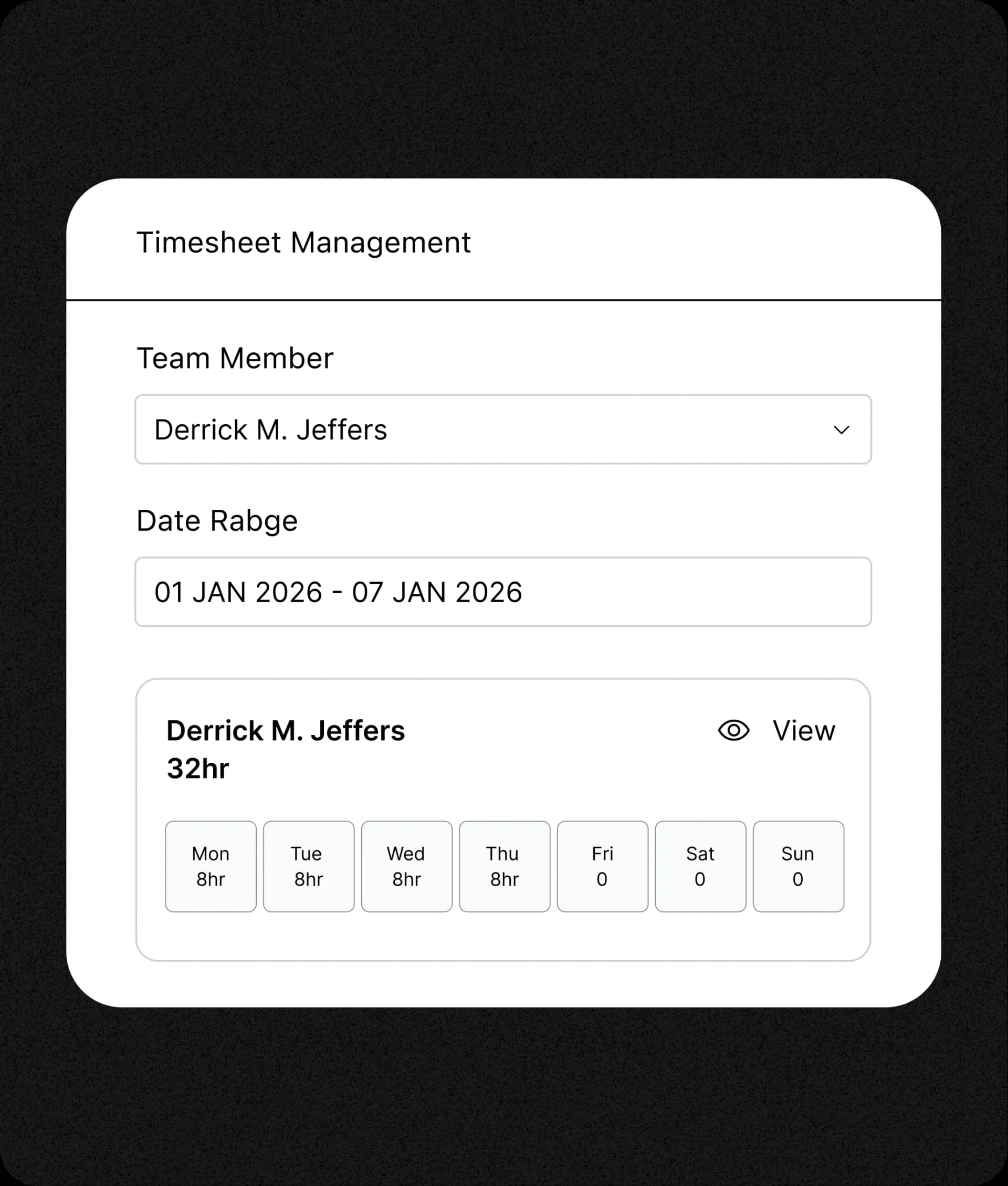
Too many hours assigned to just one tech? AI redistributes. Too few on another? AI fills the gaps. Use live team tracking to see every technician’s real-time location and workload. FieldCamp’s team management tools keep everyone productive, no one gets overloaded. More efficiency from the same team; without burning anyone out.
Equipment-Aware Assignments
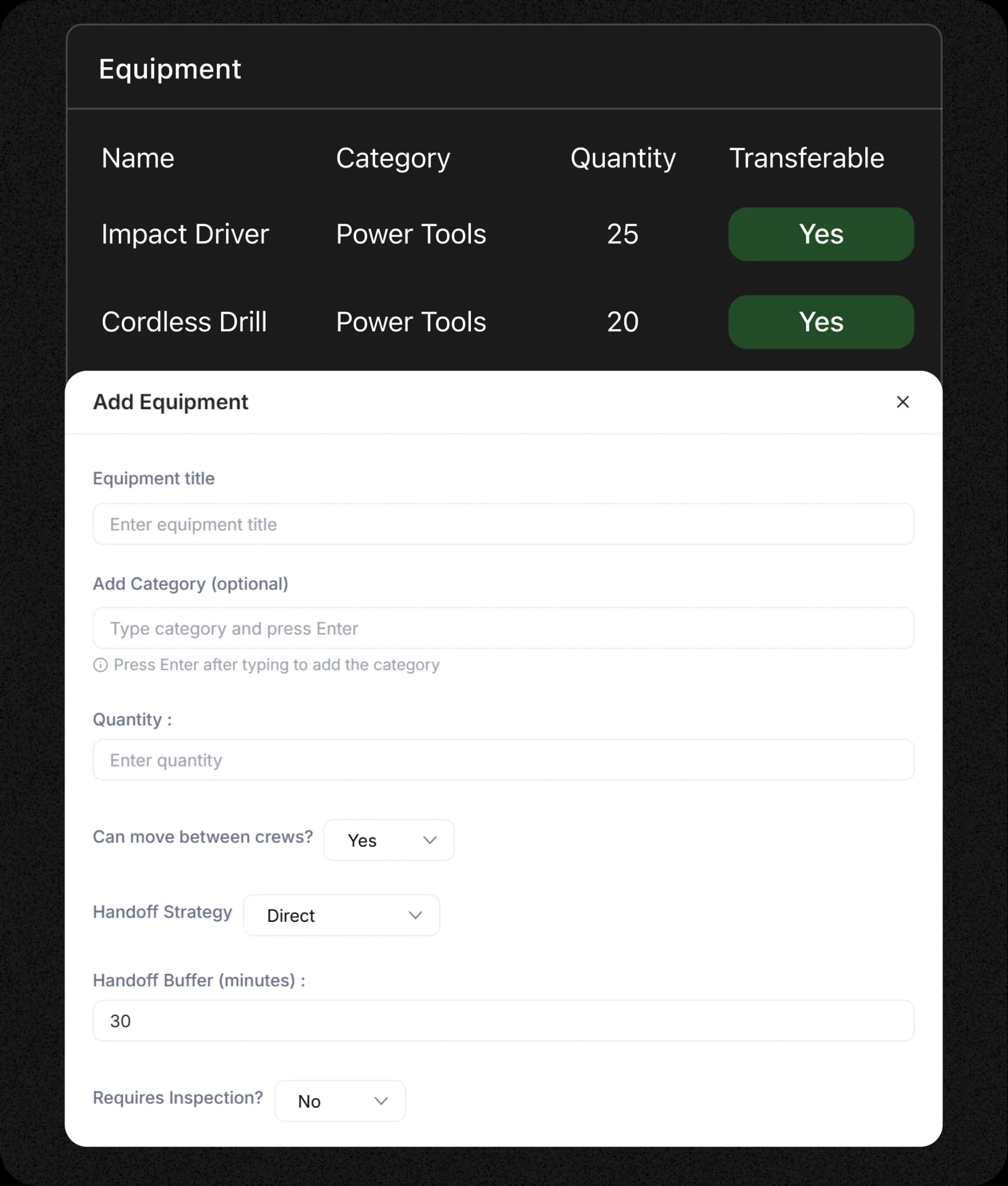
Every assignment considers equipment, not just technician availability. AI checks what tools are needed, what’s available, and schedules accordingly. No surprises at the jobsite.
Smart Zones. Shorter Routes
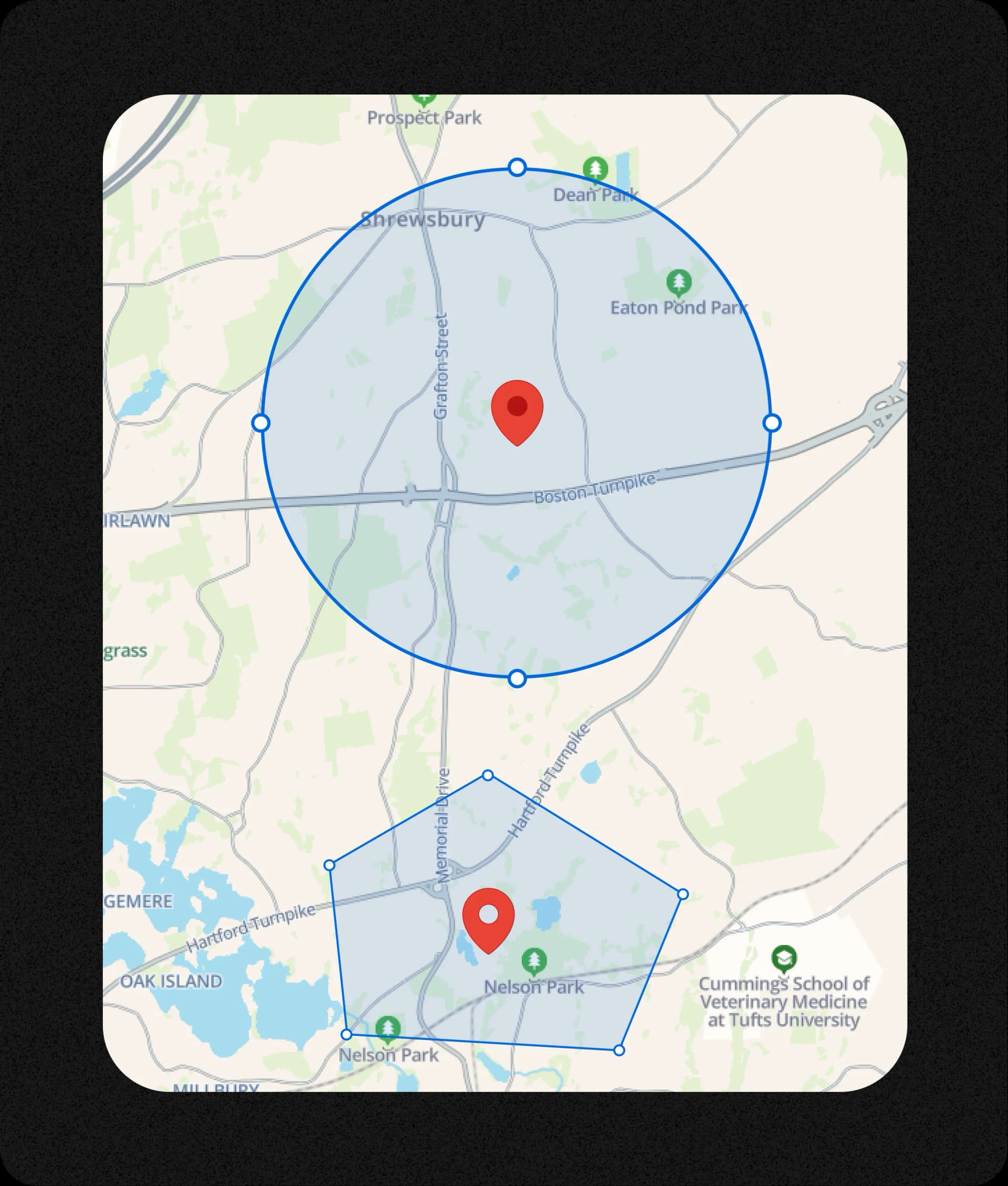
Define service areas. AI matches jobs to techs nearby. Learn how route optimization in FieldCamp works step-by-step. No one drives across town when someone’s already there. FieldCamp’s AI route optimization calculates the fastest multi-stop path. Just logical assignments.
Frequently Asked Questions
What does the AI Dispatcher actually do?
FieldCamp’s AI Dispatcher automates your entire scheduling process. It analyzes technician skills, availability, zones, and job priorities to create the most efficient plan in seconds. See every AI dispatcher capability, skill-based, multi-day, dynamic rerouting, capacity, and more. It also adjusts automatically when jobs are added, canceled, or rescheduled, keeping routes optimized and workloads balanced throughout the day.
How is this different from regular dispatching software?
Unlike traditional dispatch boards, FieldCamp doesn’t just help you drag and drop jobs, it thinks for you. The AI engine builds complete multi-day schedules, optimizes routes, and ensures no skill mismatches or overbookings. It saves hours every week by replacing manual effort with self-adjusting automation.
Can I still make manual changes?
Yes. You stay in full control. The AI creates an optimized schedule, but you can adjust jobs anytime through a simple drag-and-drop interface. The system instantly recalculates routes, drive time, and workload impact before confirming your change, giving you both automation and flexibility.
How does it handle emergencies or last-minute jobs?
The AI Dispatcher instantly identifies the nearest available and qualified technician for any emergency. It rearranges lower-priority jobs automatically to fit urgent ones, ensuring fast response times without disrupting the rest of your schedule.
What data do I need to start using it?
You’ll just need your technician details (skills, shifts, zones) and job information (addresses, priorities, and estimated duration). Our AI scheduling setup guide walks through the full process. FieldCamp uses that data to build optimized schedules. The more accurate your setup, the smarter and faster the AI performs from day one.
Will my technicians see their schedules in real time?
Yes. Once your dispatch plan is finalized, it syncs directly with your technicians’ mobile app. They receive live updates on new jobs, changes, and routes instantly, no manual calls or messages required.
Can AI really reduce fuel and overtime costs?
Absolutely. By minimizing drive time and balancing daily workloads, FieldCamp helps cut unnecessary miles and reduces overtime hours. Pair it with field service invoicing to bill clients the moment each job finishes. Most teams see a 30-40% drop in travel time and save thousands in fuel within the first month.
What happens if a job can’t be scheduled automatically?
If AI detects missing skills, overbooked techs, or timing conflicts, it flags those jobs as “unscheduled” and explains why. You’ll get suggestions on how to resolve them, like shifting a job, adding capacity, or adjusting technician settings.
Your Dispatcher Weighs 3 Factors. Our AI Weighs 75.
Skills, zones, traffic, equipment, overtime, customer history, revenue impact – 10,000+ combinations evaluated per second. Average result: 35% less drive time, 80% fewer callbacks.
