

Service Scheduling Software with Built-in AI
Let FieldCamp’s AI scheduling engine automatically plans, assigns and optimises your jobs with zero manual effort. No more human inputs needed, just effortless scheduling placing the right technician, at the right place and at the right time.
Trusted by





AI Job Scheduling That Runs On Its Own
Let AI Schedule Jobs for You
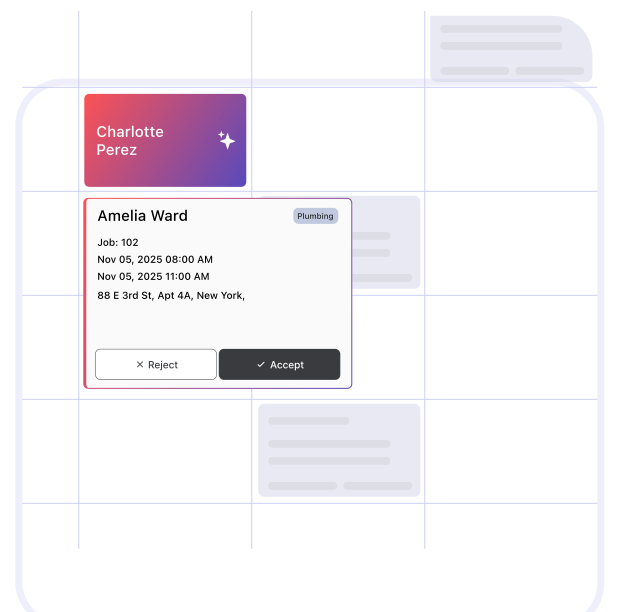
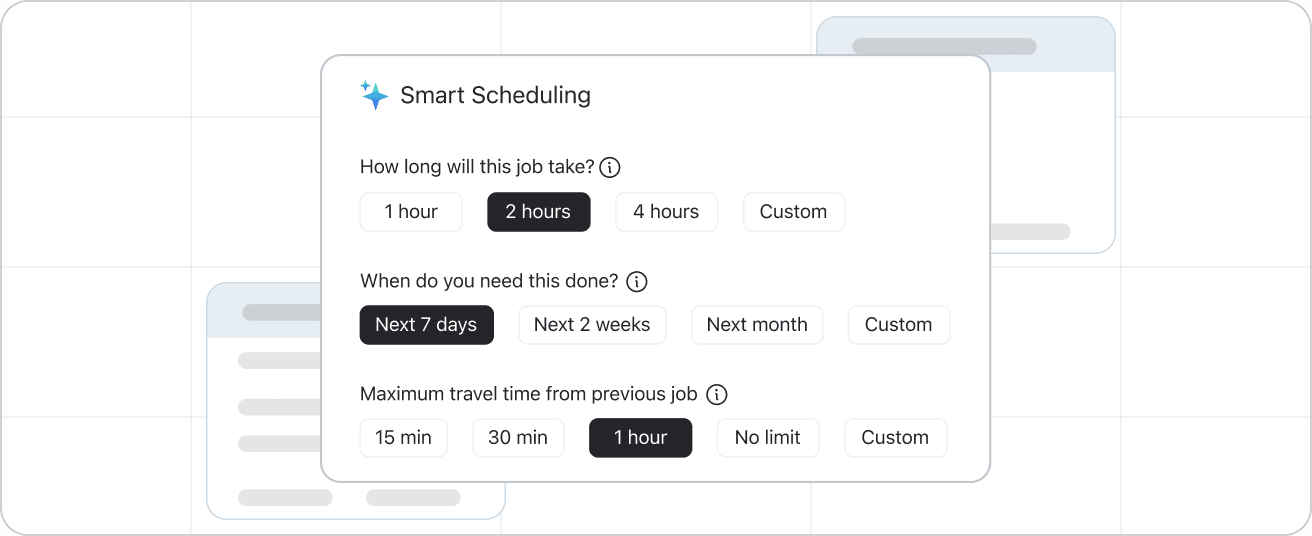
Let FieldCamp’s AI analyse the availability, travel distance and workload to auto-find the best slot for your team. Accommodate real-time schedule change and ensure every job gets completed as planned. Follow our AI job scheduling quick guide to get started in minutes.
Let AI Pick the Right Tech
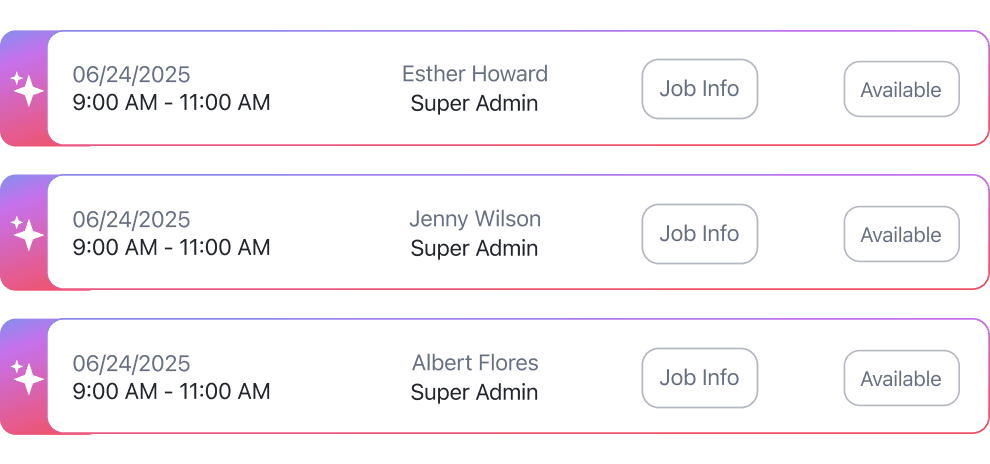
Use intelligent scheduling suggestions by FieldCamp’s AI assistant Handy to assign the best suitable technician as per job. Handy ranks your team based on skills, distance and availability. Read more about how AI matches jobs to technicians behind the scenes.
Scheduling That Never Sleeps
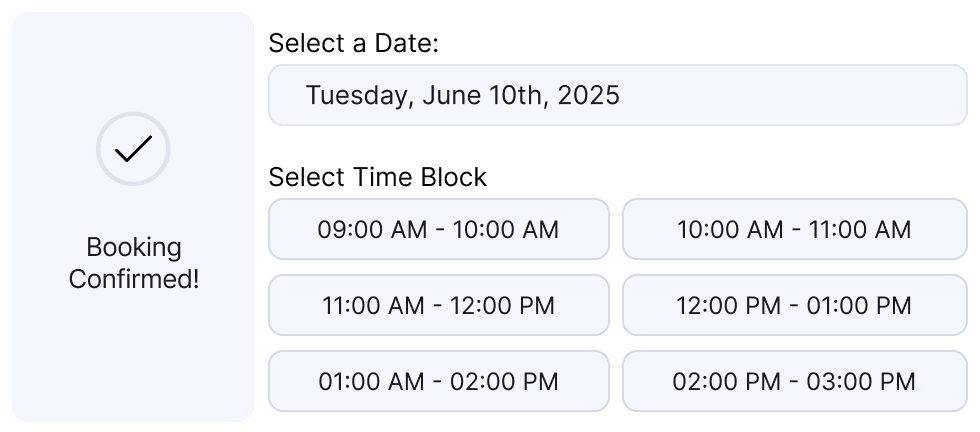
Keep your jobs flowing with an always-on booking system that automatically fills open slots, syncs calendars instantly in real-time, and keeps your cashflow rolling with digital stripe payment option, even while you rest.

Manual Chaos vs AI Scheduling Clarity
See how FieldCamp replaced chaotic manual scheduling into a seamless hands-free AI scheduling automation that keeps every job on track. Still unsure if you need automation? Check these signs you need crew scheduling software.
The Usual Way

Spend hours assigning jobs manually
Cluttered calendar with overlaps & confusion
Clients wait endlessly for updates
No track of hours fixing scheduling chaos

The FieldCamp Way
AI auto-assigns multiple jobs in seconds
Real-time calendar sync preventing conflicts & double-bookings
Automated notifications keeping everyone in loop
Schedule runs 24/7 even when you are off duty
AI That Plans Your Every Move, So You Don’t Have To
Let FieldCamp AI handle your repetitive scheduling chaos, so that you can focus upon strategic clarity. The intelligent AI plans, suggests and assigns the best tech on your behalf. Also, AI route optimization maps the fastest path between their jobs automatically.
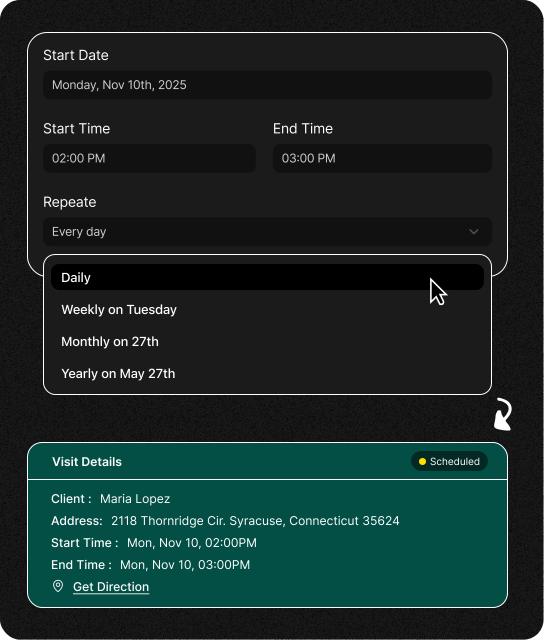
Recurring Jobs, Fully Automated
Keep your repetitive workflow running seamlessly all by itself. Set a recurring job once and let FieldCamp AI auto-generate it at a fixed interval, add it to your calendar, and dispatch it to the right technician.
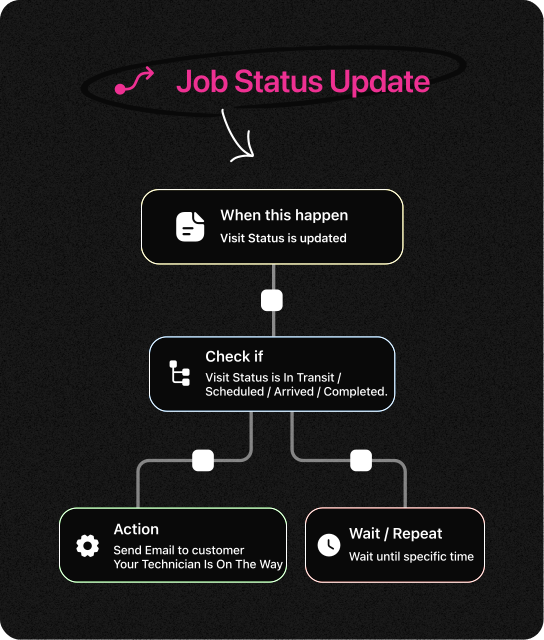
Keep Your Team in Sync
All follow-ups, reminders or alerts run on its own. You define “if-this-then-that” logic and see FieldCamp communicating with your teams and clients on your behalf. Every update, reminder or alert goes out at the right time, to the right person.
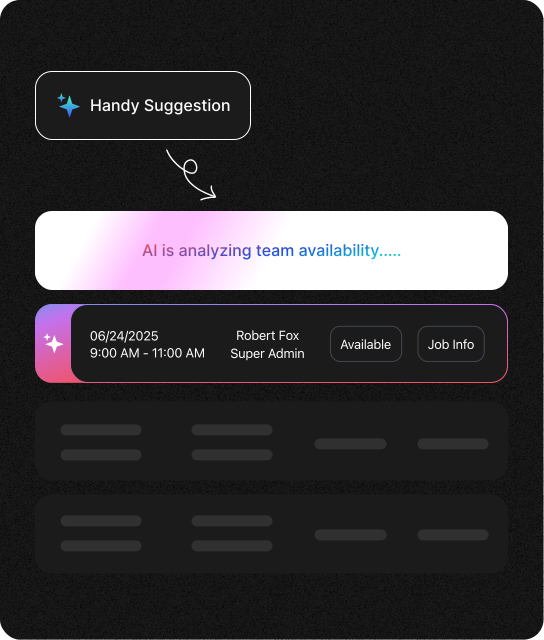
AI That Knows Who Fits the Best
Get unbiased dispatching all the time. FieldCamp’s AI scheduler identifies who’s skilled, who’s nearest and who’s free to assign the perfect match for all your jobs. Once matched, the AI dispatch scheduling system assigns them instantly. No delays, no double-bookings, just smart scheduling running in the background.
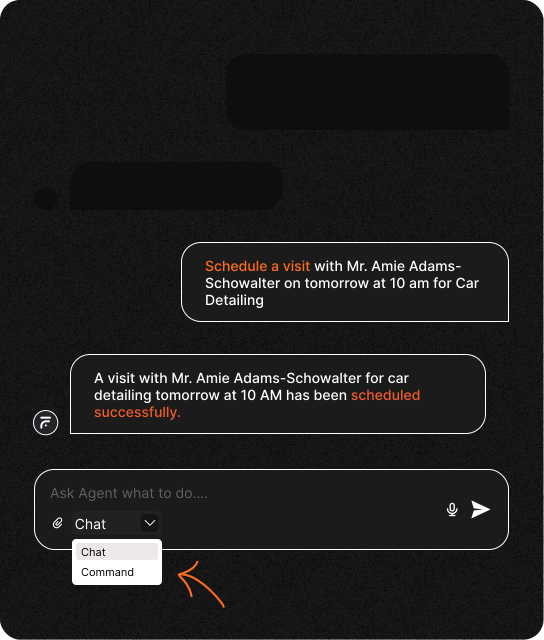
Smart Commands, Speedy Scheduling
Speak or type, FieldCamp instantly responds to your commands. Ask questions in Chat Mode or give quick instructions in Command Mode. FieldCamp’s AI Command Agent instantly responds, executes, and updates your schedule, no clicks, no navigation needed.
Frequently Asked Questions
Unlock efficient growth with one platform that automates scheduling, routing, enrichment, and intent workflows.
What is service scheduling software?
FieldCamp’s service scheduling software is an automated way of scheduling your daily jobs. It handles everything from booking to dispatching automatically, ensuring every job gets scheduled and completed on time without human intervention.
How is FieldCamp different from other job scheduling and dispatch software like Jobber and ServiceTitan?
Unlike traditional tools such as Jobber or ServiceTitan, FieldCamp is built with automation at its core. See our full Jobber alternative comparison for a detailed breakdown.
What type of business can use FieldCamp?
FieldCamp is built for any service-based business that schedules jobs or sends teams into the field. Whether you run a plumbing, HVAC, cleaning, electrical, pest control, landscaping, or appliance repair business. FieldCamp adapts to your workflow and automates the scheduling part for you.
Does FieldCamp integrate with any other apps?
Yes. FieldCamp integrates with Google Calendar and other productivity tools to keep your jobs, routes, and updates perfectly in sync. Our calendar views explained article walks through every view option. Every booking, change, or cancellation reflects automatically, so your team and customers always stay aligned.
How can I get started with FieldCamp?
Getting started is quick and easy. You can book a free demo to see how FieldCamp automates your job scheduling, or try our free estimate templates to start quoting immediately. Once set up, the AI takes over handling bookings, dispatching, and reminders automatically.
Does FieldCamp offer drag and drop scheduling options?
Yes. FieldCamp includes an intuitive drag-and-drop calendar that lets you reschedule jobs in seconds. Move tasks around visually, and the system instantly updates your technicians and clients about the changes.
How much does FieldCamp cost?
FieldCamp offers flexible pricing plans based on team size and business needs. Use our labor cost calculator to estimate your team’s hourly costs before choosing a plan. You can start with a free demo to explore the platform, and upgrade as your operations grow.
How does FieldCamp ensure conflict-free calendar management?
FieldCamp’s AI automatically detects overlapping jobs, prevents double-bookings, and manages cancellations in real time. It even fills empty slots with the right replacements, keeping your calendar balanced and stress-free, without any manual effort.
Your Calendar Just Became Self-Driving.
Recurring jobs auto-scheduled. Emergency slots auto-filled. Multi-day projects auto-planned. Type what you need, AI handles the rest. That’s what “AI-first” actually means.
