

TL;DR
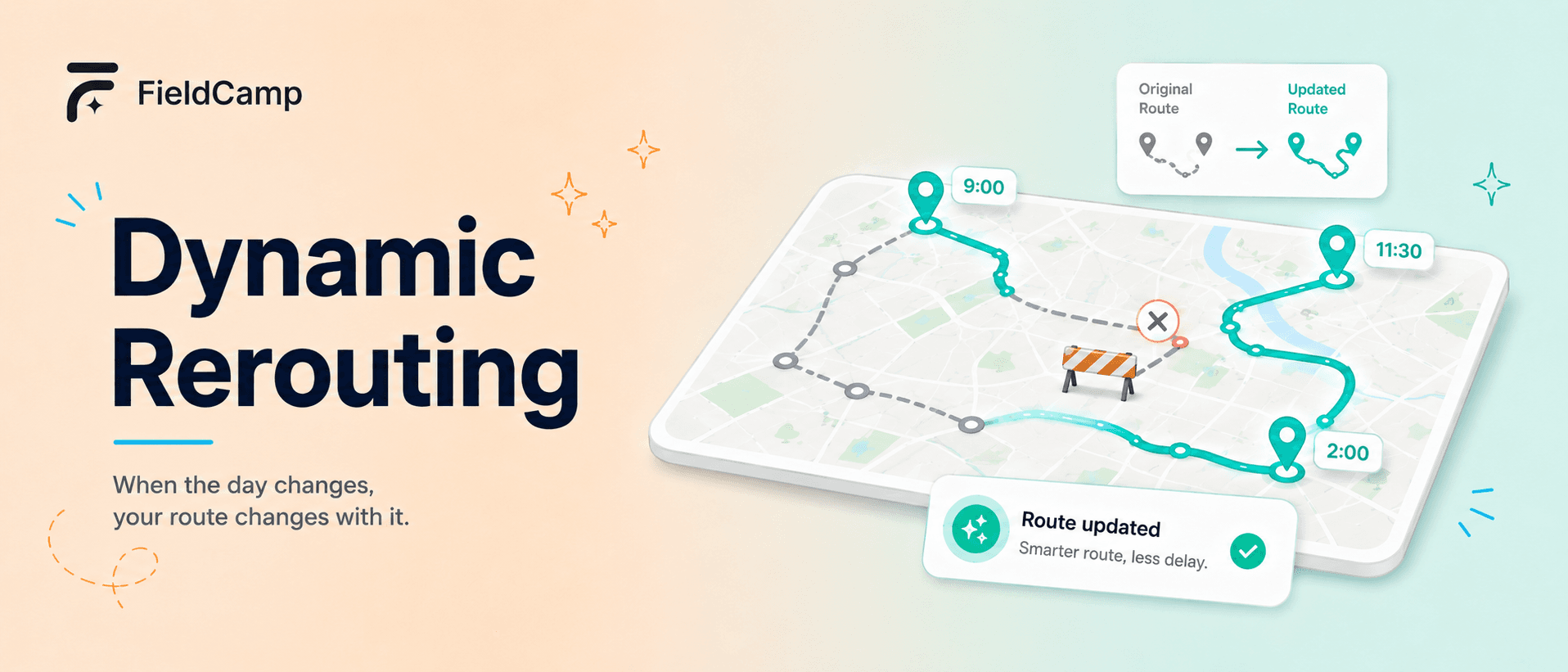
- Dynamic rerouting is automated, mid-day route recalculation triggered by GPS deviation, status updates, time variance, or external events like cancellations and emergencies.
- FieldCamp detects a late tech within 10 minutes of the actual delay starting, then commits the smallest viable fix in 15-30 seconds rather than rebuilding the whole day.
- Protected jobs (CONFIRMED, VIP, multi-tech crews, anything starting within 30 minutes) stay locked. The solver only moves PLANNED status work.
- The 4-minute cascade from detection to deployment keeps a single delay from compounding into 3-4 late arrivals by 2 PM.
- Across 50+ FieldCamp deployments, incremental rerouting handles 92% of mid-day disruptions automatically. Dispatcher approval is needed on fewer than 15% of reroutes after 30 days.
Your morning schedule is a hypothesis. By 10 AM something has already broken it — a tech stuck at a job that ran long, a no-show customer, an emergency call, traffic backing up on I-285. Dynamic rerouting is what keeps that broken plan from collapsing the rest of the day. It is the live-execution layer of AI dispatching: automated, real-time route adjustment that detects disruption, recalculates only the affected technicians, and pushes new routes to mobile apps before the dispatcher even notices.
This guide walks through what triggers a reroute, the 4-minute cascade from detection to deployment, the difference between protected and flexible jobs, how the solver picks who gets reassigned, and how cascade effects are capped at 2-3 hops. The mechanics below are pressure-tested against live AI dispatch scheduling running in HVAC, plumbing, electrical, cleaning, and pest control shops. Static routing tools can plan a great morning. Only dynamic rerouting keeps the afternoon from falling apart.
What Triggers a Reroute
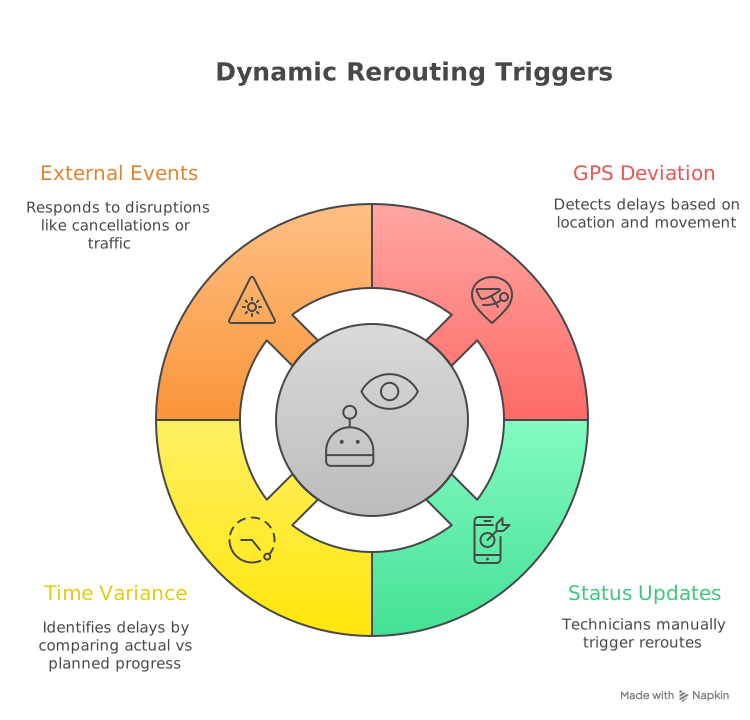
Direct answer: Dynamic rerouting fires when the AI detects that the planned schedule can no longer execute as expected. Triggers fall into four buckets: GPS deviation, manual status updates from the tech, time-based variance against the plan, and external signals like cancellations, emergencies, traffic, and weather. Each trigger feeds the same scoring engine.
- GPS deviation. The mobile app pushes location every 1-5 minutes. The system flags a delay when the tech is more than 0.5 miles off the planned next stop with no movement for 10+ minutes.
- Status updates. Techs tap “needs parts,” “running late,” “completed early,” or “job complete.” These updates feed the same decision engine that handles automated detection.
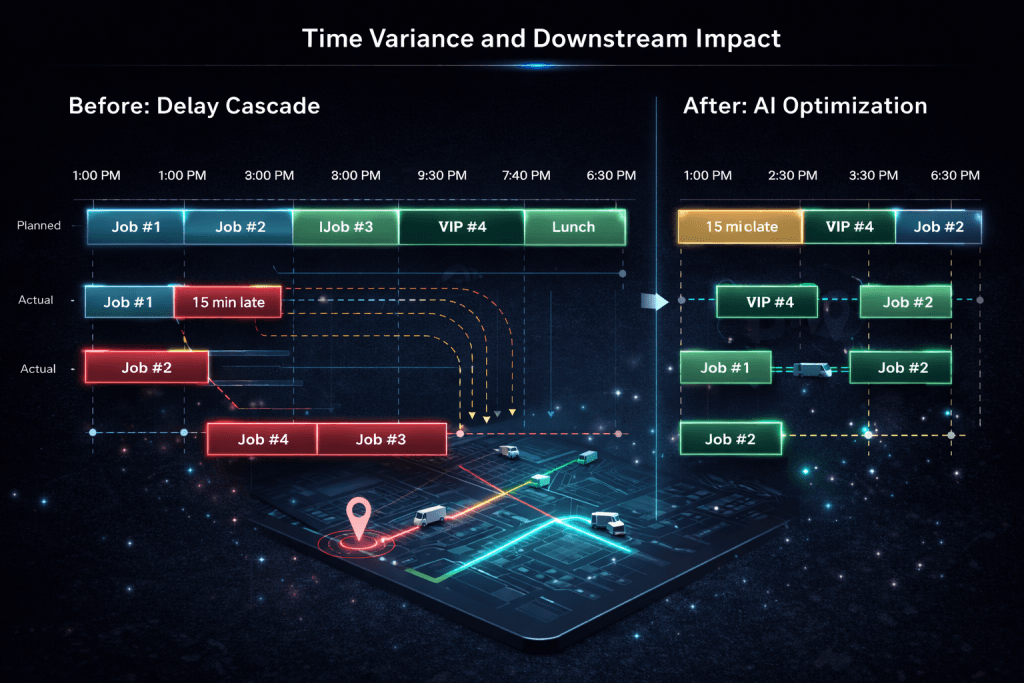
- Time-based variance. The system compares actual progress to the plan. Once variance exceeds 15 minutes, it checks if downstream jobs are at risk before the cascade starts.
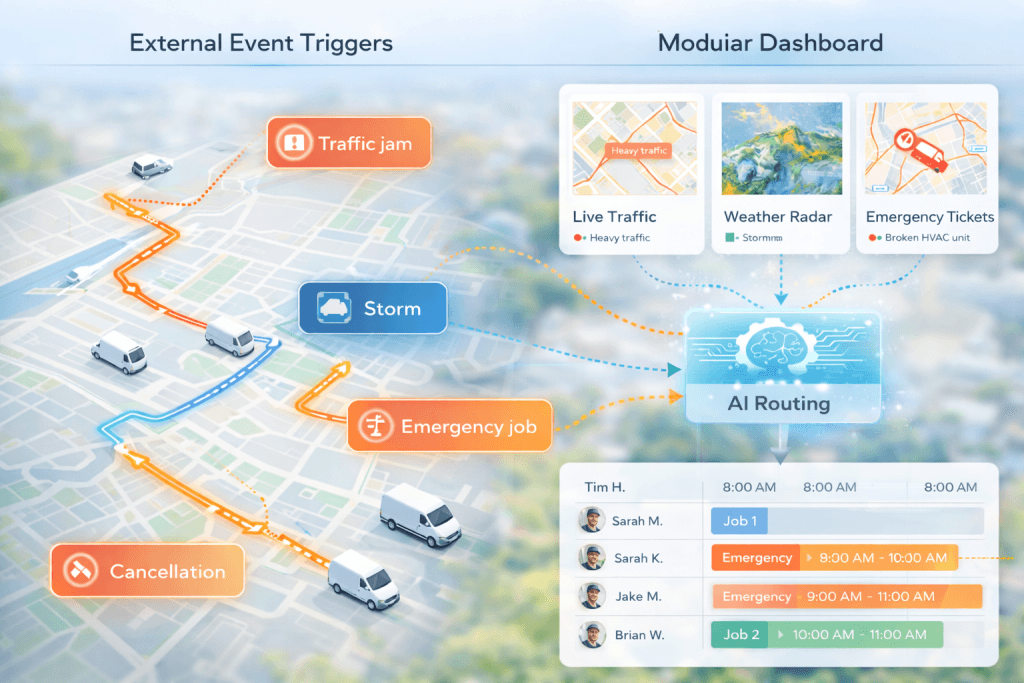
- External triggers. Customer cancellations, emergency insertions, live traffic feeds, and weather all evaluate through the same constraint logic that drives AI job scheduling.
The 4-Minute Cascade From Detection to Deployment
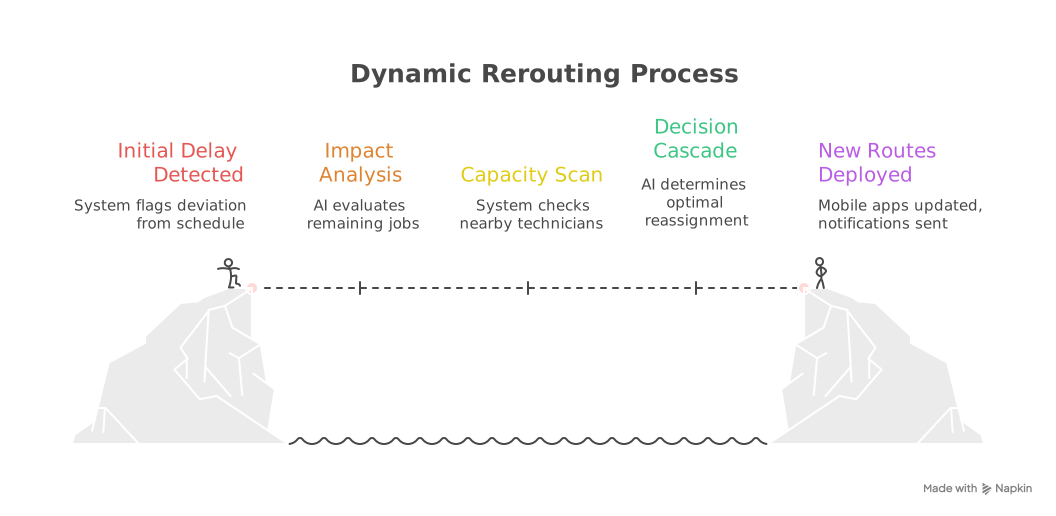
Direct answer: A representative live reroute completes in 3-5 minutes from first detection to new routes on the techs’ phones. The flow runs in five steps: detection, impact analysis, capacity scan, decision, and deployment. The point of the cascade is to commit the smallest viable change before the delay compounds downstream.
- 2:00:00 PM — Delay detected. GPS shows Tech #3 still on site, 15 minutes past planned departure, no movement for 12 minutes.
- 2:00:15 PM — Impact analysis. The AI evaluates remaining jobs. Job #5 (2:30 PM window) would now start at 3:15 PM and violate the customer window. Job #6 is at risk. Job #7 is a VIP, protected.
- 2:01:00 PM — Capacity scan. Tech #2 finishes at 2:15, has HVAC + EPA, 8 minutes from Job #5, available capacity. Tech #5 is HVAC-only, 18 minutes away. Tech #4 has wrong skills.
- 2:02:00 PM — Decision. Jobs #5 and #6 reassign to Tech #2. Job #7 stays with Tech #3.
- 2:03:00 PM — Route recalc. The incremental solver rebuilds only Tech #2 and Tech #3. Every other technician’s schedule stays untouched.
- 2:04:00 PM — Deployment. New routes push to both techs’ mobile apps. Customer ETA notifications fire automatically. The dispatcher gets a summary; no approval needed.
Watch FieldCamp Save Hours Live
Load your job list, your team, and your zones. We will replay last week and show you exactly where dynamic rerouting would have saved drive time and missed windows.
Protected vs Flexible Jobs — What the Solver Can Move
Direct answer: FieldCamp uses job status and business rules to decide which appointments stay fixed during rerouting. Protected jobs are pinned and the solver optimizes around them. Flexible jobs (mostly PLANNED status) can move. In a typical morning, 60-70% of jobs are flexible. By 2 PM that drops sharply, which is why early detection matters.
| Job Status | Reassignable? | Reason |
|---|---|---|
| CONFIRMED | No | Explicitly confirmed with customer |
| PLANNED | Yes | Not yet confirmed, flexible |
| VIP customer | No (default) | Business rule protects the relationship |
| Starts in <30 min | No | Tech likely already en route |
| Multi-tech crew job | No | Cannot split crew assignments |
| Dependency chain | No | Must stay with same tech |
A 9 AM detection has six hours of flexible inventory to work with. A 2 PM detection has two. The implication for daily ops: confirm the morning the night before, leave afternoon jobs as PLANNED until you need to lock them, and the solver will have more room to absorb disruption. Pair this logic with the right AI route optimization setup at the start of the day.
How the Solver Picks Who Gets Reassigned
Direct answer: The solver evaluates candidate techs on five axes simultaneously — proximity (real drive time including live traffic), skill match including certifications, capacity (shift end, overtime, breaks), time-window preservation, and workload balance. Each candidate gets a penalty score combining all five. The lowest score wins, which means the closest tech does not always win.
A representative scoring table for a delayed Tech #3 with Jobs #5 and #6 needing reassignment:
| Tech | Distance | Skills | Capacity | Window Fit | Decision |
|---|---|---|---|---|---|
| Tech #2 | 8 min | HVAC + EPA | Available 2:15 PM | Both fit | SELECTED |
| Tech #4 | 6 min | No EPA | Available | N/A | Rejected — skills |
| Tech #5 | 12 min | HVAC | 7 jobs already | Would overload | Rejected — balance |
Tech #2 wins despite not being closest. Skills and capacity outweigh raw proximity, which is the whole point of using a solver instead of a “send the closest one” rule. The AI Dispatcher applies the same scoring logic to every reroute.
KEY TAKEAWAY
The closest tech rarely wins. Skill, capacity, and time-window preservation outweigh raw drive distance. That’s why solver-based dispatch beats “send the nearest truck” every time.
Mid-Day Job Insertion Without Rebuilding the Day
Direct answer: Mid-day insertion places a newly arrived job — usually an emergency or a same-day request — into an already-running schedule without rebuilding it. The solver answers three questions in 200-500 ms: where can the job feasibly fit, what is the cost of each candidate insertion, and what is the cheapest insertion that respects all hard constraints.
In practice, a dispatcher receiving an emergency call sees the recommended insertion before they finish the call. Cancellation backfill works the same way in reverse — the gap is detected, the unassigned-job queue is scanned for nearby work that fits the freed window and the tech’s skills, and the best candidate is inserted automatically.
The hardest insertion is the one that creates a chain. Inserting Job X into Tech A’s route delays Tech A’s downstream jobs, which may force one to move to Tech B, which may delay Tech B’s later work. The solver explicitly limits the cascade by preferring insertion points that absorb the new work without creating a second-order reassignment. This is the same mechanism used in emergency job handling.
Capping Multi-Tech Cascade Effects at 2-3 Hops
Direct answer: A cascade is a chain of reassignments triggered by a single delay. FieldCamp’s solver caps cascades at 2-3 hops by preferring reassignments that do not create new conflicts. Priority order is SLA protection first, stable assignments second, workload balance third. Without that cap, one late tech compounds into 3-4 late arrivals by 2 PM.
Multi-technician jobs need special handling. A 3-person tree-removal crew cannot be split. If one crew member is delayed, the entire crew’s start time slides together, and the crew’s later job may be reassigned to a different crew to prevent an afternoon cascade. Customer notifications for cascaded changes go out simultaneously rather than in sequence — preventing the case where Customer A complains by phone before Customer B even knows. Across 50+ FieldCamp deployments, incremental re-optimization handles 92% of mid-day disruptions; full re-optimization is reserved for major simultaneous events.
PRO TIP
Confirm tomorrow’s morning jobs the night before, but leave afternoon work as PLANNED until you have to lock it. The solver needs flexible inventory to absorb mid-day disruption — every confirmed afternoon slot you lock early is one less lever.
How Rerouting Protects SLAs and Customer Windows
Direct answer: Dynamic rerouting protects SLAs by treating time-window risk as the highest-weighted penalty in the scoring function. When variance crosses 15 minutes, the system checks downstream window risk and triggers a reroute before the window is actually missed. SMS and email fire within 60 seconds of recalculation so customers see the new ETA before they call to ask.
The result for the dispatcher: fewer “where is my tech” calls, fewer apology refunds, and a measurable lift in on-time arrival rate. For shops running tight commercial SLAs, see how SLA-aware scheduling stacks on top of rerouting to penalize at-risk windows before the day starts. Combine that with time-window optimization in the morning plan and the afternoon stays inside the window even when reality bends the schedule.
See AI Dispatcher In Action
Bring your real job list. We will run dynamic rerouting against a representative day and show the missed windows you would have caught automatically.
Dynamic Rerouting in FieldCamp
Direct answer: FieldCamp’s dynamic rerouting is a stack: real-time GPS tracking with 1-5 minute updates, configurable deviation detection, an incremental solver that recalculates only affected routes in 15-30 seconds, automatic SMS/email customer ETA updates within 60 seconds, the protected-job hierarchy above, and approval workflows for VIP or cross-zone moves.
The thing that separates incremental rerouting from a full rebuild is stability. Incremental keeps every unaffected technician’s schedule unchanged, which means no spurious customer notifications, no confused techs, no compounding disruption. After 30 days of system learning, dispatcher approval is required on fewer than 15% of reroutes — the remaining 85% execute automatically. To set this up, walk through submitting a job for AI dispatch and accepting or rejecting AI dispatch suggestions. The same logic underpins the broader AI Command Center view of the day.
For shops sizing the operational impact, run the math on recovered hours per week using a standard labor cost calculator. If you want to see the broader optimization picture before reroute logic kicks in, start with AI route optimization explained.
Run A Smarter Dispatch Day
Stop rebuilding the schedule every time a tech runs late. See dynamic rerouting handle disruption on your job mix in a live 30-minute walkthrough.
Frequently Asked Questions
How quickly does FieldCamp detect a late technician?
GPS updates arrive every 1-5 minutes. A delay is flagged when the technician is more than 0.5 miles off route with no movement for 10+ minutes. That puts detection inside roughly 10 minutes of the actual delay starting — fast enough to trigger reroute logic before downstream windows are missed.
Will dynamic rerouting move my confirmed appointments?
No. Jobs marked CONFIRMED, VIP customers, multi-tech crew jobs, dependency chains, and any job starting within 30 minutes are protected by default. The solver optimizes around them and only reassigns PLANNED status work. Anything sensitive stays locked unless a dispatcher manually approves a move.
What happens when a customer cancels mid-day?
The gap is detected and the unassigned-job queue is scanned for nearby work matching the technician’s skills and the freed window. If a match exists it is inserted automatically. If not, the schedule compacts to eliminate idle drive time. The tech rarely sees a wasted hour from a single cancellation.
Can dispatchers override AI reroute decisions?
Yes. Dispatchers receive approval requests for VIP reassignments and cross-zone moves. Overrides feed back into the system — repeated overrides on similar situations adjust future reroute logic. After 30 days of learning, fewer than 15% of reroutes need dispatcher approval at all.
How are customers notified when their appointment time changes?
SMS or email fires automatically when ETAs change by more than 15 minutes, when a different technician is assigned, or when the slot moves. Notifications include the new ETA, technician info, and a tracking link. They are sent within 60 seconds of route recalculation, so customers see the change before they call to ask.
Does dynamic rerouting work for multi-technician crew jobs?
Yes. Crew schedules are treated as single units. If one crew member is delayed, the entire team’s start slides together rather than splitting the crew. The crew’s later job for the day may be reassigned to a different crew to prevent an afternoon cascade, but the original crew stays intact.
What is the difference between rerouting and full re-optimization?
Incremental rerouting recalculates only the affected technicians and takes 15-30 seconds. Full re-optimization rebuilds the entire day and takes 2-5 minutes. FieldCamp defaults to incremental because it preserves the rest of the day. Full rebuild is reserved for major simultaneous events affecting 3+ techs.
Continue reading
- How AI reduces drive time — six mechanisms that compress the unbillable hours between stops.
- Multi-stop route planning with AI — sequencing 8-15 daily stops without manual guesswork.
- Emergency job handling — how the same insertion engine absorbs urgent calls.
- What is an AI Dispatcher? — the 50-variable decision model underneath every reroute.