

TL;DR
- Field service overtime management AI turns overtime from a payroll surprise into a deliberate business decision — checked before the job is offered, not discovered on Friday’s timecard.
- Three settings carry the weight: allow or deny overtime, maximum daily overtime cap (typically 2 hours), and a cost multiplier (usually 1.5x) so dispatchers see the real labor price per assignment.
- A three-layer prevention hierarchy blocks accidental violations: shift-end calculation including drive-home time, a 15–30 minute grace period, and fair distribution across the team.
- State-by-state compliance runs per technician — California’s 8-hour daily rule, federal FLSA’s 40-hour weekly rule, and Colorado’s hybrid — all applied automatically per assignment.
- Replacing a burned-out tech costs $45,000–$65,000. Preventing one cascade pays for many years of AI Dispatcher licensing.
A dispatcher hands one more “quick job” to your best HVAC tech at 4:47 PM. He’s already at 9 hours. By 6:17 PM he’s worked 10.5 — 2.5 hours of overtime at time-and-a-half. That single call costs $44 in extra labor and marks his third 10+ hour day this week. Multiply that by 12 techs and 220 working days, and accidental overtime becomes a six-figure leak nobody put in the budget. This is where field service overtime management AI earns its keep — by refusing the assignment before the cost ever lands on payroll.
Manual dispatching cannot track real-time hours across an entire team while juggling traffic, emergencies, and customer calls. Overtime drifts to the same 2–3 reliable techs, state labor laws get violated without anyone noticing, and the most expensive asset on your roster — an experienced technician — starts updating their LinkedIn. An field service management software platform with AI dispatch evaluates the rule before the job is offered, not after the damage is done. Overtime becomes a conscious decision, not a scheduling accident.
How AI Manages Overtime: Three Core Settings
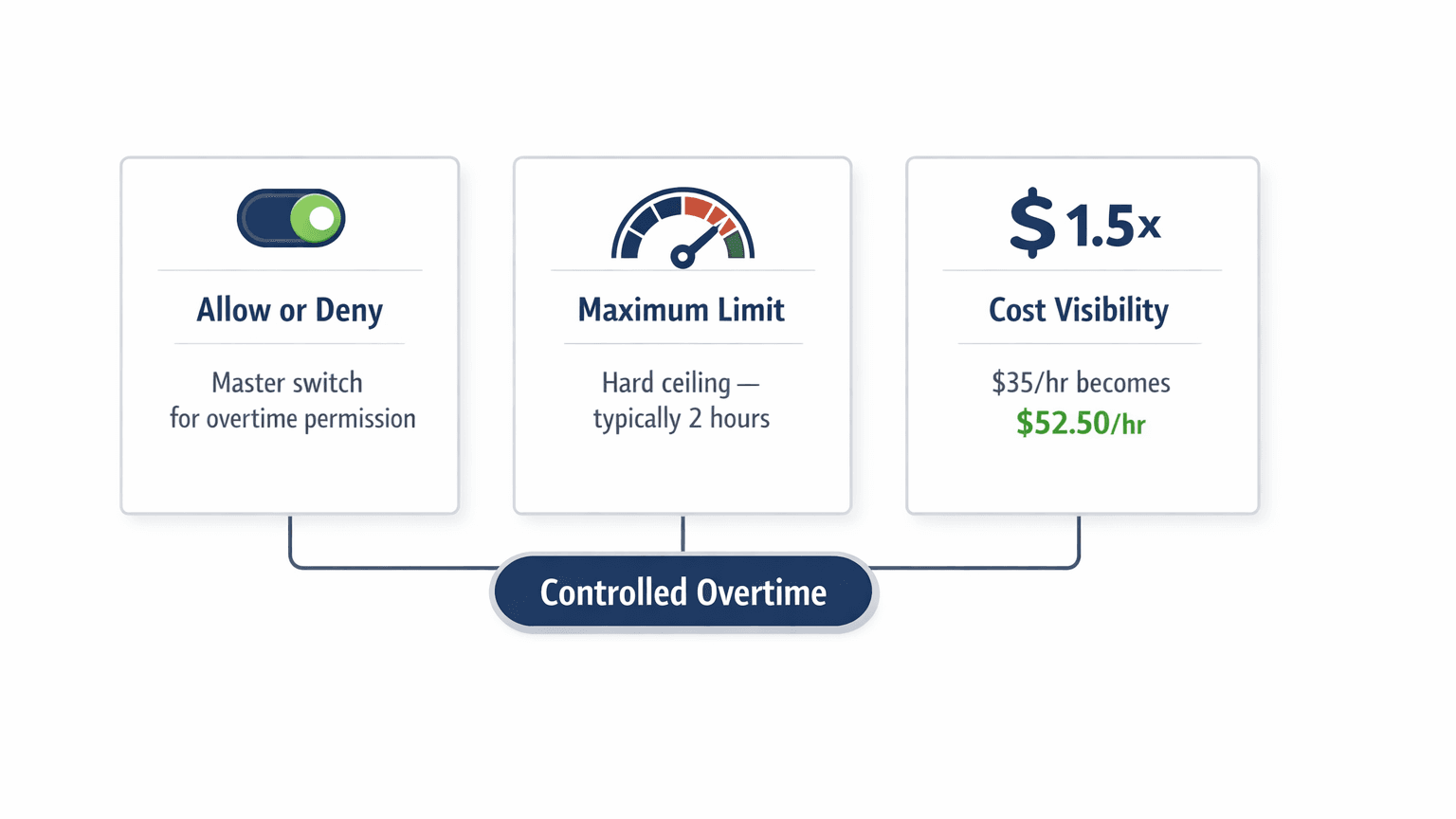
The AI Dispatcher controls overtime through three interlocking settings configured per technician. A master switch decides whether overtime is allowed at all. A daily cap (most shops set 2 hours) bounds how much overtime any single tech can absorb. A cost multiplier — typically 1.5x — surfaces true labor cost so dispatchers see the real trade-off before approving each assignment.
Setting 1 — Allow or deny overtime. The master switch. When disabled, the system never schedules a job that pushes past shift end. When enabled, overtime is permitted up to the configured ceiling and not a minute beyond.
Setting 2 — Maximum overtime allowed. The daily ceiling. Two hours is the industry-standard threshold balancing flexibility, labor cost, and technician well-being. Push past it and you trigger the cascade we describe below.
Setting 3 — Cost multiplier. A $35/hour technician becomes a $52.50/hour decision once the 1.5x kicks in. The system surfaces that real number on every assignment, so dispatchers stop treating overtime hours as if they cost the same as regular hours.
Worked example. Sarah’s shift runs 8:00 AM–5:00 PM at $35/hour. Overtime is allowed up to 2 hours at 1.5x. She has 8.5 hours scheduled. A new 2-hour emergency arrives. AI checks: is overtime allowed? Yes. Would 8.5 + 2 = 10.5 hours breach her cap? No — 1.5 hours of overtime sits under her 2-hour limit. True cost: $78.75. AI assigns the job and shows the cost so the dispatcher sees the trade-off. The same scoring lives inside the AI dispatch scheduling feature.
The Overtime Prevention Hierarchy
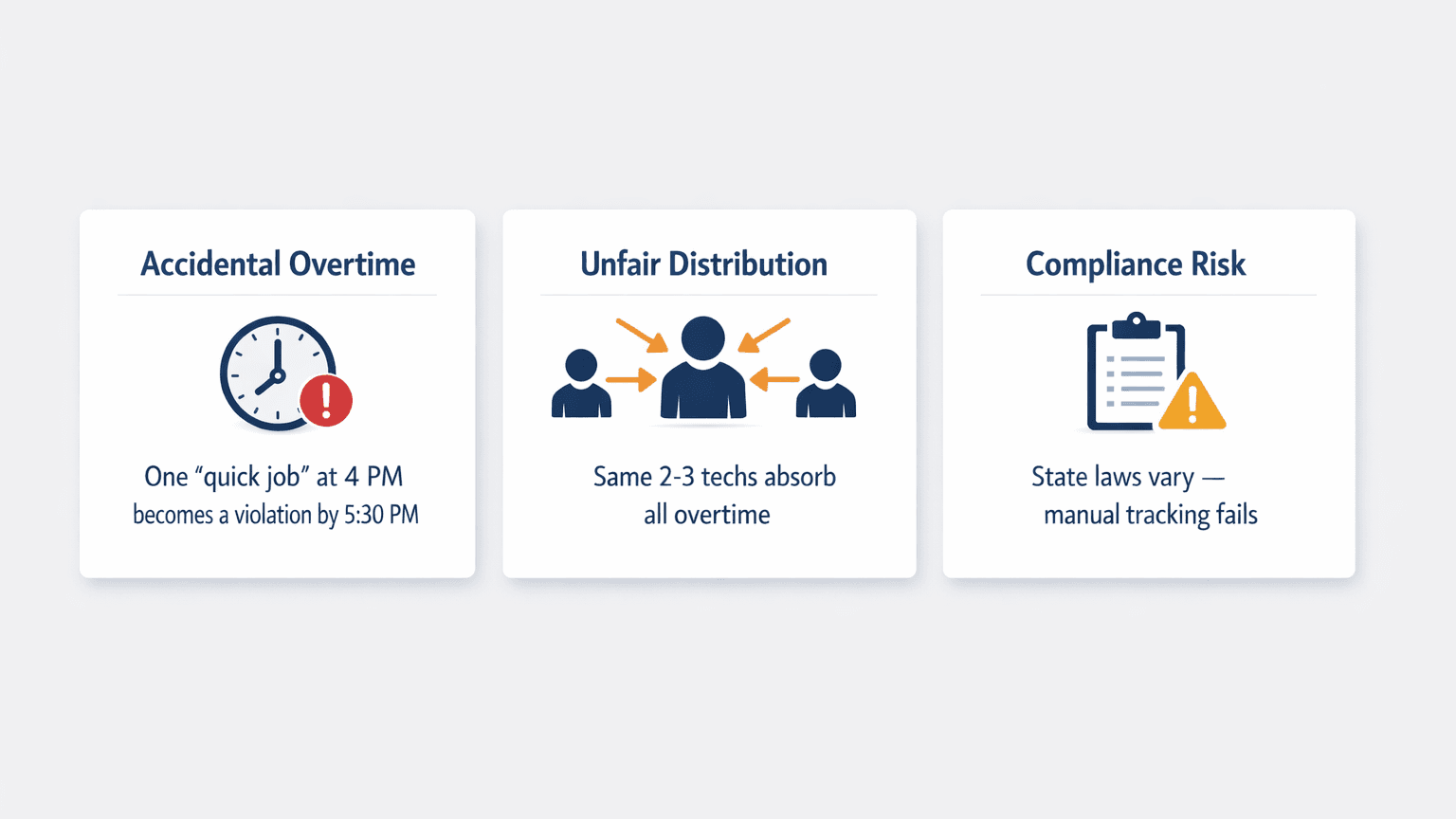
Overtime violations get blocked by three enforcement layers, evaluated in sequence on every job assignment. Shift-end calculation runs first and includes drive-home time, not just the job clock. A grace period absorbs unexpected traffic. Fair distribution then spreads remaining overtime evenly so the same two techs don’t carry every late call.
Layer 1 — Shift-end calculation. Before any assignment, the system computes current scheduled hours + new job duration + drive time + drive home. If the total exceeds shift end and overtime isn’t allowed, the assignment is rejected instantly. A tech’s shift isn’t done when their last job ends — it’s done when they’re home.
Layer 2 — Grace periods. A 15–30 minute buffer absorbs unexpected traffic so a tech finishing at 4:58 PM isn’t flagged as a violation because they didn’t reach the driveway until 5:20 PM. This is the difference between rigid rule enforcement and field-tested rule enforcement.
Layer 3 — Fair distribution. Even when overtime is allowed, the system spreads it evenly across the team. Overtime should not concentrate on the same technicians day after day. This is where overtime ties directly into workload balancing with AI — the same fairness layer that prevents burnout prevents one tech from absorbing every late call.
| Layer | What It Checks | Outcome When Violated |
|---|---|---|
| Shift-end calculation | Hours + job + drive + drive home | Assignment rejected before offer |
| Grace period buffer | 15–30 min cushion past shift end | Real-world variance absorbed |
| Fair distribution | Weekly overtime per tech vs team avg | Job routed to fresher tech |
Real-world example. A 5:00 PM emergency lands. Tech Mike is scheduled until 4:45 PM, lives 20 minutes from his last job. Tech Sarah finishes at 3:30 PM, lives 35 minutes out. Mike is closer to the emergency, but assigning him would push past his shift end (4:45 PM job + 20 min drive = 5:05 PM). Sarah has capacity and can handle the emergency without overtime. The system assigns to Sarah. Inside the AI Command Center, the dispatcher sees the reasoning and signs off in one click. To dig deeper into the math, see how AI dispatching algorithms work.
See Overtime Caps Run Live
Watch FieldCamp’s AI Dispatcher block accidental overtime in real time on your real schedule, your real techs, and your real state labor rules.
State-by-State Compliance Runs Per Technician
Labor laws vary by state and by week, so AI overtime management applies the correct rule per technician before any assignment is made. California requires overtime after 8 hours daily. Federal FLSA requires it after 40 hours weekly. Colorado uses a hybrid. The system refuses to create schedules that break the rule that applies to that specific tech in that specific state.
| Jurisdiction | Overtime Rule |
|---|---|
| Federal (FLSA) | Overtime after 40 hours/week |
| California | Overtime after 8 hours/day, double-time after 12 hours/day |
| Colorado | Overtime after 12 hours/day or 40 hours/week |
| Nevada | Overtime after 8 hours/day or 40 hours/week |
For multi-state operations, per-technician configuration is essential. California-based techs need stricter daily limits to comply with the 8-hour rule. Full-time techs might run a 2-hour daily cap; part-time techs run zero. The system applies the correct rule per tech automatically rather than relying on the dispatcher to remember which Sarah is in Sacramento and which Sarah is in Reno. For shops that haven’t configured this yet, the AI Dispatcher docs walk through the per-tech setup.
Fairness inside compliance. Even when total overtime sits inside legal limits, unfair distribution destroys morale. Without automation, 10 hours of weekly overtime ends up as Tech A getting 8, Tech B getting 2, Tech C and D getting zero. With AI dispatch, the same 10 hours distribute as 2.5 hours each — and with fairness memory layered on, last week’s heavy carrier gets a lighter load this week. The mechanics live inside the workload balancing playbook.
Industry Patterns and Real-Time Cost Visibility
Overtime needs vary sharply by trade, and AI dispatch tunes the cap pattern to match. HVAC sees the most dramatic seasonal swings. Plumbing is emergency-driven and weather-dependent. Electrical is project-based with multi-day continuity rules. The same 2-hour cap means different things in each context, and the system reserves overtime capacity where the trade actually needs it.
HVAC. Summer cooling and winter heating both create overtime spikes. During shoulder seasons, the system schedules aggressively. During peaks, it reserves overtime for true emergencies and pushes routine maintenance to the next day. Shops moving from manual HVAC scheduling tools typically see overtime drop 30–40% in the first quarter.
Plumbing. Emergency-driven and weather-triggered. Winter pipe freezes, sewer backups after storms, water-heater failures on Sunday night. The system reserves overtime capacity for true emergencies rather than routine calls, then surfaces the real cost in the job invoice so margins stay visible.
Electrical. Project-based with consecutive-day commitments — panel upgrades, solar installs, commercial fit-outs. The system tracks cumulative overtime across project phases to avoid blowing weekly limits while meeting deadlines. This is the same multi-day pattern explained in our multi-day scheduling guide.
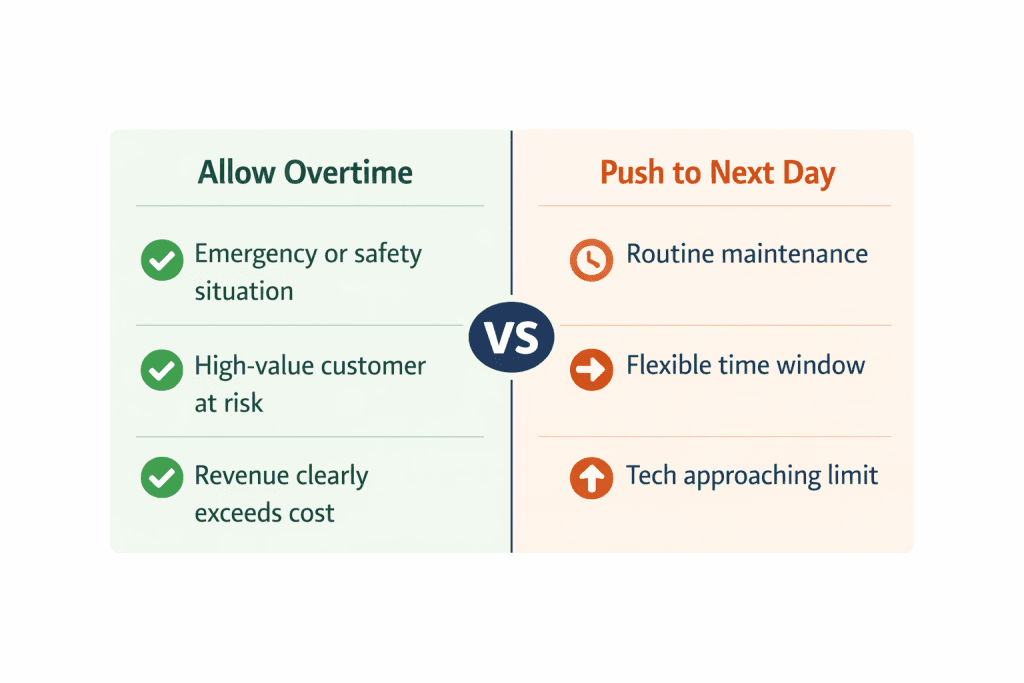
Real-time cost visibility. Every schedule shows projected labor cost including overtime premiums: base labor, projected overtime, total as a percentage of estimated revenue. The labor cost calculator shows the same math on a single job. Profitability check. Scenario A: $450 HVAC repair vs. $78.75 overtime cost = $371.25 net — assign. Scenario B: $120 routine maintenance vs. $78.75 overtime cost = $41.25 net — push to next day.
The Cascade Effect and Early Warning System
One day of avoidable overtime creates problems that ripple through the next 2–3 days. Day 1: tech works 10.5 hours. Day 2: starts tired, jobs run 15% longer. Day 3: accumulated fatigue leads to quality issues and callbacks. Day 4: tech calls in sick. Day 5: schedule disrupted across the team. Preventing this cascade isn’t just compliance — it protects the most expensive asset to replace.
Early warning trigger. When a tech reaches 75% of their overtime cap, the system flags them automatically — giving dispatchers 1–2 hours of warning before the limit hits. Mid-afternoon dashboard reading: Mike at 7.5 hours with 1.5 remaining (approaching), Sarah at 6 hours with 3 remaining (good), Tom at 8 hours with 1 remaining (approaching). Dispatchers route the next jobs to Sarah, preserve Mike and Tom’s capacity for emergencies, and avoid violations that would otherwise stay invisible until payroll.
The confirmed appointment dilemma. A customer-confirmed 4:00 PM appointment is a 2-hour job; the tech’s shift ends at 5:00 PM. Completing it requires 1 hour of overtime. The system honors the confirmed appointment, accepts the overtime as a deliberate cost, and blocks any further assignments that would push past the cap. The overtime is intentional, not accidental — and consistent with how SLA-aware scheduling weighs breach cost against overtime premium.
Capacity forecasting. Historical overtime patterns predict when more techs are needed. Week 1: 12% of shifts used overtime (normal). Week 2: 28% (spike). Week 3: 35% (sustained). The system flags that the pattern indicates a coverage gap, not isolated demand — feeding the capacity planning layer.
Stop Losing Margins to Overtime
30 minutes with FieldCamp. We load your jobs, your shift rules, and your state, then show you exactly where overtime is leaking right now.
How FieldCamp Enforces Overtime as a Hard Rule
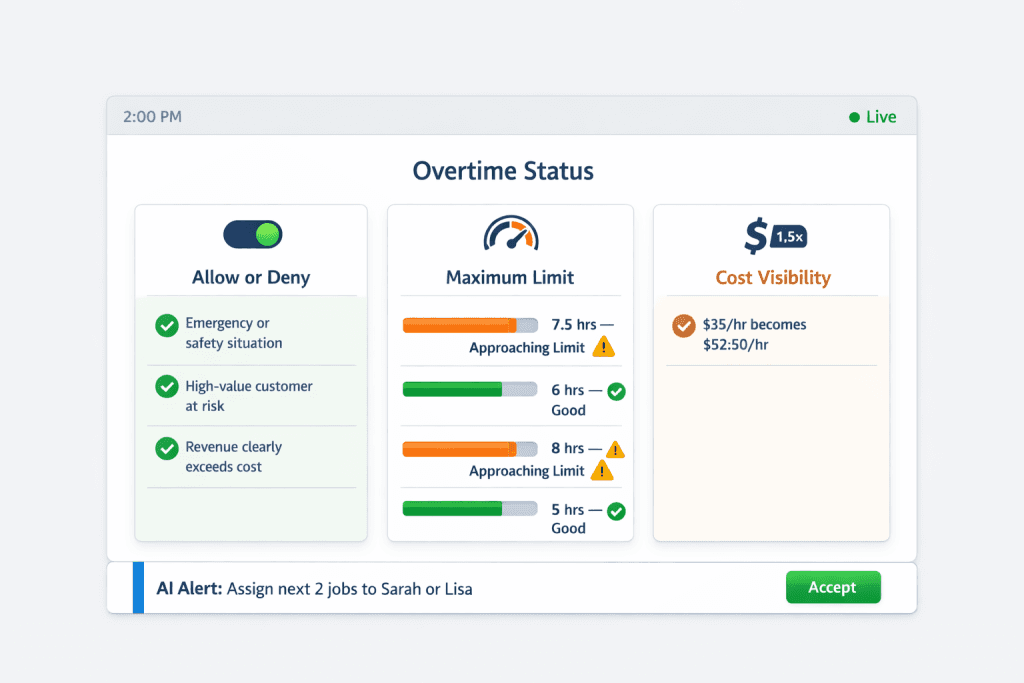
FieldCamp treats overtime limits as hard rules, not suggestions. Before assigning any job, the system calculates total time including drive home, applies the configured grace period, and rejects assignments that would breach the limit. Overtime settings configure per technician — different roles, different ceilings, California techs stricter, part-time techs zero. The cap runs as a true hard constraint inside the AI dispatcher.
True labor cost displays in real time. A $35/hour tech shows as $52.50/hour once overtime kicks in. The fairness layer remembers each tech’s weekly history and rotates overtime accordingly, so no one carries an excessive burden across pay periods. Compare this to running schedules manually inside a basic hourly billing spreadsheet — the difference is the difference between catching the leak and finding it on payroll Friday.
Run a Smarter Dispatch Day
FieldCamp’s AI Dispatcher checks every assignment against your overtime caps, your state rules, and your team fairness — before the job is offered.
Frequently Asked Questions
What happens if all my technicians are at their overtime cap and an emergency lands?
The system flags the job as unassignable under current limits and presents options: override the cap for one technician as a deliberate business decision, schedule for the first available slot tomorrow, or contact the customer to negotiate timing. The trade-off becomes visible so the decision is conscious rather than an accidental violation.
Can I set different overtime caps for different technicians?
Yes. Overtime is configured per technician. Full-time techs might run a 2-hour cap while part-time techs run zero. California-based techs can run stricter daily caps to comply with the 8-hour rule while techs in other states have more flexibility. The AI Dispatcher applies the right rule per tech automatically.
What happens if a job runs late and pushes a tech into overtime?
The system continuously recalculates projected end times as jobs progress. If a job runs late and would push a tech further into overtime, remaining jobs get reshuffled — either reassigned to other techs with capacity, or pushed to the next day. The dispatcher sees the change and approves before it commits.
Does AI overtime management account for drive-home time?
Yes. Total time equals scheduled job hours plus drive between jobs plus drive home, with the configured grace period on top. A technician’s shift isn’t done until they reach their driveway, not when their last job ends. Skipping drive-home time is the most common reason manual schedules silently violate overtime rules.
How does AI decide between allowing overtime and pushing a job to tomorrow?
It compares revenue against overtime cost, checks if other qualified techs have capacity, evaluates whether the job is emergency or routine, and weighs the cascade effect on tomorrow’s schedule. High-value emergencies justify overtime. Routine maintenance gets pushed. The dispatcher sees the reasoning and signs off.
How much does field service overtime management AI typically save?
Shops moving from manual dispatch to AI dispatch typically see overtime drop 30–40% in the first quarter without losing job completions. Combined with the retention savings from preventing burnout (replacing a tech costs $45,000–$65,000), the AI Dispatcher pays for itself many times over within a single year.
Continue reading
- Workload balancing with AI — the fairness layer that decides who absorbs overtime when it’s unavoidable.
- Capacity planning with AI — when overtime patterns signal a hiring decision.
- Multi-day scheduling — how overtime cascades across days and how AI prevents it.
- Skill-based technician assignment — why a small eligible pool forces overtime onto the same 2–3 techs.