
Best Commusoft Alternatives for Contractors to Try in 2026
November 19, 2025 - 19 min read

November 19, 2025 - 19 min read

| TLDR: Finding the right Commusoft alternative comes down to how fast your team can move and how much busywork the system removes. This guide breaks down the top tools contractors actually use, how they compare, and which platform fits different team sizes and workflows. |
If you are searching for Commusoft alternatives, you are likely dealing with one of a few common problems. Many contractors say Commusoft requires too much setup time, the learning curve slows teams down, and the pricing increases quickly as operations expand. Some report difficulty navigating between job details and customer records, while others mention that certain features feel overcomplicated for daily use.
The truth is simple. Most contractors want software that schedules jobs fast, keeps teams organized, sends invoices on time, and helps them get paid faster. If Commusoft feels heavier than what your team needs, several better options in the market offer easier onboarding, cleaner interfaces, and smoother automation.
Below are the 7 best Commusoft alternatives in 2026, based on workflow testing, user sentiment from G2 and Capterra, and how well each platform supports real field operations.
This list comes from digging into real user feedback, stress-testing each platform with common contractor workflows, and tracking how fast vendors respond when things break. What you see here is the reality of using these tools in 2026, based on actual day-to-day performance.
| Platform | Best For | Automation | Mobile App Availability | Customer Support |
| Commusoft | Established field teams needing deep configurations | Moderate automation | iOS & Android | Email and chat support |
| FieldCamp | AI-powered simplicity and fast scaling | Advanced AI with conversational workflows | iOS & Android | 24/7 live chat and dedicated onboarding |
| Jobber | Growing teams want simple scheduling | Moderate automation | iOS & Android | Email and chat support during business hours |
| Housecall Pro | Contractors needing easy customer communication | Good marketing and reminders | iOS & Android | Phone and chat support |
| Kickserv | Small teams needing CRM + job management | Basic automation | iOS & Android | Email and chat |
| ServiceM8 | Small Apple-based teams | Moderate automation | iOS only | Email support |
| Contractor+ | Solopreneurs needing free tools | Limited manual workflows | iOS & Android | Email support |
| mHelpDesk | Contractors want strong job management | Moderate automation | iOS & Android | Email and phone |
Key takeaways from the comparison:
Not every software fits every contractor; here’s where the real differences begin.
Now let’s break down each platform in detail so you can see exactly how they compare to Commusoft in real workflows, real user experiences, and real day-to-day operations.
Most contractors who leave Commusoft do it because they’re tired of slow onboarding, rigid workflows, and software that expects teams to adapt to it rather than the other way around.
FieldCamp flips that completely.
Instead of walking dispatchers through 20 clicks for a normal job, FieldCamp lets you type or speak at the AI command centre:
“Schedule a furnace tune-up for Robert Harris tomorrow at 10 AM with the closest HVAC tech.”
And it does the rest automatically: assigns the best technician, checks traffic, builds the route, notifies the customer, updates the job board, and even creates the invoice template without anyone touching a button.
This isn’t a beta feature. It’s real, stable, and used every day by field service teams who are tired of doing all that work manually in Commusoft.
What people usually say after switching is how “light” everything suddenly feels. Dispatchers aren’t buried in clicks, techs get clean job details without digging through menus, and owners finally stop babysitting the software just to keep the day moving.
FieldCamp removes most of the busywork your team used to do by hand, which is the real win. Everyone gets more time to focus on the job itself while the system quietly handles the steps you used to chase all day.
Teams that struggled with Commusoft’s onboarding and menu-heavy UI usually get fully operational in one day with FieldCamp.
| A Real Story: How One Cleaning Business Unlocked More Monthly Revenue using FieldCamp HeyMaid launched in North Carolina in 2025, aiming to scale fast, not survive on spreadsheets and slow tools. Sam tested multiple platforms but kept running into the same problem: everything felt outdated and too manual to support a subscription-based cleaning model. FieldCamp changed that instantly. Recurring jobs took seconds to set up, routes became tighter, customer communication ran on autopilot, and AI handled most of the daily coordination. With scheduling and admin work reduced dramatically, Sam redirected time into sales and recurring contracts, boosting monthly revenue within the first few months. A modern cleaning business needs modern infrastructure. For HeyMaid, FieldCamp became the engine behind profitable, predictable growth. Learn What FieldCamp Changed for HeyMaid |
Ideal for
| Pros | Cons |
| True AI automation with natural language 24/7 live support (unlike Commusoft’s structured sessions) Faster setup than every competitor in this list Offline-friendly mobile app Modern, clean UI built for speed Transparent pricing based on needs | Custom pricing requires a demo Some legacy integrations may still be in progress |
Pricing: FieldCamp uses a custom pricing model, so you only pay for what you actually need.
Jobber is one of the most widely used field service tools for small and mid-sized contractors. Most teams choose it because it is stable, familiar, and easy enough for new employees to learn quickly. It is not the most advanced tool in the market, but it delivers a clean workflow from estimates to payments without a complicated setup.
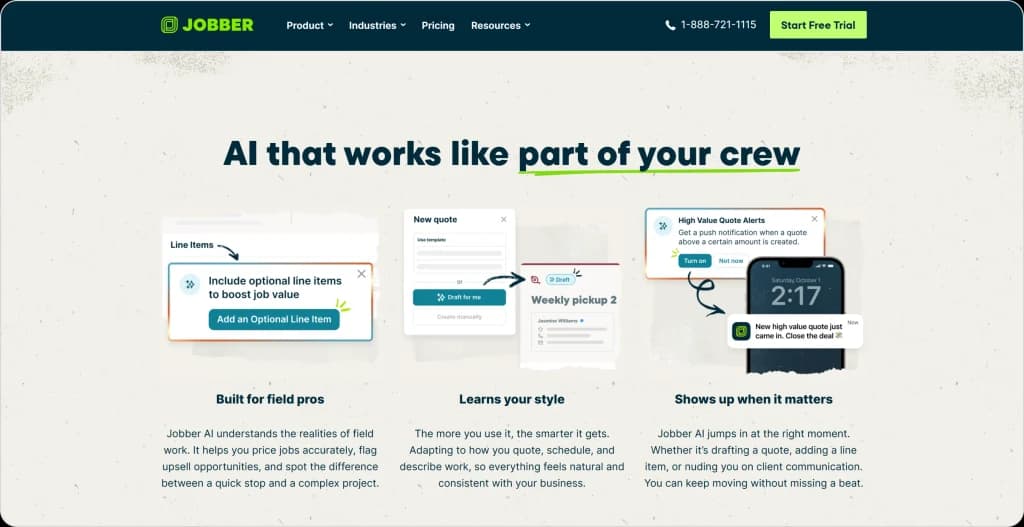
The strength of Jobber is consistency. Quotes look professional, scheduling is clear, and the client hub gives customers a simple way to approve work and pay online. It is a good middle-ground platform for teams that want reliable operations without needing modern automation or AI-driven features.
The main drawback is that Jobber can feel limited once your team grows or your workflow becomes more complex. Route optimization is basic, automations are shallow, and the pricing climbs quickly as you add users or need integrations like QuickBooks.
Want to dig deeper into Jobber? You’ll find this Jobber review really helpful.
• Drag and drop scheduling
• Basic route optimization
• Client hub for self-service
• Professional quotes and invoices
• Two-way sync with QuickBooks and Xero
• Automated follow-ups and review requests
Ideal use case: Teams with 5 to 15 employees that want dependable scheduling, clean customer communication, and predictable workflows without heavy customization.
| Pros | Cons |
| Easy for teams to learn Clean customer portal reduces admin time Reliable day-to-day scheduling | Gets expensive as the team grows Limited automation and no conversational AI Mobile app feels dated for techs |
Pricing: Starts at $39 per month, with higher tiers needed for automation and QuickBooks sync.
Housecall Pro is popular because it covers most day-to-day needs without a steep learning curve. Teams like it because technicians can get in and out of the app quickly, customers get automatic updates, and owners get clean visibility across jobs.
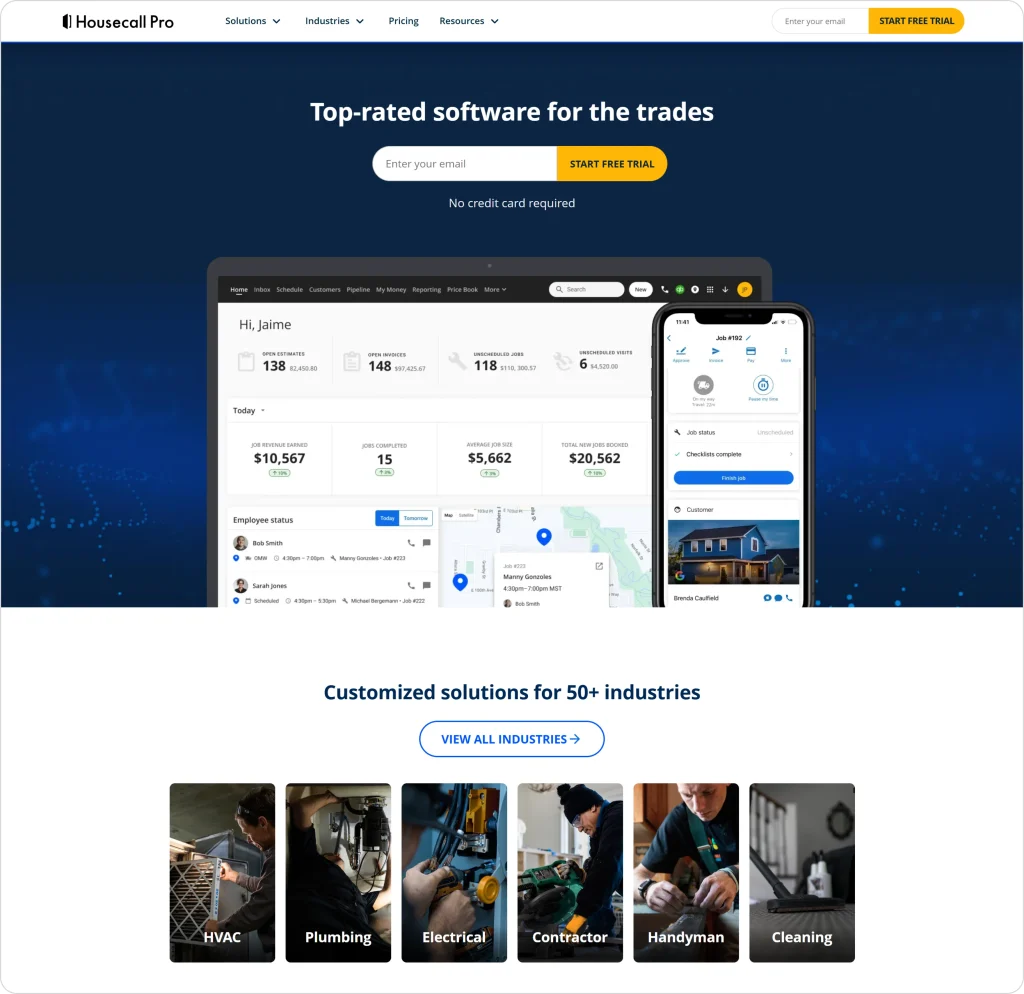
The platform shines in customer communication. Customers see when a tech is on the way, get updates automatically, and pay online. The two-way QuickBooks sync is one of the cleanest in this category, which reduces double entry for office staff.
Where users struggle is with scalability. The interface feels older compared to newer tools, and larger teams often run into limits with complex scheduling, job costing, or commercial work. Support quality also varies depending on when you contact them.
This is discussed more in a better way in one of our Housecall Pro reviews.
• Online booking
• Text updates and customer notifications
• Two-way QuickBooks sync
• Built-in payments
• Simple drag and drop scheduling
• Automated review requests
Ideal use case: Small teams in HVAC, plumbing, and electrical that want straightforward scheduling and reliable customer communication without complicated setup.
| Pros | Cons |
| Strong customer communication features Reliable QuickBooks sync Covers the basics very well | Interface feels outdated Limited depth for commercial or complex jobs Support response times can be inconsistent |
Pricing: Starts at $49 per month for one user, with Essentials and Max tiers adding more automations.
Legacy Software Doesn’t Scale. It Suffocates Your Profit
Slow onboarding, rigid workflows, constant clicks, it all adds up. FieldCamp cuts the dead weight and puts your business back in motion.
Kickserv is a practical option for contractors who need job tracking, scheduling, and invoicing without a large price tag. The web dashboard is simple, the workflow is linear, and it integrates well with QuickBooks for accounting.
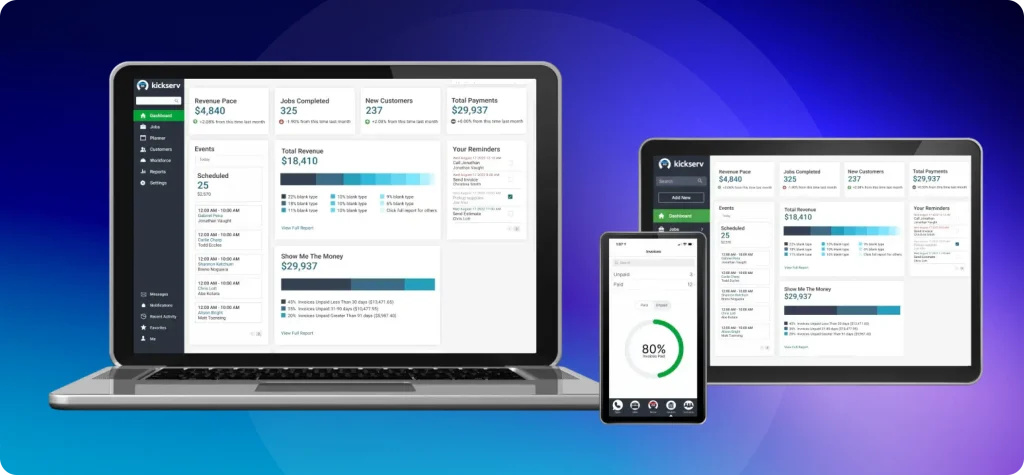
Many teams choose Kickserv because it feels less overwhelming than bigger tools. You can set up jobs, assign techs, track time, and send invoices without digging through menus. The customer portal is clean and lets clients approve estimates easily.
Its limitations show up when your business scales. Mobile usability is basic, reporting is limited, and automations are minimal. Kickserv also struggles with more complex scheduling scenarios, which can slow down dispatching for larger operations.
• Job and estimate management
• Basic scheduling and dispatch
• QuickBooks integration
• Time tracking
• Customer portal
Ideal use case: Small service businesses that want predictable job management and straightforward scheduling without advanced automation needs.
| Pros | Cons |
| Easy to set up and use Affordable for small teams Clean customer portal | Limited automations Basic mobile app Reporting lacks detail |
Pricing: Starts with a low-cost plan and increases by user count. Most teams use the mid-tier plan for QuickBooks sync.
ServiceM8 is designed for trades that run almost entirely from the field. It is lightweight, fast, and extremely mobile-friendly, which is why many small two to five-person teams use it.
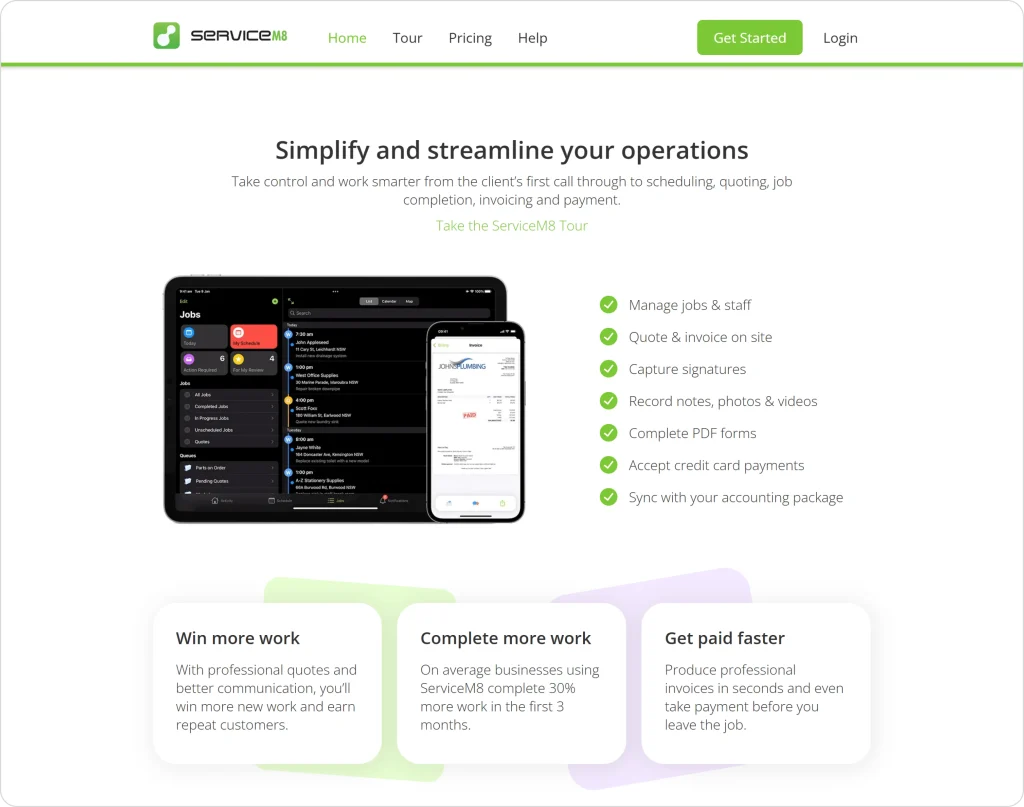
The workflow is simple. Book a job, dispatch it, complete it in the app, take photos, fill a form, and send an invoice on the spot. The automation rules help with follow-ups, reminders, and repeat maintenance jobs.
The biggest limitation is scale. The system depends heavily on the mobile experience and does not handle larger teams or complex job structures well. There is also no dedicated Android app, which is a dealbreaker for some contractors.
• Mobile-first job tracking
• Simple scheduling
• Job forms and checklists
• On-site quoting and invoicing
• Follow-up automation rules
• Apple ecosystem optimization
Ideal use case: Very small teams that operate primarily from the field, prefer iOS devices, and want a lightweight workflow.
| Pros | Cons |
| Extremely fast and mobile-friendly Great for small crews Automation rules help with repetitive work | No Android app Not built for larger teams Limited job complexity support |
Pricing: Starts with low monthly plans, with higher tiers required for automation and advanced forms.
Contractor+ attracts a lot of solo contractors because of its free plan. You get basic scheduling, estimating, a simple CRM, and a solid set of templates for jobs, walkthroughs, and proposals.
For very small operations, this is enough to get started without committing to a paid plan. The app is beginner-friendly and helps new contractors stay organized.
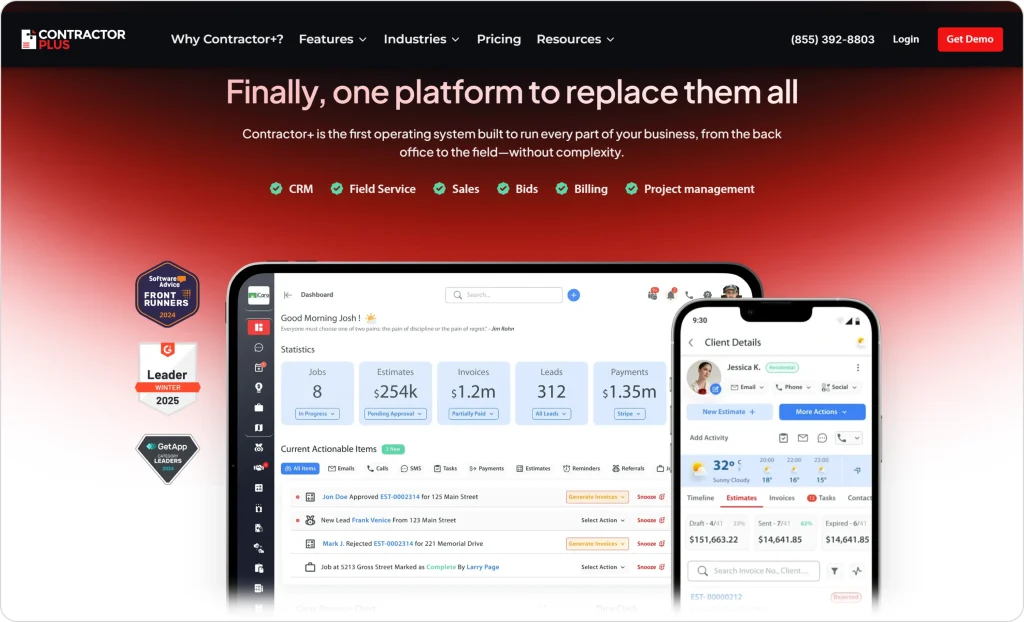
The challenges show up as soon as the business grows. Many features remain basic or in beta, integrations are limited, and the per-user pricing quickly outweighs the value once you go beyond one or two users. Larger teams often move away because they outgrow the system.
If Contractor+ feels like the right choice, check out Contractor+ alternatives before you make the final decision.
• Estimates and proposals
• Simple scheduling
• Basic CRM
• Walkthrough and job templates
• Expense tracking
Ideal use case: Solo operators or new contractors who need an easy way to organize jobs before upgrading to a more scalable system.
| Pros | Cons |
| The free plan is generous for individuals Easy to learn Good templates for beginners | The free plan is generous for individuals Easy to learn Good templates for beginners |
Pricing: Free for individuals. Paid plans are per-user and become expensive as teams expand.
mHelpDesk stands out because of its guided onboarding and hands-on support. Companies that need help setting up processes, migrating data, and training staff often choose it for the support experience alone.
It covers the main functions expected from an FSM platform: scheduling, dispatching, quoting, invoicing, and customer tracking. The workflows are structured and clear, which helps teams adopt the system quickly.
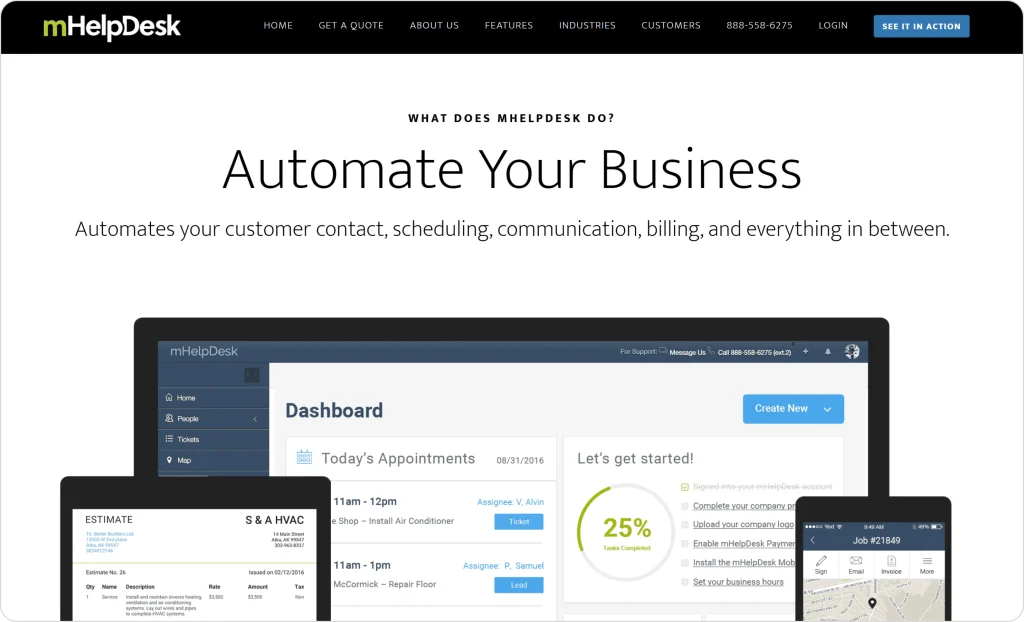
The downside is that the platform feels older and lacks modern automation. The interface is not as clean as newer tools, the mobile experience needs improvement, and the software relies heavily on manual steps for dispatching and job management. Pricing is also on the higher side compared to alternatives with more automation.
Does mHelpDesk feel the right fit? Ensure you read this detailed mHelpDesk review.
• Job tracking
• Scheduling and dispatch
• Quotes and invoices
• Customer database
• Technician mobile app
• Hands-on onboarding
Ideal use case: Contractors that prefer guided setup and want someone to walk their team through onboarding and process creation.
| Pros | Cons |
| Strong onboarding support Clear workflow structure Reliable scheduling and job tracking | Outdated interface Limited automation Higher price for the feature set |
Pricing: Custom quote based on team size and required setup.
Choosing field service software is no longer about long feature lists. It’s about how fast your team can move and how much work the system takes off your hands.
If you’re adding techs or are tired of slow, rigid tools, switching to something modern like FieldCamp can completely change your day-to-day.
| Platform | Annual Cost | Notes |
| FieldCamp | Custom pricing | You pay only for the features you actually use |
| Jobber | $348 | Basic tier, limited automations |
| Housecall Pro | $708 | Basic plan, add-ons increase cost |
| Kickserv | $300 | Affordable starter option |
| ServiceM8 | Low-cost tier | Best for iOS-only solo users |
| Contractor+ | Free | Good for beginners, limited scalability |
| mHelpDesk | Custom quote | Cost varies by onboarding needs |
Winner for solos: ServiceM8 for pure cost, FieldCamp for anyone wanting automation from day one.
| Platform | Annual Cost | Notes |
| FieldCamp | Custom pricing | Adjusted to your workflow, no forced tiers |
| Jobber | $3,588 | A growth plan is required for core features |
| Housecall Pro | $1,788 | The Essentials tier handles 5 users |
| Kickserv | $1,200 | Practical but limited automations |
| ServiceM8 | Mid-tier plan | Requires iOS across the team |
| Contractor+ | Free | Not ideal for small teams long term |
| mHelpDesk | Custom quote | Onboarding included, higher cost |
Winner for small teams: FieldCamp for automation and scalability, Housecall Pro for budget.
| Platform | Annual Cost | Notes |
| FieldCamp | Custom pricing | Volume pricing based on real usage |
| Jobber | $7,788 | Connect plan required |
| Housecall Pro | $3,588 | Max plan allows 100 users |
| Kickserv | ~$2,400 | Still limited for advanced workflows |
| ServiceM8 | High-tier plan | Still limited for larger teams |
| Contractor+ | Free | Not viable for real growth |
| mHelpDesk | Custom quote | Pricing depends on the required onboarding |
Winner for growing teams: FieldCamp for automation at scale, Housecall Pro for predictable pricing.
Everything comes down to how well it supports the way your team already works. Every tool on this list can help contractors stay organized, but the real difference shows up in your day-to-day.
The best software is the one that removes friction, cuts down the clicks, and gives your team time back.
If you’re looking for something familiar and predictable, the established tools will serve you well. But if you want a system that feels modern, moves fast, and handles more of the work for you, FieldCamp stands out – Find out how in this FieldCamp review.
It gives dispatchers, techs, and owners a cleaner, simpler experience so the focus stays on the job, not the software.
Whichever platform you choose, make sure it helps your team operate with less effort and more clarity. The right fit will make your entire operation run smoother from the first week.
Most platforms support CSV imports for clients, jobs, invoices, and service history. FieldCamp offers assisted migration for teams switching from tools like Commusoft, so you don’t have to clean or map data manually.
FieldCamp and Housecall Pro offer fast and simple mobile apps that make job updates, photos, notes, and status changes easy for techs in the field. ServiceM8 is strong too, but only works well for iOS-based teams.
Yes, Commusoft works well for small businesses that want structured workflows and don’t need heavy automation. But businesses that rely on fast scheduling, route optimization, and digital customer communication often prefer lighter, more flexible tools like FieldCamp or Housecall Pro.
Contractors usually move away from Commusoft because onboarding takes longer than expected, workflows feel rigid, and day-to-day scheduling requires too many manual steps. As teams grow, they prefer software that speeds up dispatching, reduces admin work, and adapts to the way they operate instead of locking them into fixed workflows.
FieldCamp stands out for automation because it can schedule jobs, assign technicians, plan routes, and create follow-ups using natural language commands. Instead of relying on manual steps, teams get an automated workflow engine that handles daily coordination for them.