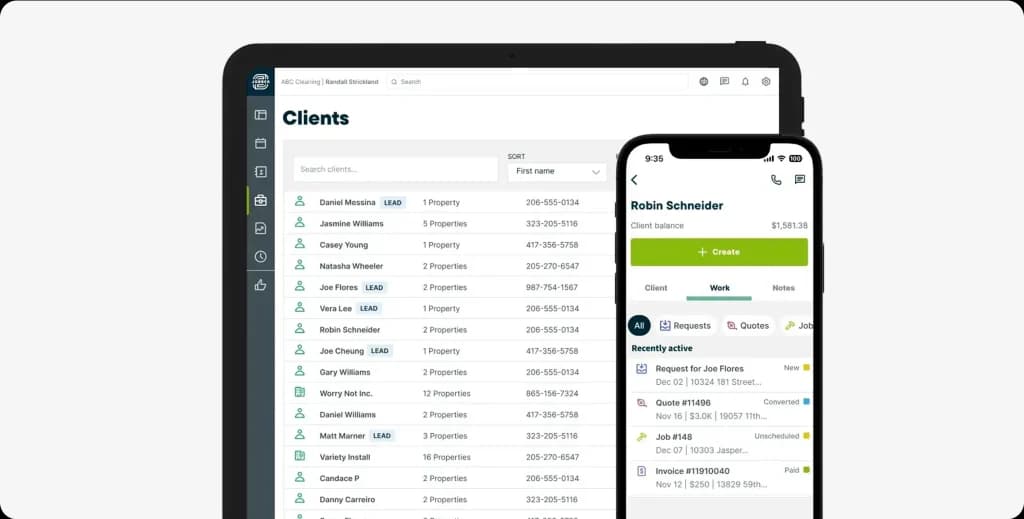
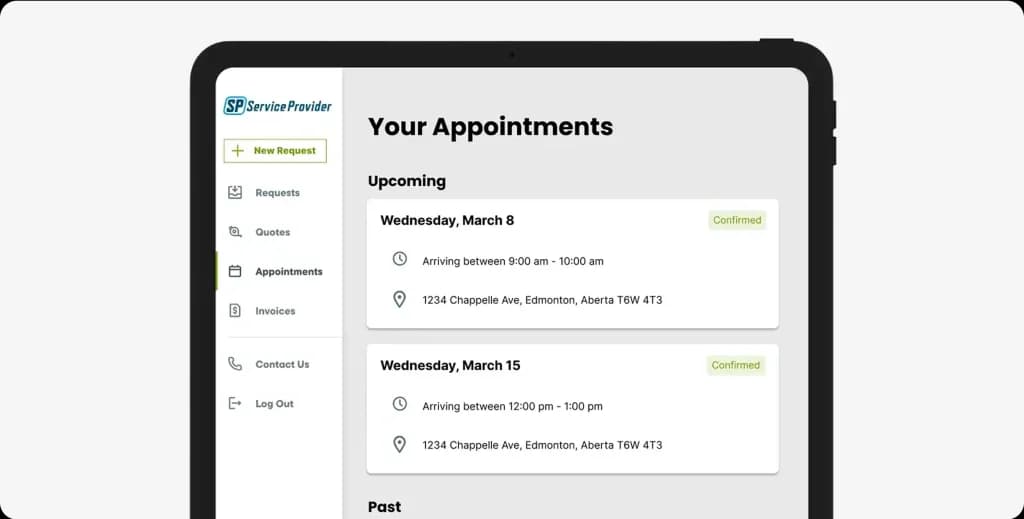
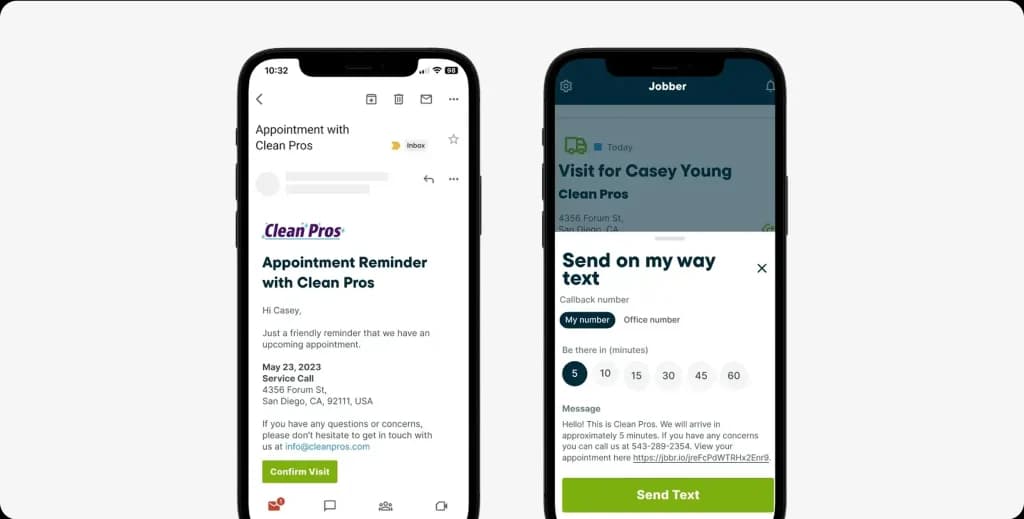
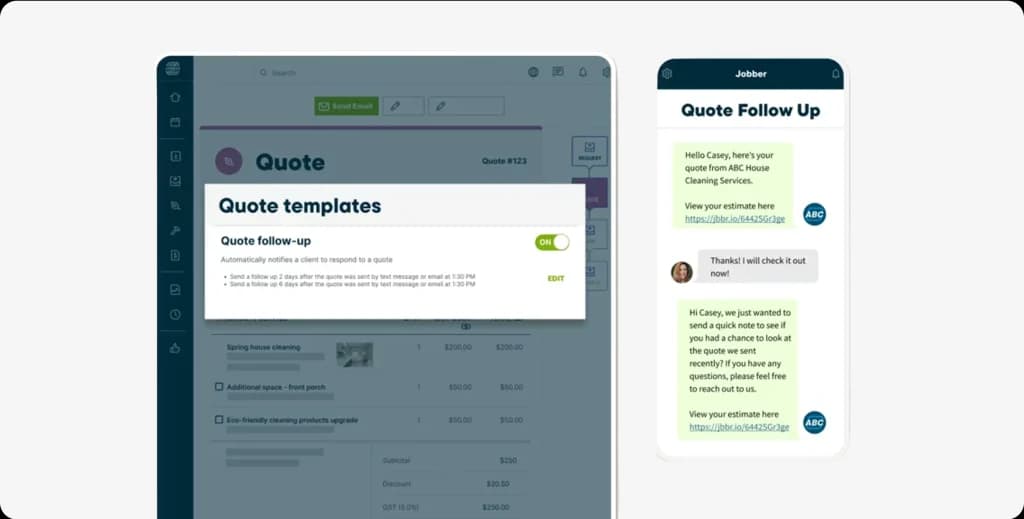
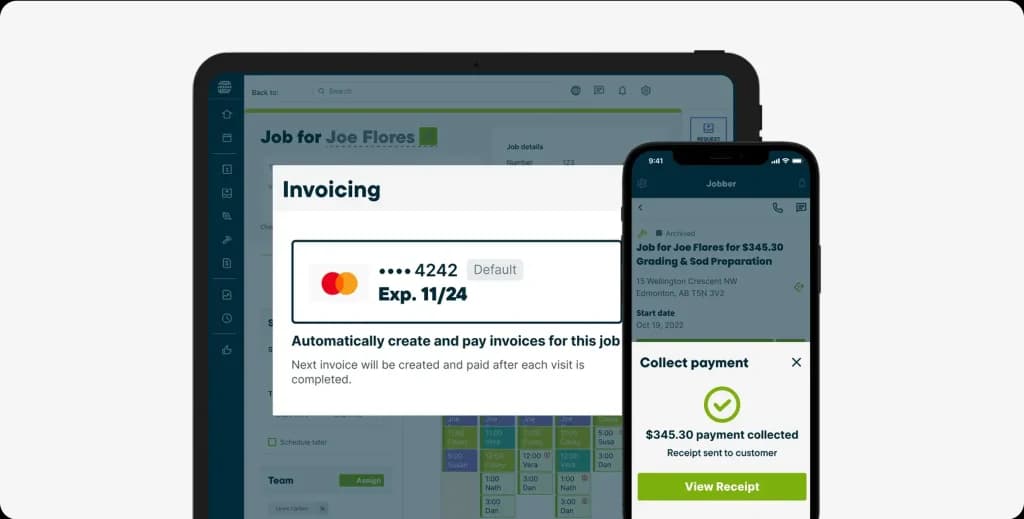
Jobber is one of the most recognized names in field service management software, and for good reason. It handles scheduling, invoicing, quoting, and client communication well enough that over 250,000 home service professionals use it daily.
But here’s what most review sites won’t tell you: Jobber’s per-user pricing model can quietly push your monthly bill past $600 when you factor in extra users, payment processing fees, and add-ons like the AI Receptionist and Marketing Suite.
We spent weeks analyzing 1,200+ verified reviews across G2, Capterra, Trustpilot, and the App Store, combined with real Reddit feedback, to give you the most honest Jobber review you’ll find in 2026.
Let’s break it all down.
Jobber Pricing at a Glance (2026)
Jobber offers 3 plans for individuals and 3 for teams. Solo plans start at $29/mo (Core), $99/mo (Connect), and $149/mo (Grow). Team plans run $149/mo for 5 users, $299/mo for 10 users, and $529/mo for 15 users (Plus). First-year discounts drop prices by up to 35% on annual billing.
But the base price isn’t the full picture; extra users cost $29/month each, card processing runs 2.9%, $0.30 per transaction, and add-ons like AI Receptionist ($99/mo) and Marketing Suite ($79/mo) add up fast. A 10-person team realistically pays $450-$750/month.
| Plan | Annual Price (per month) | Users Included | Best For |
| Core | $29/mo | 1 | Solo operators getting started |
| Connect (Individual) | $99/mo | 1 | Solo pros needing automation and online booking |
| Grow (Individual) | $149/mo | 1 | Advanced features like job costing and two-way SMS |
| Connect (Team) | $129/mo | Up to 5 | Small teams needing GPS tracking and QuickBooks sync |
| Grow (Team) | $299/mo | Up to 10 | Growing teams with job costing and automation needs |
| Plus | $529/mo | Up to 15 | Full suite including AI Receptionist and Marketing Suite |
Every additional user beyond your plan limit costs $29/month. That adds up fast; more on that below.
What if your software just… ran itself?
While Jobber charges you $29 per extra user to drag-and-drop jobs on a calendar, FieldCamp’s AI dispatcher assigns the right tech to the right job automatically. No dragging. No dropping. No babysitting.
Overall Rating: 7.5/10
Jobber earns a 7.5 out of 10 from our evaluation. It’s a genuinely good product for what it does: scheduling, mobile access, and client-facing professionalism. But the per-user pricing model, basic reporting, and inconsistent QuickBooks integration hold it back from being the best choice for growing teams.
Here’s how we scored each area:
| Category | Score | Verdict |
| Ease of Use | 9/10 | Best-in-class for simplicity |
| Mobile App | 8.5/10 | Strongest feature, reliable and well-designed |
| Scheduling & Dispatch | 8/10 | Solid with the 2025 overhaul, still mostly manual |
| Quoting & Estimates | 7.5/10 | Clean and functional, lacks change order support |
| Invoicing & Payments | 7/10 | Works well, limited design customization |
| CRM & Client Hub | 7/10 | Good basics, no sales pipeline or lead scoring |
| AI Receptionist | 6.5/10 | Promising but new and limited |
| Route Optimization | 6/10 | Improved in late 2025, still basic |
| Reporting & Analytics | 5/10 | The weakest link, no custom reports |
| Integrations | 6/10 | QuickBooks sync remains unreliable |
| Pricing & Value | 6.5/10 | Good for small teams, expensive at scale |
| Overall | 7.5/10 | Good product, outgrown by scaling teams |
If we had to sum this up:
| Category | Details |
| Best For | Small home service teams (1–10) wanting intuitive scheduling and invoicing |
| Skip If | Scaling past 15 employees, need advanced reporting or flat-rate pricing |
| Price Range | $29–$529/month (+$29 per extra user) |
| Free Trial | 14 days, no credit card required |
Jobber Pricing: What You’ll Actually Pay
The published pricing looks reasonable. But the real cost of Jobber depends on your team size, payment volume, and which add-ons you need.
The Hidden Costs Nobody Mentions
| Cost Item | Amount |
| Extra users (beyond plan limit) | $29/user/month |
| Credit card processing | 2.9% + $0.30 per transaction |
| ACH bank transfers | 1% per transaction |
| Instant payouts | Additional 1% fee |
| Marketing Suite add-on | $79/month (included in Plus only) |
| AI Receptionist add-on (Grow plan) | $99/month (included in Plus only) |
| Pipeline (lead tracking) add-on | $49/month (included in Plus only) ← NEW add-on |
| Premium Support add-on | $99/month (included in Plus only) ← NEW add-on |
| Annual contract discount | Save up to 35%, but you’re locked in |
Real-World Cost by Team Size
Here’s what Jobber actually costs when you account for everything:
| Scenario | Base Plan | Extra Users | Processing Fees (~3% on $5K/mo card volume) | Add-Ons | Monthly Total |
| Solo operator (Core) | $29 | $0 | ~$150 | $0 | ~$179 |
| Solo with automation (Connect) | $99 | $0 | ~$150 | $0 | ~$249 |
| 5-person team (Connect Team) | $129 | $0 | ~$150 | $0 | ~$279 |
| 8-person team (Grow Team) | $299 | $0 | ~$150 | $0 | ~$449 |
| 12-person team (Grow Team) | $299 | $58 (2 extra) | ~$150 | $79 (Marketing) | ~$586 |
| 15-person team (Plus) | $529 | $0 | ~$150 | Included | ~$679 |
Note: This Jobber review reflects research and testing completed in March 2026. Pricing and features change; verify current information on Jobber’s official website before purchasing.
Cost Comparison: Jobber vs Alternatives (Year 1, 10-Person Team)
| Platform | Monthly Cost | Year 1 Total | Pricing Model |
| Jobber (Grow Team) | ~$299/mo | ~$3,588 | Per-user |
| Housecall Pro | ~$369/mo | ~$4,428 | Tiered |
| ServiceTitan | ~$3,500/mo | ~$57,000+ | Per-tech + implementation (approx) |
| Service Fusion | ~$208/mo | ~$2,496 | Flat rate, unlimited users |
| FieldCamp | Book a Demo | See Pricing | Flat rate, no per-user fees |
See the full list of Jobber alternatives with detailed breakdowns.
$249-$500/month for software you still have to manually operate?
FieldCamp flips that equation. Less money. Less manual work. AI-powered scheduling that thinks so you don’t have to.
Is Jobber Worth the Price?
For solo operators and teams under 5, Jobber offers strong value. The interface is intuitive, the mobile app is excellent, and you get professional quoting and invoicing right out of the box.
But once your team hits 10-15 people, that per-user pricing becomes a real problem. You’re paying a premium for simplicity, and the tools you’d expect at that price point (advanced reporting, reliable integrations, AI-powered dispatching) simply aren’t there.
At a Glance: Jobber Quick Facts
| Detail | Info |
| Founded | 2011, Edmonton, Alberta, Canada |
| Active Users | 250,000+ home service professionals |
| Total Funding | $191M across 6 rounds |
| Pricing Range | $29-$529/month |
| Free Trial | 14 days (no credit card required) |
| iOS App Rating | 4.8/5 |
| Android App Rating | 4.7/5 |
| Capterra Rating | 4.4/5 |
| G2 Rating | 4.5/5 |
| Best For | HVAC, plumbing, landscaping, cleaning, electrical, pest control |
| Industries Served | 50+ home service categories |
The Good and the Bad: Jobber Pros and Cons
| Pros | Cons |
| Intuitive interface with minimal learning curve | Per-user pricing gets expensive as teams grow beyond 10 |
| Excellent mobile app (4.7-4.8 star ratings) | QuickBooks sync is unreliable, users report dropped line items |
| Professional-looking quotes and invoices | Basic reporting without the custom report builder |
| Client Hub enables self-service booking and payments | GPS and fleet tracking require third-party integration (Force Fleet Tracking by Mojio) |
| Strong automation for reminders, follow-ups, and campaigns | Invoice templates lack design customization (fonts, colors, layouts) |
| 14-day free trial with full feature access | No geofencing or automatic time tracking |
| Responsive customer support | Manual dispatching, no AI-powered technician assignment |
| New AI Receptionist handles calls 24/7 | No built-in change order management |
| Offline mode now available (January 2026) | Bulk actions remain tedious |
| Tap to Pay built into mobile app (November 2025) | No real-time Google Calendar sync (updates every 24 hours) |
How We Reviewed Jobber?
Our methodology: This review is based on 1,200+ verified reviews
across G2, Capterra, Trustpilot, and App Store, plus 50+ Reddit
threads and every Jobber product update from 2024 to 2026.
Jobber Features: What Works and What Doesn’t
We scored each major feature based on user reviews and competitive benchmarking. Here’s the honest breakdown.

1. Job Scheduling and Dispatching: 8/10 (Solid After the 2025 Overhaul)
Jobber completely rebuilt its scheduling engine in October 2025, and the improvements are significant.
What works:
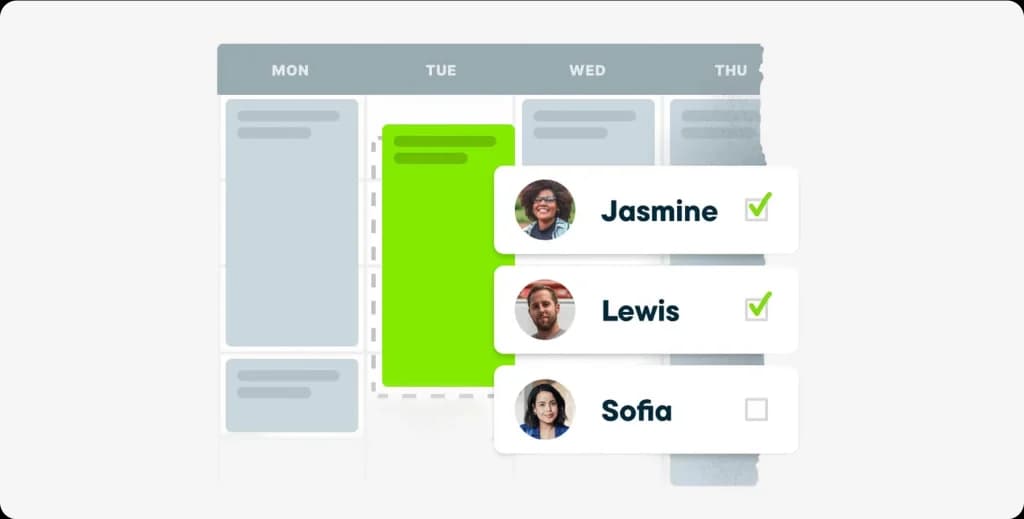
- Five calendar views (day, week, month, list, and map) with drag-and-drop functionality
- Color-coded job types and filters for quick scanning
- “Find a Time” button that identifies open slots instantly
- Recurring job automation that auto-populates your schedule
- Automated customer reminders via email and SMS

What falls short:
- Dispatching is still manual drag-and-drop; there’s no AI-powered technician assignment that considers skills, location, or workload
- No scheduling conflict alerts or automatic double-booking prevention
- No blackout date functionality for individual team members
- Map view can lag on cellular connections
If you’re managing 5-8 technicians, Jobber’s scheduling handles the job well. But if you need intelligent dispatching that automatically matches the right technician to the right job based on skills, location, and availability, you’ll need a platform with AI-powered dispatch scheduling.
Learn about how AI dispatching works and why it matters for growing teams.
2. Mobile App: 8.5/10 (Jobber’s Strongest Feature)
This is where Jobber genuinely excels. The mobile app is the best part of the entire platform.
What works:
- Daily schedule view with all job details, client info, and notes
- One-tap GPS navigation to job sites
- Time tracking with clock in/out
- Photo capture with markup tools (new in 2026), draw, add text, and annotate directly on images
- Customer signature collection on-site
- Payment processing, including the new Tap to Pay feature (launched November 2025)
- Offline mode (launched January 2026), fill out job forms, review visit details, and track time without internet

What falls short:
- No monthly calendar view on mobile
- GPS can be erratic in areas with weak cellular signals
- Offline mode doesn’t support editing existing records or capturing signatures
- Syncing after reconnection can occasionally take longer than expected
The iOS app holds a 4.8/5 rating, and Android sits at 4.7/5. For field crews who spend their entire day on a phone, Jobber’s mobile experience is hard to beat.
3. Quoting and Estimates: 7.5/10 (Clean and Functional)
Jobber makes creating and sending quotes straightforward.
What works:
- Clean quote builder with line item customization
- Image insertion directly into quotes
- Online approval with e-signature capability
- Automatic quote-to-job conversion when approved
- Multi-option quotes (new in 2025) present multiple packages in a single quote
- Supplier catalog integration with The Home Depot (U.S. beta), pull real-time pricing and stock data directly into quotes

What falls short:
- Limited discount flexibility at the line item level
- No native change order management, approved quotes can’t be easily modified
- Advanced follow-up automation is locked behind the more expensive plans
- Template customization is limited compared to dedicated quoting tools
For most small service businesses, Jobber’s quoting is more than adequate. The Home Depot integration is a genuinely useful addition if you’re in the U.S.
4. Invoicing and Payments: 7/10 (Functional, Not Flexible)
Invoicing works well for standard service businesses but lacks polish.
What works:
- One-click invoice generation from completed jobs
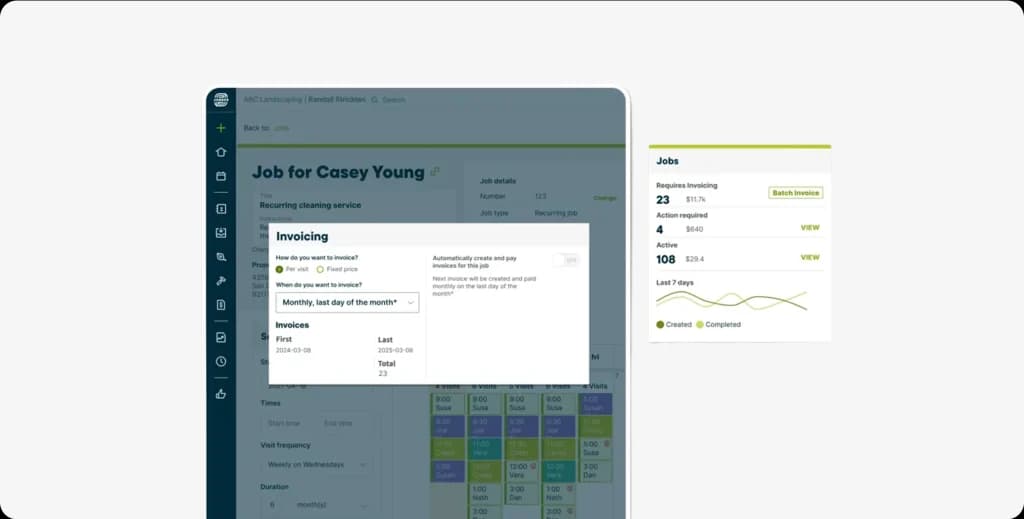
- Automatic data transfer from job details to invoice
- Client Hub portal, where customers can view and pay invoices online
- Multiple payment methods: credit/debit cards, ACH bank transfers, Apple Pay, Google Pay
- Tap to Pay (November 2025), accept contactless payments through the mobile app without extra hardware
- Progress invoicing (November 2025), split large jobs into milestone-based billing
- Recurring invoice automation for maintenance contracts

What falls short:
- Invoice templates are rigid, with limited customization for fonts, colors, and layouts
- Bulk invoice actions are tedious and manual
- Credit card processing fees (2.9% + $0.30) cannot be passed to customers within Jobber
- Refund processing is cumbersome
The new progress invoicing feature is a welcome addition for contractors handling larger projects. But if professional-looking, fully customizable invoices matter to your brand, Jobber’s design options feel dated compared to alternatives.
5. CRM and Client Hub: 7/10 (Good Basics, No Depth)
Jobber includes built-in CRM functionality that covers the essentials.
What works:
- Client profiles with contact details, service history, communication logs, and custom notes
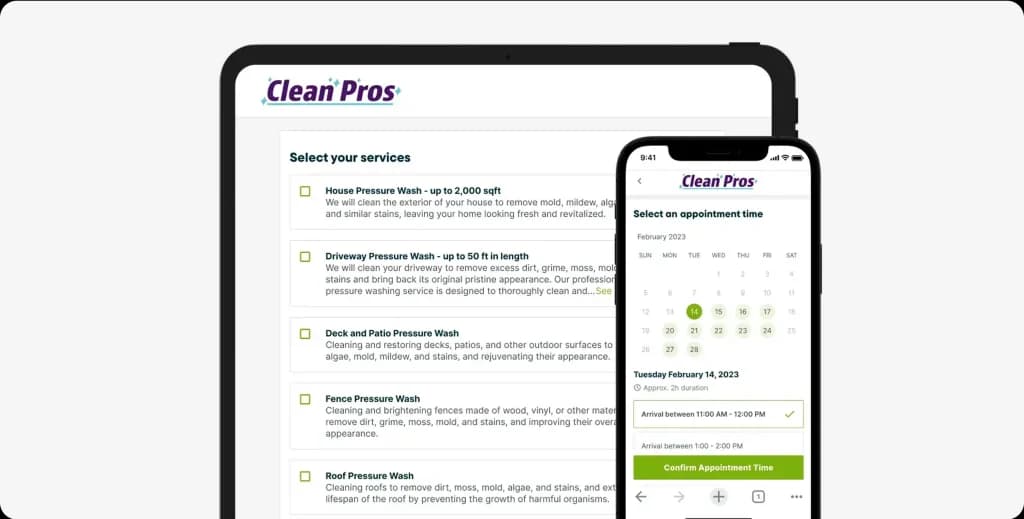
- The Client Hub self-service portal allows customers to request work, approve quotes, pay invoices, and view job history
- Automated reminders and follow-up emails
- Client tagging and segmentation for targeted campaigns

What falls short:
- No sales pipeline management or lead scoring
- No marketing automation beyond the Marketing Suite add-on ($79/month)
- Custom fields are limited in scope and flexibility
- No dedicated lead-to-customer conversion tracking
Jobber’s CRM works as a client database with communication tools. But if you need a true field service CRM with pipeline management, lead scoring, and conversion analytics, you’ll find Jobber’s offerings basic.
6. AI Receptionist: 6.5/10 (Promising, but New and Limited)
Launched in August 2025, Jobber’s AI Receptionist answers calls and texts 24/7 so you never miss a lead.
What works:
- Answers calls and texts automatically, 24/7
- Matches the caller ID to existing client profiles
- Takes messages, books visits, and captures job request details
- Texts back callers who hang up before connecting
- Keyword-triggered call transfers to specific team members
- Already processed 200,000+ conversations since launch

7. Route Optimization: 6/10 (Improved, Still Basic)
Jobber overhauled its route optimization in October 2025. The new version is meaningfully better but still not best-in-class.
What works:
- Multi-team optimization, build routes for all technicians at once
- Flexible time periods, optimize for a day, several days, or an entire week
- Dynamic start and end points
- Re-optimize on the fly as plans change throughout the day
- No longer dependent on a fixed “Master Route” template

What falls short:
- No real-time traffic integration
- No consideration of technician skills, certifications, or equipment when building routes
- Limited to basic distance optimization, doesn’t account for job duration or priority
- Fleet tracking still requires the third-party Force Fleet Tracking integration
If you run 5-10 jobs per day across a single service area, Jobber’s route optimization gets the job done.
But for complex operations with multiple service areas, skill-based assignments, and dynamic traffic conditions, you’ll want purpose-built AI route optimization.
8. Reporting and Analytics: 5/10 (The Weakest Link)
This is Jobber’s biggest weakness, and users consistently call it out.
What works:
- 20+ built-in reports covering revenue, jobs, quotes, and invoices
- Revenue tracking and outstanding invoice dashboards
- Job completion rate and quote conversion metrics
- Basic team performance visibility

What falls short:
- Cannot build custom reports; you’re limited to what Jobber provides
- No predictive analytics or forecasting
- Some reports aren’t exportable
- No cross-metric analysis (e.g., revenue by technician by service type by month)
- No key field service metrics like first-time fix rate, customer lifetime value, or SLA compliance tracking
As one Capterra reviewer put it: “The reports are very basic and have a lot of room for improvement. If data-driven decisions are important to your business, this is a significant gap.”
For businesses that make decisions based on data, Jobber’s reporting is frustrating. If analytics matter to you, explore platforms with dedicated field service reporting and the ability to build custom dashboards.
9. Integrations: 6/10 (Good Ecosystem, One Major Problem)
Jobber integrates with popular business tools, but one critical integration is notoriously unreliable.
What works:
- Stripe payment processing (built-in since 2017)
- Zapier for connecting to thousands of apps
- Mailchimp for email marketing
- The Home Depot supplier catalog (U.S. beta)
- Force Fleet Tracking by Mojio (GPS and vehicle tracking)
- PostcardMania (direct mail automation, added August 2025)
- HighLevel (Voice AI and marketing automation, added September 2025)

What doesn’t work well:
- QuickBooks integration, this is the most common complaint across every review platform. Users report approximately 2% of line items dropping during sync, auto-sync frequently breaking, and the need for regular manual reconciliation. Several users have abandoned the integration entirely.
- Google Calendar sync updates only every 24 hours, not in real-time
- No native accounting software beyond QuickBooks
If your business depends heavily on QuickBooks for accounting, test the integration thoroughly during your 14-day trial before committing.
What’s New in Jobber (2025-2026 Updates)
Jobber has been shipping aggressively. Here’s everything significant they’ve launched since late 2024:
| Date | Update | Impact |
| October 2025 | Complete schedule rebuild with multi-team route optimization | Major improvement to core scheduling |
| November 2025 | Tap to Pay, accept contactless payments via mobile app | No extra hardware needed |
| November 2025 | Progress Invoicing, milestone-based billing for large jobs | Better cash flow management |
| September 2025 | Jobber Now 2025 event: Voice commands, Campaign Generator, AI Quote Automation, Home Depot integration | Biggest feature drop of the year |
| September 2025 | High-level native integration, Voice AI for calls and bookings | AI-powered call handling froma third party |
| August 2025 | AI Receptionist (general availability), 24/7 call and text handling | Processed 200,000+ conversations |
| August 2025 | PostcardMania direct mail integration | Automated trigger-based mailings |
| March 2025 | Jobber Capital, embedded business financing (U.S. launch) | Quick access to funding within Jobber |
| February 2025 | Force Fleet Tracking integration | GPS vehicle tracking inside Jobber |
| January 2026 | Offline mode for the mobile app | Work without internet in low-connectivity areas |
| January 2026 | Expanded campaign audience filters (city, lead source, etc.) | Better marketing targeting |
| Early 2026 | Enhanced photo capture with markup tools | Multiple photos + annotations |
| December 2025 | Jobber Capital expanded to Canada | Financing for Canadian businesses |
Credit where it’s due: Jobber’s product team has been active, especially around AI features and payment flexibility. The question is whether these additions justify the premium pricing.
What Real Users Say About Jobber
We don’t just test features. We listen to the people who use Jobber every day.
Review Scores Summary
| Platform | Rating | Reviews |
| iOS App Store | 4.8/5 | 3,000+ |
| Google Play | 4.7/5 | 2,000+ |
| Capterra | 4.4/5 | 900+ |
| G2 | 4.5/5 | 300+ |
| Trustpilot | Mixed | 100+ |
| Overall (Weighted) | 4.5/5 | 1,200+ verified |
What Users Love
- “The easiest software I’ve ever used.” Repeated across nearly every positive review. Jobber’s interface is genuinely intuitive.
- “My crew actually uses the app.” The mobile app’s simplicity means field technicians adopt it without resistance.
- “Client Hub changed how we get paid.” Customers can self-serve: book appointments, approve quotes, and pay invoices online.
- “The automated reminders save me hours every week.” Appointment confirmations, follow-ups, and review requests run on autopilot.
- “Support is responsive and actually helpful.” Customer service is consistently praised across platforms.
What Users Complain About
- “QuickBooks sync drops transactions. We’ve had to manually reconcile every week.” The #1 complaint across all platforms.
- “Once we hit 8 employees, the per-user cost became absurd.” Per-user pricing is the primary reason businesses switch away from Jobber.
- “The reports are useless for real business decisions.” Multiple users cite the inability to build custom reports.
- “We can’t customize our invoices to match our brand.” Limited template options frustrate businesses with specific branding requirements.
- “The scheduling is good but manual. We need smarter dispatching.” Growing teams outgrow Jobber’s drag-and-drop approach.
The Reddit Consensus
Across r/Construction, r/HVAC, r/plumbing, and r/sweatystartup, the consensus is:
Jobber is great for getting started. It’s clean, simple, and works. But if you’re planning to grow past 10 people, start looking at alternatives before you’re locked into a pricing tier that’s hard to leave.
Common Reddit sentiments:
- “Best software for a 1-5 person crew, hands down”
- “It got pricey really quickly once we added our fourth tech”
- “Love the app, hate the reporting”
- “QuickBooks sync is a nightmare, we stopped using it”
- “If I were starting over, I’d look at flat-rate alternatives first”
Is Jobber Right for Your Industry?
Jobber serves 50+ trades, but the experience varies significantly by industry. Here’s an honest assessment of the most popular ones.
Jobber for HVAC Companies
Fit: 7/10. Good for residential HVAC shops under 10 technicians. Handles scheduling, invoicing, and customer communication well. The HVAC dispatching workflow is straightforward.
Limitations: No equipment tracking by serial number, no flat-rate pricing book integration (unlike ServiceTitan’s Pricebook Pro), and reporting can’t break down revenue by service type (install vs. repair vs. maintenance). Growing HVAC businesses that need smarter job scheduling often outgrow Jobber.
Explore the best HVAC apps for 2026 and explore FieldCamp for HVAC. or In case you need to size airflow for HVAC jobs? Try our free HVAC CFM calculator.
Jobber for Plumbing Businesses
Fit: 7.5/10. Plumbers love Jobber’s mobile app for on-site estimates and invoice collection. The Client Hub is particularly useful for repeat residential customers.
Limitations: No pipe/fixture catalogs, limited ability to track warranty information, and no plumbing-specific pricing integration. The new Home Depot supplier catalog partially addresses this, but it’s still in U.S. beta.
Explore FieldCamp for plumbing businesses and our plumbing invoice templates.
Jobber for Landscaping and Lawn Care
Fit: 8/10. This is Jobber’s sweet spot. Recurring weekly schedules, route optimization for daily stops, and simple invoicing align perfectly with lawn care operations.
Limitations: No crew-level profitability tracking, limited seasonal pricing flexibility, and route optimization doesn’t account for equipment requirements (e.g., which truck has the riding mower). For growing landscaping businesses, Jobber works well until you hit the scaling ceiling.
See the best lawn care apps for 2026.
Jobber for Cleaning Services
Fit: 7.5/10. Cleaning businesses benefit from Jobber’s recurring job scheduling, automated customer reminders, and the Client Hub for online booking. The interface is simple enough for staff with limited tech experience.
Limitations: No room-by-room checklists within the standard job view, limited supply inventory tracking, and no team performance scoring. If you’re running a cleaning business at scale, the per-user pricing hits especially hard because cleaning crews tend to be larger.
Explore FieldCamp for cleaning businesses and our cleaning invoice templates.
Jobber for Electrical Contractors
Fit: 6.5/10. Works for basic residential electrical work. Scheduling, quoting, and invoicing cover the fundamentals.
Limitations: No permit tracking, no compliance documentation management, no code reference libraries, and no ability to track material costs against estimates in real-time. Electrical contractors with complex compliance requirements often need more specialized software.
See the best electrician apps for 2026 and explore FieldCamp for electricians.
Jobber for Pressure Washing
Fit: 7/10. Simple jobs, recurring residential customers, and straightforward pricing make Jobber a reasonable fit for pressure washing operations. Route optimization helps with daily stop sequences.
Limitations: No square footage calculator integration, no before/after photo comparison in client-facing reports, and limited ability to price pressure washing jobs dynamically based on surface type.
Is Jobber Worth It? Our Honest Verdict?
Jobber scores 7.5/10 overall — a solid tool for small teams that value simplicity, but not the right fit for everyone. Here’s how to decide in 30 seconds.
Jobber Is Worth It If:
- Your budget is $100-$350/month for software. At this range, Jobber’s Core, Connect, and Grow plans all fit comfortably.
- You’re a solo operator or team of 1-10 people. Jobber’s per-user pricing stays reasonable at this size. A 5-person team pays $129/month (Connect Team) — competitive for what you get.
- You run a residential home service business. HVAC, plumbing, landscaping, cleaning, pest control, electrical — Jobber is built for these industries and has templates, workflows, and integrations designed specifically for field service.
- You need scheduling + invoicing + a mobile app that your crew will actually use. Jobber’s mobile app scores 4.8/5 on iOS. It’s the one thing every user agrees works well.
- You value simplicity over power features. Jobber has a short learning curve — most teams are fully onboarded within a week. If you want software that works out of the box without months of setup, Jobber delivers.
Jobber Is NOT Worth It If:
- Your team is growing past 15 people. Per-user pricing compounds fast. A 20-person team pays $299 base + $290 in extra user fees = $589/month before add-ons or processing fees. Flat-rate alternatives like FieldCamp cost the same whether you have 5 technicians or 50.
- You need advanced reporting. Jobber’s reporting scores 5/10 in our review — the weakest feature. No custom report builder, no revenue forecasting, no technician performance dashboards. If data-driven decisions matter to your business, you’ll outgrow Jobber quickly.
- Your business depends on QuickBooks integration. This is Jobber’s most common complaint across Reddit and review sites. Sync errors, duplicate entries, and broken connections are reported frequently. If your bookkeeper relies on QuickBooks data being accurate, this is a real risk.
- You need AI-powered dispatching. Jobber uses manual drag-and-drop scheduling. No automatic technician is matching based on skills, location, or availability. For AI dispatch that assigns the right tech to the right job automatically, see how FieldCamp handles dispatching.
- You work in low-connectivity areas. Jobber’s offline mode is limited — you can view existing jobs but can’t create new ones, process payments, or sync updates until you’re back online. If your crews work in rural areas or basements with no signal, this is a dealbreaker.
- You need enterprise features. Geofencing, SLA tracking, predictive
maintenance scheduling, custom API workflows, multi-location management
— Jobber doesn’t offer any of these. For enterprise needs, look at
ServiceTitan (if budget allows) or explore all Jobber alternatives.
Quick Decision Matrix: Which Tool Fits Your Situation?
| If this describes you… | Consider this |
| Solo operator wanting simplicity | Jobber Core ($29/mo) is genuinely great for this |
| Small team (2-5) needing scheduling + invoicing | Jobber Connect Team ($129/mo), solid choice |
| Team of 6-10 wanting value | Jobber Grow Team ($299/mo) — but watch costs as you scale |
| Team of 10+ needing advanced features | Jobber Plus ($529/mo) — expensive but all add-ons included |
| Team of 15+, cost-conscious | Skip Jobber — per-user pricing makes it 2-3x more expensive than flat-rate alternatives |
| Any size, needs AI dispatching | Skip Jobber — it doesn’t have AI scheduling. Try FieldCamp instead |
| Any size, needs strong reporting | Skip Jobber — reporting scores 5/10. Look at ServiceTitan or FieldCamp |
| Need enterprise-grade for 20+ techs | ServiceTitan or FieldCamp |
| Comparing Jobber vs Housecall Pro | See our detailed comparison |
| Comparing Jobber vs Workiz | See our side-by-side analysis |
The Best Jobber Alternative: FieldCamp
If Jobber’s per-user pricing, manual dispatching, or basic reporting are your concerns, here’s what FieldCamp does differently:
Pain Point Comparison: Jobber vs FieldCamp
| Pain Point | Jobber | FieldCamp |
| Pricing model | $29/user/month on top of base plan | Flat rate, no per-user fees |
| Dispatching | Manual drag-and-drop | AI-powered dispatch, automatic skill matching, route optimization, workload balancing |
| Reporting | 20+ basic reports, no custom builder | Custom dashboards with cross-metric analysis |
| Route optimization | Basic distance optimization | AI route optimization with real-time traffic and job priority |
| Workflow automation | Simple reminders and follow-ups | Visual workflow builder with conditional logic |
| CRM | Basic client database | AI-powered CRM with pipeline management and lead scoring |
| Free trial | 14 days | Available |
| Contract | Monthly or annual | Flexible |
| GPS tracking | Requires third-party integration | Native live team tracking |
See the full FieldCamp vs Jobber comparison with feature-by-feature
breakdown.
Why Teams Switch to FieldCamp
The most common reasons businesses migrate from Jobber to FieldCamp:
- Cost savings at scale, flat-rate pricing eliminates the per-user tax that makes Jobber expensive for growing teams
- AI dispatching, instead of manually dragging jobs onto calendars, FieldCamp’s AI dispatcher considers technician skills, location, traffic, customer preferences, and workload balance to make optimal assignments in seconds
- Custom reporting, build the analytics dashboards you actually need, not just the ones the software provides
- Workflow automation, create complex, multi-step automated workflows that go far beyond appointment reminders
Tired of Per-User Pricing Eating Your Margins?
Growing your team shouldn’t mean growing your software bill. FieldCamp’s flat-rate pricing gives you AI-powered scheduling, smart dispatching, and custom reporting, without charging you for every technician you add.
The Bottom Line: Should You Use Jobber in 2026?
Our Rating: 7.5/10
Jobber is a good product. The interface is clean, the mobile app is best-in-class for its category, and the recent additions (AI Receptionist, offline mode, Tap to Pay, progress invoicing, route optimization overhaul) show a company that’s investing heavily in its platform.
Our Recommendation
Use Jobber if you’re a solo operator or small team (under 10 people) who values simplicity, wants a professional client experience (Client Hub is excellent), and doesn’t need advanced reporting or AI-powered automation. At $29-$349/month, it’s a solid investment for this segment.
Don’t use Jobber if you’re planning to grow beyond 15 employees, need data-driven decision-making, or want your software to do more of the thinking for you. The per-user pricing model punishes growth, the reporting is surface-level, and the dispatching remains manual in an era where AI-powered scheduling is becoming the standard.
For growing field service businesses that want the simplicity of Jobber without the scaling limitations, FieldCamp offers a compelling alternative: flat-rate pricing, AI-powered dispatching, custom reporting, and workflow automation that adapts as your business evolves.
Frequently Asked Questions
Is Jobber free?
No, Jobber does not have a free plan. The lowest option is Core at $29/month. However, they offer a 14-day free trial with full feature
access and no credit card required.
Why is Jobber so expensive?
Jobber’s per-user pricing model creates compounding costs. A 10-person team pays $299/month base (Grow Team), plus 2.9% + $0.30 per card transaction (roughly $150-$320/month depending on volume), plus add-ons like AI Receptionist ($99/mo) and Marketing Suite ($79/mo). Real monthly cost for a 10-person team: $450-$700.
How long is the Jobber free trial?
14 days with full access to all features on your chosen plan. No credit card required to start. You can upgrade, downgrade, or cancel at any time during the trial.
Can I use Jobber for auto detailing?
Yes. Jobber works for mobile auto detailing businesses — it handles scheduling, customer management, invoicing, and route optimization. However, it lacks vehicle-specific tracking, detail package templates, and chemical inventory management. Our rating for auto detailing: 6.5/10.
Does Jobber integrate with QuickBooks?
Yes, Jobber offers QuickBooks Online integration. However, this is the most complained-about feature across every review platform. Users frequently report line items dropping during sync (approximately 2% failure rate), auto-sync breaking and requiring manual reconciliation, and data discrepancies between the two systems. Test the integration thoroughly during your free trial before relying on it.
Is Jobber good for large companies?
Jobber is designed for small-to-mid-sized home service businesses, typically 1-15 employees. For larger operations (20+ technicians), Jobber’s per-user pricing becomes prohibitively expensive, the reporting lacks enterprise-grade depth, and the manual dispatching doesn’t scale efficiently. Larger companies should evaluate ServiceTitan (for enterprise budgets) or FieldCamp (for AI-powered operations at a better price point).
What’s the best Jobber alternative?
The best Jobber alternative depends on your specific needs. FieldCamp is the strongest all-around alternative with AI-powered dispatching, flat-rate pricing, and custom reporting. Housecall Pro offers similar features with stronger built-in marketing tools. ServiceTitan is the enterprise option for 20+ technician operations. Service Fusion offers flat-rate pricing at $225/month for unlimited users. See our complete Jobber alternatives guide for detailed comparisons.
Does Jobber have GPS tracking?
Jobber records the GPS location when employees clock in and out of jobs. For continuous vehicle tracking with trip histories, speed data, and fuel monitoring, you’ll need the third-party Force Fleet Tracking integration (powered by Mojio), available on Connect and Grow plans in the U.S. only. Jobber does not offer native geofencing.
Is Jobber better than Housecall Pro?
Both are strong options for small home service businesses. Jobber has a cleaner interface and a better mobile app. Housecall Pro has stronger built-in marketing tools and a more flexible pricing model. Jobber excels for businesses that prioritize simplicity. Housecall Pro excels for businesses that want marketing automation without paying for an add-on. If you are on a tight budget, you should also compare Jobber vs Yardbook for landscapers.
What is Jobber’s AI Receptionist?
Jobber’s AI Receptionist (launched August 2025) is an AI-powered virtual assistant that answers phone calls and texts 24/7. It matches caller IDs to existing client profiles, takes messages, books visits, captures job request details, and texts back callers who hang up. It’s included in the Plus plan ($599/month) or available as a Grow plan add-on for $99/month. It has already processed over 200,000 conversations.
What’s the difference between Jobber and ServiceTitan?
Jobber is built for small teams (1-15 employees) with simple workflows and costs $29-$529/month. ServiceTitan is an enterprise platform for large operations (20+ technicians) costing $250-$500+ per technician per month with $5,000-$50,000+ implementation fees. Jobber is simpler and more affordable. ServiceTitan is more powerful but dramatically more expensive and complex. If you’re between 10 and 20 employees, FieldCamp offers a middle ground with AI-powered features at a more accessible price point.