
How to Choose Painting Contractor Software – Complete Buying Guide
Invalid Date - 13 min read


Invalid Date - 13 min read

Choosing the wrong software can cost your painting business thousands in lost productivity and frustrated crews. You’re juggling estimates, scheduling, inventory, and customer communications—all while trying to grow your business.
Sound familiar?
The good news is that the right software can transform these daily headaches into streamlined operations.
Modern painting contractor software solutions, like those found at FieldCamp’s painting contractor platform, now offer AI-powered features that can automate scheduling, optimize crew assignments, and even predict project timelines.
This buying guide will walk you through everything you need to make the right choice.
We’ll cover needs assessment, essential features, budget considerations, and vendor evaluation, so you can select software that grows with your business.
Ready to simplify your software selection process? Let’s dive in.
Or, if you wish to know it visually, check out our video below that sums up everything.
Before you get dazzled by flashy features, start by understanding what your business needs. This foundation will save you from expensive mistakes and buyer’s remorse.
Your business size directly impacts which software features matter most. Here’s what to consider:
Small Operations (1-5 crews):
Medium Businesses (6-15 crews):
Large Operations (15+ crews):
Not sure if software is even the right fit for your type of painting business? Here’s a guide on who should use painting contractor software.
Different service types require different software capabilities:
| Residential Focus | Commercial Focus |
| Quick estimate generation | Complex project management |
| Homeowner communication tools | Multi-stakeholder coordination |
| Simple invoicing | Progress billing capabilities |
| Before/after photo features | Compliance tracking |
Identify your biggest pain points to prioritize features:
If you’re specifically looking to save time and reduce manual work, here’s how workflow automation for painting contractors can transform your daily operations.
Plan for where you want to be in 2-3 years:
When evaluating options, these features to consider should top your buying guide checklist. Don’t get overwhelmed; focus on what directly impacts your daily operations.
Every painting contractor software should include these must-have painting contractor tools:
Pro tip: If a platform doesn’t nail these basics, move on regardless of fancy add-ons.
For a deeper dive into what goes on behind the scenes, here’s exactly how painting contractor software works.
Look for tools designed specifically for painting contractors:
These features separate general contractor software from painting-specific solutions.
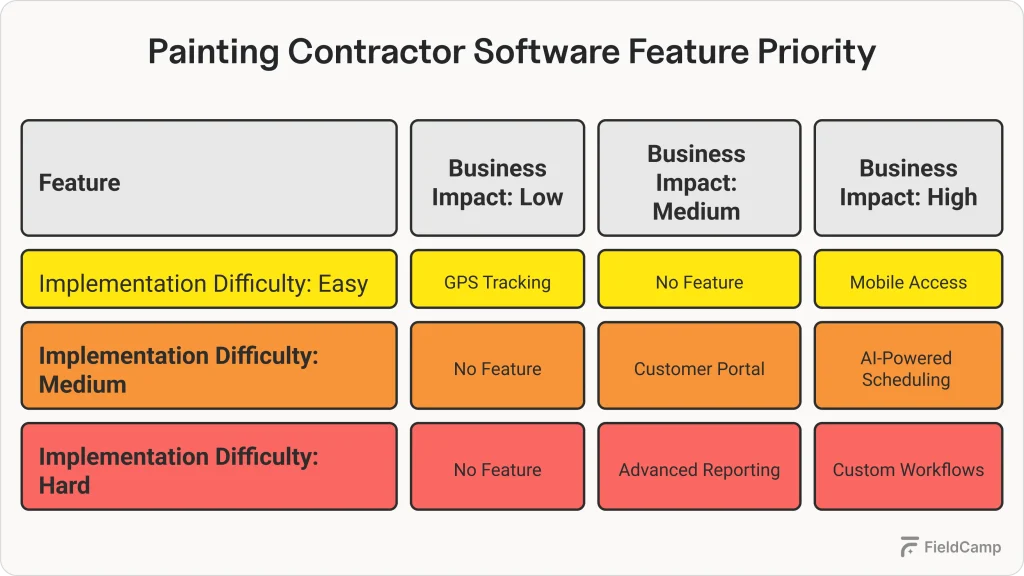
Your crews need access in the field. Essential mobile requirements:
Your software shouldn’t create data silos. Key integrations to verify:
| Integration Type | Common Platforms |
| Accounting | QuickBooks, Xero, Sage |
| Payment Processing | Square, Stripe, PayPal |
| Material Suppliers | Sherwin-Williams, Benjamin Moore |
| GPS/Mapping | Google Maps, Waze |
| Communication | Email, SMS platforms |
Don’t let sticker shock derail your decision. Understanding pricing models helps you budget accurately and avoid surprises.
| Pricing Model | Typical Range | Best For |
| Per User/Month | $30-$100 | Small to medium teams |
| Flat Monthly Rate | $200-$1,000 | Predictable budgeting |
| Per Project Fee | $5-$25 per job | High-volume operations |
| Annual Licensing | $2,000-$10,000 | Enterprise-level needs |
Watch out for these budget busters:
Calculate your potential ROI with these quick metrics:
Rule of thumb: If the software pays for itself within 6 months through efficiency gains, it’s likely a good investment.
Don’t get caught with software that won’t work in your environment. Verify these technical essentials upfront.
Essential compatibility checklist:
| Cloud-Based | On-Premise |
| ✓ Access anywhere | ✓ Complete data control |
| ✓ Automatic updates | ✓ No monthly fees |
| ✓ Lower upfront costs | ✓ Custom configurations |
| ✗ Ongoing monthly fees | ✗ High initial investment |
| ✗ Internet dependency | ✗ IT maintenance required |
For most painting contractors, cloud-based solutions offer the best value and flexibility.
Security essentials to verify:
Key usability factors:
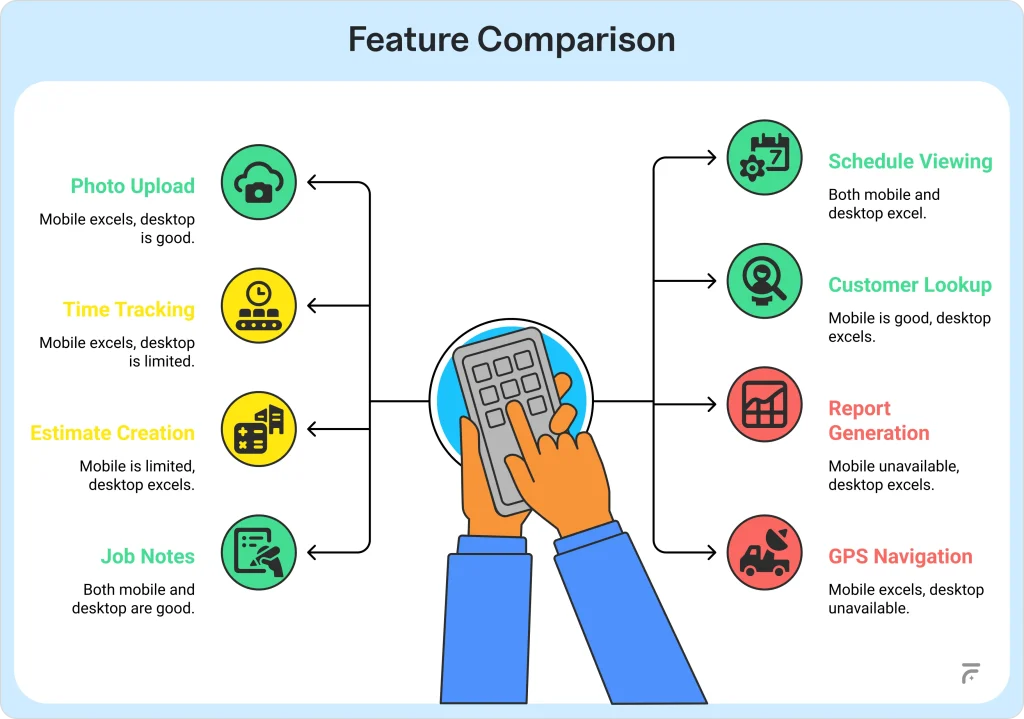
The right software with the wrong vendor support can still sink your business. Here are the key questions to ask vendors during your evaluation.
Research steps to verify vendor credibility:
Essential support features to verify:
Onboarding elements checklist:
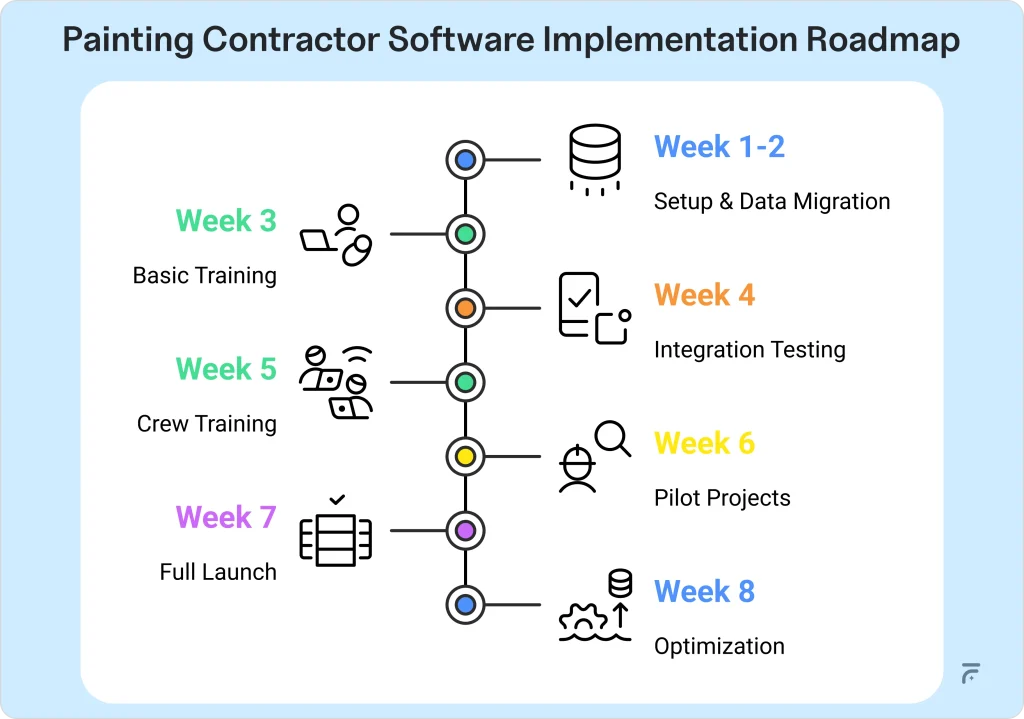
To make onboarding easier, you can also follow this resource on how to implement painting contractor software.
Where to find honest feedback:
You’ve done the research—now it’s time to choose. Follow this systematic approach to make the best decision for your business.
Create a simple comparison table with these criteria:
Weight each factor based on your priorities, then calculate total scores.
Maximize your trial period effectiveness:
Action steps for smooth implementation:
You’ve just worked through our entire buying guide, and honestly, that’s exactly the thorough approach that will serve you well.
FieldCamp isn’t just another painting contractor software trying to fit painting businesses into a generic box. It’s built specifically for painting contractors, with every feature we’ve discussed in this guide and then some.
Here’s what makes FieldCamp different: AI that makes your life easier. We’re talking about:
Remember all those must-have painting contractor tools we listed? FieldCamp has them:
Plus smart photo organization, automatic customer follow-ups, and profit tracking that help you maximize every job.
The best thing is, we can vouch that it is quick and simple to implement FieldCamp in your painting business.
FieldCamp brings together every feature you need in one platform, from AI-powered scheduling to mobile crew management. See why we’re the complete solution for painting contractors.
The key is testing with real data during your trial period. Don’t just use demo information: input your actual jobs, crew schedules, and customer data. Residential painters need different workflows than commercial contractors, so verify the software handles your specific project types, scheduling patterns, and customer communication needs. Look for customizable fields, flexible scheduling options, and industry-specific features that match how you actually work.
Buying based on features they’ll never use instead of solving actual problems. Many contractors get excited about advanced features but overlook basics like mobile usability or simple scheduling. Focus on your daily pain points first: if you struggle with scheduling, prioritize that over fancy reporting. Also, don’t underestimate the learning curve for your crew. Choose software that’s intuitive enough for field workers to adopt quickly.
It depends on your current system and the vendor’s migration support. Most reputable software companies offer data migration assistance for customer lists, job histories, and photos. Ask specific questions upfront: Will they import your data for free? How long does migration take? What formats do they accept? Plan for 2-4 weeks of setup time and always keep backups of your original data during the transition.
Check integration capabilities before you buy, not after. Most painting contractor software integrates with QuickBooks, but verify the specific version you use. Ask about integration costs; some charge extra fees for connections to popular platforms. Get a demo of the actual integration working, not just a promise that it exists. Also, confirm what happens if the integration breaks due to software updates.
This is why data portability matters so much. Before signing up, ask about data export capabilities; can you get your customer lists, job histories, and photos out in standard formats? Look for established companies with solid financial backing and diverse customer bases. Avoid startups without clear exit strategies or data ownership policies. Cloud-based solutions generally offer better data security than on-premise systems if the company fails.
Verify export capabilities during your evaluation, not when you want to leave. Ask vendors to demonstrate how you can export customer data, project histories, estimates, and photos. Some companies make it intentionally difficult to leave by limiting export options. Look for standard file formats like CSV for data and common image formats for photos. Read the fine print about data ownership in your contract.
Test real scenarios, not fake data. Upload actual customer information, create real estimates, and have your crew test the mobile app during actual jobs. Focus on these key areas: Can your team easily check schedules and update job status? Do the estimates look professional enough to send to customers? Can you quickly find customer information when they call? Test integration with your current accounting software. If anything feels clunky during the trial, it’ll only get worse with daily use.