
Connecteam Review 2026: Features, Pricing, Pros, Cons & Best Alternatives
December 30, 2025 - 23 min read

December 30, 2025 - 23 min read

Table of Contents
Connecteam markets itself as the all-in-one workforce management app for deskless teams. But is it actually the right fit for your business, or are you paying for features you won’t use while missing the ones you actually need?
⚠️ Not for you if: You run a field service business needing dispatching, route optimization, or invoicing. Connecteam is workforce management, not field service management.
| Quick Verdict |
| Connecteam is a solid workforce management platform for deskless teams needing scheduling, time tracking, and team communication in one mobile app. At $29-99/month for the first 30 users per hub, it’s affordable for small teams. However, the hub-based pricing adds up quickly if you need multiple features, and it lacks dispatching automation, route optimization, and invoicing—critical gaps for field service businesses. Best for retail, hospitality, and cleaning crews. Not ideal for HVAC, plumbing, or electrical contractors running service calls. |
Best for: Retail, restaurants, cleaning companies, healthcare staffing, and general workforce management, where scheduling and communication are primary needs.
Skip if: You’re a field service business needing intelligent dispatching, route optimization, invoicing, or end-to-end job automation. Explore Connecteam alternatives instead.
| ✅ Good Fit | ❌ Not a Fit |
| Retail stores with shift workers | Field service businesses (HVAC, plumbing, electrical) |
| Restaurants and hospitality | Companies needing route optimization |
| Cleaning crews and janitorial services | Businesses requiring invoicing from the field |
| Healthcare staffing agencies | Teams needing intelligent auto-dispatching |
| Security companies | Operations requiring strong offline functionality |
| General contractors managing crews | Companies wanting CRM + workforce tools combined |
| Teams prioritizing communication | Businesses needing end-to-end job automation |
| Metric | Details |
| Founded | 2016 (Tel Aviv, Israel) |
| Active Users | 36,000+ companies (per Connecteam) |
| Pricing Model | Hub-based (Operations, Communications, HR sold separately) |
| Starting Price | Free for up to 10 users; $29/mo per hub (Basic) |
| Free Trial | ✅ Free plan available (limited features) |
| iOS App Rating | ⭐ 4.8/5 (36K+ ratings) |
| Android App Rating | ⭐ 4.6/5 (14K+ ratings) |
| Capterra Rating | ⭐ 4.7/5 (340+ reviews) |
| G2 Rating | ⭐ 4.6/5 (760+ reviews) |
| Best For | Retail, Hospitality, Cleaning, Healthcare, Security, Construction crews |
We dive deeper into this in the podcast below.
After digging through hundreds of reviews on G2, Capterra, Reddit, and app stores, here’s what actually works and what doesn’t.
This isn’t a rewrite of their marketing page. Here’s what we actually did:
Real user feedback: We analyzed 300+ verified reviews from G2, Capterra, Reddit threads (r/smallbusiness, r/fieldservice, r/msp), App Store reviews, and YouTube walkthroughs.
Comparison benchmark: We evaluated Connecteam against 8 leading workforce and field service tools on 12 criteria, including pricing transparency, feature depth, mobile experience, and support quality.
What we prioritized:
Connecteam is a cloud-based workforce management software designed for deskless teams. It handles employee scheduling, time tracking with GPS, team communication, HR document management, and digital forms in one mobile-first platform.
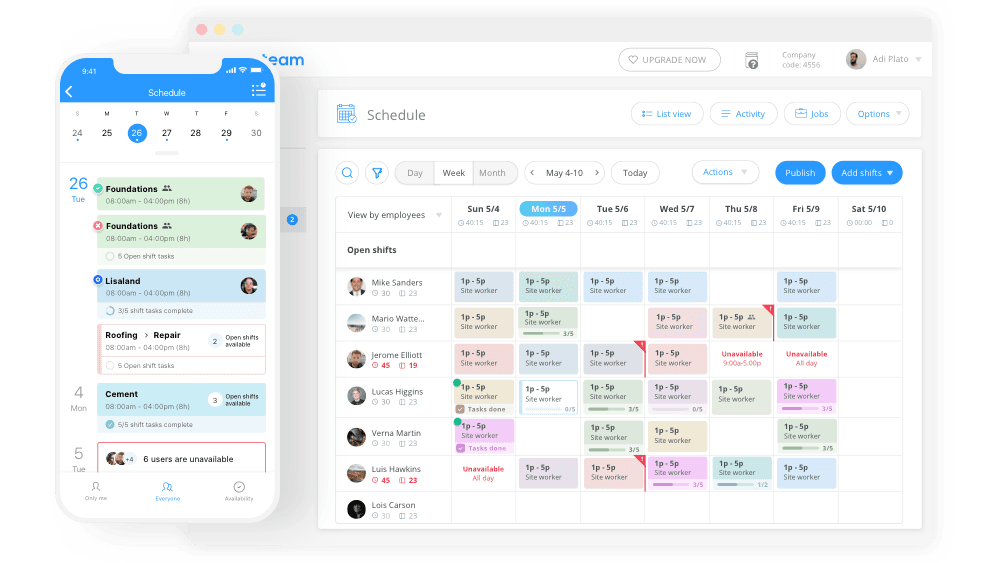
Connecteam positions itself as the “all-in-one employee app” that replaces scattered spreadsheets, group texts, and paper processes with a single mobile platform for managing frontline workers.
For businesses managing shift workers, retail, restaurants, cleaning crews, and healthcare staffing, Connecteam delivers genuine value. The mobile app is intuitive, GPS time tracking works well, and having scheduling + communication in one place beats juggling multiple tools.
This is where a lot of businesses get surprised after signing up.
But for field service businesses? The reality is different:
Connecteam uses a hub-based pricing model. Operations, Communications, and HR are each sold separately. Here’s the real breakdown.
| Hub | Basic | Advanced | Expert |
| Operations | $29/mo (first 30 users) + $0.50/user after | $49/mo (first 30 users) + $1.50/user after | $99/mo (first 30 users) + $3/user after |
| Communications | $29/mo (first 30 users) + $0.50/user after | $49/mo (first 30 users) + $1.50/user after | $99/mo (first 30 users) + $3/user after |
| HR & Skills | $29/mo (first 30 users) + $0.50/user after | $49/mo (first 30 users) + $1.50/user after | $99/mo (first 30 users) + $3/user after |
Connecteam offers a free plan up to 10 users.
Prices reflect annual billing. Monthly billing costs approximately 20% more.
Most businesses need more than one hub. Here’s what it actually costs:
Example: 25-employee cleaning company wanting scheduling + chat + HR:
| Item | Monthly Cost |
| Operations Hub (Advanced) | $49 |
| Communications Hub (Basic) | $29 |
| HR Hub (Basic) | $29 |
| Total Monthly | $107/month |
| Annual Cost | $1,284/year |
That’s still affordable, but notice how costs multiply. A company wanting all three hubs at the Advanced tier pays $147/month ($1,764/year). Expert tier across all hubs? $297/month ($3,564/year).
| Platform | What You Get | Monthly Cost | Year 1 Total |
| FieldCamp | AI dispatching, routing, invoicing | Custom (pay only for what you need) | Custom |
| Connecteam (3 hubs, Advanced) | Scheduling, time tracking, chat, HR | $147 | $1,764 |
| Homebase | Scheduling, time tracking, and basic HR | $100 | $1,200 |
| Jobber | FSM with scheduling, invoicing, and CRM | $169 | $2,028 |
Yes, Connecteam offers a genuinely free plan for up to 10 users. But understand the limits:
Included free:
Locked behind paid tiers:
The free plan works for very small teams evaluating the platform. Most businesses outgrow it once they realize the features they actually need require paid plans.
Let’s break down each major feature with honest ratings based on real user feedback.
Verdict: ⭐ 8.5/10. Arguably Connecteam’s strongest feature
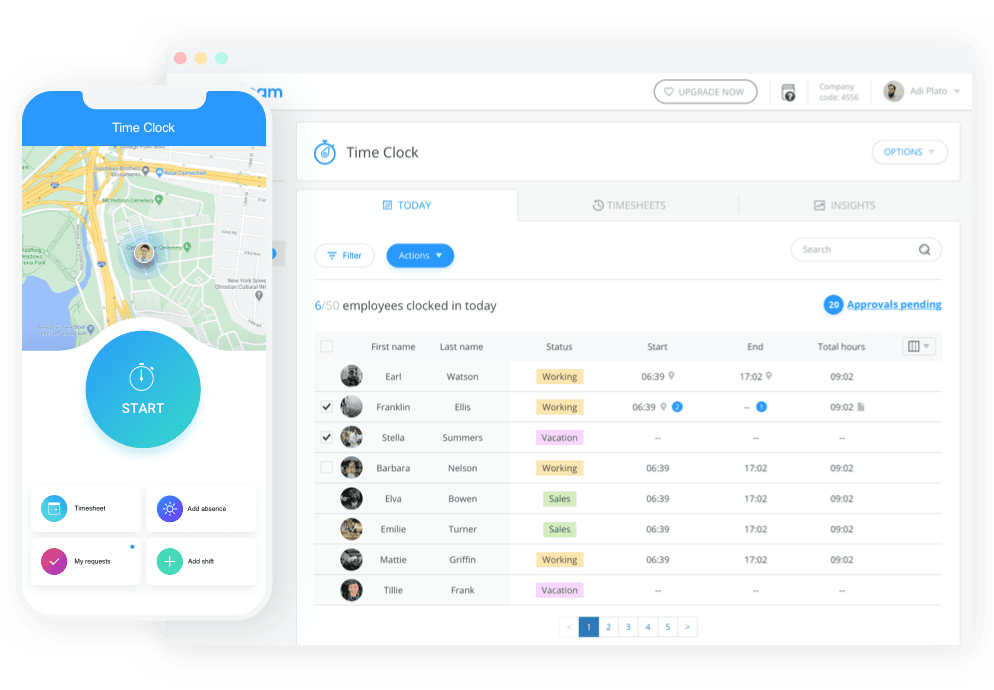
The mobile time clock lets employees clock in and out from their phones. Each entry gets stamped with GPS coordinates, giving managers verification that workers arrived at the correct location.
What works well:
What falls short:
User feedback:
“The GPS time clock is great for verifying my crews are actually on-site. No more buddy punching.” — Capterra review, cleaning company owner
“Works well but drains phone battery with constant location tracking.” — G2 review
Verdict: ⭐ 7.5/10. Solid for basic scheduling, limited for complex operations
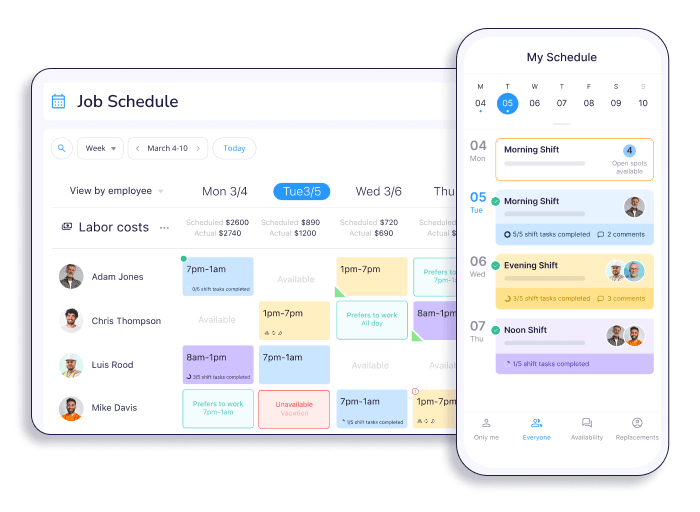
The drag-and-drop calendar lets managers assign shifts to employees with attached notes, checklists, and files. Shift templates help with recurring schedules.
What works well:
What falls short:
User feedback:
“Easy to use scheduler. My managers picked it up in a day.” — G2 review, retail manager
“It’s almost like it’s too basic. I still have to decide every single assignment myself.” — Reddit user, r/smallbusiness
Verdict: ⭐ 8/10. Gets the job done without overcomplicating
In-app chat handles 1:1 messaging and group channels. Company updates work like a newsfeed for announcements. Read receipts show who’s seen messages.
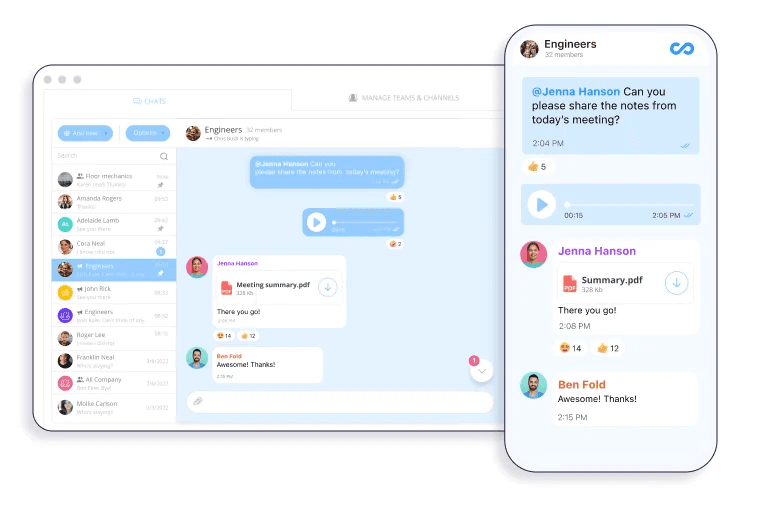
What works well:
What falls short:
User feedback:
“Finally got my team off personal group texts. Everything’s in one place now.” — Capterra review
Verdict: ⭐ 7.5/10. Useful for going paperless, not a full HRIS
The HR hub stores documents, handles time-off requests, manages onboarding checklists, and maintains an employee directory.
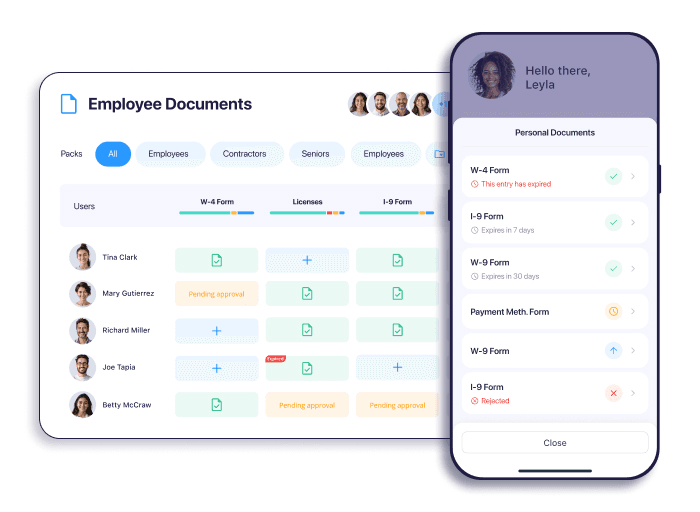
What works well:
What falls short:
Verdict: ⭐ 7/10. Replaces paper, but reporting needs work
Digital forms handle safety inspections, job completion reports, and equipment checks. Reports generate timesheets automatically.
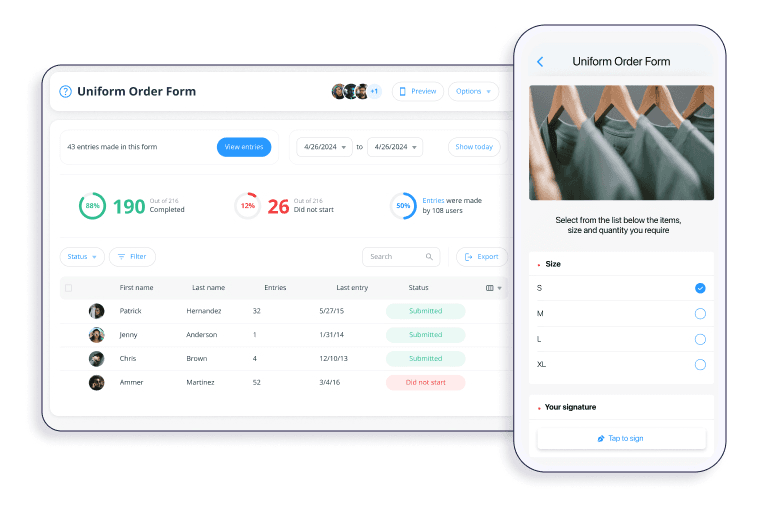
What works well:
What falls short:
User feedback:
“Love the digital checklists. No more lost paperwork.” — G2 review
“The reporting is there, but it’s not intuitive. Took me weeks to build the reports I wanted.” — Capterra review
Verdict: ⭐ 8.5/10. The standout feature
Mobile-first design means field workers access everything from their phones: schedules, clock-in, forms, chat, and documents.
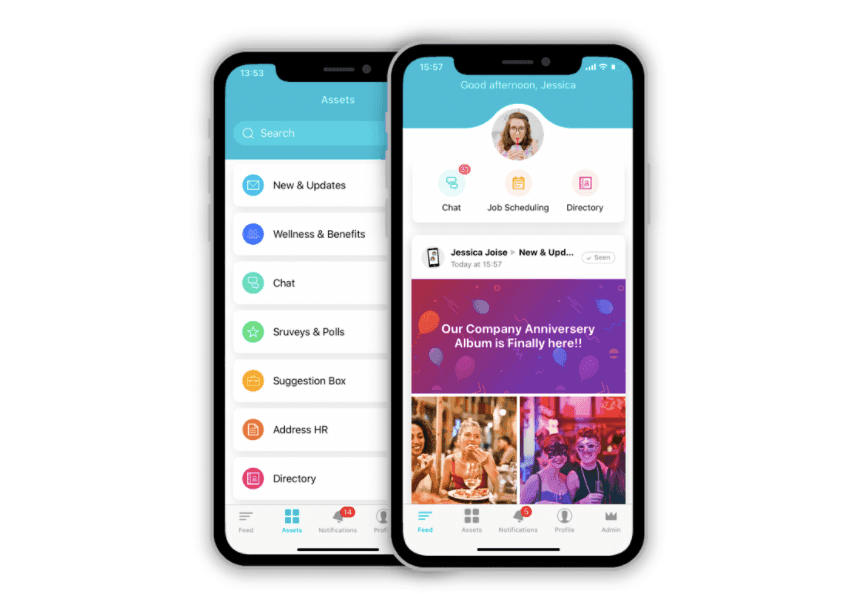
What works well:
What falls short:
User feedback:
“My guys aren’t tech-savvy at all, and they figured it out immediately.” — G2 review, construction contractor
“App crashes sometimes when connectivity is spotty. Frustrating on job sites.” — App Store review
Verdict: ⭐ 6/10. Limited compared to competitors
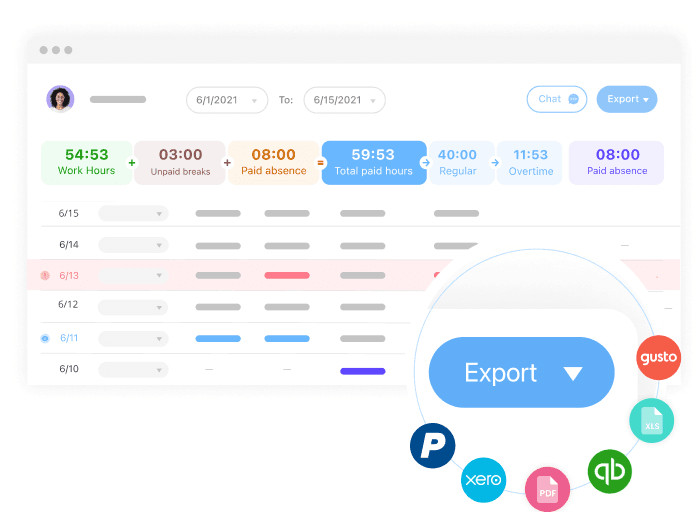
Connecteam connects to Gusto, QuickBooks, Paychex, Xero, and Google Calendar. Zapier enables workarounds for other tools.
What works well:
For field service teams, a proper QuickBooks integration should auto-sync timesheets and trigger invoices, not just export CSVs.
What falls short:
Aggregate scores don’t tell the whole story. Here’s what actual users report.
| Platform | Rating | Review Count |
| iOS App Store | ⭐ 4.8/5 | 36,000+ ratings |
| Google Play | ⭐ 4.6/5 | 14,000+ ratings |
| Capterra | ⭐ 4.7/5 | 340+ reviews |
| G2 | ⭐ 4.6/5 | 760+ reviews |
“Connecteam has transformed how we manage our cleaning crews. Scheduling used to take hours—now it takes minutes.” — G2 review, cleaning company (50 employees)
“The mobile app is what sold us. Our field workers actually use it, which never happened with other software we tried.” — Capterra review, security company
“For the price, you get a lot. We replaced three different apps with Connecteam.” — Software Advice review, restaurant group
“Setting up the admin side was painful. The employee app is easy, but configuring everything behind the scenes took way longer than expected.” — G2 review
“We thought we were getting one product, but ended up needing to buy three hubs. The pricing isn’t as straightforward as it seems.” — Capterra review
“It’s great for managing my team, but doesn’t help me run service calls. I still need other software for dispatching and invoicing.” — Reddit user, r/HVAC
“App works great when a good signal. On remote job sites? Not so much.” — Google Play review
On r/smallbusiness and r/fieldservice, Connecteam gets positive reviews from retail, restaurant, and cleaning business owners. Field service contractors (HVAC, plumbing, electrical) consistently note that it doesn’t meet their needs for dispatching, routing, and invoicing.
The theme: Connecteam is workforce management, not field service management. Know which one you need.
The answer depends on your role.
The mobile app is genuinely intuitive. Most workers learn the basics, clocking in, viewing schedules, and completing forms, within their first shift. The interface is clean, and actions are straightforward. This is Connecteam’s biggest strength.
The backend dashboard is functional but requires investment. Configuring custom forms, setting up permissions, and building workflows takes time. Plan for a dedicated setup period.
Bottom line: Simple for workers, complex for admins. This split is the most consistent theme in Connecteam reviews.
Connecteam is workforce management software, not field service management software. For businesses running service calls, HVAC, plumbing, electrical, cleaning services, lawn care, pest control, here are the specific gaps.
Connecteam does not optimize technician routes. Dispatchers manually plan drive sequences without considering traffic, distance, or job proximity.
Impact: For techs running multiple stops daily, this means wasted windshield time and higher fuel costs. Most teams use Google Maps separately, an extra step that dedicated FSM software handles automatically.
Connecteam manages employees, not job financials. No features for creating estimates, sending invoices, tracking job costs, or processing payments.
Impact: Field service businesses pair Connecteam with QuickBooks or similar software. Job details don’t flow into invoices automatically; manual data entry is required.
Need professional estimates? Use these free estimate templates while you evaluate software.
Job assignment is drag-and-drop only. No intelligent dispatching based on technician skills, certifications, location, or real-time availability.
Impact: Every dispatch decision requires manual judgment. Manageable for small teams; it becomes a daily bottleneck as job volume grows.
Smart operators always calculate dispatcher ROI before committing to any software.
Connecteam handles individual pieces but doesn’t automate the complete job lifecycle:
❌ No automatic customer notifications when tech is en route
❌ No invoice generation after job completion
❌ No smart rescheduling when jobs run long
❌ No automated follow-up for recurring service
Impact: More manual steps between booking a job and collecting payment.
| If this describes you… | Consider this instead |
| Field service business needs dispatching | FieldCamp |
| Need route optimization for technicians | FieldCamp |
| Want invoicing and estimates from the field | FieldCamp, Jobber, or Housecall Pro |
| Need AI-powered auto-scheduling | FieldCamp |
| Managing retail/restaurant shift workers | ✅ Connecteam works well |
| Cleaning company focused on crew scheduling | ✅ Connecteam works well |
| Small team wanting simple scheduling + chat | ✅ Connecteam or Homebase |
| Budget under $50/month, very basic needs | Connecteam Free or Homebase |
| Enterprise field service (20+ techs) | FieldCamp or ServiceTitan |
If you’re a field service business and Connecteam’s gaps matter to you, FieldCamp addresses them directly.
| Pain Point | Connecteam | FieldCamp |
| Pricing | Hub-based, adds up | ✅ Custom (pay only for what you need) |
| Dispatching | ❌ Manual drag-and-drop only | ✅ AI-powered auto-dispatch |
| Route Optimization | ❌ Not available | ✅ Built-in route optimization |
| Invoicing | ❌ Not available | ✅ Native invoicing and estimates |
| Customer Notifications | ❌ Manual only | ✅ Automated “tech en route” alerts |
| Skill-Based Assignment | ❌ Manual selection | ✅ Auto-matches tech skills to jobs |
| End-to-End Automation | ❌ Limited | ✅ Full job lifecycle automation |
| Free Trial | ✅ Free plan (limited) | ✅ Available |
AI-driven scheduling that actually optimizes routes and matches tech skills to jobs without manual drag-and-drop.
Get operational in days, not weeks: intuitive interface means your team is productive immediately.
The smartest AI dispatcher: FieldCamp’s AI handles skill matching, route optimization, traffic patterns, job priority, and travel time, decided in seconds, not hours.
Native invoicing: Create estimates, send invoices, and collect payments without separate software.
Custom pricing: Pay only for what you need, no hub-based nickel-and-diming.
When Workforce Tools Hit Their Limit
Connecteam manages people. FieldCamp manages jobs: dispatching, routing, and invoicing in one system built for service businesses.
For businesses needing more than Connecteam offers, here are the top alternatives based on your specific needs.
FieldCamp is built specifically for field service businesses wanting AI-powered automation. Intelligent dispatching, route optimization, native invoicing, and automated customer notifications address every gap Connecteam has for service contractors. Pricing is custom; you pay only for what you need.
Best for: HVAC, plumbing, electrical, cleaning, lawn care, pest control
See how AI dispatching compares to traditional dispatch software side-by-side.
Jobber combines field service management with quoting, invoicing, and CRM features. Popular with landscaping, cleaning, and HVAC companies wanting client management alongside scheduling.
Best for: Home service businesses wanting CRM + FSM combined
Housecall Pro offers online booking, invoicing, and marketing tools geared toward residential service companies. Strong customer-facing features, including automated review requests.
Best for: Residential service businesses wanting marketing tools
Synchroteam offers field service management with scheduling, dispatching, GPS tracking, and invoicing. Solid mid-market option between basic workforce tools and enterprise platforms.
Best for: Mid-sized field service teams wanting traditional FSM
Read our full Synchroteam review
Connecteam is excellent workforce management software for deskless teams (retail, cleaning, hospitality) but lacks the dispatching automation, route optimization, and invoicing that field service businesses need, choose it for managing employees, not for running service calls.
Connecteam delivers genuine value as workforce management software. For employee scheduling, GPS time tracking, team communication, and basic HR needs, it’s a capable all-in-one platform at reasonable pricing.
The software shines for: Retail, hospitality, cleaning services, healthcare staffing, security, and general contractors, businesses where coordinating shift workers and keeping teams connected are the primary challenges.
Limitations become apparent for Field service businesses running service calls. The absence of dispatching automation, route optimization, native invoicing, and end-to-end workflow automation results in significant manual work remaining.
✅ Choose Connecteam if:
❌ Look elsewhere if:
This review was last updated in January 2026. Pricing, features, and ratings may change. Verify current information on Connecteam’s official website before making purchasing decisions.
Yes. Connecteam offers a free plan for up to 10 users with basic features across all three hubs. However, geofencing, advanced reporting, and custom forms require paid tiers. The free plan works for evaluation, but most growing teams upgrade once they identify which features they actually need.
Connecteam uses hub-based pricing. Each hub (Operations, Communications, HR) starts at $29/month for the first 30 users on the Basic plan. Advanced plans are $49/month, Expert plans are $99/month. Additional users cost $0.50-$3/user depending on tier. Most businesses need 2-3 hubs, so expect $60-$150/month for typical usage.
Connecteam offers broader functionality, team communication, HR features, digital forms, and comprehensive workforce management. Homebase focuses specifically on scheduling and time tracking with a simpler interface. Choose Connecteam for all-in-one workforce tools; choose Homebase for straightforward scheduling without extras.
Limited functionality. Connecteam requires an active connection for most features. Some basic data may be cached locally, but forms, chat, GPS tracking, and schedule updates need connectivity. This limitation matters for teams working at remote job sites with poor cell service.
No. Connecteam does not include invoicing, estimates, or payment processing. Businesses bill customers using separate software like QuickBooks, FreshBooks, or dedicated field service platforms that include native invoicing.
Different tools for different needs. Connecteam excels at workforce management, scheduling, time tracking, and team communication. Jobber excels at field service management, quoting, invoicing, CRM, and customer communication. Choose Connecteam for managing employees; choose Jobber for managing customer jobs and service workflows.
No. ServiceTitan does not offer a free trial. You must contact their sales team for a demo and commit to a paid plan (typically a 12+ month contract) to use the software. This lack of a free trial is a common complaint among contractors who want to test before committing thousands of dollars. For more information, explore our ServiceTitan Review.
Connecteam works best for small-to-medium businesses with 10-200 employees in industries like retail, hospitality, cleaning, and healthcare staffing. The free tier suits teams under 10. Very large enterprises may need more robust solutions, while solo operators may find simpler tools sufficient.
Yes. Connecteam offers a web-based admin dashboard for managers and administrators. However, the platform is designed mobile-first, the desktop experience is primarily for backend management, while field workers use the mobile app for daily tasks.
Connecteam competes with Homebase and When I Work for basic scheduling, Jobber and Housecall Pro for field service management, and enterprise platforms like ServiceTitan for larger operations. FieldCamp competes for field service businesses wanting AI-powered automation.
Yes. Connecteam integrates with QuickBooks Online and QuickBooks Desktop for syncing timesheet data to accounting/payroll. The integration is reliable according to user reviews. Additional integrations include Gusto, Paychex, Xero, and Google Calendar.