
GorillaDesk Reviews: Real User Insights and Feature Breakdown
November 26, 2025 - 12 min read


November 26, 2025 - 12 min read

| TL;DR: GorillaDesk works well for small pest control and lawn care teams that need simple scheduling, basic CRM, and easy billing. Most users are happy with the interface, but many call out bugs, limited automation, and a mobile app that feels unreliable during busy days. If your business is growing or you rely heavily on real-time updates, you may find a better fit and speed with newer AI-powered alternatives. |
Did you know GorillaDesk’s field service software now supports over 6,000 businesses globally, helping small and mid-sized teams manage everything from job scheduling to invoicing, all through one intuitive dashboard?
Thanks to a 96% satisfaction rating and streamlined operations, most users save hours weekly and see customer retention jump through intelligent automated reminders and fast billing.
Yet, the #1 pain point in user feedback is mobile app limitations: nearly 20% report slow syncing and lack of reliable offline access, an issue that often disrupts remote team workflows and leads to missed opportunities in the field.
As field service companies accelerate their push toward automation and real-time communication, the cost of inefficiency grows. For modern service leaders choosing between robust SaaS for scalability and day-to-day reliability, gaps in mobile and automation readiness aren’t just minor annoyances; they’re business-critical, underscoring the need for platforms like GorillaDesk to continuously evolve and deliver seamless, always-on solutions.
We reviewed 1,200+ real GorillaDesk reviews from G2, Capterra, and Software Advice and tested the core features ourselves. We focused on the feedback users repeat most and compared it to what field service teams expect today. This helped us see where GorillaDesk performs well and where it falls short.
Overall Satisfaction Score: 4.6/5 stars across 1,200+ verified reviews
GorillaDesk is field service management software built specifically for pest control, lawn care, and pool service companies. The platform combines scheduling, customer management, billing, and mobile field apps into one system.
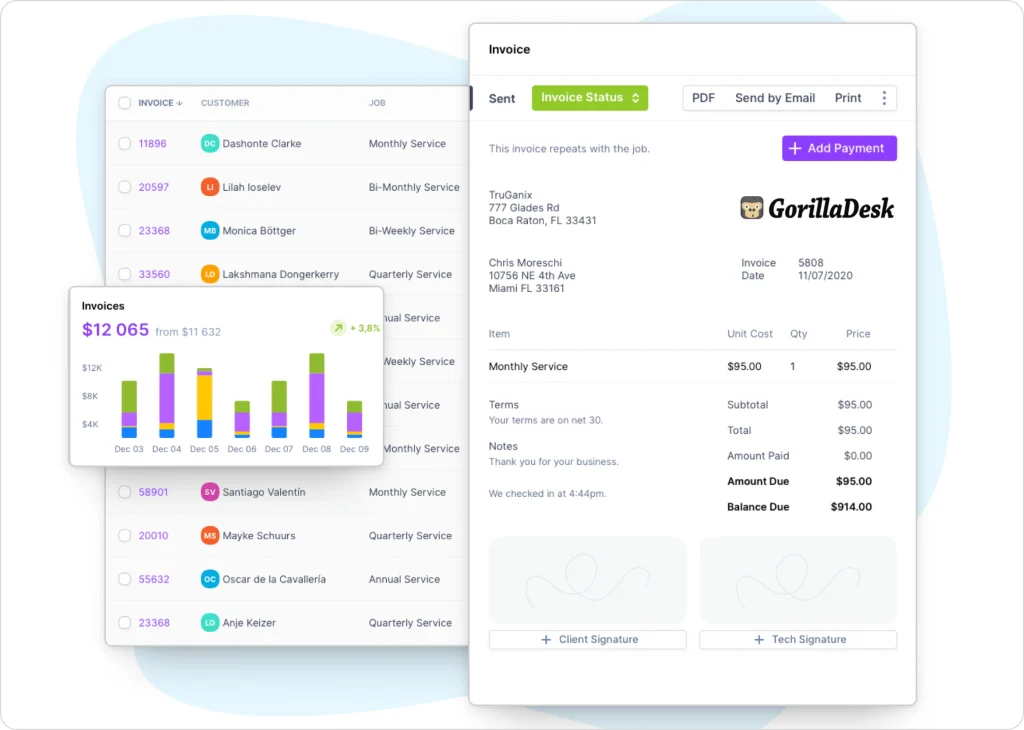
Users consistently mention two things: the interface is simple to learn, and it handles recurring services well. However, the same users report that the newer version introduced bugs, and the invoices look less polished than what you’d get from QuickBooks.
GorillaDesk’s pricing starts at $49/month, and the cost increases depending on the features your team needs. There are no contracts, and everything runs on a simple month-to-month model.
As you progress through the tiers, you unlock more advanced tools, including advanced reporting, customer portals, automation options, and increased team capacity.
What you get across the plans:
Where costs increase:
A few users mention that upgrading can feel like a big price jump to accommodate a slightly larger customer list, which becomes noticeable as the business grows.
Here’s what GorillaDesk actually delivers versus what users expected, based on verified reviews and hands-on testing.
The scheduling calendar works well for recurring pest control and lawn care routes. You get drag-and-drop functionality and color-coded job types. Users appreciate the route optimization feature that groups jobs by location.
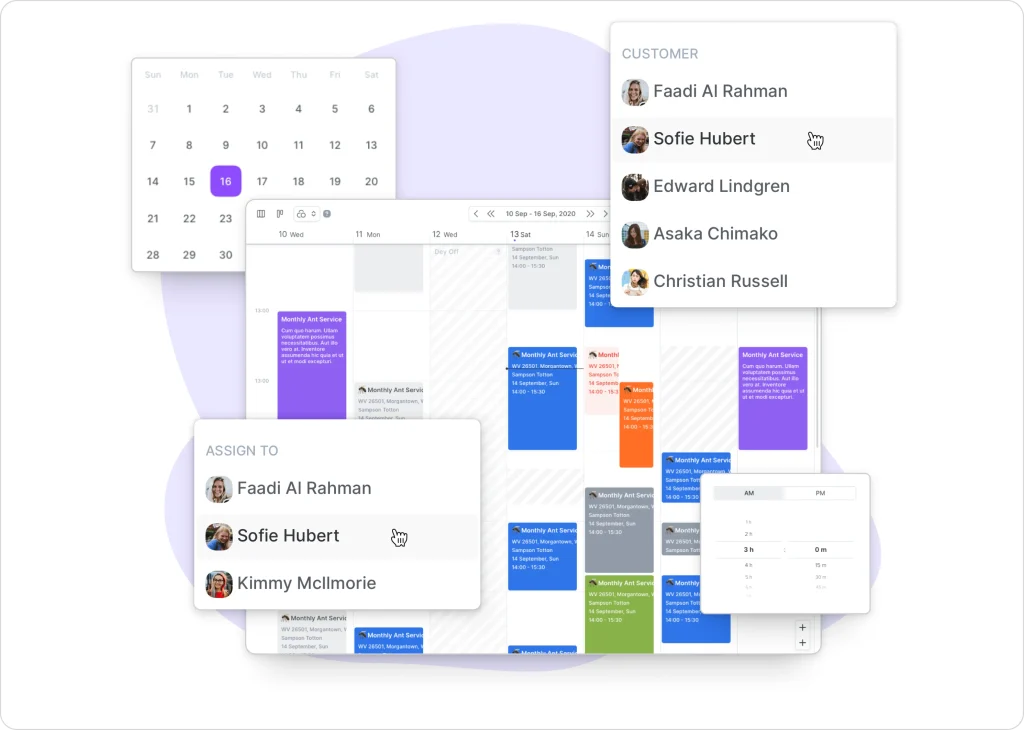
Several reviewers mention the system doesn’t account for real-time traffic. When a technician calls out sick, you’re manually rebalancing the entire day’s schedule yourself.
Still manually rebalancing routes? See how AI dispatching compares to traditional scheduling side-by-side.
The verdict: solid for predictable recurring routes, but you’re still doing the heavy lifting when things change.
The customer database handles contact information, service history, and property details effectively for small to mid-sized operations. The customer portal lets clients view invoices and make payments online.
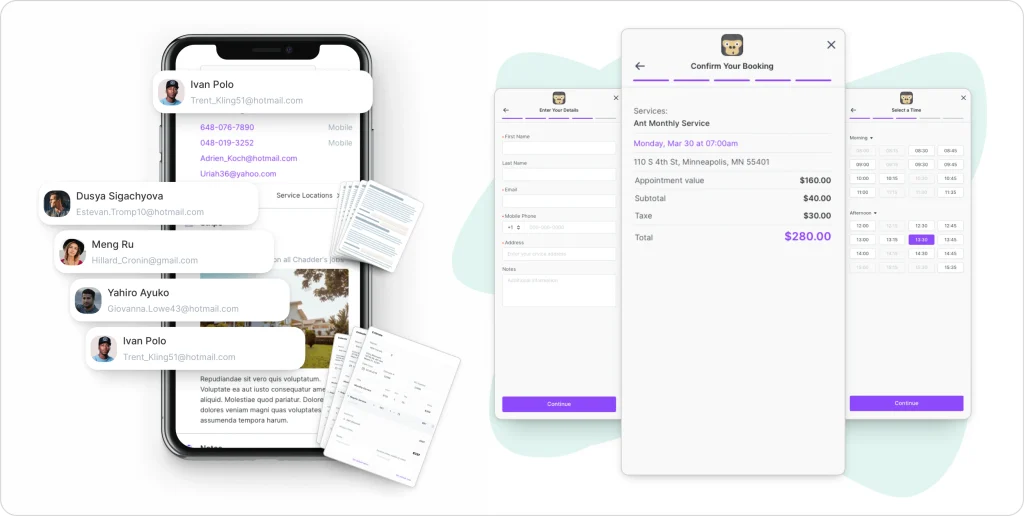
Users report the portal feels dated compared to modern self-service platforms. Customers can’t schedule their own appointments through the portal, they still have to call or email you.
The verdict: functional for basic CRM work, but falls behind on modern customer self-service expectations.
What If Automation Took Over Half Your To-Do List?
With FieldCamp, it actually can. From job scheduling to reminders and lead follow-ups, workflows run automatically in the background, even when your team is busy in the field.
Technicians complete work orders on mobile devices, capture signatures, and add photos from the field. The reporting dashboard shows basic metrics on revenue, technician performance, and customer retention.

Several users mention wanting more customizable report options. You get the standard reports, but creating custom views or exporting specific data sets takes workarounds.
Work orders should do more than record jobs. The right work order management software connects field data to scheduling, invoicing, and reporting in real time.
The verdict: works well for field execution, but misses opportunities for deeper business intelligence.
Not sure which KPIs actually matter? Here’s a breakdown of the field service metrics that drive real growth.
GorillaDesk handles recurring billing, one-time invoices, and payment processing through integrated merchant services. Multiple users mention the invoice design looks “basic” and “less professional than QuickBooks.”
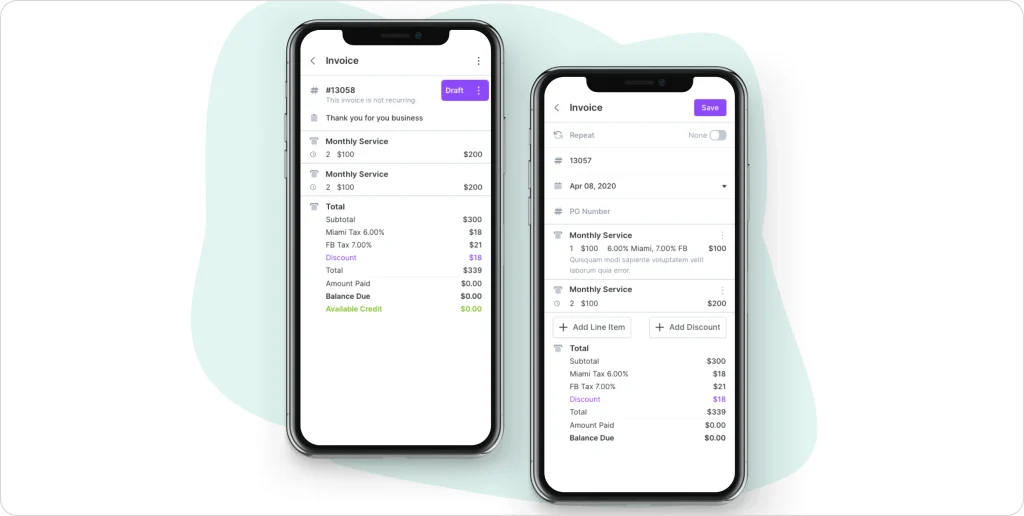
You can’t customize much about how invoices look. Bulk actions like marking 50 invoices as sent still require manual clicking through each one.
The verdict: the billing mechanics work, but the presentation and efficiency leave room for improvement.
| Pros | Cons |
| Simple interface with a short learning curve Affordable for small to mid-sized operations Responsive customer service Mobile app works reliably in the field Pest control and lawn care specific features Helpful training videos | New version introduced recurring bugs Invoice design is less polished than competitors Limited customization for growing businesses Manual processes for bulk actions Customer count tier pricing gets expensive Basic automation compared to AI-powered platforms |
GorillaDesk delivers an ideal value for established pest control and lawn care businesses that want straightforward scheduling and billing without complexity. The platform’s strength is its simplicity and industry-specific design.
However, users consistently mention wanting more automation, better invoice aesthetics, and fewer bugs in the updated version. Businesses experiencing rapid growth or needing advanced automation increasingly look beyond GorillaDesk to platforms built with AI from the ground up.
FieldCamp takes a different approach by building AI-powered automation into every workflow from day one. While GorillaDesk requires manual scheduling adjustments and route rebalancing, FieldCamp’s AI dispatcher automatically optimizes routes in real-time and handles emergency rescheduling when technicians call out.
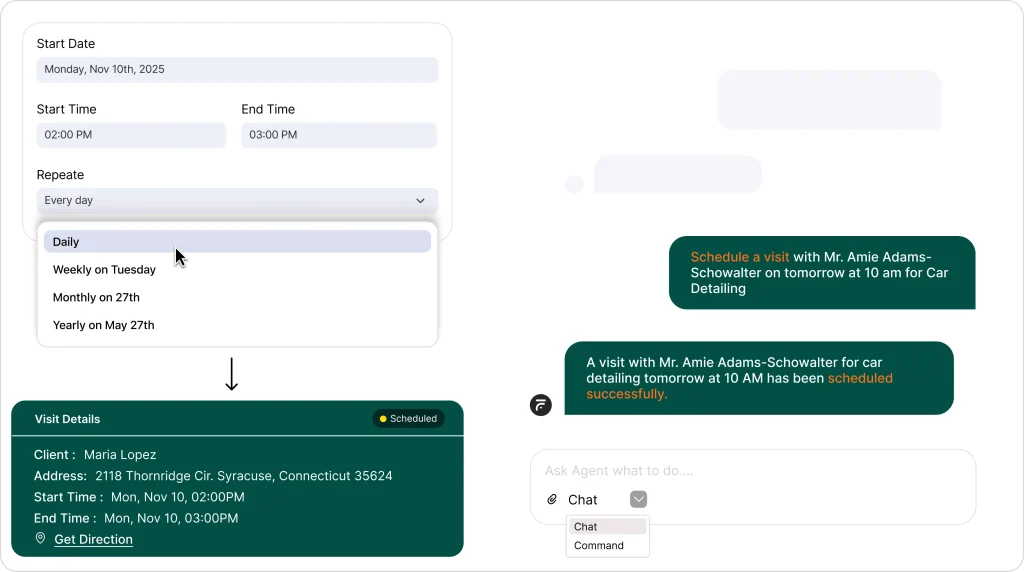
The platform eliminates the “customer count tier” pricing model.
You pay only for features you actually use. One junk removal operator switching from manual systems reported going from 30% to 90% lead response rate immediately after implementing FieldCamp’s automated lead capture.
If you want a deeper comparison, you can also check out this quick FieldCamp vs GorillaDesk breakdown.
Where FieldCamp Fixes GorillaDesk’s Limitations:
Tip: If you build the whole ecosystem for your business with FieldCamp, you can convert the estimate to an invoice in just one click, saving you time from the manual process.
Jobber offers similar scheduling and billing functionality with a more modern interface and better mobile experience. The platform works well for multi-trade contractors who need quoting, scheduling, and invoicing in one system.
Pricing runs higher at $229/month for comparable features. Find out more about it in our Jobber review to see if it suits your business needs.
ServiceTitan targets larger operations with enterprise-level features, comprehensive reporting, and call center integration. The platform requires significant upfront investment (typically $8,000-15,000 annually) and works best for companies with 10+ trucks and dedicated administrative staff.
Explore more in our comprehensive ServiceTitan review.
Housecall Pro focuses on residential service businesses with strong customer communication features and modern booking experiences. The platform sits between GorillaDesk and ServiceTitan in both capability and cost, starting around $169/month.
Housecall Pro focuses on residential service businesses. Explore more about it in our Housecall Pro review.
GorillaDesk remains a solid choice for established pest control and lawn care businesses that value simplicity over advanced automation. The platform’s affordable entry point and industry-specific design serve operators who want straightforward scheduling and billing.
The field service software landscape shifted dramatically in 2024-2025 with AI-powered platforms eliminating the manual busywork that GorillaDesk users still handle daily.
Businesses experiencing rapid growth, losing leads to slow response times, or spending 15+ hours weekly on administrative tasks increasingly find that modern alternatives deliver better ROI through automation rather than just digitizing manual processes.
GorillaDesk pricing starts at $165/month for up to 600 customers, $265/month for up to 1,200 customers, and $375/month for unlimited customers. All plans include mobile apps and online booking.
GorillaDesk works for pest control, lawn care, pool service, and other recurring service businesses. The platform’s features and terminology are optimized specifically for pest control operations.
GorillaDesk includes scheduling and dispatch, customer management, recurring billing, mobile field apps, online booking, payment processing, and basic reporting for service-based businesses.
The best CRM depends on your industry and automation needs. GorillaDesk works well for simple pest control operations, while FieldCamp offers AI-powered automation for businesses wanting to eliminate manual administrative work.
GorillaDesk provides basic reports on revenue, technician performance, customer retention, and service completion. Users consistently mention wanting more customizable reporting options and advanced analytics.