
WorkWave Service Reviews: Real User Insights and Feature Breakdown
November 28, 2025 - 14 min read

November 28, 2025 - 14 min read

| TL;DR: WorkWave Service works fine for basic scheduling, but struggles with automation, mobile reliability, and high per-user pricing. User reviews consistently highlight slow support, recurring app crashes, and weak route optimization. If you’re growing or want real automation, better options exist at a lower cost. |
You’re researching WorkWave Service because something about your current setup isn’t working, maybe the demo looked better than the reality, or you’re trying to figure out if the price tag actually matches the value.
After analyzing 80+ verified user reviews of the platform, we found a software that works adequately for basic needs but disappoints when you need reliability and genuine automation.
This review breaks down what WorkWave actually delivers versus what it promises, covering real costs (including the fees they don’t advertise upfront), feature performance based on daily user experience, and whether alternatives might solve your problems faster and cheaper.
We pulled user reviews from G2, Capterra, and Software Advice, then tested the core workflows ourselves. Beyond that, we talked to field service business owners who’ve used WorkWave for at least six months and tracked how long customer support actually takes to respond.
This isn’t a surface-level feature list. We’re showing you what works and what doesn’t when you’re using this software every single day.
Overall Average Score: 3.8/5 across major review platforms (as of March 2025)
WorkWave Service is cloud-based software for businesses that send technicians to customer locations, HVAC companies, plumbers, pest control, and lawn care operations. The platform combines scheduling, customer records, invoicing, and GPS tracking in one place instead of juggling spreadsheets and separate tools.
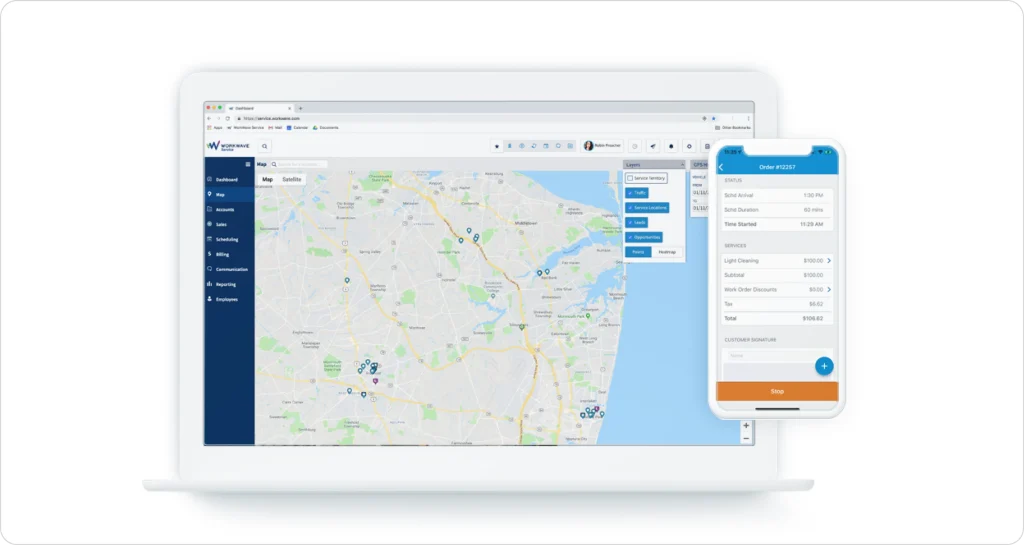
The company started in the early 2000s and was acquired by IFS in 2021. Most of their customers are small to mid-sized operations trying to move beyond paper and Excel.
WorkWave doesn’t list prices on its website, which already tells you something. Based on what actual users reported in 2024 and 2025, you’re looking at $150-$250 per user monthly, and they typically want you to sign annual contracts.
The base subscription covers scheduling, dispatching, and basic customer management. However, features like detailed reports, customer portal access, and connecting to other software often cost extra. Several reviewers mentioned surprise bills for setup help (usually $2,000-$5,000), moving your data over, and faster support that actually responds within a day.
Other costs that pop up later:
This is the most transparent evaluation of WorkWave Service features you’ll find in 2026.
The drag-and-drop calendar looks clean during sales demos. Daily users tell a different story. The interface handles basic job assignments fine for smaller teams, maybe under 10 technicians, letting dispatchers see who’s available and move jobs around.
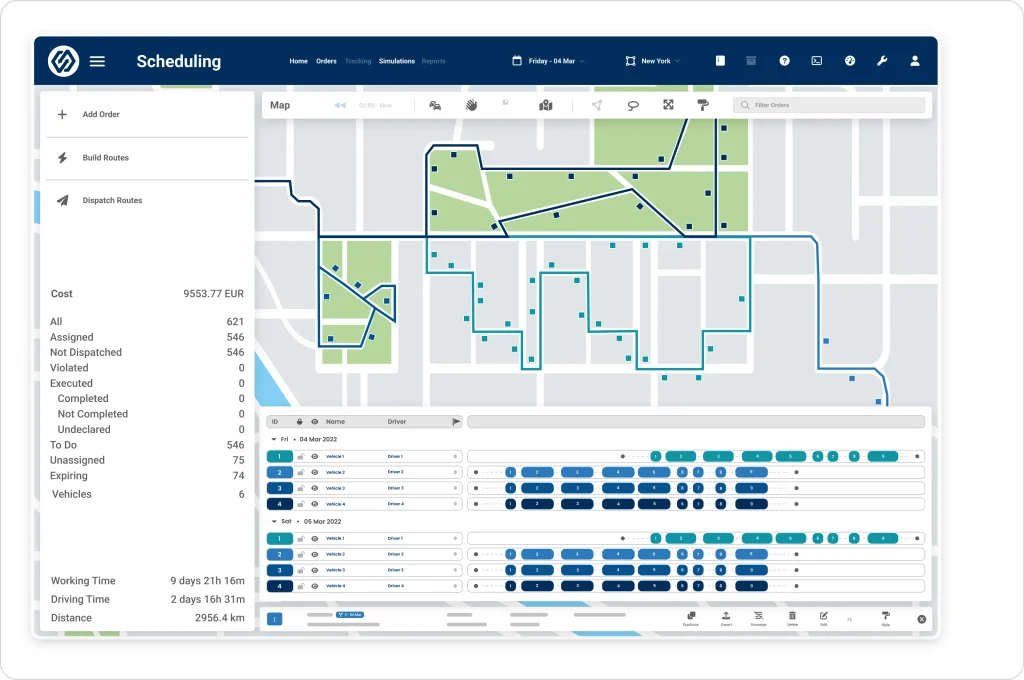
But try setting up recurring jobs that happen every other week or on custom schedules, and you’ll be creating manual workarounds.
The “AI-powered” automated scheduling rarely works as advertised. Understanding how AI dispatching actually thinks reveals why true AI scheduling needs to evaluate thousands of constraints simultaneously. Multiple reviewers say WorkWave creates routes that make no sense or books the same technician twice.
Most dispatchers end up doing it manually within a few weeks. The software also won’t warn you about scheduling conflicts until a technician complains.
Hit or Miss: Miss for growing teams. Works for basic operations, but becomes a problem as you scale.
The customer database stores contact information, service history, and equipment records. You can log customer conversations, track equipment by serial number, and pull up past invoices from one screen.
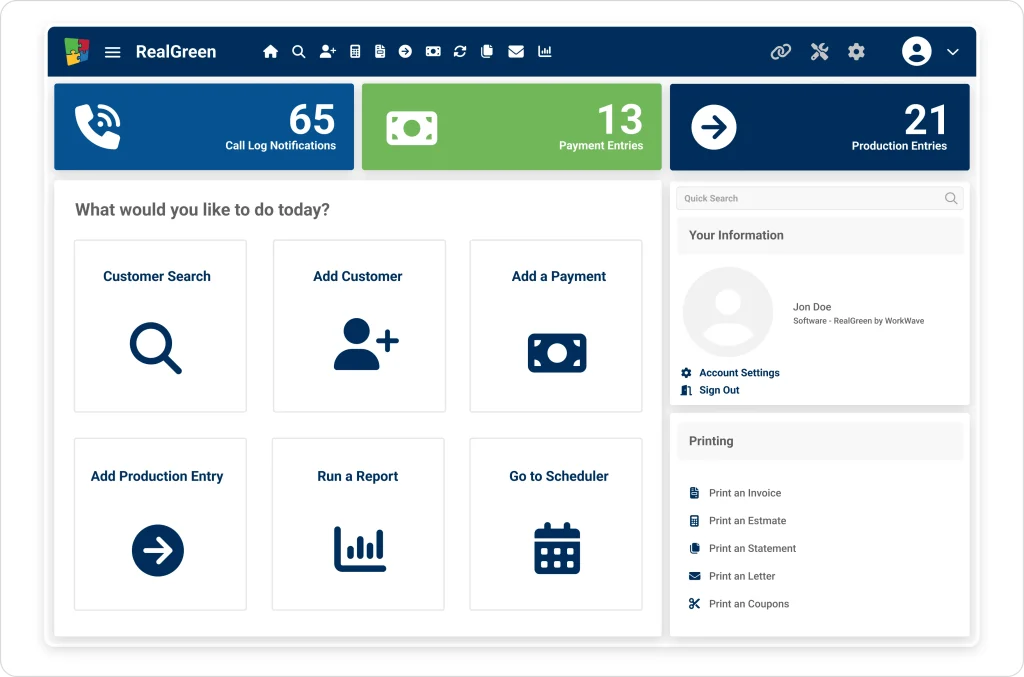
If you’re coming from paper or spreadsheets, this feels like a big step forward.
Yet the system feels outdated. Search takes 3-5 seconds once you have more than 5,000 customers in the database. You can add custom fields, but only 10-15 per customer record, which forces workarounds if you track anything unique to your business. The mobile app’s customer lookup runs even slower, frustrating technicians who need information quickly.
Hit or Miss: Hit for basic needs, miss if you want sophisticated customer management or fast mobile access.
Technicians can view job details, update status, and take photos through the mobile app when it cooperates. The interface works, but it isn’t intuitive. Users report 2-3 weeks before technicians feel comfortable with it. Job notes, time tracking, and materials used can all be logged from the field.
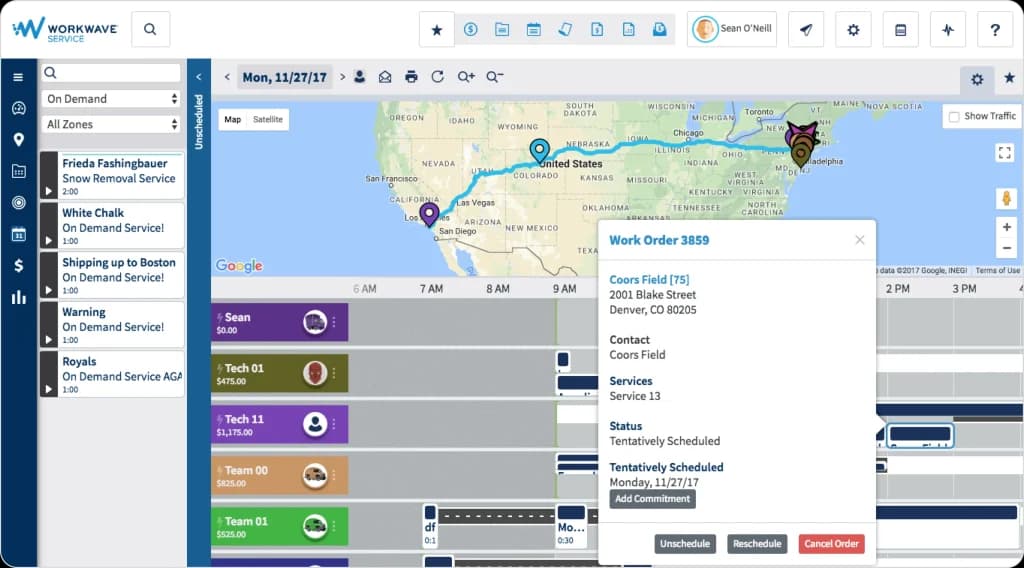
The biggest complaint centers on reliability. Technicians regularly report the mobile app crashes mid-job, won’t sync updates, or loses data entered offline. One HVAC company lost an entire day’s worth of technician notes because of sync failures. Offline mode exists but behaves inconsistently between iPhones and Android devices.
Hit or Miss: Miss for field reliability. Looks good on paper, but fails when technicians actually need it.
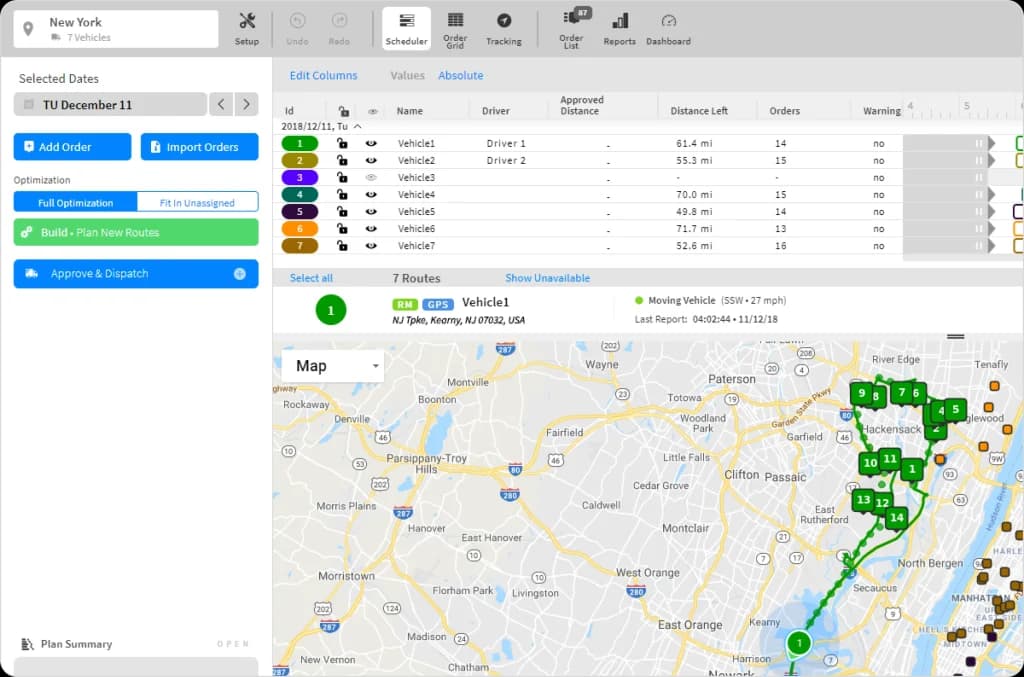
Route optimization is supposed to be WorkWave’s strength, yet it consistently disappoints. The system can generate routes based on job locations and time windows, but the results often make no sense, sending technicians past closer jobs to reach distant ones first. Proper AI route optimization should factor in real-time traffic, technician skills, and customer time windows together, not just distance. Dispatchers report spending 30-60 minutes every day manually fixing the “optimized” routes.
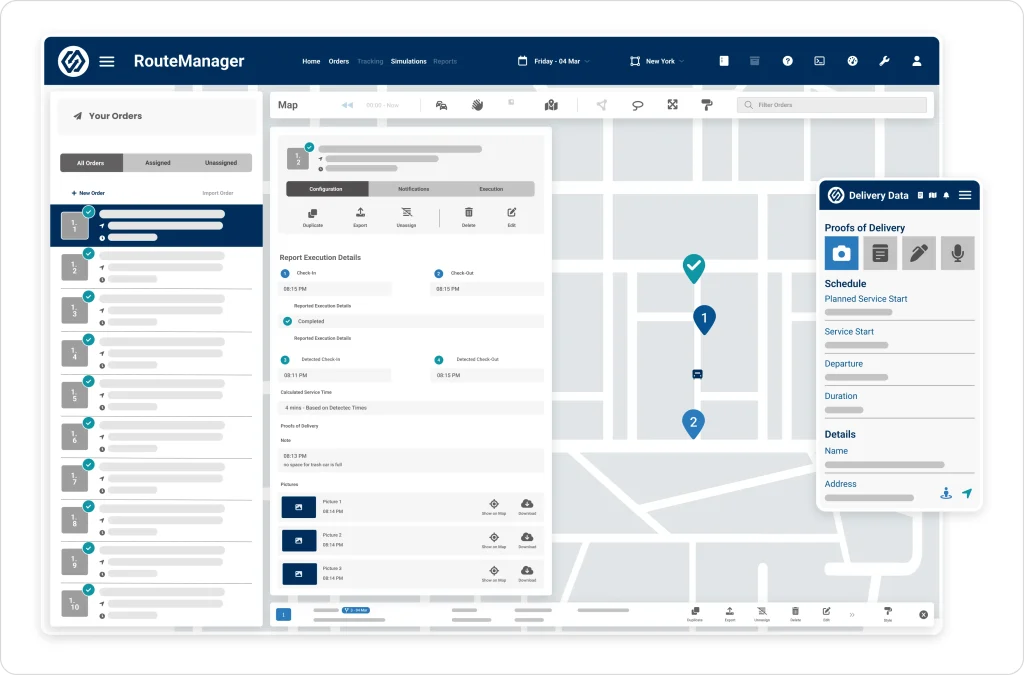
Real-time GPS tracking works reliably. Office staff can see where technicians are and give customers accurate arrival times. The automatic clock-in/clock-out based on location works well, eliminating timesheet arguments. However, the tracking drains technician phone batteries significantly, leading some teams to turn it off despite wanting the visibility.
Hit or Miss: Mixed. GPS tracking delivers value, but the routing optimization—supposedly the core strength—disappoints.
Invoice creation pulls job details, labor hours, and materials into professional templates. You can customize how invoices look, set up automatic payment reminders, and email them directly from the platform. For businesses moving away from QuickBooks-only invoicing, this integration feels convenient.
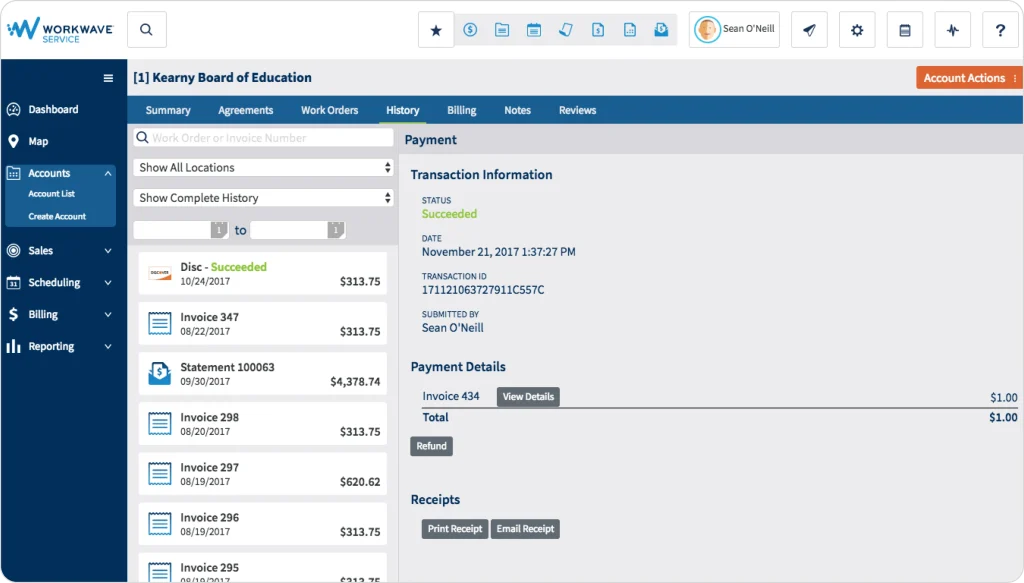
Payment processing through WorkWave’s system costs more than standalone alternatives—2.9% + $0.30 per transaction versus 2.6% + $0.10 with processors like Stripe. The connection between WorkWave and your accounting software requires careful monitoring. Several users report discrepancies that take hours to fix each month.
Hit or Miss: Hit for convenience, miss if you process significant payment volume and care about fees.
Inventory management exists, but feels tacked on. You can track parts used per job, set reorder points, and assign inventory to technician trucks. In theory, you know what materials each job consumed and what’s left in each truck.
Compare this to modern field inventory management software that includes barcode scanning and real-time sync.
Reality plays out differently. Technicians rarely update inventory in real-time during jobs, so stock levels become inaccurate. The system lacks barcode scanning, making physical inventory counts tedious. Integration with parts suppliers is limited, forcing manual purchase order creation. Most users abandon the inventory module within months, going back to separate inventory systems or spreadsheets.
Hit or Miss: Miss for serious inventory management. The feature exists, but doesn’t solve real inventory challenges.
| Pros | Cons |
| Consolidates multiple tools into one platform | Steep learning curve (2-3 months to full adoption) |
| Real-time GPS tracking works reliably | Mobile app crashes frequently, especially offline |
| Professional invoicing and customer portal | Expensive compared to alternatives ($150-250/user/month) |
| Decent for small teams under 10 technicians | Customer support response times often exceed 48 hours |
WorkWave Service delivers genuine value if you’re currently running on spreadsheets and paper. Having scheduling, customer records, and invoicing in one place represents a real operational upgrade. However, the platform shows its age compared to newer alternatives built with modern technology.
The question isn’t whether WorkWave works; it does. The question is whether it works well enough to justify the cost and frustration. For many growing businesses, the answer increasingly points toward exploring what else is available.
FieldCamp takes a different approach by building AI automation into the core platform instead of adding it later. Where WorkWave requires manual scheduling adjustments and constant dispatcher oversight, FieldCamp’s AI dispatcher automatically assigns jobs.
Dispatches work based on technician skills, location, availability, and job priority, actually delivering the automation WorkWave promises but doesn’t execute.
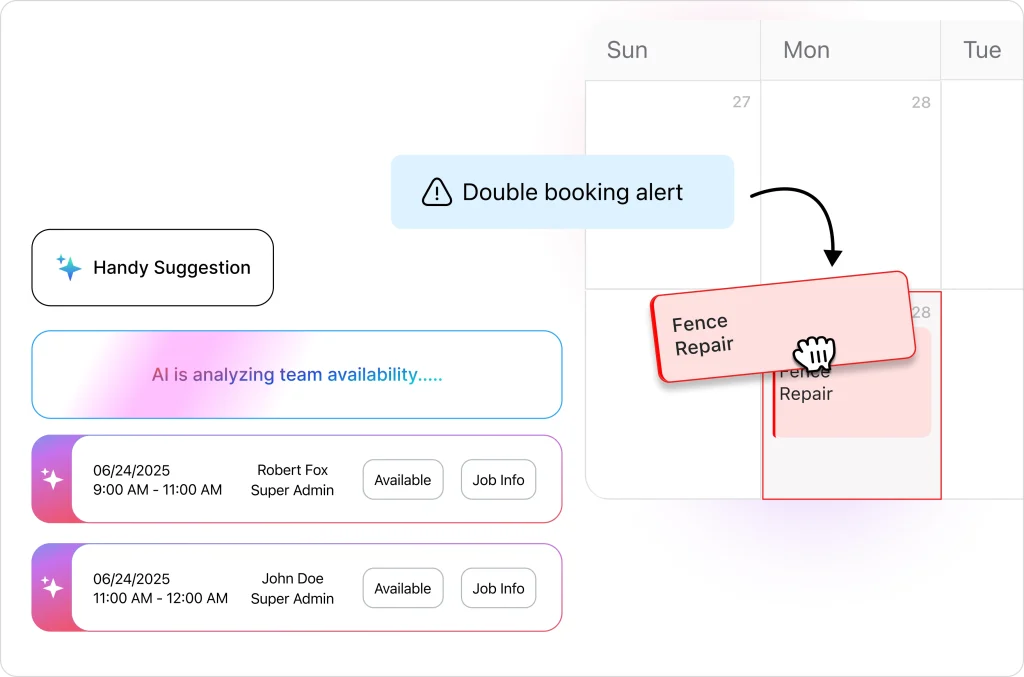
The best part is that FieldCamp charges only for what you’re gonna need.
FieldCamp includes features that WorkWave charges extra for, advanced automation workflows, 24/7 online booking with automatic service area verification, and an AI receptionist that handles customer questions without human help.
Where FieldCamp fixes WorkWave’s problems:
Jobber focuses on residential service businesses with a clean interface that requires minimal training. Pricing starts around $69/month for small teams, with better transparency than WorkWave, though still higher than FieldCamp. The mobile app gets consistently positive reviews for reliability, and customer support responds faster than WorkWave’s typical 48+ hour delays.
Have a look at the detailed Jobber review for more.
ServiceTitan targets larger operations (typically 10+ trucks) with enterprise-grade features and corresponding enterprise pricing ($300-500+ per user monthly). The platform offers sophisticated reporting, call center integration, and comprehensive marketing tools. However, the complexity and cost make it excessive for smaller operations, and implementation typically takes 3-6 months.
Have a look at the detailed ServiceTitan review for more.
Housecall Pro sits in the mid-market space with pricing around $129/month, offering a balance between features and ease of use. The platform emphasizes customer communication and online booking, with a mobile app that technicians generally find reliable. However, it lacks the advanced automation and customization options of more sophisticated platforms.
Have a look at the detailed Housecall Pro review for more.
WorkWave Service works adequately for established businesses with dedicated office staff, simple scheduling needs, and a tolerance for occasional technical issues. If you’re currently using paper and spreadsheets, WorkWave represents a meaningful upgrade despite its limitations.
However, the field service software market has moved beyond “adequate.” Growing businesses increasingly need platforms that reduce administrative burden through genuine automation, not just digitize existing manual processes.
The combination of WorkWave’s high cost ($150-250/user monthly), frequent mobile app issues, poor automated scheduling, and slow support response creates friction that compounds as you scale.
WorkWave doesn’t publish pricing publicly, but verified user reports from 2024-2025 indicate $150-250 per user per month, with annual contracts required. Implementation fees typically add $2,000-5,000, and critical features like advanced reporting and API access often require paid add-ons beyond the base subscription.
WorkWave can work for small teams (3-5 technicians,) but the cost often doesn’t justify the value compared to alternatives. The minimum user commitment, annual contract requirement, and implementation costs create a significant financial barrier for smaller operations that could get similar functionality from platforms like FieldCamp at $99.99/month for three users with no implementation fees.
WorkWave includes scheduling and dispatching, customer relationship management, work order management, GPS tracking and routing, invoicing and payment processing, and basic inventory tracking. However, the execution quality varies significantly—GPS tracking works reliably while automated scheduling consistently disappoints users.
Customer support receives mixed reviews, with response times frequently exceeding 48 hours for non-critical issues. Users report that support representatives are generally knowledgeable when you eventually reach them, but the slow response time creates operational problems when urgent issues arise.
WorkWave markets automation features like AI-powered scheduling and automated routing, but user reviews consistently report these features underdeliver. Most businesses end up performing manual scheduling adjustments daily because the automated suggestions create inefficient routes or scheduling conflicts.
FieldCamp offers superior AI automation at lower cost ($39.99-99.99/month), Jobber provides better usability for residential services ($69+/month), ServiceTitan serves larger enterprises with advanced features ($300-500+/month), and Housecall Pro balances features and price for mid-market businesses ($129+/month). The best alternative depends on your business size, budget, and whether you prioritize genuine automation or simply digitizing existing processes.