
What Is an AI Dispatcher? The Complete Guide to AI-Powered Field Service Scheduling
April 9, 2026 - 17 min read


April 9, 2026 - 17 min read

Table of Contents
You started because you’re good at the work: fixing HVAC units, clearing drains, keeping buildings running. The dispatching part? That was supposed to be simple. A whiteboard, a phone, and someone who could keep it all straight in their head.
Then your team grew. Ten technicians became fifteen. Service areas multiplied. Emergency calls started colliding with scheduled appointments.
And suddenly, the person holding it all together was buried in sticky notes, half-finished spreadsheets, and a phone that wouldn’t stop ringing.
That’s the moment most field service owners realize something uncomfortable: dispatching isn’t a side task. It’s the engine that drives revenue, customer satisfaction, and whether your best techs stick around or burn out.
This guide covers everything: what an AI dispatcher actually is, what bad dispatching costs you, how the technology evolved from paper boards to real-time optimization, and how to implement it without ripping out what already works.
What you’ll learn:
An AI dispatcher is software that automatically figures out which technician should go to which job, and in what order, by weighing dozens of factors at once: skill sets, certifications, live traffic, job urgency, customer history, parts on the truck, and who’s already nearby.
A human dispatcher juggles maybe four or five of those variables before their brain starts dropping things. The AI handles all of them in seconds.
It doesn’t replace your dispatcher. It gives them a head start they’d never have otherwise.
Behind every assignment is a scoring framework that weighs skills, travel efficiency, workload balance, SLA risk, and revenue impact. This is how AI makes smarter dispatch decisions than manual scheduling ever could.
Most owners never calculate this because the losses don’t show up on one line item. They’re spread across the whole operation.
It’s the fuel burned when a tech drives 40 minutes to a job they’re not certified for. The second appointment pushed back because the first one ran long and nobody adjusted. The overtime you paid because the afternoon schedule collapsed after a cancellation at 10 AM. The callback that wouldn’t have happened if you’d sent your most experienced person in the first place.
Stack those up across a full year, and a growing team, and the number gets uncomfortable fast.
One industry survey by Field Technologies Online found that poor scheduling and routing can eat up 20–30% of a field team’s productive capacity. That’s not a rounding error; that’s revenue walking out the door.
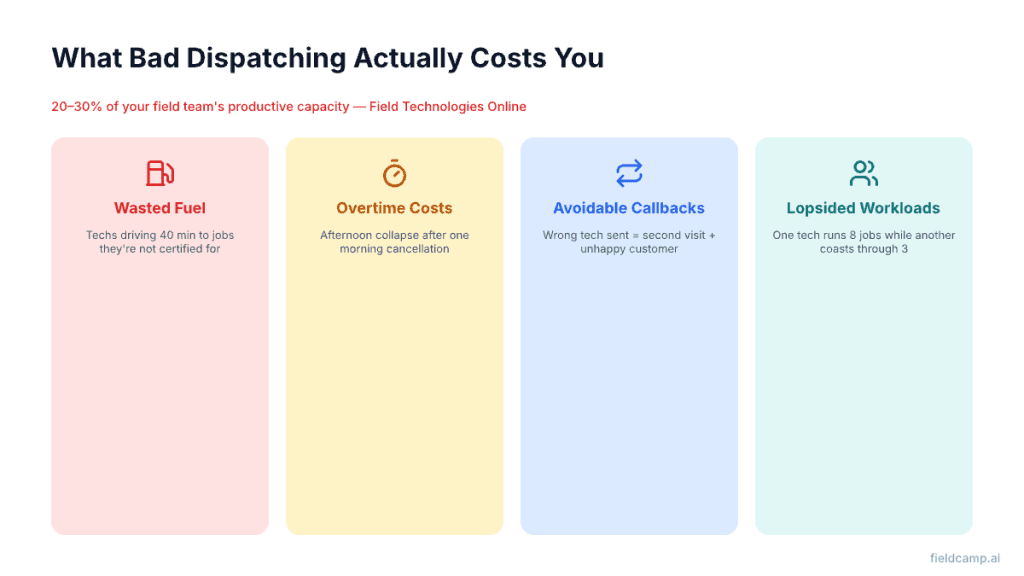
Lopsided workloads: One tech runs eight jobs while another coasts through three. Resentment builds before burnout does. This is exactly the problem workload balancing with AI solves.
Too much windshield time: Without smart routing, your team spends more time driving than working. AI route optimization cuts this dramatically.
Blown time windows: You promised the customer a 2-hour arrival window. Manual scheduling blows past it more often than you’d like to admit. Time window optimization fixes this systematically.
Schedule chaos after disruptions: One sick call or emergency at 11 AM, and the rest of the day is a scramble. Dynamic rerouting handles this automatically.
This is fundamentally a math problem. Your dispatcher might be brilliant, but nobody can optimize 20+ moving variables in real time while answering the phone. That’s what algorithms are built for.
| Feature | Manual Dispatching | AI Dispatching |
|---|---|---|
| Assignment speed | 5–10 min per decision | Seconds |
| Variables weighed | 3–5 | 30–50+ |
| Routing | Best guess or basic maps | Real-time, traffic-aware optimization |
| Handling disruptions | 30–60 min of reshuffling | Automatic re-optimization |
| Scaling past 15–20 techs | Painful | Seamless |
| Consistency | Depends on the dispatcher’s day | Data-driven, every time |
Traditional dispatching relies on human judgment and manual adjustments. AI dispatching uses data, prediction, and real-time optimization for faster, more accurate decisions at scale.
For a full side-by-side breakdown, see AI dispatching vs. traditional dispatch software.
Dispatching didn’t jump straight from whiteboards to algorithms. It evolved through five distinct eras, each solving one layer of friction — and exposing the next.
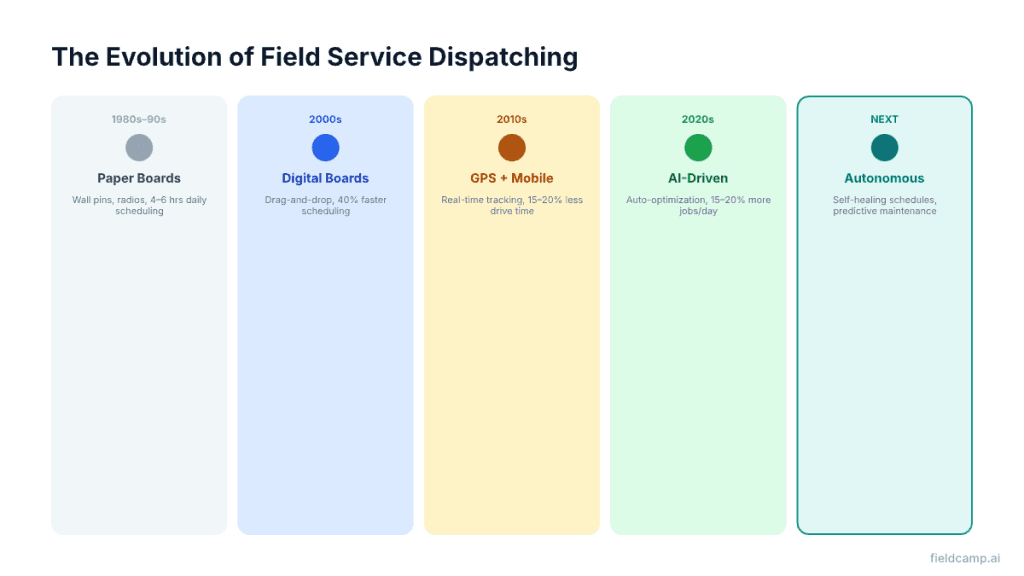
Before computers, dispatchers managed schedules using physical wall boards, colored pins, and paper job tickets. Every assignment required phone calls, handwritten notes, and mental math. This consumed 4–6 hours daily and caused frequent delays, miscommunication, and lost paperwork.
Dispatchers relied on five tools: physical wall boards, handwritten job tickets with carbon copies, two-way radios, paper maps, and their own memory. None talked to each other.
The cost was staggering — technicians lost 20–30% of their workday on inefficient routes, and paper-based invoicing created cash flow delays of 30–45 days.
Digital boards replaced pins with drag-and-drop scheduling, automated work order creation, and searchable customer databases. Dispatchers could see their entire operation on a single screen.
Results were immediate: scheduling time dropped by 40%, billing cycles shortened from 30–45 days to 7–14 days, and job history became searchable instead of being buried in filing cabinets. Modern field service invoicing now closes that gap to same-day.
But dispatchers still assessed technician skills manually, estimated travel times without real-time data, and made decisions based on intuition rather than data.
Smartphones introduced real-time connectivity between the office and the field. For the first time, dispatchers could see exactly where technicians were, how long jobs were taking, and what traffic conditions looked like.
Companies implementing GPS-enabled routing reported 15–20% reductions in drive time and significantly more jobs completed per technician per day. Pegasus Couriers saw a 25% reduction in delivery mileage after implementing route optimization software.
This is where dispatching stopped being a coordination task and became an optimization problem. AI systems analyze thousands of data points simultaneously, including historical job durations, technician performance patterns, traffic predictions, weather forecasts, customer preferences, and equipment availability.
Companies implementing AI dispatch report a 25–30% decrease in average drive time, 15–20% increase in daily job completion, and a 20–35% reduction in operational costs. Field teams also benefit from digital checklists that replace paper forms and ensure consistent job completion on every visit.
The difference between traditional software and AI-powered systems is significant. See how AI dispatching algorithms work for a full breakdown of the scoring and optimization logic.
The next evolution is already taking shape: self-healing schedules that adjust without dispatcher intervention, IoT sensors that predict equipment failures before they occur, and AI assistants handling customer communications proactively.
The goal isn’t to eliminate dispatchers. It’s to elevate them, removing tedious manual tasks so they can focus on relationships, complex exceptions, and strategic decisions.
| Then vs. Now | 1980s | Today |
|---|---|---|
| Scheduling time | 4–6 hours daily | Seconds |
| Route efficiency | Manual guesswork | AI-optimized |
| Job visibility | None | Real-time |
| Customer updates | Phone calls | Automated |
| Invoice cycles | 30–45 days | Same-day |
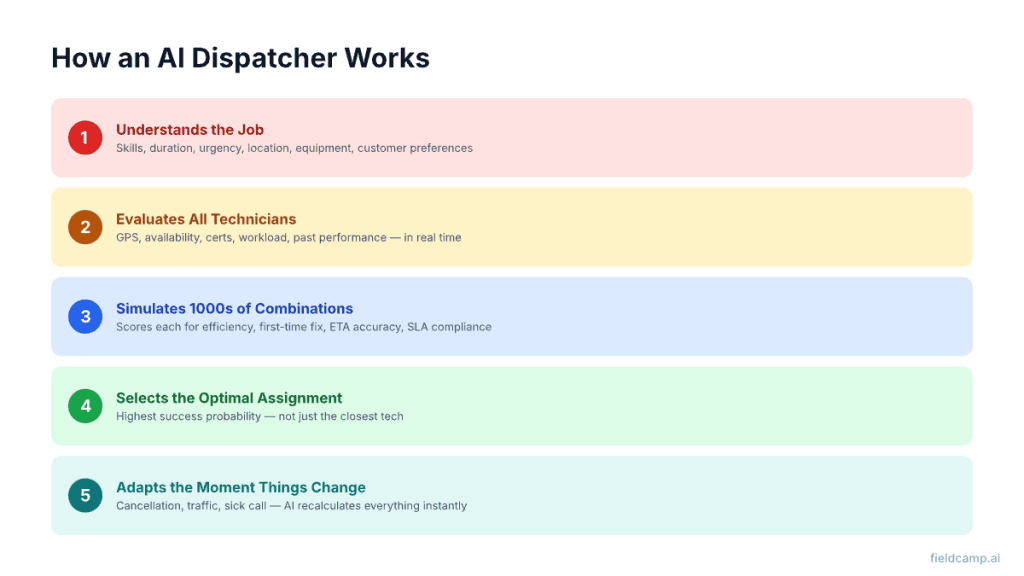
As soon as a new job arrives, the system identifies skills required, predicted duration, urgency level, location, equipment needs, and customer preferences.
It checks real-time GPS location, availability, skill level and certifications, past job performance, travel time to the site, work-in-progress, and daily workload balance. FieldCamp’s AI job scheduling handles this evaluation automatically across your entire team.
Machine learning models simulate hundreds or thousands of potential scenarios and score each one for efficiency, first-time fix success, ETA accuracy, and SLA compliance.
The system chooses the technician with the highest overall success probability, not just the closest tech. This is powered by advanced optimization models like capacitated vehicle routing, which ensure technician workloads remain executable.
If a job cancels, traffic slows, or a technician falls behind, the AI recalculates instantly. Jobs are reassigned, re-sequenced, or rerouted in seconds. This is where AI dispatching proves its value, not on smooth days, but on the messy ones. See dynamic rerouting for how this works in practice.
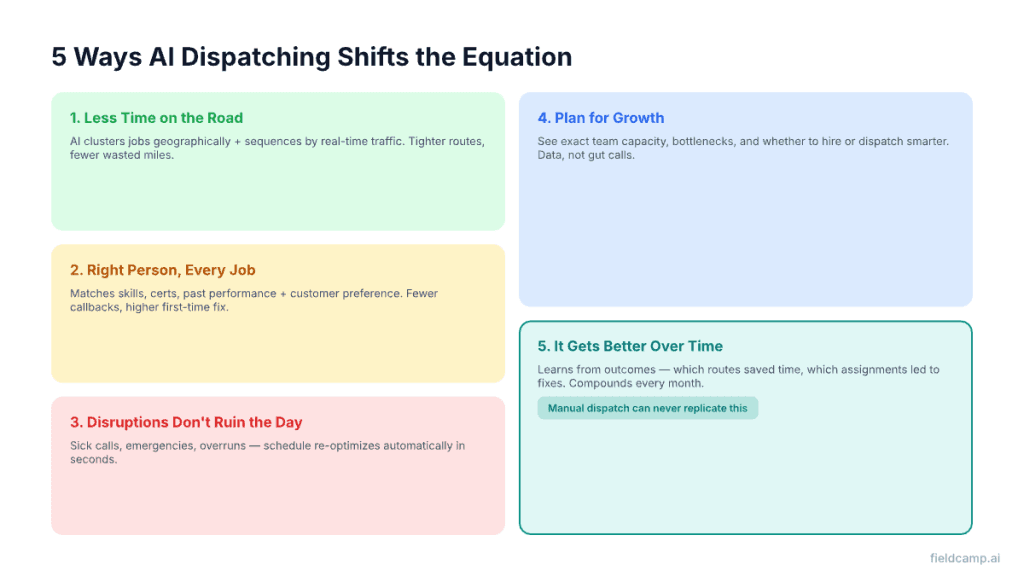
AI clusters jobs geographically and sequences them based on real-time traffic and technician location. The result is tighter routes with fewer wasted miles, often enough to fit an extra job or two into each tech’s day without extending hours.
A junior HVAC tech shouldn’t be dispatched to a commercial chiller repair when someone qualified is 10 minutes away. AI matches jobs to technicians based on skills, certifications, past performance, and even which tech the customer prefers. Fewer mismatches means fewer callbacks and higher first-time fix rates.
Two emergency calls come in. Someone calls in sick. A 90-minute job turns into a three-hour one. With manual dispatch, that’s 45 minutes of frantic reshuffling.
With AI, the schedule re-optimizes on its own, the nearest qualified tech gets rerouted, ETAs update automatically, and the day keeps moving. See emergency job handling for how urgent jobs get prioritized without derailing the schedule.
AI dispatching shows you exactly how much capacity your team has, where the bottlenecks sit, and whether you need to hire or just dispatch smarter.
Can you absorb that new commercial contract? What happens to response times if volume jumps 15%? These become answerable questions, not gut calls. See capacity planning with AI for the full framework.
Unlike a static rulebook, AI dispatching learns from outcomes. Which assignments led to first-time fixes? Which routes actually saved time? Which job types consistently run overestimate?
Over months, the system sharpens. Your dispatching doesn’t just stay efficient, it compounds. That’s an advantage manual dispatch can never replicate.
“We used to lose an hour every morning just figuring out who goes where. Now the schedule’s ready before I finish my coffee. Our techs are doing two more jobs a day on average, and we stopped hearing complaints about late arrivals.” — Operations manager, 30-person HVAC and plumbing company using FieldCamp
Not even close.
Automated scheduling follows rigid if-then rules: “If the customer is VIP, assign senior tech.” It cannot adapt, learn, or optimize beyond programmed parameters. Think of it as a sophisticated alarm clock, reliable but inflexible.
AI dispatching employs machine learning models that discover optimal patterns from data.
After analyzing 1,000 HVAC emergency calls, it might be discovered that one technician performs 23% better on heat pump issues between 2–5 PM, while another excels at gas furnace problems before noon.
No human would program these granular rules, but AI identifies and acts on them.
| Automated Scheduling | AI Dispatching | |
|---|---|---|
| Adaptation | Requires manual updates | Self-improves |
| Complexity | Breaks with edge cases | Handles exceptions gracefully |
| Prediction | Reacts to known patterns | Predicts unknown scenarios |
| Optimization | Single metrics | Multiple objectives balanced |
For a deeper look at how AI scheduling works under the hood, see AI-powered scheduling.
This is why AI-generated schedules consistently outperform human-generated ones:
A human dispatcher processes maybe 5 of these at once. The AI weighs all of them in under a second.
With FieldCamp, AI dispatching isn’t a bolt-on; it’s woven into how every job gets scheduled and assigned.
A job comes in from a call, an online booking, or a recurring visit. The system captures service type, location, priority, and skill requirements. FieldCamp’s AI Receptionist handles inbound calls 24/7, so no lead goes unanswered.
AI evaluates your team, checking each tech’s current location, certifications, workload, and remaining capacity. It accounts for multi-day jobs if the work spans more than one visit.
The best-fit tech gets assigned to their route optimized to fold in the new stop cleanly.
Everyone stays informed: the tech gets a mobile notification, the customer gets an ETA, and your dispatcher sees it all on the dispatch calendar with full override capability. Customers can also self-book through FieldCamp’s online booking without calling in.
The system learns job duration, travel time, customer feedback, and completion data, all of which feed back into the next round of decisions. See how AI dispatching algorithms work for the full machine learning loop.
Small teams (5–15 techs): Your one dispatcher is juggling everything. AI takes the routine scheduling off their plate so they can focus on customers and exceptions.
Mid-size operations (15–50 techs): This is where manual dispatch begins to crack under the weight of skill matching, territory coverage, and workload balancing.
Large companies (50+ techs): At this scale, the gap between optimized and unoptimized dispatch is measured in hundreds of thousands of dollars a year. The capacitated vehicle routing problem isn’t theoretical anymore; it’s your Tuesday.
Industries seeing the biggest impact: HVAC, plumbing, electrical, pest control, landscaping, cleaning, and general contracting. See how it applies to HVAC dispatching specifically.
When dispatch runs manually, you’re blind to patterns hiding in your own data. You don’t notice that one technician gets overloaded every Friday. Or that your south-side routes run significantly less efficiently than your north-side ones.
Or that emergency calls between 2–4 PM are quietly wrecking the next morning’s schedule.
AI dispatching surfaces all of this through analytics and custom dashboards. Track utilization, watch live team locations, and spot bottlenecks before they become problems. Field service reporting software gives you this built-in visibility.
“My dispatcher knows our territory better than any algorithm.” They probably do. But they also take sick days, have off mornings, and max out at juggling a handful of variables. AI doesn’t replace that knowledge; it scales it and makes it available every day, not just on good ones.
“We’re too small for this.” If you’re running five or more techs and scheduling 20+ jobs a day, you’re already complex enough to see a difference.
“What if the AI gets it wrong?” It will, sometimes. That’s why your dispatcher can override any decision. The difference is that they’re starting from an optimized suggestion instead of a blank screen.
“We tried dispatch software before.” Traditional dispatch software digitizes the old process. AI dispatching rethinks it. There’s a real difference between a digital calendar and a system that actively solves your routing and scheduling problems. See AI dispatching vs. traditional dispatch software for the full comparison.
The smartest rollouts happen in phases:
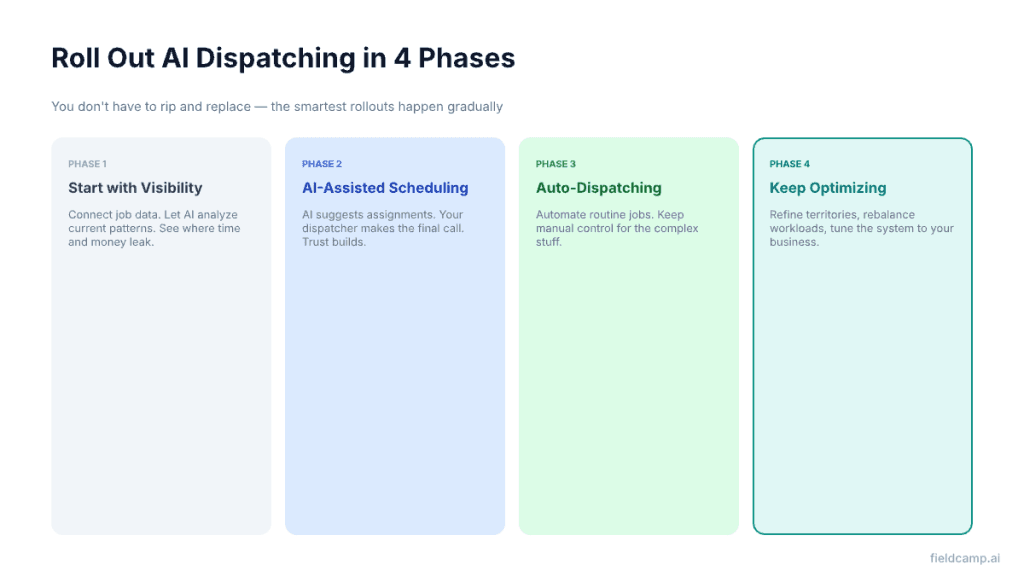
1. Start with visibility. Connect your job data and let the AI analyze your current patterns. You’ll see where time and money leak immediately.
2. Try AI-assisted scheduling. Let the system suggest assignments while your dispatcher makes the final call.
3. Turn on auto-dispatching. Once trust is built, automate routine jobs. Keep manual control for the complex stuff. FieldCamp’s AI workflow builder lets you automate the full job lifecycle, from booking to dispatch to invoice — without code.
4. Keep optimizing. Use analytics to refine territories, rebalance workloads, and tune the system to your business.
Not sure if AI dispatching is the right fit for your operation yet? Use the AI dispatch decision tree to find out.
Fewer delays. Less travel. Better technician match.
Here’s what teams gain when they switch to AI.
An AI dispatcher is an automated dispatching system that uses algorithms to assign jobs, plan routes, and update schedules automatically based on technician skills, locations, traffic, and priority, instead of relying on manual decisions.
It pulls data like job details, technician availability, maps, and past performance, then calculates the best technician‑job matches and route sequences in real time, continuously adjusting when cancellations, delays, or emergencies happen.
A human dispatcher relies on experience and manual tools to plan each job, while an AI dispatcher automates repetitive scheduling and routing tasks, leaving humans to focus on exceptions, customer issues, and strategic decisions.
AI dispatchers reduce drive time and fuel, cut scheduling errors, improve on‑time arrivals, and minimize idle gaps in technicians’ days, helping field service teams complete more jobs with the same headcount.
Yes, even small teams benefit because AI dispatching cuts manual scheduling time, reduces wasted driving, and helps a few technicians handle more jobs without adding extra staff.
Most modern AI dispatch tools connect to existing customer and job data, then start with simple rules and improve over time, so setup is usually a guided, step‑by‑step process rather than a big IT project.