
Best HVAC Invoicing Software in 2026: 7 Tools Compared
March 12, 2026 - 17 min read


March 12, 2026 - 17 min read

| TL;DR: HVAC contractors who switch from paper to digital invoicing get paid up to 4x faster and cut billing errors significantly. This guide compares the 7 best HVAC invoicing tools for 2026 FieldCamp leads for AI-powered automation, Jobber is the go-to for small teams, and ServiceTitan suits large enterprises. Whatever your team size, the right software pays for itself almost immediately in faster collections and recovered admin time. |
The average HVAC business owner spends 8-10 hours per week on invoicing and billing admin, that’s over 400 hours a year buried in paperwork instead of making calls. And the consequences go beyond wasted time: QuickBooks data shows contractors who switch from paper to digital invoicing get paid up to 4x faster.
At the same time, FreshBooks‘ analysis of 1 million+ invoices found that invoices with short payment terms get paid within 7 days nearly 60% of the time.
For HVAC contractors still printing invoices or filling out carbon copies, those numbers represent real revenue sitting uncollected.
This guide breaks down the 7 best HVAC invoicing software tools for 2026, with honest pricing, feature comparisons, and the specific capabilities that actually move the needle on cash flow.
What you’ll find below: a side-by-side comparison table, detailed reviews of each platform, must-have invoicing features, common billing mistakes to avoid, and answers to the most frequently asked questions about HVAC invoicing software.
If you prefer listening over reading, check out our spotify podcast above that covers all these tools in-depth.
KEY HIGHLIGHTS
HVAC Invoicing Software
| Software | Best For | Starting Price | Mobile App | QuickBooks Sync | AI Features | G2 Rating |
| FieldCamp | AI-powered automation | $35/user/mo | Yes, offline-capable | Yes, real-time | Yes, native | 4.8/5 |
| Jobber | Small teams (1-5 techs) | $49/mo | Yes | Yes | Add-on | 4.5/5 |
| ServiceTitan | Enterprise (50+ techs) | $250+/user/mo | Yes | Yes | Limited | 4.4/5 |
| HouseCall Pro | Home service basics | $79/mo | Yes | Yes | No | 4.3/5 |
| FieldEdge | QuickBooks-heavy shops | Custom | Yes | Yes, best-in-class | No | 4.2/5 |
| Service Fusion | Unlimited users | $192/mo flat | Yes | Yes | No | 4.3/5 |
| Workiz | Lead management | Custom | Yes | Yes | Yes, AI answering | 4.6/5 |
Manual invoicing doesn’t just slow you down; it costs real money in four measurable ways.
Manual invoicing costs HVAC businesses in four measurable ways:
The best HVAC invoicing tools share six core capabilities:
Pricing: $35/user/month (Pro) | Free trial available Best for: HVAC teams of 5-50 technicians wanting modern automation
FieldCamp takes a fundamentally different approach to HVAC invoicing. Instead of filling out forms, invoices are auto-generated by AI from job completion data, meaning your techs spend less time typing and more time on the next call.
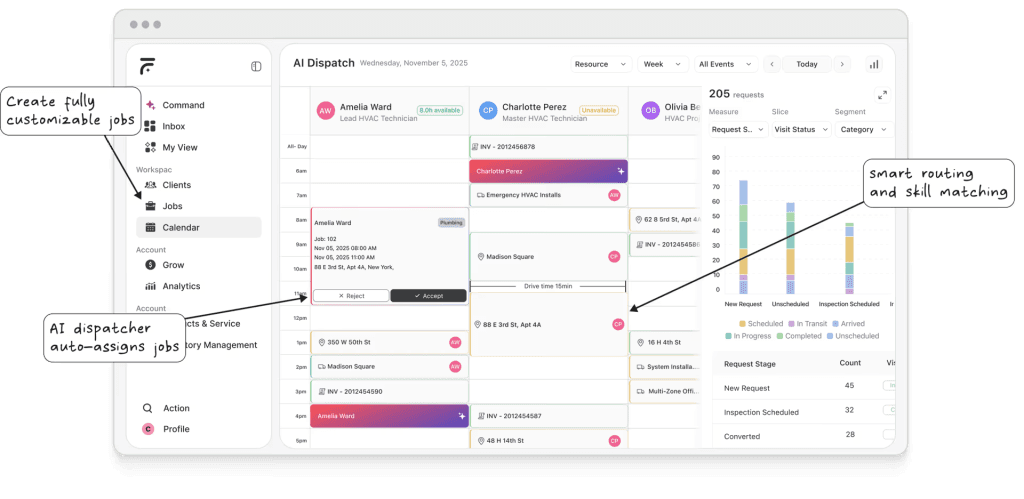
Here’s what invoicing looks like from a technician’s phone:
The whole process takes under 60 seconds from job completion to invoice sent. No office admin required.
Beyond invoicing, FieldCamp replaces 5-10 separate tools. AI-powered scheduling assigns the right tech to the right job. Route optimization cuts drive time. Dispatching runs automatically.
And estimates convert to jobs convert to invoices – one seamless estimate-to-cash workflow.
| Pros | Cons |
| AI eliminates manual invoice creation entirely | Best suited for residential/light commercial, not heavy industrial |
| Transparent pricing – no hidden fees or add-on charges | Fewer third-party integrations than others marketplace |
| Replaces 5-10 separate tools (CRM, scheduling, dispatching, invoicing) | |
| Excellent offline-capable mobile experience | |
| Conversational AI interface (“Send Mike’s invoice for the AC repair”) |
Verdict: For HVAC contractors tired of typing the same information into multiple systems, FieldCamp’s AI-first approach makes invoicing effectively disappear. Start your free trial
Pricing: $49/mo (Lite) | $149/mo (Grow) | $299/mo (Connect) Best for: Solo operators and teams of 1-5 techs
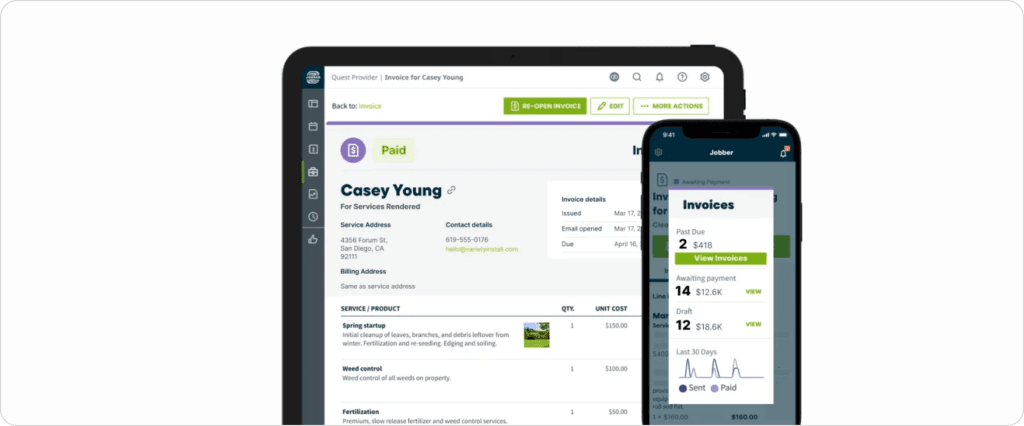
Jobber has become the default choice for small service businesses, and for good reason; it does the fundamentals well without overwhelming new users. You get job-to-invoice conversion in two clicks, batch invoicing for multiple jobs, automatic payment reminders, a client hub for self-service payments, and customizable templates with your company branding.
If you want a deeper look before committing, our Jobber review covers the platform honestly, and if it turns out Jobber isn’t quite the right fit, the Jobber alternatives page is a good next stop.
| Pros | Cons |
| Clean, intuitive interface with minimal learning curve | AI Receptionist costs extra ($29/mo add-on) |
| Reliable mobile app | Per-user pricing gets expensive as teams grow |
| Strong customer support (chat and phone) | Limited automation compared to AI-native platforms |
| Good client communication tools | No native route optimization |
Verdict: Jobber is excellent for HVAC contractors just starting to digitize. It won’t blow you away, but it won’t frustrate you either.
Pricing: $250+/user/month + implementation fees ($15K-$50K) Best for: HVAC companies doing $5M+ in annual revenue
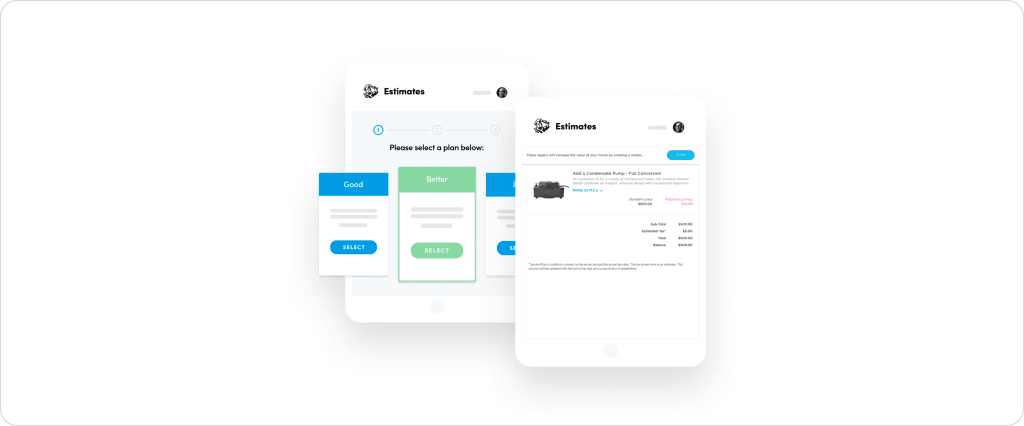
ServiceTitan is the enterprise standard in HVAC software. Their invoicing module integrates deeply with Pricebook Pro for estimate-to-invoice conversion, built-in financing through Greensky, Synchrony, and Wisetack, revenue and invoice analytics dashboards, multi-location billing, and membership/service agreement recurring billing.
If you’re weighing it seriously, our full ServiceTitan review breaks down what you actually get for the price and if the cost gives you pause, the ServiceTitan alternatives guide covers what else is worth considering.
| Pros | Cons |
| Most comprehensive feature set in the industry | Extremely expensive (total cost often $3K-$10K/month) |
| Excellent for commercial HVAC operations | 6-12 week implementation timeline |
| Strong integration ecosystem | Overkill for residential contractors under 20 techs |
| Detailed reporting and analytics | Frequent price increases and add-on fees |
Verdict: If you’re a large HVAC operation with dedicated admin staff and the budget to match, ServiceTitan delivers. Everyone else should look elsewhere. See how it compares: FieldCamp vs ServiceTitan.
Pricing: $79/mo (Basic) | $189/mo (Pro) Best for: General home service contractors
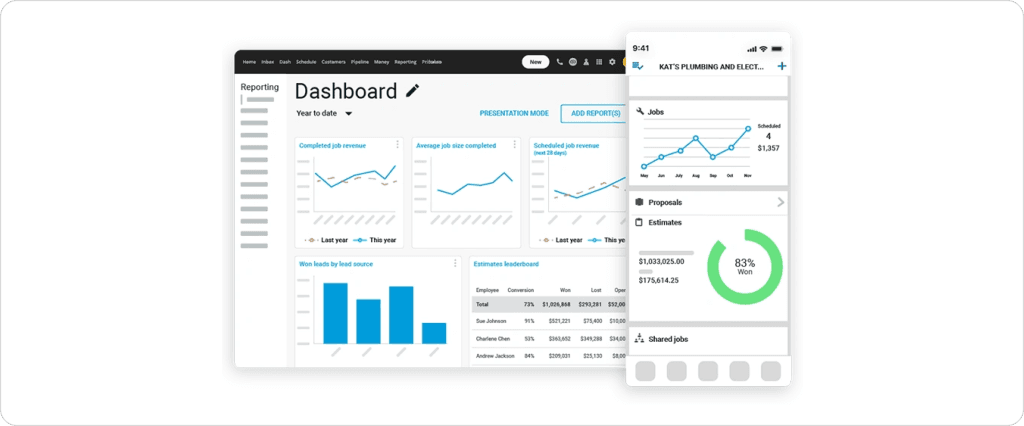
HouseCall Pro built its reputation on simplicity. The invoicing workflow is straightforward: one-click invoice creation from completed jobs, in-app credit card processing, automatic payment reminders, and built-in marketing tools like automated postcards and review requests.
Most users are up and running within 1-2 hours.
For a fuller picture of where it shines and where it falls short, read our HouseCall Pro review – or if you’re already on the fence, the HouseCall Pro alternatives guide lays out what else is worth a look.
| Pros | Cons |
| Easy to learn with minimal onboarding | No AI features |
| Good marketing features (postcards, reviews) | Limited customization options |
| Reasonable pricing for solopreneurs | QuickBooks sync can be inconsistent |
| Reliable mobile app | Less HVAC-specific than purpose-built tools |
Verdict: A dependable workhorse for home service contractors who don’t need advanced automation.
Pricing: Custom pricing (typically $100-200/user/month) Best for: HVAC shops heavily invested in QuickBooks
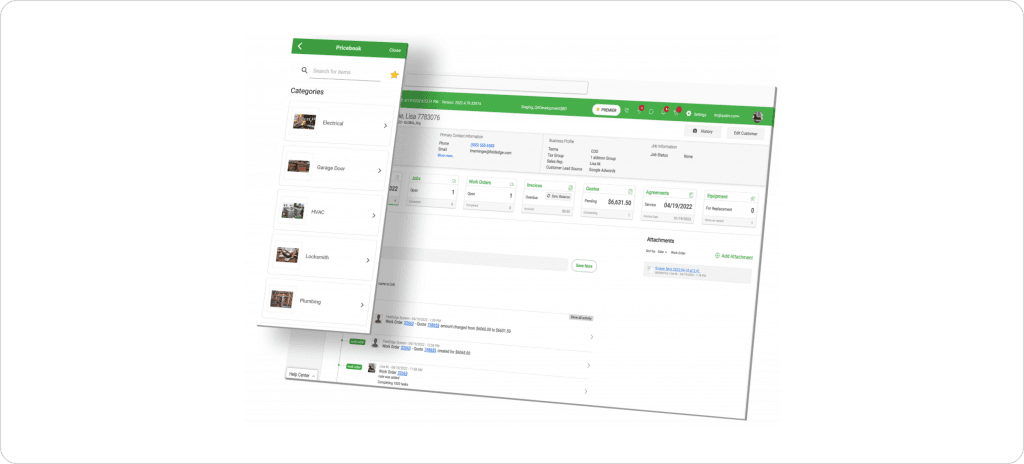
FieldEdge’s differentiator is their QuickBooks integration — real-time, two-way sync with both Desktop and Online editions, not a daily batch job. You also get a customer self-service portal, service agreement, recurring billing, equipment tracking with model/serial numbers on invoices, and flat-rate pricing book integration.
Before you book a sales call for pricing, it’s worth reading our FieldEdge review to see if it’s the right fit, and if the lack of transparency puts you off, the FieldEdge alternatives page covers tools with clearer pricing.
| Pros | Cons |
| Best-in-class QuickBooks integration | The mobile app can be slow |
| Purpose-built for HVAC (equipment tracking, pricebooks) | No route optimization or GPS tracking |
| Solid dispatch and scheduling | Pricing not transparent (requires sales call) |
| Good customer portal | Dated interface compared to newer tools |
Verdict: The right choice if QuickBooks integration is your #1 priority and you’re willing to sacrifice modern UX.
Pricing: $192/mo flat rate (unlimited users) Best for: Teams of 10+ who want predictable pricing
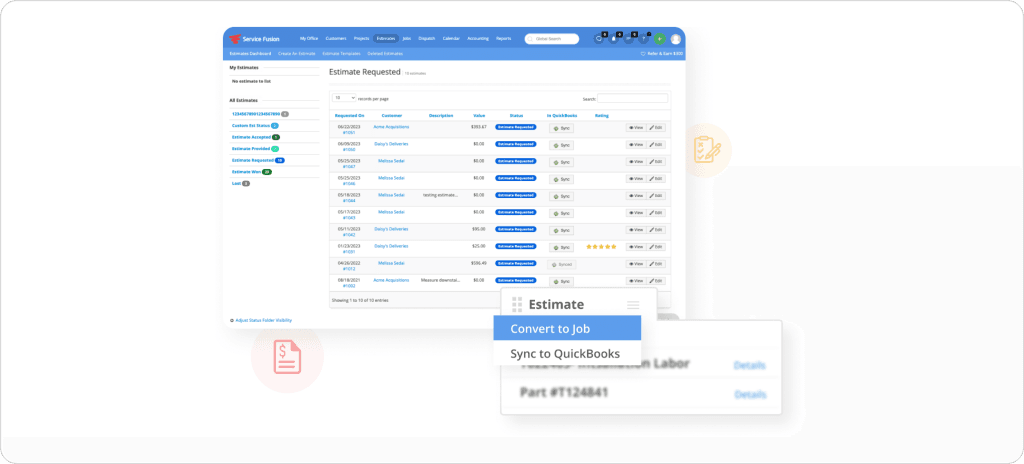
Service Fusion’s pricing model is its killer feature. One flat price, unlimited users, no surprises. You get mobile and desktop invoicing, a customer self-service payment portal, recurring invoicing for service agreements, and invoice delivery via email and text.
If you want to dig into the details before signing up, our Service Fusion review covers the platform top to bottom and if the dated interface or limited reporting is a dealbreaker, check out the Service Fusion alternatives for options that might suit you better.
| Pros | Cons |
| Unlimited users at one predictable price | Interface feels dated |
| Good value for larger teams | Reporting is basic |
| Responsive customer support | Users report occasional sync glitches |
| Solid fundamentals | No AI features |
Verdict: Hard to beat on price for teams with 10+ users. Accept the dated interface for predictable costs.
Pricing: Custom pricing (starts around $65/user/month) Best for: HVAC businesses focused on lead capture
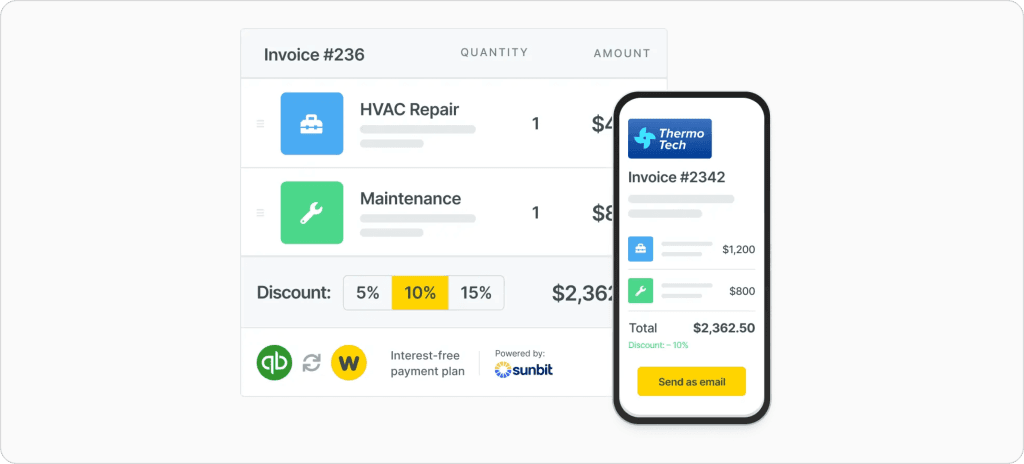
Workiz positions itself as a growth platform, not just invoicing software. You get mobile invoicing with built-in payment processing, an AI phone answering service for 24/7 lead capture, pipeline-style lead tracking, estimate-to-invoice conversion, and financing partner integrations.
| Pros | Cons |
| AI phone answering captures leads 24/7 | Less mature than established competitors |
| Strong lead management and tracking | Invoicing is functional but not exceptional |
| Good mobile app | Custom pricing requires a sales call |
| Solid customer communication tools | Some features are still in development |
Verdict: A good choice if lead capture is as important to you as invoicing.
Mobile invoicing: BuilderTrend’s payment data shows contractors using online payment processing get paid in an average of 15 days — compared to 30+ days with paper. If the app doesn’t work reliably on a phone, skip it.
Integrated payment processing: Built-in credit card and ACH processing is non-negotiable. Square’s invoicing platform reports that automated invoice reminders increase on-time payments by 39%. Letting customers pay matters immediately.
QuickBooks integration: Unless you want to do double entry forever, seamless accounting sync is essential. Look for real-time sync, not daily batches.
Automated payment reminders: The software should chase payments automatically at 3, 7, and 14 days overdue. This single feature often pays for the entire subscription. FieldCamp’s automated payment collection workflow handles this out of the box.
Professional invoice templates: Your invoices represent your business. They should include your logo, clear line items, and payment terms. Need one now? Grab a free HVAC invoice template.
Mistake #1: Waiting to invoice
Send invoices before the technician leaves the property. FreshBooks’ research on 1M+ invoices shows that shorter payment windows dramatically improve collection rates. Same-day invoicing is the single biggest lever you can pull.
Mistake #2: Offering only one payment option
Offer credit card, ACH, and financing. Different customers prefer different methods and the easier you make it, the faster you get paid.
Mistake #3: Vague line items
“HVAC service – $450” invites disputes. Instead: “AC coil cleaning + refrigerant top-off (2 lbs R-410A) + capacitor replacement.” Detailed invoices build trust and reduce callbacks.
Mistake #4: Manual payment follow-up
Set automatic reminders. Human follow-up doesn’t scale and feels awkward. Let the software handle it.
Mistake #5: Using local-only software
Always use cloud-based tools that sync in real-time. If your laptop dies or your truck gets broken into, your data should be safe in the cloud.
QuickBooks data is clear: contractors who go digital get paid up to 4x faster than those chasing paper. FreshBooks’ analysis of over a million invoices confirms that short payment terms and digital delivery dramatically improve collection rates.
The math isn’t close.
For AI-powered automation with transparent pricing, FieldCamp is the clear choice – invoices generate themselves from completed jobs, sync to QuickBooks automatically, and your techs never touch a form.
For small teams wanting simplicity, Jobber works well. For enterprise operations with big budgets, ServiceTitan has the features.
Whatever you choose, stop chasing paper. Your weekends and your cash flow will thank you.
Get Paid Before Your Tech Leaves the Driveway
FieldCamp auto-generates invoices from completed jobs, collects payment on-site, and syncs to QuickBooks automatically
FieldCamp is the best HVAC invoicing software for 2026. It offers AI-powered invoice generation, mobile payment collection, real-time QuickBooks sync, and transparent pricing at $35/user/month with a free tier to start. For small teams on a tight budget, Jobber ($49/month) is a solid alternative.
HVAC invoicing software costs between $0 (free tiers) and $250+/user/month (enterprise). The most popular options: FieldCamp costs $35/user/month, Jobber costs $49-299/month, HouseCall Pro costs $79-189/month, and Service Fusion costs $192/month flat for unlimited users.
Yes. All modern HVAC invoicing software includes mobile apps for iPhone and Android. FieldCamp, Jobber, HouseCall Pro, and FieldEdge let technicians create, send, and collect payment on invoices directly from the job site. The best apps (FieldCamp, Jobber) work offline and sync when connected.
Most HVAC invoicing software integrates with QuickBooks Online and Desktop. FieldEdge offers the best real-time two-way sync. FieldCamp, Jobber, ServiceTitan, and HouseCall Pro also provide QuickBooks integration. Verify whether sync is real-time or daily batch before choosing.
To get paid faster on HVAC invoices: (1) Invoice immediately after job completion, (2) Offer credit card, ACH, and Apple Pay options, (3) Enable automatic payment reminders, (4) Use a customer portal for self-service payment, and (5) Offer financing for large installations. HVAC contractors using mobile invoicing software get paid 2-4x faster than those using paper.
Yes. FieldCamp offers a free tier with core invoicing features. Invoice Ninja and Wave also offer free invoicing. However, free plans typically lack automated reminders, integrated payment processing, and QuickBooks sync. Most HVAC contractors find paid plans worth the investment for faster payments.
A professional HVAC invoice should include: company name, logo, and contact information; customer name and service address; invoice number and date; itemized labor and parts with quantities and prices; equipment model/serial numbers serviced; total amount due with payment terms; accepted payment methods; and warranty information if applicable.