
10 Best ServiceTitan Alternatives in 2026 (Tested & Compared)
March 26, 2026 - 22 min read


March 26, 2026 - 22 min read

Table of Contents
Best ServiceTitan Alternative by Category:
Looking for ServiceTitan alternatives because ServiceTitan is too expensive or too complex for your team? You’re not alone. We compared 10 ServiceTitan competitors on pricing, ease of use, and automation to help you find software like ServiceTitan, without the enterprise price tag.
ServiceTitan is powerful, but is ServiceTitan worth it for small businesses? For most teams under 20 techs, the answer is no. If you’re feeling the pinch of ServiceTitan pricing or drowning in features you’ll never use, here’s who we recommend:
Who Should STAY with ServiceTitan:
Prefer listening? We broke down the top ServiceTitan alternatives in a quick podcast episode.
| Tool | Best For | Starting Price | AI Features | Team Size |
| FieldCamp | Automation & AI dispatch software | Custom pricing | Yes (native) | 5-50 techs |
| Jobber | ServiceTitan alternative for small teams | $29/month | No | 2-15 techs |
| Housecall Pro | Home service businesses | $79/month | Limited | 2-15 techs |
| Service Fusion | Flat-rate pricing FSM | $245/month | No | 10-30 techs |
| FieldEdge | FSM with QuickBooks integration | ~$100+/user | No | 5-20 techs |
| Workiz | Lead tracking and call recording | Free-$295/month | Pro tier | 5-15 techs |
| Kickserv | Cheaper than ServiceTitan | $19/month | No | 1-5 techs |
| mHelpDesk | FSM with offline mode | $169/month | No | 5-15 techs |
| ServiceMax | Asset-centric commercial | $59+/user | Some | 10-50 techs |
| Connecteam | Workforce management | Free-$99/month | No | 5-50 techs |
While ServiceTitan is a strong solution tailored for large field service enterprises, many smaller and medium-sized businesses find themselves questioning whether it’s the right fit.
Here’s why you might be considering an alternative:
ServiceTitan doesn’t list pricing publicly. Based on contractor reports and industry data, here’s what a 10-technician team actually pays:
| Software | Monthly Cost (10 techs) | Year 1 Total | Annual Savings vs ServiceTitan |
|---|---|---|---|
| ServiceTitan | $3,500-$4,000 | $57,000-$63,000 | — |
| FieldCamp | Custom | Custom | ~$40,000-$50,000 |
| Housecall Pro | $14,400-$20,400 | $8,400-$12,000 | ~$37,000-$48,000 |
| Jobber | $150 – $250 | $1,800-$3,000 | ~$55,000-$60,000 |
| Service Fusion | $245 (flat, unlimited users) | $2,940 | ~$54,000-$60,000 |
| Kickserv | $119-$199 | $1,428-$2,388 | ~$55,000-$61,000 |
Key takeaway: Even the most expensive alternative on this list (Housecall Pro at ~$20K/year) costs 60-70% less than ServiceTitan in Year 1. For teams under 20 techs, switching saves $37,000-$60,000 annually.
We’ve talked to dozens of service business owners who’ve switched. Here are some common reasons why ServiceTitan isn’t worth it for many small and mid-sized teams:
1. ServiceTitan is too expensive for small businesses
ServiceTitan pricing typically runs $8,000-15,000+ annually. One HVAC contractor told us he was paying over $4,000/month for a 12-person team. For teams under 20 techs, there are options cheaper than ServiceTitan that deliver 90% of the value.
2. ServiceTitan is too complex for most operations
You’re paying for 200 features and using 30. If you’re running 15 or fewer techs, you’re using enterprise tools designed for companies ten times your size. Most teams need something simpler than ServiceTitan.
3. ServiceTitan’s learning curve is brutal
Implementation takes 2-3 months. Comparing ServiceTitan vs simpler alternatives like Jobber or Housecall Pro, most teams get operational in days rather than months.
4. Once you’re in, you’re in
Annual contracts mean you’re committed even if the fit isn’t right. Many ServiceTitan competitors offer month-to-month flexibility.
You can also check our detailed Servicetitan reviews where we have gave our honest feedback by considering multiple review platforms and also tested ServiceTitan itself.
| If ServiceTitan Fails You Here | Consider This | Why |
| ServiceTitan too expensive | Jobber, Kickserv, Housecall Pro | Budget-friendly than ServiceTitan |
| ServiceTitan too complex | Housecall Pro or Jobber | Simpler than ServiceTitan |
| Want automation and better AI dispatch software | FieldCamp | Native AI at accessible pricing |
| Need flat-rate pricing for FSM | Service Fusion | Unlimited users per tier |
| Need FSM with QuickBooks integration | FieldEdge | Deep accounting sync |
| Want call tracking like ServiceTitan | Workiz | Built-in call recording |
Best for: Mid-size field service teams (1-50 techs) who want AI-powered dispatching, automated scheduling, and a platform that replaces ServiceTitan’s complexity with simplicity.
FieldCamp fills the gaps ServiceTitan leaves open. The AI Receptionist answers customer calls 24/7 and books jobs automatically. ServiceTitan tracks calls, but someone still has to pick up the phone.
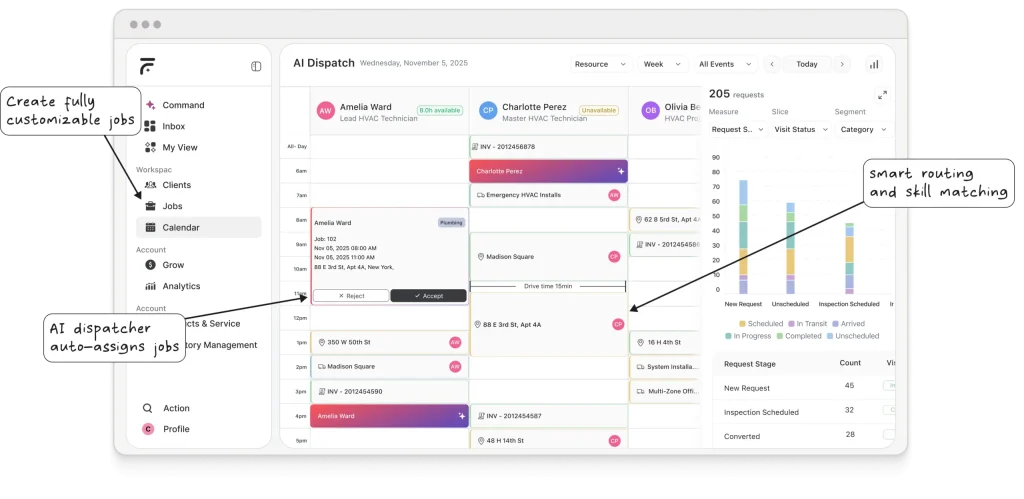
Where ServiceTitan stops at tracking, FieldCamp closes the loop. Workflow automation turns job completion into invoices, reminders into follow-ups, and missed calls into booked appointments, automatically.
Using free workflow templates will lead to fewer admin tasks, more revenue without extra headcount.
The AI Command Center lets you manage your business in simple language without clicking through five screens to schedule one job. And while ServiceTitan needs 2-3 months to implement, most teams go live with FieldCamp in days.
What stands out:
Quick Verdict: If you’re comparing FieldCamp vs ServiceTitan, FieldCamp delivers AI automation without the enterprise price tag or 3-month implementation.
You’re Paying $57K/Year. For What?
ServiceTitan charges enterprise prices for features you’ll never use. FieldCamp gives you AI dispatch, scheduling, and CRM — without the 3-month onboarding nightmare.
Who it’s best for: Teams (5-50 techs) wanting AI dispatch software that’s simpler and cheaper than ServiceTitan.
Who should avoid it: Enterprise operations needing call recordings.
Pricing: Pay only for what you need, which requires you to book a demo for custom quotes.
New to FieldCamp? Check the getting started guide.
| Pros | Cons |
| AI handles complex scheduling | No published pricing |
| Days to implement | No call tracking |
| Simpler than ServiceTitan | One-week AI adjustment |
| Scales 5 to 50+ techs |
Best for: Small teams (2-15 techs) who need simple scheduling, invoicing, and quoting — operational in 1 day with zero learning curve.
Jobber is the Honda Accord of field service software. Not flashy, but reliable and gets the job done without drama.
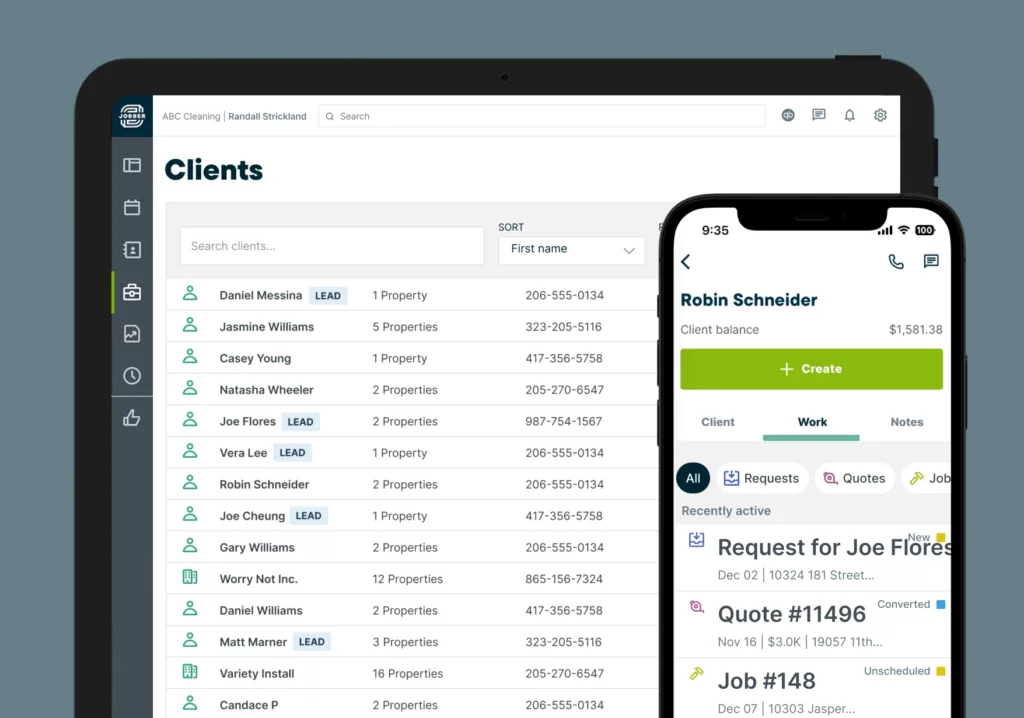
If you’re comparing ServiceTitan vs Jobber, here’s the difference: Jobber does core things well without trying to do everything. Scheduling, estimates, invoicing, payments, all essentials without the bloat. Your team gets operational in a day, not months. The client hub lets customers view quotes and pay online, creating a professional experience without ServiceTitan’s complexity.
What stands out:
Quick Verdict: Best ServiceTitan alternative for small businesses wanting simplicity. If ServiceTitan is too complex for your team, Jobber is the answer.
Who it’s best for: Small teams (2-15 techs) who find ServiceTitan overwhelming.
Who should avoid it: Teams needing AI dispatch software or planning to scale beyond 20 techs.
Pricing: Core $29/month, Connect $99/month, Grow $149/month
| Pros | Cons |
| Much simpler than ServiceTitan | No AI dispatching |
| Operational in a day | Basic reporting |
| Clean interface | Limited automation |
| Strong customer portal | May outgrow at 15-20 techs |
Want the full breakdown? Read our Jobber review or explore Jobber alternatives. In case you are still not satisfied with the Jobber reviews and alternatives guide, refer to our comparison guide on Jobber vs FieldCamp to get an overall idea.
Best for: Home service businesses that prioritize online booking, marketing automation, and customer communication over dispatching complexity.
Housecall Pro figured out that residential contractors need marketing help, not just scheduling software.
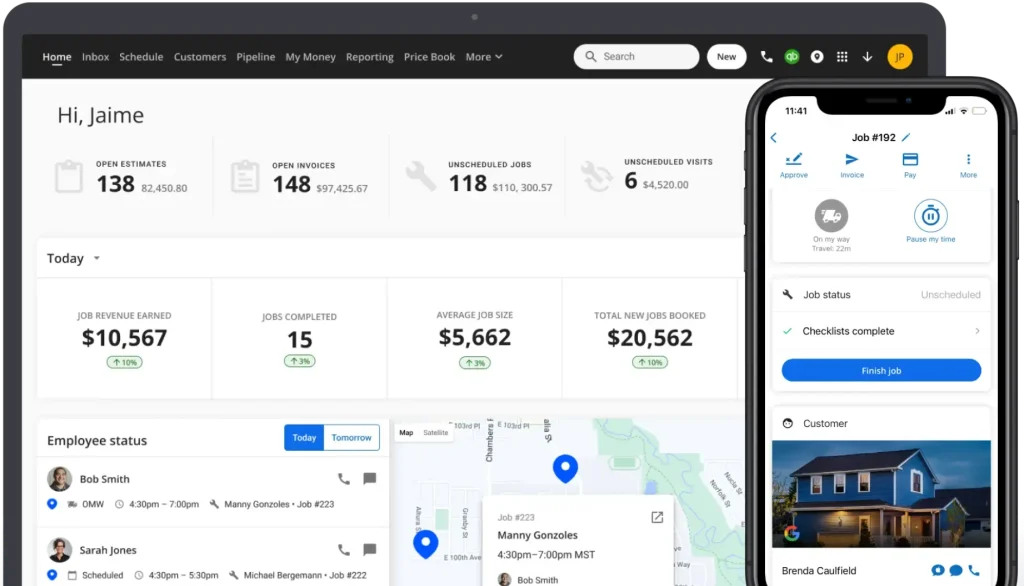
Comparing ServiceTitan vs Housecall Pro for small teams? Housecall Pro wins. It combines operations with customer acquisition, review generation, postcard campaigns, and online booking, without ServiceTitan’s complexity. For contractors where Google reviews drive business, this operations-plus-marketing combo matters.
What stands out:
Quick Verdict: Better than ServiceTitan for small residential teams wanting marketing tools without enterprise complexity.
Who it’s best for: Home service teams (2-15 techs) wanting simpler software like ServiceTitan but with marketing built in.
Who should avoid it: Commercial operations or teams scaling beyond 20 techs.
Pricing: Basic $79/month, Essentials $189/month, Max $329/month: cheaper than ServiceTitan for small teams.
| Pros | Cons |
| Marketing + operations combined | No AI dispatching |
| Professional customer portal | Limited workflow automation |
| Much simpler than ServiceTitan | Higher tiers for full features |
| Good community | Not for commercial |
See how it stacks up in our Housecall Pro review or browse Housecall Pro alternatives.
Best for: Teams of 10-30 techs who want flat-rate pricing ($225/month unlimited users) without per-technician fees eating into margins.
Service Fusion’s headline: flat-rate pricing for FSM regardless of team size, unlike ServiceTitan’s per-technician costs.
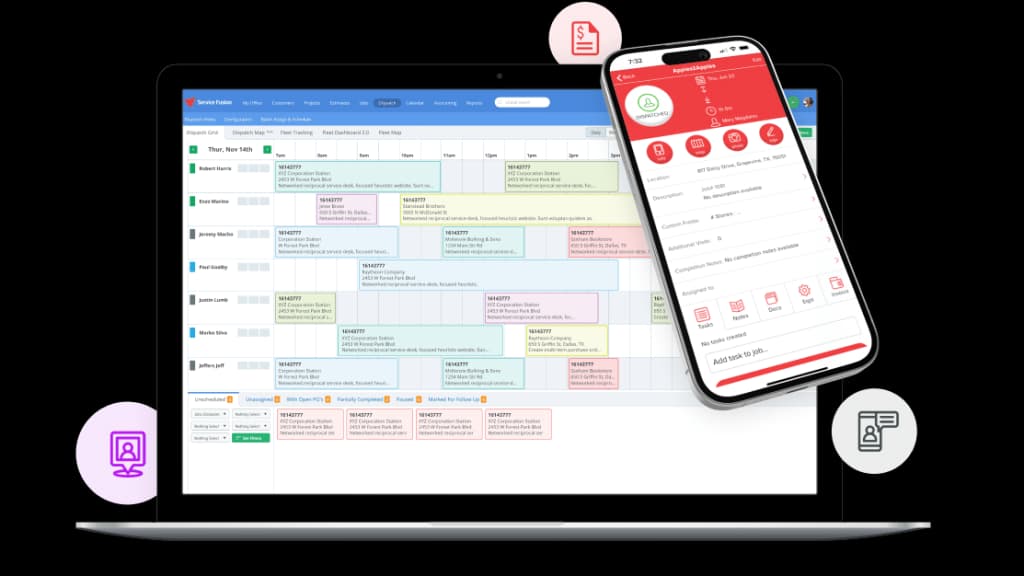
A 20-person team pays $575/month (~$6,900/year) vs potentially double that with ServiceTitan pricing. It includes field service GPS tracking, truck-level inventory, and QuickBooks integration. Interface feels dated, but for teams where ServiceTitan is too expensive, the savings are substantial.
What stands out:
Quick Verdict: Best ServiceTitan competitor for mid-sized teams wanting comprehensive features with predictable flat-rate pricing.
Who it’s best for: Teams (10-30 techs) who find ServiceTitan too expensive, who want fleet tracking without per-user anxiety.
Who should avoid it: Teams wanting modern UI or AI dispatch software.
Pricing: Starter $245/month, Plus $382/month, Pro $627/month, all unlimited users.
| Pros | Cons |
| Pocket-friendly than ServiceTitan at scale | Dated interface |
| Solid GPS fleet tracking | No AI features |
| Reliable QuickBooks integration | Mobile app needs work |
| No long-term contracts | Steeper learning curve |
Flat-rate pricing sounds good, but want to compare? Read our Service Fusion review or check out Service Fusion alternatives.
Best for: HVAC and plumbing companies (10-25 techs) who need deep QuickBooks integration and industry-specific dispatching.
If your business lives in QuickBooks, FieldEdge offers the deepest FSM with QuickBooks integration available.
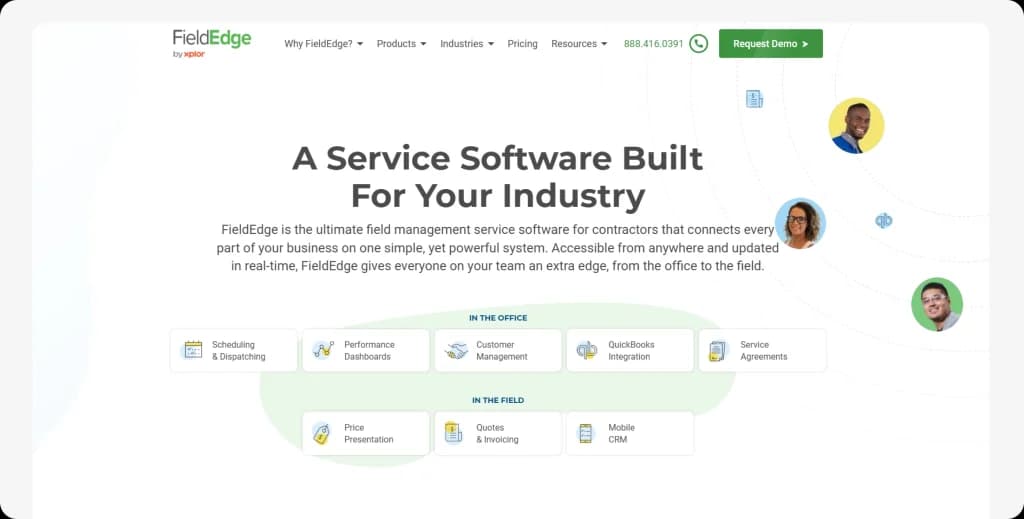
Two-way sync handles customers, invoices, and payments automatically. For teams where ServiceTitan’s QuickBooks connection feels clunky, FieldEdge is purpose-built for accounting-driven operations. Pricebook features standardized margins, and service agreement tracking handles maintenance contracts.
What stands out:
Quick Verdict: Best FSM with QuickBooks integration for contractors running finances through QuickBooks.
Who it’s best for: Teams (5-20 techs) needing bulletproof QuickBooks sync.
Who should avoid it: Teams wanting transparent pricing or AI dispatch software.
Pricing: Not public. Estimates: ~$100/month per office user + $125/month per tech.
| Pros | Cons |
| Best QuickBooks integration | No transparent pricing |
| Strong pricebook features | Mixed support reviews |
| Good service agreement tracking | Dated interface |
| Established platform | No AI features |
ServiceTitan vs FieldEdge: Both target mid-to-large teams, but FieldEdge offers deeper QuickBooks integration at roughly half the cost. ServiceTitan wins on marketing automation; FieldEdge wins on accounting sync.
QuickBooks integration is key, but is FieldEdge the one? Get the details in our FieldEdge review or explore FieldEdge alternatives.
Best for: Service businesses looking for a free starting tier with the option to scale into paid plans as the team grows.
Workiz focuses on lead management with call tracking, the ServiceTitan feature that most alternatives lack.
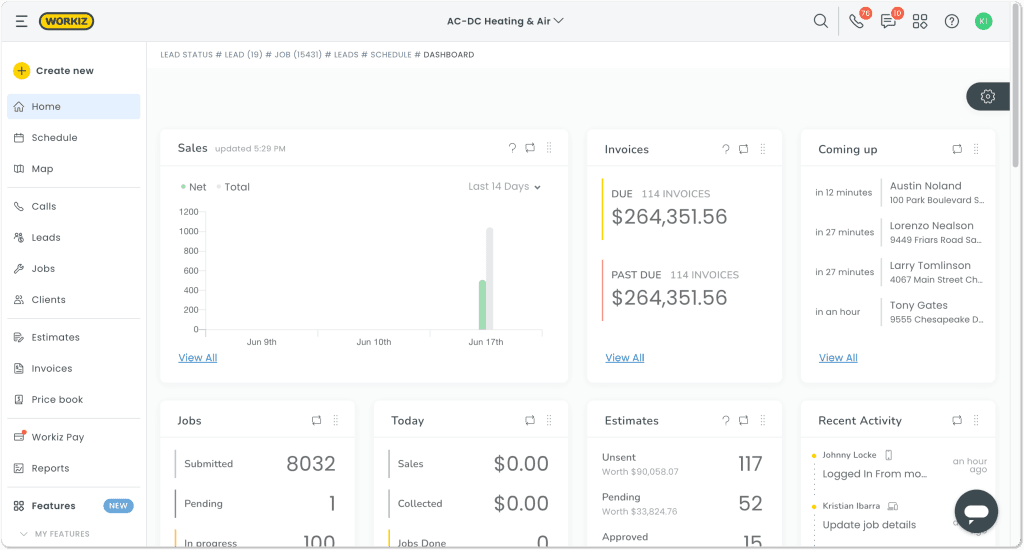
Built-in call recording shows which marketing generates calls and paying customers. For locksmiths, garage door, and appliance repair where phones drive business, Workiz delivers software like ServiceTitan’s call tracking at mid-market pricing.
What stands out:
Quick Verdict: Closest ServiceTitan competitor for call tracking at affordable pricing.
Who it’s best for: Lead-heavy businesses (5-15 techs) wanting call tracking like ServiceTitan without enterprise cost.
Who should avoid it: Teams prioritizing AI dispatch software.
Pricing: Lite free (2 users), Standard $229/month, Pro $270/month.
| Pros | Cons |
| Call tracking (rare among alternatives) | Limited vs AI platforms |
| Strong lead management | Cluttered interface |
| Free plan available | Reporting could improve |
| Good value | Learning curve |
Best for: Budget-conscious teams (1-10 techs) who need basic job management, scheduling, and invoicing at the lowest possible cost ($19/month).
At $19/month, Kickserv is the most affordable ServiceTitan alternative for teams where ServiceTitan pricing is absurd for their size.
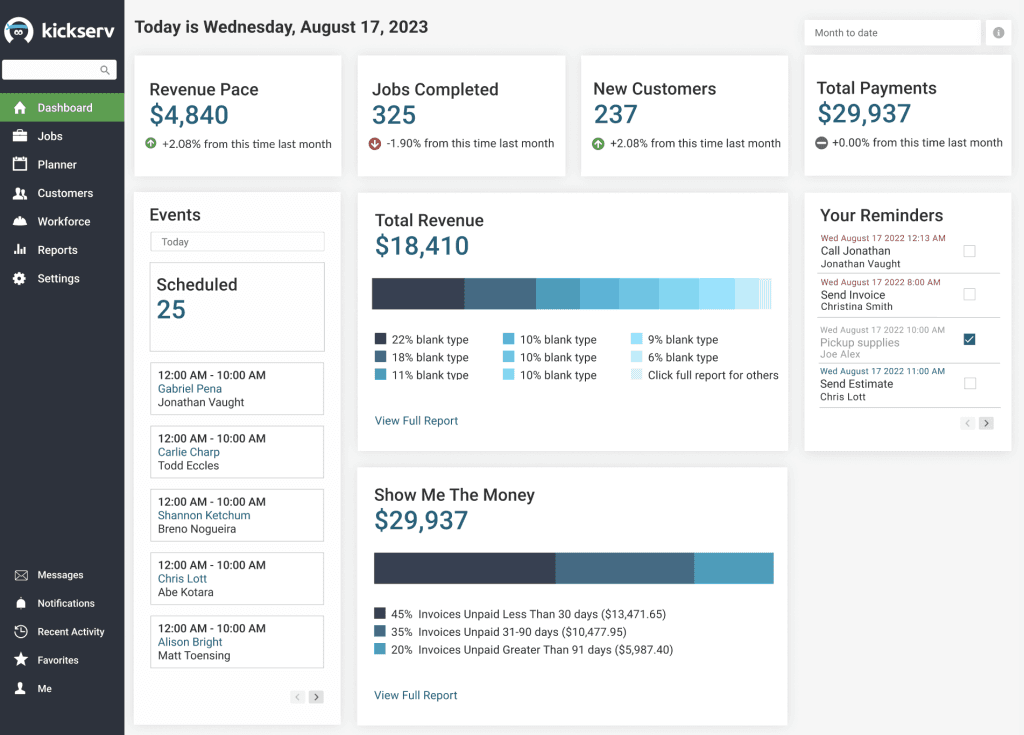
Basic scheduling, estimates, invoices, and a mobile app. No AI, no deep reporting, just core operations. For solo operators testing FSM before committing to pricier platforms, Kickserv removes financial risk.
What stands out:
Quick Verdict: Cheapest ServiceTitan alternative. Basic field service management that works.
Who it’s best for: Startups (1-5 techs) finding ServiceTitan too expensive.
Who should avoid it: Teams planning growth or needing automation.
Pricing: Start $60/month (5 users), Run $119/month (10 users), Scale $199/month (20 users).
| Pros | Cons |
| Much cheaper than ServiceTitan | Limited features |
| Easy to learn | No automation |
| Good for testing FSM | Basic reporting |
| No commitment | Outgrow at 5-8 techs |
ServiceTitan vs Kickserv: ServiceTitan costs 20x more but includes marketing tools and advanced reporting. Kickserv wins for teams under 5 techs who need basic scheduling without the enterprise price tag.
Best for: Enterprise field service operations (50+ techs) that need asset-centric service management and IoT integration — this is ServiceTitan’s only true enterprise competitor.
ServiceMax centers everything on equipment rather than jobs, ideal for commercial operations where ServiceTitan’s residential focus doesn’t fit.
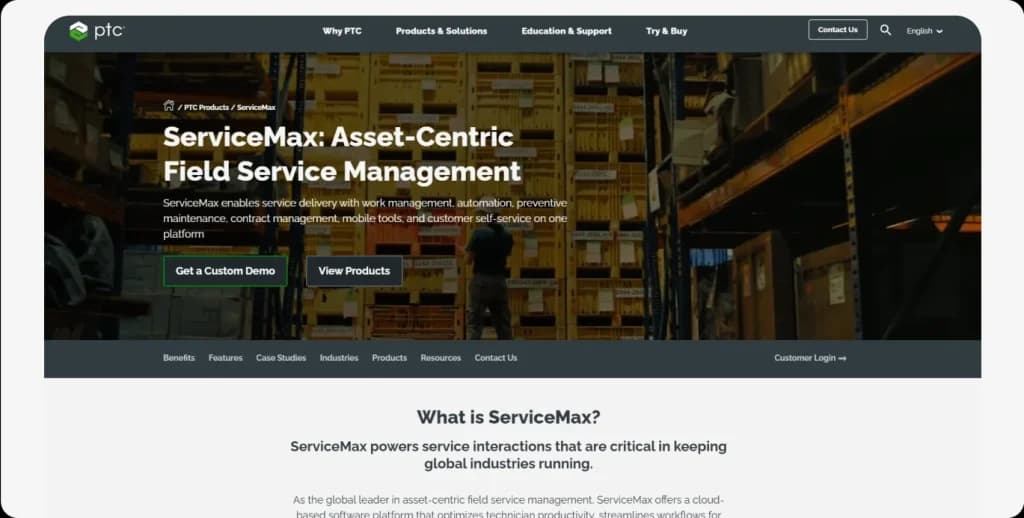
Equipment history, SLAs, and warranty status alongside every work order. Overkill for residential, but essential for medical devices, manufacturing equipment, or commercial HVAC with maintenance contracts.
What stands out:
Quick Verdict: Enterprise ServiceTitan competitor for asset-centric commercial operations.
Who it’s best for: Commercial teams (10-50 techs) managing complex equipment.
Who should avoid it: Residential businesses or teams under 10 techs.
Pricing: Starting ~$59/user/month.
| Pros | Cons |
| Best asset management | Overkill for residential |
| Enterprise-grade features | Complex implementation |
| Salesforce ecosystem | Enterprise pricing |
| Equipment-focused | Not for simple scheduling |
Considering ServiceMax? Get the full breakdown in our ServiceMax review or see ServiceMax alternatives if it’s not the right fit.
Best for: Teams (5-50) that need workforce management first (time tracking, communication, training) and field service features second.
We won’t call Connecteam a field service management software; it’s workforce management for distributed field service technician teams.
Connecteam comes with a GPS time clock, team chat, checklists, and training. $29/month covers 30 users, which is much it is affordable than ServiceTitan for workforce tracking. Often used alongside job-focused FSM platforms for complete coverage.
What stands out:
Quick Verdict: Fair choice for workforce management, but not full FSM.
Who it’s best for: Operations (5-50 techs) prioritizing employee management over customer-facing features.
Who should avoid it: Teams needing dispatching, invoicing, or customer portals.
Pricing: Free (10 users), Basic $29/month (30 users), Advanced $49/month.
| Pros | Cons |
| Very affordable | Not full FSM |
| Strong GPS time tracking | No invoicing |
| Good communication | Need additional tools |
| Employee focus | Different category |
ServiceTitan vs Connecteam: These solve different problems. ServiceTitan is full FSM software; Connecteam is workforce management. If your main pain is team communication and time tracking (not dispatching), Connecteam at $29/month beats ServiceTitan’s $3,500+/month.
Need full FSM alongside workforce management? Read our Connecteam review or explore Connecteam alternatives that offer complete field service features.
Best for: Budget-conscious small teams (3-10 techs) that need offline-capable mobile access, custom reporting, and QuickBooks integration without enterprise complexity.
mHelpDesk is one of the older players in field service management, built by service pros for service pros. It won’t win any design awards, but it gets the job done for small operations that need scheduling, invoicing, and lead management in one place.
Where mHelpDesk shines is offline mode. Your techs can clock in/out, fill out job forms, and access job details even in basements or rural areas with zero connectivity. It also packs 34+ ready-made reports with full customization, which is surprisingly powerful for its price range. QuickBooks Desktop and Online integration keeps your books in sync without double entry.
What stands out:
Quick Verdict: Solid budget FSM for small teams, but the interface feels dated and you’ll likely outgrow it.
Who it’s best for: Small service teams (3-10 techs) running simple operations who need reliable offline access and strong reporting without paying enterprise prices.
Who should avoid it: Teams needing a modern UI, AI automation, inventory management, or advanced dispatching. If you’re scaling past 10 techs, you’ll hit mHelpDesk’s ceiling fast.
Pricing: Pro $169/month (up to 3 users, +$45/additional user), Growth $249/month (up to 8 users, +$40/additional user), Success $374/month (up to 10 users, +$35/additional user), Unlimited $499/month. No free plan. 7-day free trial available.
| Pros | Cons |
|---|---|
| Works offline on mobile | Dated, old-school interface |
| 34+ custom reports | Pricey per-user for small teams |
| Strong QuickBooks sync | No inventory management |
| Lead management built-in | Limited security/privacy features |
ServiceTitan vs mHelpDesk: ServiceTitan is enterprise-grade with marketing automation, advanced dispatching, and a priceline to match ($3,500+/month). mHelpDesk gives small teams the basics – scheduling, invoicing, reporting – at roughly 1/10th the cost. If you need offline mobile access and don’t need AI or advanced routing, mHelpDesk handles the fundamentals. But if you’re growing past 10 techs, neither mHelpDesk nor ServiceTitan may be the right fit – look at FieldCamp for the middle ground.
Want to see if mHelpDesk fits your operation? Read our mHelpDesk review for the full breakdown of features, pricing, and real user feedback.
We’re not here to trash ServiceTitan. It’s a powerful platform that makes sense for the right team. Stay with ServiceTitan if:
The Honest Truth:
If you’re reading this article, ServiceTitan probably isn’t the right fit for your team. Contractors who genuinely need ServiceTitan’s enterprise features usually aren’t searching for alternatives — they’re too busy using the platform. The fact that you’re here means you’re likely paying for features you don’t use.
For teams under 20 techs, FieldCamp, Jobber, or Housecall Pro will cover 90% of what you need at 50-90% less cost.
| If You Need… | Go With | Why |
| AI dispatch software | FieldCamp | Automated Workflows |
| Simpler than ServiceTitan | Jobber | Easiest to use |
| Marketing + operations | Housecall Pro | Built-in customer acquisition |
| Flat-rate pricing FSM | Service Fusion | Unlimited users |
| FSM with QuickBooks integration | FieldEdge | Deepest sync |
| Call tracking like ServiceTitan | Workiz | Built-in recording |
| Cheaper than ServiceTitan | Kickserv | $19/month |
| FSM with offline mode | mHelpDesk | Reliable offline |
| Asset-centric operations | ServiceMax | Equipment focus |
| Team communication | Connecteam | $29/month for 30 users |
Is ServiceTitan worth it? For enterprise operations, yes. For teams under 20 techs, probably not.
Here’s the honest breakdown:
1. Want AI dispatch software? FieldCamp, better than ServiceTitan for automation without complexity
2. ServiceTitan too complex? Jobber, simpler than ServiceTitan, is operational in a day
3. Want marketing tools? Housecall Pro, better than ServiceTitan for small home service
4. ServiceTitan too expensive? Service Fusion, flat-rate pricing, FSM saves thousands
5. Tight budget? Go with Kickserv because ServiceTitan is $19/month
Most ServiceTitan competitors offer free trials. Test a few, see what fits.
The Best Time to Switch Was Last Year. The Second Best Time Is Now.
Contractors who moved on from ServiceTitan aren’t looking back.
For AI dispatch software, FieldCamp. For simplicity, Jobber (ServiceTitan vs Jobber, Jobber wins on ease). For marketing, Housecall Pro.
Usually not. ServiceTitan pricing ($8,000-15,000+/year) and complexity are overkill for teams under 20 techs. Jobber, Housecall Pro, or FieldCamp delivers better value.
Everything on this list. Kickserv starts at $19/month. Service Fusion offers flat-rate pricing for FSM at $225/month for unlimited users. Most alternatives cost 50-80% less.
FieldCamp offers native AI dispatch software with automated scheduling and workflow automation. Workiz has AI in the Pro tier.
FieldEdge offers the deepest FSM with QuickBooks integration, real-time two-way sync for Desktop and Online.