
*A voicemail replacement AI receptionist answers every incoming call instantly, 24/7, with a natural conversational voice instead of a dead-end beep—and for field service, FieldCamp Voice ends the call as a booked job with the right technician suggested when FieldCamp AI Dispatcher is configured, not a message someone re-keys in the morning. It engages callers on the first ring, answers questions from your own business data, and captures details or books the work in real time.
How does an AI receptionist replace voicemail?
Voicemail is a dead end. The phone rings out, the caller hears a recording, and most of them hang up and dial the next name on the list. An AI receptionist closes that gap by picking up the call the way a CSR would—answering in your business name, holding a real conversation, and doing something with the call before it ends.
For an HVAC or plumbing shop, that difference is a booked no-heat job at 11 PM instead of a voicemail you find at 7 AM after the customer already called a competitor. The FieldCamp AI Receptionist answers, screens the call against your emergency rules, and books it. Here is how it beats voicemail, point by point.
How AI beats voicemail for field service
- Answers calls 24/7: the voice agent picks up—including concurrent calls in a heatwave surge, up to your plan’s concurrent-call limit—so callers get a conversation, not a beep.
- Books the job and suggests the right tech, not just a time slot: the voice agent asks FieldCamp AI Dispatcher who should go—matched on skill, zone, capacity and drive time—so the job lands on the schedule with a suggested tech.
- Triages emergencies on your rules: a burst pipe or a no-cool at 89°F is screened against the emergency definitions your shop sets; unsure classifications can be handed to a person instead of guessed.
- Leaves a structured job and transcript, not audio: every call ends as a logged record—captured fields, transcript and recording on the customer—so nobody rewinds a voicemail or re-keys a message.
The Receptionist reads the service address, equipment on file, open balance and last visit, so a returning caller recognized by caller ID is routed by their open job—not asked to repeat themselves.
How it works vs. traditional voicemail
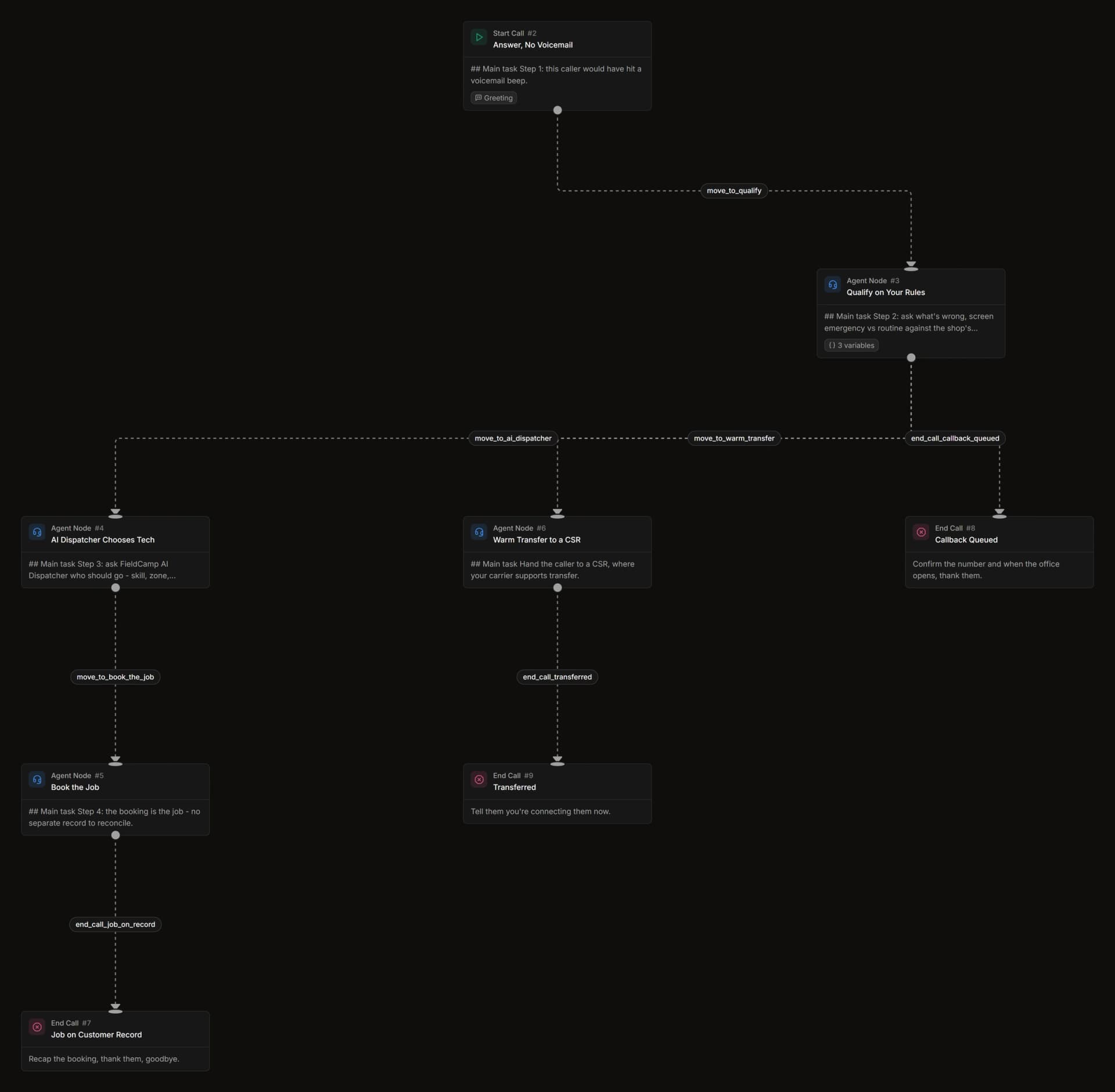
Only a handful of guides walk the call from ring to booked. Here is the full path a field service call takes through FieldCamp Voice, instead of rolling to a recording.
- The call is answered instantly. FieldCamp Call Flows applies your business hours, caller lookup and menus in the call flows you design, with a voice agent at any step.
- The job is qualified on your rules. The voice agent asks what’s wrong, screens emergency versus routine against your definitions, and pulls the caller’s history when they match an existing record.
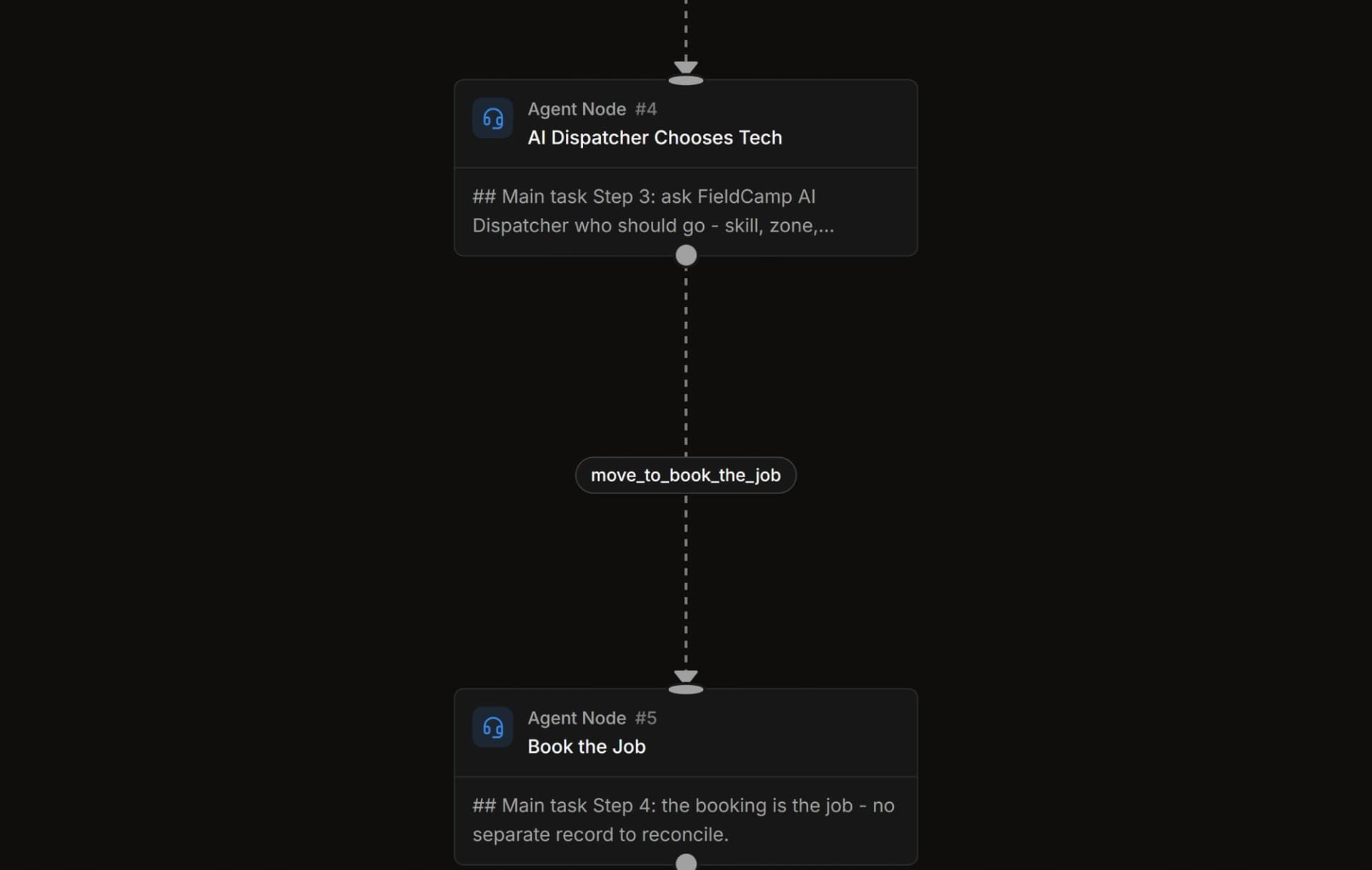
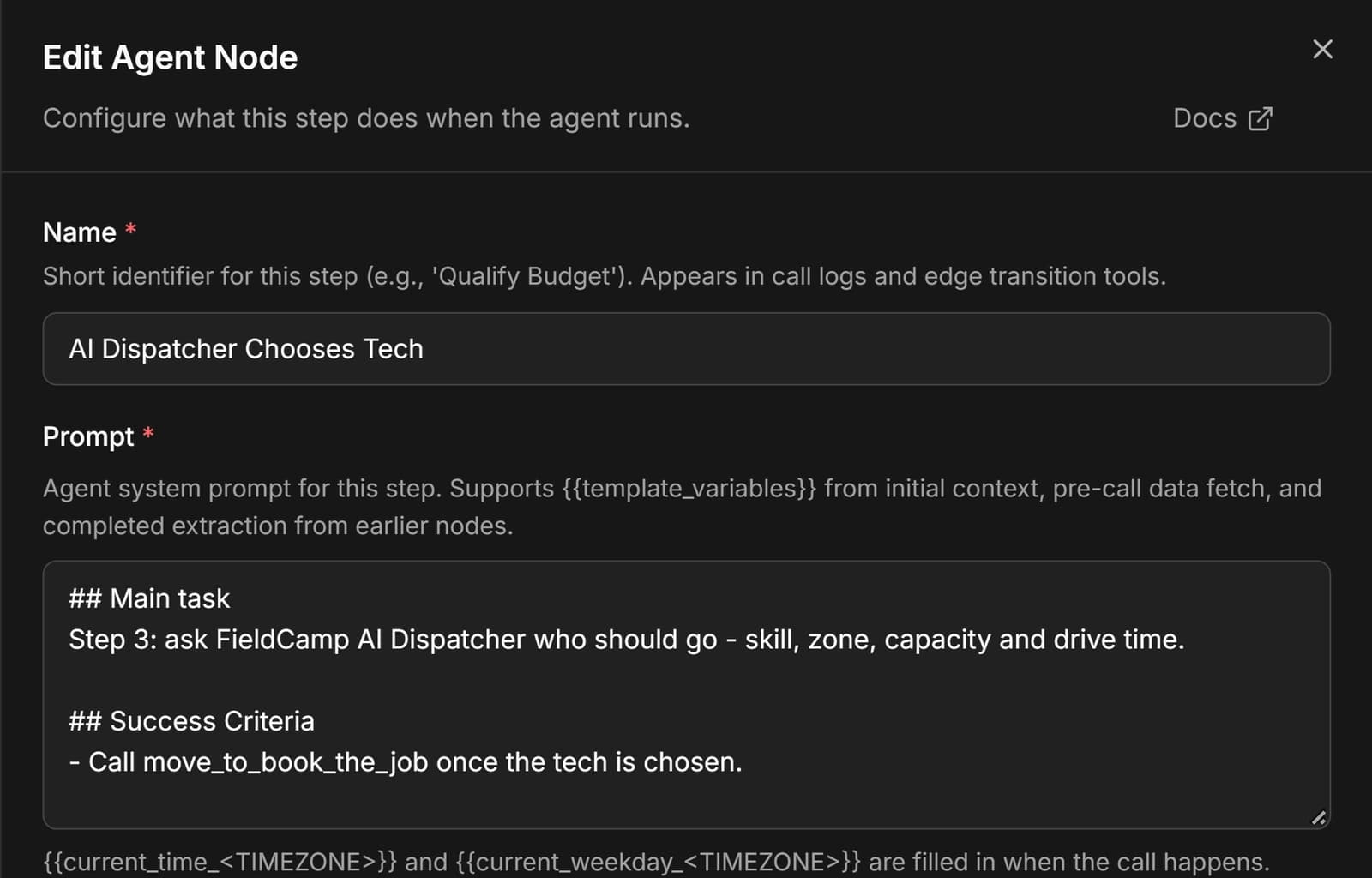
- The tech is chosen mid-call. FieldCamp AI Dispatcher picks who should go, weighing skill, zone, capacity and drive time.
- The booking is the job. On FieldCamp there’s no separate record to reconcile—the scheduled work and the booking are the same object.
- The record stays on the customer. Transcript, recording and captured fields land on the customer record and carry through to the booked job.
That last mile—a tech suggested during the call—is what separates a booked, dispatched job from an appointment slot a dispatcher still has to fill by hand.
When to use it: after-hours, overflow, or every call
Coverage is configured during setup: after-hours only, overflow, weekends, or every call. You decide how much of the phone the voice agents cover, and your CSRs stay first.
- After-hours and weekends: overnight no-heat and burst-pipe calls get triaged and booked with the on-call tech, so the morning starts with jobs on the board. This site covers the overnight path in depth in after-hours triage and dispatch.
- Overflow at peak: in a freeze week or storm surge, callers wait a ring time you set (20 seconds by default) while your CSRs are busy, then a purpose-built voice agent takes the call and books it—instead of the line rolling to voicemail. See how overflow answering books the job instead of taking a message.
- Every call: the Receptionist can front the whole line, with warm transfer to the right CSR, where your carrier supports it, when a call needs a person.
Replace the beep with a booked job
We’ll show a tracked call answered, qualified on your rules, and booked with the tech chosen, with the campaign still attached.
How the alternatives handle voicemail replacement
Most tools in this space answer the inbound call and stop there. For field operations, the questions that matter are: does it suggest the tech, does it run outbound, and does it live on one record. Each entry below is described by what adopting it requires.
Traditional human answering services
You get a real person on the line, but what lands is a note re-typed hours later, peak volume overwhelms the staff, and stormy weeks send the per-minute meter climbing. Nothing gets dispatched and nothing writes back to your board.
Inbound-only receptionist add-ons (Jobber, Housecall Pro)
Jobber and Housecall Pro both sell inbound-only receptionist add-ons tied to their own accounts, priced around $29/mo with per-conversation overage on one and English-only call forwarding on the other—neither suggests a tech or dials outbound. See how emergency triage on your rules closes that gap overnight.
Bolt-on AI on top of your FSM (Avoca, ProBook, Sameday, Hatch)
Avoca, ProBook, Sameday and Hatch all bolt onto a separate FSM—most tuned for ServiceTitan—and each writes a call summary into a second system, so your availability and dispatch split across two records; none picks the tech mid-call. The Avoca comparison covers why that split hurts overnight bookings.
Contact center locked inside the FSM (ServiceTitan)
ServiceTitan Contact Center Pro and AI Voice Agent sit inside ServiceTitan with early access, bundled pricing on request, long onboarding, and outbound limited to new-lead follow-up; its AI Voice Agent starts at $2.75 per call, per ServiceTitan. It is a platform lock rather than a standalone front office.
Where FieldCamp differs is scope: voice, dispatch and the job record are one product, so the voice agent writes to the same record the dispatcher reads—and Outbound campaigns close the loop the tools above leave open.
Next: Message-Taking Service vs. AI Receptionist: What Each One Does With a Field Service Call
The next piece in this series, with its own call flow built in FieldCamp Voice.
Frequently asked questions
Are there hidden or peak-week costs when replacing voicemail with AI?
The cost structure depends on the model: human answering services charge per minute, and that per-minute cost spikes in storm weeks when capacity caps out at peak. Per-conversation and per-call models—such as overage around $0.79 per conversation on some add-ons or $2.75 per call on some voice agents—mean high-volume surges raise your bill, while several bolt-on vendors sell by quote with no published price at all. Confirm how each vendor prices concurrent and overflow calls before committing.
What do I need to have in place before setting up an AI receptionist?
You need your business hours, emergency-versus-routine definitions, and the booking and escalation paths you want the voice agent to follow, since capabilities depend on how these are configured during setup. Some tools also require call forwarding to be enabled—Housecall Pro’s CSR AI, for example, needs call forwarding and runs English only. Having your customer, property and equipment records accessible lets the receptionist recognize returning callers and route them by their open job.
Do I need technical expertise to set up an AI receptionist?
No technical expertise is required, because capabilities depend on configuration, so the effort is in mapping your rules—channels, emergency definitions, booking paths and escalation targets—not in engineering. These are all set during setup.
Can I turn off voicemail completely if I use an AI receptionist?
You can, but keep a fallback. Calls beyond your plan’s concurrent-call limit, or after AI usage pauses at the plan limit, still need somewhere to go. A short voicemail greeting works as that last-resort backstop.
Does an AI receptionist leave me an audio message like voicemail?
No. Instead of an audio clip to replay, each call leaves the transcript, the recording and the captured fields on the customer record. You read what happened and what was booked rather than listening to a message and calling back.
What should a backup voicemail greeting say for a service business?
Keep it short: the business name, what to do in a true emergency, and when the caller can expect a callback. Avoid promising a specific callback time you cannot meet overnight or on weekends.
Is an AI receptionist better than voicemail-to-text?
For booking work, yes. Voicemail-to-text only transcribes a message after the caller has chosen to leave one, while an AI receptionist holds the conversation, triages the call and books the job. Voicemail-to-text is still useful as a backup for the calls that do reach voicemail.
Voicemail audit worksheet, as a printable PDF
Tally 20 voicemails by what they would have become: a booked job, a quote request or a question. It arrives in your inbox with the ai receptionist demo checklist.
A conversation instead of a voicemail box
Every call ends as a job on the customer record, not an audio file. FieldCamp AI Receptionist answers, triages and books, and can hand the job to FieldCamp AI Dispatcher to suggest the technician.


