
Best Plumbing Estimating Software for Small Businesses (2026)
March 16, 2026 - 21 min read

March 16, 2026 - 21 min read

Table of Contents
| TL;DR: The best plumbing estimating software for small businesses in 2026 includes PlanSwift for takeoffs, TurboBid for solo plumbers, and FieldCamp for all-in-one estimate-to-dispatch workflows. Choose based on your team size and whether you need standalone estimating or a full business platform. |
Plumbing material costs are up 30% since 2020. That means a 5% estimating error on a $10,000 job wipes out $500 in profit you thought you had. Manual spreadsheets and gut-feel pricing cannot keep up. The right plumbing estimating software automates material takeoffs, applies current pricing, and generates professional proposals in minutes instead of hours. But not
every tool fits every business. Solo plumbers need speed and simplicity. Commercial contractors need deep material databases and MCAA labor units. We tested and compared 9 options across pricing, features, and business fit so you can pick the right one without the trial-and-error.
So, without further ado, let’s get started.
If you prefer listening over reading, check out our spotify podcast above that covers all these tools in-depth.
KEY HIGHLIGHTS
Best Plumbing Estimation Software
Plumbing estimating software is a digital tool used by plumbing contractors to calculate accurate job costs by automating material takeoffs, labor calculations, and bid generation. Instead of manually counting fittings on a blueprint or pulling prices from a spreadsheet, the software handles measurements, applies current material pricing, and produces professional proposals you can send to customers in minutes.
For small plumbing businesses, accurate estimating is the difference between healthy profit margins and losing money on every job. According to industry data, plumbing fixture costs have risen by roughly 30% since 2020. That means a 5% estimating error on a $10,000 job could cost you $500 in profit you thought you had.
The right plumbing estimation software eliminates guesswork from your bidding process. Whether you are a solo plumber pricing residential repairs or a commercial contractor bidding multi-story rough-ins, these tools standardize your pricing, speed up your turnaround, and help you win more work at margins that actually make sense.
There are two categories to consider. Standalone plumbing takeoff software focuses on measurement, material counts, and bid generation. All-in-one platforms bundle estimating with job scheduling, AI dispatching, invoicing, and CRM — so your estimate flows directly into the rest of your workflow without re-entering data.
Pro Tip:
Use a free estimate template to start sending professional proposals today — even before you commit to a software platform.
We compared each plumbing estimating tool across six criteria that matter most to small plumbing businesses:
| Criteria | What We Looked At |
| Ease of Use | Learning curve, interface design, mobile access |
| Estimating Accuracy | Material databases, labor unit libraries, real-time pricing |
| Speed | Time from blueprint to finished proposal |
| Integration | QuickBooks, CRM, scheduling, invoicing compatibility |
| Pricing | Monthly cost, one-time purchase, free trial availability |
| Business Fit | Solo plumber, small team (2-10), or commercial contractor |
We also checked each tool’s organic search presence using Ahrefs data and gathered real user feedback from Reddit forums and review platforms like Capterra and G2.
Here is a side-by-side comparison of the top 9 plumbing estimating software options for 2026:
| Tool | Best For | Starting Price | Free Trial | QuickBooks Integration | Mobile App |
| PlanSwift | Small contractors doing takeoffs | $1,749 one-time | 14 days | Yes | Limited |
| TurboBid | Solo plumbers and small shops | $135/mo or $1,395 one-time | No | No | No |
| McCormick Systems | Mid-size commercial contractors | Contact for pricing | No | Yes | Cloud-based |
| STACK | Distributed estimating teams | $2,999/user/year | Yes | Yes | Yes (cloud) |
| FastEST | Large commercial projects | $225–$318/mo | Demo only | Yes | No |
| ThermoGrid | Residential plumbers + HVAC | $60/user/mo | Yes | Yes | Yes |
| FieldCamp | All-in-one estimate to dispatch | Free plan available | Yes | Yes | Yes |
| Housecall Pro | Plumbing businesses wanting FSM | $79/mo | 14 days | Yes | Yes |
| Jobber | Service plumbers (residential) | $39/mo | 14 days | Yes | Yes |
Pro Tip:
If you only need takeoff and bidding for new construction or large projects, a standalone tool like PlanSwift or McCormick gives you deeper estimating features. If you run a service plumbing business and want estimates connected to AI-powered dispatch scheduling, invoicing, and job management, an all-in-one platform saves hours of double-entry every week.
FieldCamp takes a different approach. Instead of being a dedicated estimating tool, it is a complete field service automation software that includes estimating as part of a connected workflow. Create an estimate, get it approved, and the job flows automatically into scheduling, AI-powered dispatch, and invoicing without touching a spreadsheet or re-entering data.
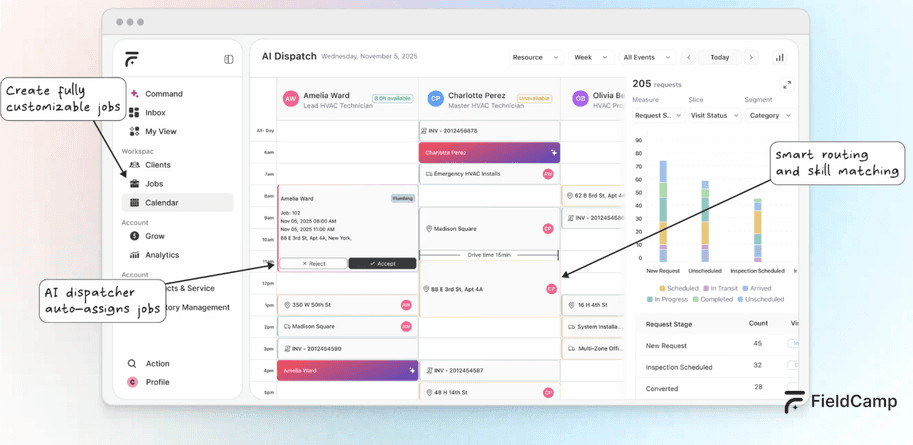
Key features:
Pricing: Custom pricing available as per the requirement. Pay only for what you need. No need to pay enterprise level prices for solo operators. Contact more for pricing info.
Best for: Service plumbing businesses (residential and commercial) that want estimates connected to their entire operation. If you are tired of creating an estimate in one tool, scheduling in another, and invoicing in a third, FieldCamp eliminates that fragmented workflow.
Why plumbing businesses choose FieldCamp:
You can ask FieldCamp questions in plain English: “How many estimates did we send last month?” or “Create a quote for the Smith bathroom remodel.”
The AI Dispatcher considers five factors when assigning a job: technician skills, proximity, equipment, customer time windows, and priority — so once a plumbing estimate is approved, the right tech is dispatched automatically.
96% reduction in scheduling time and 35% less drive time means your estimators and techs spend less time on admin and more time on billable work.
PlanSwift is a dedicated plumbing takeoff software built for contractors who work from digital blueprints. You trace piping on the plan, and PlanSwift calculates linear feet, fixture counts, and material totals automatically.
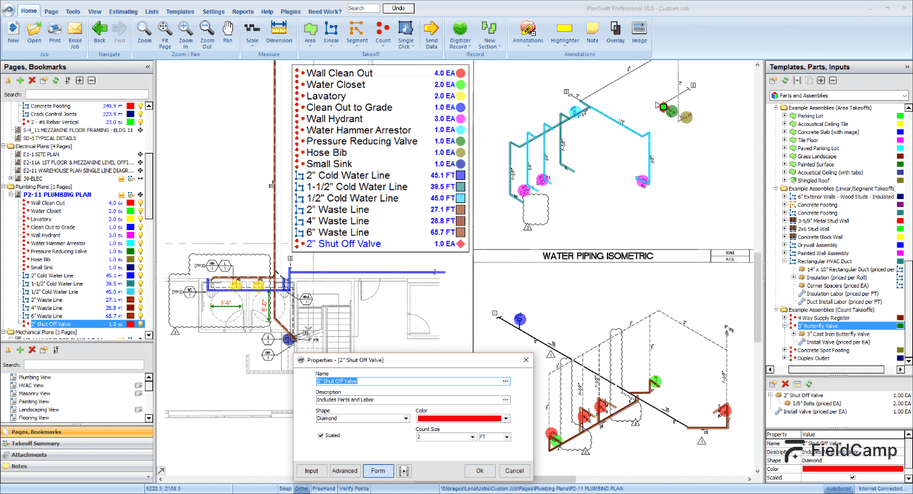
Key features: On-screen digital takeoff with point-and-click fixture counting; linear pipe measurement for CPVC, drain, supply, and waste lines; custom assembly creation for recurring job types; Excel export for proposals and reports; plan overlay tool for installation reference.
Pricing: $1,749 one-time purchase plus $250/year for support. A 14-day free trial is available with no credit card required.
Best for: Small plumbing contractors (1–5 estimators) who bid on new construction, remodels, or commercial rough-in projects. PlanSwift handles complex takeoffs but does not include scheduling, dispatching, or invoicing.
Limitations: No mobile field estimating. No built-in customer management. No integration with dispatch or scheduling tools. You will need a separate platform for everything after the estimate is accepted.
TurboBid markets itself as best-in-class plumber estimating software and focuses on simplicity. The tool automates cost calculations for residential and light commercial plumbing projects.
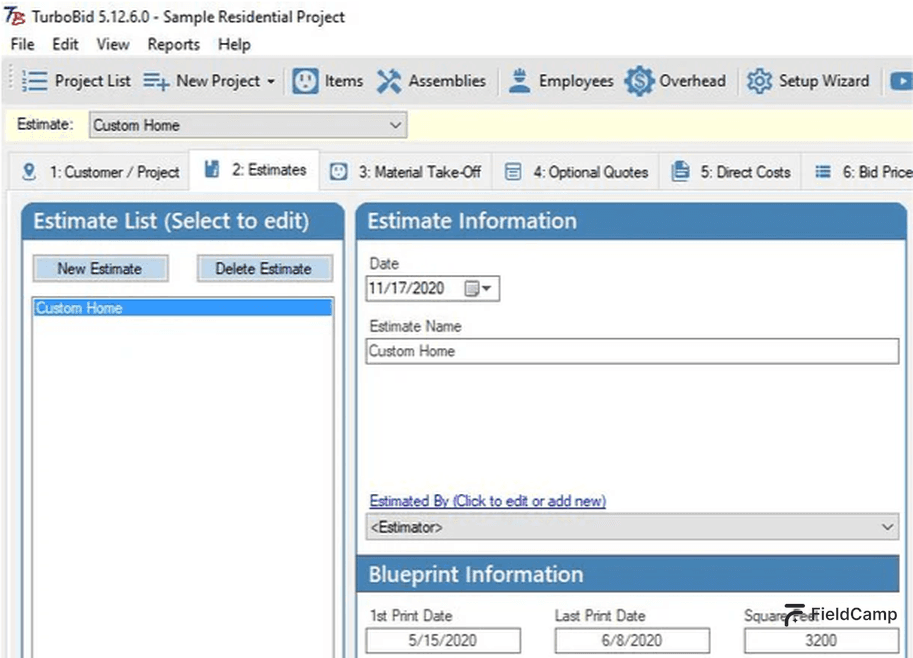
Key features: Automated material and labor cost calculations; professional quote generation; scalable for different business sizes; minimal learning curve.
Pricing: $135/month subscription, or $1,395 one-time purchase (reduced from $1,620). A four-payment option at $399 per payment is also available.
Best for: Solo plumbers and small shops that need to produce accurate bids quickly without a steep learning curve.
Limitations: No free trial. No QuickBooks integration. No mobile app. No scheduling or dispatch capability.
Key Takeaway: TurboBid works well for solo operators focused purely on bidding speed, but you will need additional tools to manage the full job lifecycle after the estimate is approved.
McCormick has been building estimating software for plumbing contractors for over 45 years. Their platform includes 40,000+ items and 20,000 prebuilt assemblies covering fixtures, ProPress, CPVC, Uponor, and more.
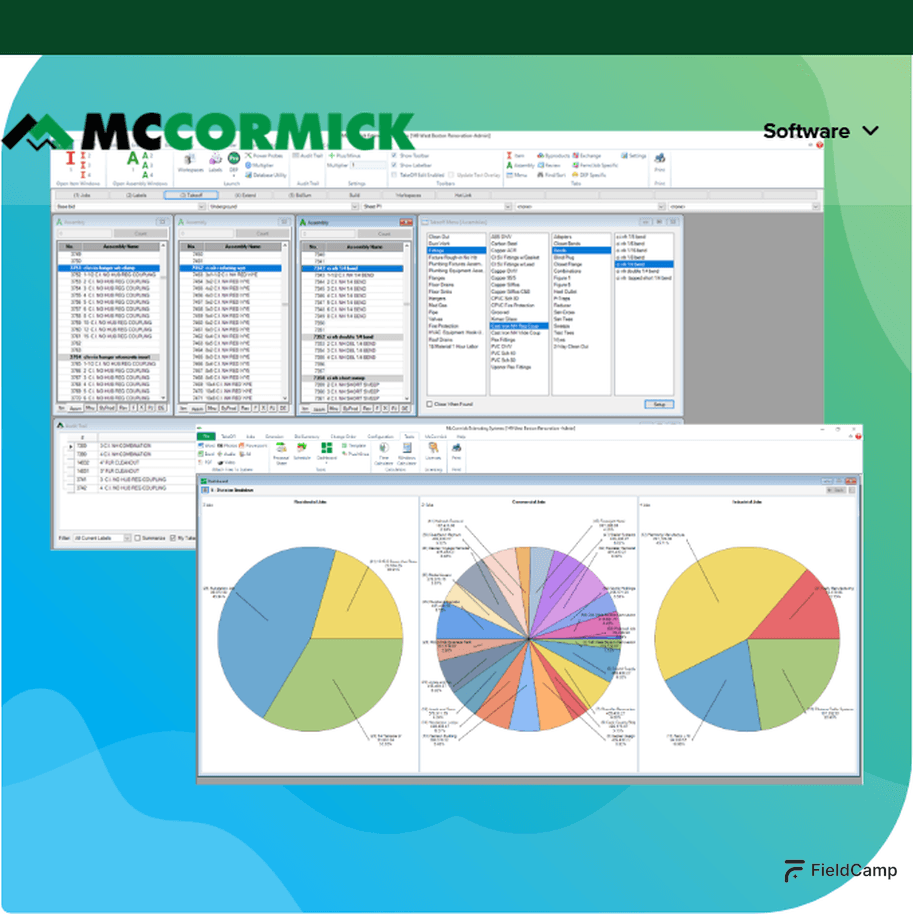
Key features: 40,000+ material items with pre-loaded MCAA and PHCC labor units; cloud-based platform with design and estimating on one screen; real-time pricing updates from supply houses; multi-user collaboration for estimating teams; residential, commercial, industrial, and municipal project support.
Pricing: Not published. Contact McCormick for a demo and custom pricing. Enterprise estimating tools in this category typically range from $15,000–$50,000 per year.
Best for: Mid-size to large commercial plumbing contractors who bid complex commercial and industrial projects requiring detailed material databases and MCAA labor standards.
Limitations: No transparent pricing. No free trial. Higher cost than alternatives. Primarily designed for new construction estimating rather than service plumbing.
STACK is a cloud-based takeoff and estimating platform designed for teams that need to collaborate on bids from different locations.
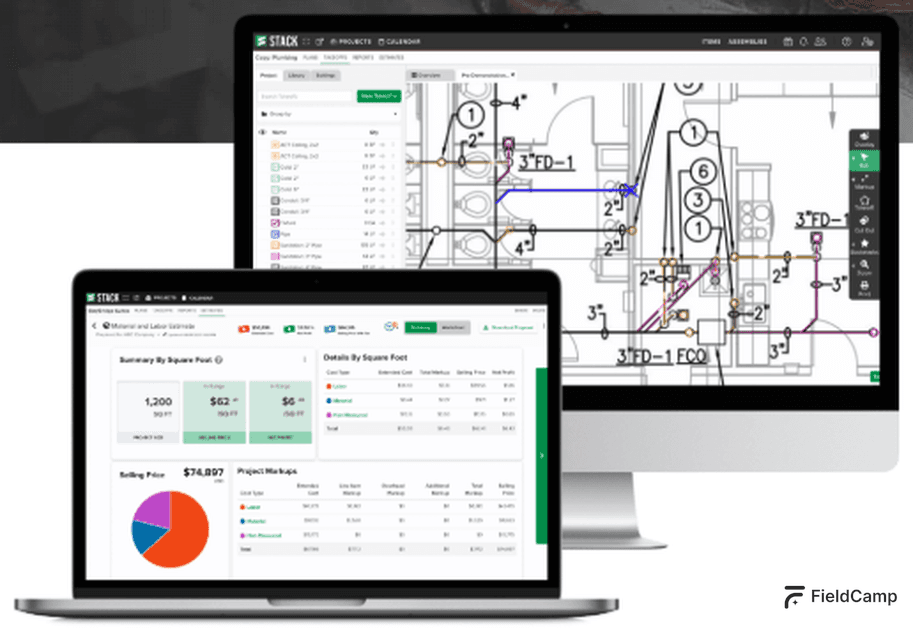
Key features: Cloud-based takeoff with real-time team collaboration; pre-built and custom assemblies; integrations with major accounting platforms; reporting and analytics on bid performance.
Pricing: $2,999/user/year.
Best for: Plumbing companies with multiple estimators who need to work on the same project simultaneously.
Limitations: High per-user cost adds up fast for growing teams. Focused on takeoff and estimating only. No field service management features like route optimization or dispatch.
FastEST (Fast Estimating Systems Technology) serves large-scale mechanical and plumbing estimating needs with both SaaS and perpetual license options.
Key features: Advanced piping, sheet metal, and plumbing estimating modules; supplier database with pricing integration; reporting and bid management tools.
Pricing: $225–$318/month for SaaS, or $2,495–$7,490 for perpetual purchase.
Best for: Large mechanical and plumbing contractors bidding on major commercial projects.
Limitations: Steep learning curve. High cost for small businesses. No field-level mobile tools for service plumbers.
ThermoGrid combines estimating with basic field service features, targeting residential plumbing and HVAC contractors.
Key features: Plumbing and HVAC estimating in one tool; flat rate pricing book; basic scheduling and dispatching; QuickBooks integration; mobile app for field estimates.
Pricing: $60/user/month. Free trial available.
Best for: Residential plumbers who also offer HVAC services and want plumbing pricing software with basic field service features included.
Limitations: Less powerful estimating than dedicated tools like PlanSwift or McCormick. User reviews on Capterra are limited.
Limitations: Not built for complex new construction takeoffs from blueprints. If you need to measure piping runs from digital plans, pair FieldCamp with a standalone takeoff tool like PlanSwift.
Housecall Pro is a well-known field service platform that includes basic estimating features for plumbing businesses.
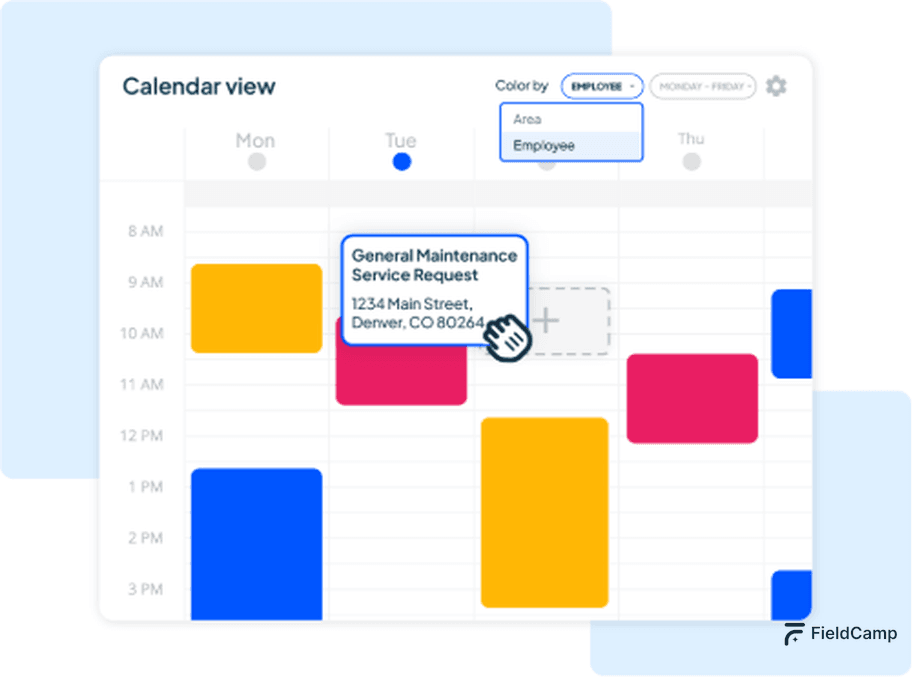
Key features: Online estimates and proposals; scheduling and dispatching; invoicing and payment processing; customer management.
Pricing: Starts at $79/month. 14-day free trial.
Best for: Service plumbers who need a straightforward platform for managing the estimate-to-payment workflow without needing complex takeoff features.
Limitations: Estimating features are basic compared to dedicated tools. No AI-powered dispatch. No conversational interface. Limited reporting and analytics compared to FieldCamp.
Jobber is another popular field service platform with estimating capabilities targeting residential service businesses.
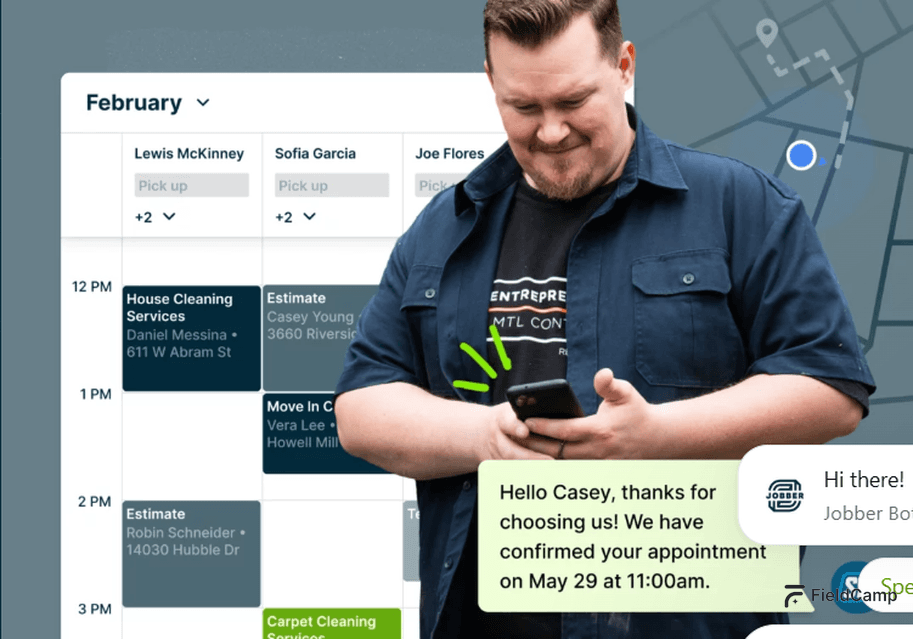
Key features: Quoting and follow-up automation; scheduling and routing; invoicing and payments; client hub for customer self-service.
Pricing: Starts at $39/month. 14-day free trial.
Best for: Solo plumbers and small residential service companies who want a budget-friendly plumbing quoting software with basic field service features.
Limitations: Estimating is relatively basic. No AI dispatcher. Limited customization for complex plumbing bids.
Everything You Need for a Busy Season
Quotes, schedules, routes, checklists, invoices — FieldCamp brings your entire plumbing workflow into one streamlined system. Stop juggling tools and start running your business like a pro.
This is the decision most plumbing business owners miss. There are two fundamentally different types of plumbing estimating software, and choosing the wrong category wastes money and creates workflow headaches.
| If this describes you… | Consider this |
| You bid on new construction from blueprints | Standalone (PlanSwift, McCormick) |
| You run a service plumbing business (repairs, maintenance) | All-in-one (FieldCamp, Jobber) |
| You have a dedicated estimator on staff | Standalone + all-in-one hybrid |
| You want estimates to auto-trigger scheduling and dispatch | All-in-one (FieldCamp) |
| You need multi-user estimating collaboration | STACK or McCormick |
| You are a solo plumber on a budget | TurboBid or FieldCamp free plan |
| Factor | Standalone Estimating | All-in-One Platform |
| Purpose | Takeoffs, material counts, bid generation | Estimates + scheduling + dispatch + invoicing |
| Best examples | PlanSwift, McCormick, TurboBid | FieldCamp, Housecall Pro, Jobber |
| Accuracy | Deep (blueprint-level takeoffs) | Good for service estimates |
| Workflow | Estimate only (export to other tools) | Estimate flows to scheduling, dispatch, invoice |
| Cost | $1,395–$7,490+ one-time or $60–$318/mo | $0–$79/mo |
| Learning curve | Moderate to steep | Low to moderate |
| Ideal user | New construction, commercial bidding | Service plumbing, repairs, maintenance |
When to choose standalone: You bid on new construction or large commercial projects. You need digital takeoffs from blueprints. You have a dedicated estimator on staff.
When to choose all-in-one: You run a service plumbing business. Your estimates are for repairs, replacements, and maintenance. You want the approved estimate to automatically trigger smart dispatch scheduling so nothing falls through the cracks.
When to use both: Some growing plumbing companies use PlanSwift for complex project bids and FieldCamp for day-to-day service work. The two tools serve different needs and complement each other.
Key Takeaway:
The biggest workflow killer for service plumbing businesses isn’t bad estimates — it’s the gap between an approved estimate and a scheduled job. Automated job assignment eliminates that gap entirely.
Your priorities: Speed, simplicity, low cost.
You are doing everything yourself. You need a plumbing estimate app that lets you create and send a professional quote from your truck between jobs. Complex takeoff tools will sit unused.
Recommended: TurboBid ($135/mo) for project bidding, or FieldCamp (free plan) for service estimates connected to job scheduling software and invoicing.
DOWNLOADABLE CHECKLIST
Solo Plumber Business Setup Checklist
[Download PDF Version]
Your priorities: Accuracy, integration, team coordination.
At this size, the disconnect between estimating and scheduling becomes painful. You send an estimate, the customer approves it three days later, and then someone has to manually create the job, assign a tech, and figure out when they are free. With FieldCamp, the approved estimate becomes a scheduled job assigned to the right plumber automatically through AI-powered dispatching.
Recommended: FieldCamp (all-in-one) or PlanSwift + FieldCamp (hybrid approach).
Use the profit margin calculator to make sure your team’s estimates are hitting your target margins before you grow headcount.
Your priorities: Database depth, MCAA labor units, multi-user collaboration, commercial-grade bidding.
Recommended: McCormick Systems or STACK for estimating, plus FieldCamp or another FSM for field operations.
Commercial plumbing estimating software at this level needs detailed material databases, supplier pricing integration, and multi-user access. McCormick’s 40,000+ item database and 45-year track record make it the industry standard for this segment.
Not every feature matters equally. Here are the ones that directly impact your bottom line:
| Feature | Priority | Why It Matters |
| Accurate material databases | Must-Have | Prevents costly material underestimates |
| Labor unit calculations (MCAA/PHCC) | Must-Have | Ensures labor costs are not guesswork |
| Professional proposal generation | Must-Have | Builds customer trust and credibility |
| QuickBooks integration | Must-Have | Eliminates double-entry in accounting |
| Mobile access | Must-Have | Quote on-site, not back at the office |
| Custom assembly libraries | Nice-to-Have | Speeds up recurring job types |
| Supplier price update feeds | Nice-to-Have | Keeps material pricing current |
| Bid tracking and win/loss analytics | Nice-to-Have | Identifies which jobs you win or lose |
| Scheduling + dispatch integration | Nice-to-Have | Critical for service businesses |
Warning: Watch out for these before buying: no free trial or demo (always test first), pricing hidden behind a “contact us” form, no mobile capability, and no accounting integration. In 2026, these are table-stakes requirements — not premium features.
For setup help and a walkthrough of how professional estimates work inside FieldCamp, check the complete estimating setup guide in the help docs.
Key Takeaway:
The best plumbing estimating software is the one your team actually uses consistently. A $7,000 tool that sits on one person’s desktop creates less value than a $60/month platform your whole team accesses from the field.
Get the Professional Plumbing Estimate Template — pre-built for common plumbing jobs including pipe repair, water heater replacement, drain cleaning, and rough-in work. Includes line-item breakdowns, labor and material fields, and space for your company branding.
Here is exactly how the estimate-to-job workflow works in FieldCamp for a plumbing business:
Step 1: Create → Step 2: Send for Approval → Step 3: Job Auto-Created → Step 4: AI Dispatches Tech → Step 5: Invoice + Payment
Step 1 — Create the estimate on-site or in the office. Add line items for materials, labor, and markup. Use the free plumbing estimate template as a starting point or build custom templates for common jobs.
Step 2 — Send to the customer via the customer portal with e-signature capability. The customer reviews, approves, or requests changes — all tracked in FieldCamp’s CRM.
Step 3 — Automatic job creation. Once approved, the estimate converts to a job. No re-entry. No copy-pasting. The materials, scope, and customer info carry over automatically.
Step 4 — AI Dispatcher assigns the right plumber. The system considers technician skills (does this tech handle water heater installs?), proximity (who is closest?), equipment (does the truck have the right tools?), customer time window, and job priority. In seconds, the job is assigned and scheduled. Learn how automated job dispatching reduces scheduling time by up to 96%.
Step 5 — Invoice from the estimate. After the job is complete, convert the estimate to an invoice in one click. The customer pays through the portal. QuickBooks syncs automatically.
That is five steps from estimate to paid invoice, with zero data re-entry. For a small plumbing business handling 20–30 estimates per week, this eliminates hours of admin work.
Use the profit calculator to test your markup percentages before finalizing your estimate pricing.
Stop Juggling, Start Growing
You’ve got the estimates going out. Now manage the full workflow like a pro. FieldCamp handles job auto-assignment, route optimization, automated follow-ups, and business performance reporting — all in one place.
Choosing the right plumbing estimating software comes down to three factors: what type of plumbing work you do, how large your team is, and whether you need estimating alone or a connected workflow.
For solo plumbers who need fast, simple bids, TurboBid gets the job done at $135/month. For commercial contractors bidding complex projects from blueprints, McCormick Systems provides the deepest material databases and MCAA labor standards in the industry. For small to mid-size service plumbing businesses, FieldCamp’s field service automation software connects estimates to scheduling, AI-powered dispatch, and invoicing in one platform so nothing falls through the cracks between bidding and billing.
With material costs up 30% since 2020 and the plumber shortage projected to reach 550,000 workers by 2026, accurate estimating is not optional. The right software pays for itself on the first job where it catches a pricing error your spreadsheet would have missed.
Pick a tool from this list, start a free trial where available, and stop leaving money on the table with manual estimates.
For commercial plumbing contractors bidding on large projects, McCormick Systems is the industry standard. It includes 40,000+ material items, MCAA labor units, and cloud-based multi-user collaboration. For commercial service plumbing (repairs, maintenance contracts), FieldCamp provides estimating connected to scheduling and dispatch in one platform.
Pricing ranges from free (FieldCamp’s free plan) to $7,490+ for enterprise perpetual licenses (FastEST). Monthly subscriptions run $39–$318/month depending on features. One-time purchases range from $1,395 (TurboBid) to $2,999/user/year (STACK). Most small plumbing businesses spend $60–$135/month on estimating tools. Use the profit margin calculator to figure out what markup you need to justify your software spend.
Yes. FieldCamp offers a free plan that includes estimating, scheduling, and invoicing. For standalone estimating, PlanSwift offers a 14-day free trial. You can also start with a free estimate template to create professional proposals without any software.
Focus on accurate material databases with current pricing, labor unit libraries (MCAA or PHCC standards), professional proposal generation with e-signatures, QuickBooks integration, and mobile access. If you run a service plumbing business, also prioritize integration with job scheduling software so approved estimates become scheduled jobs automatically.
Most modern options integrate with QuickBooks. FieldCamp, PlanSwift, STACK, ThermoGrid, Housecall Pro, and Jobber all offer QuickBooks integration. TurboBid currently does not. Check whether the integration syncs estimates, invoices, or both before purchasing. For step-by-step integration instructions, see the accounting integration guide.
Plumbing takeoff software specifically handles measuring quantities from digital blueprints — counting fittings, measuring pipe runs, calculating materials. Plumbing estimating software is a broader category that includes takeoffs plus labor calculations, pricing, markup, and proposal generation. Some tools like PlanSwift focus on takeoffs, while platforms like FieldCamp focus on the full estimate-to-invoice workflow using field service automation.