
This list compares ten HVAC answering services, live, AI and hybrid, on what happens to a 2 a.m. no-heat call: who picks up, whether it reaches your on-call tech, and what it costs. For how the service types work, see our HVAC answering service guide.
What is the best HVAC answering service?
The best one gets a no-heat or gas call to your on-call tech, bills sensibly in a heat-wave week, and ends each call as more than a message. Choose live, AI or hybrid by who you want on your safety calls.
- FieldCamp AI Receptionist: best when the call should end as a booked visit or a warm transfer to your on-call tech, not a message
- Smith.ai: best AI-first service with live receptionists for gas and CO calls
- AnswerForce: best live service built around HVAC, with ServiceTitan and Housecall Pro integrations
- PATLive: best per-minute ladder with bilingual receptionists at no extra cost
- MAP Communications: best low per-minute rate for live answering
- Specialty Answering Service: best low entry plan, with a 14-day trial
- Ruby: best when a polished human voice is part of the brand
- AnswerConnect: best for high minute volumes with on-call scheduling
- Nexa: best blend of live agents and AI, bilingual
- Rosie: best low-cost AI option with English and Spanish on every call
One question sorts them fastest: does my 2 a.m. no-heat call end as a message, a booked job, or a call to my on-call tech?
Live, AI or hybrid: who picks up your no-heat call
A live service puts a trained person on every call and usually bills by the minute; an AI service answers many calls at once and usually bills flat or per call; a hybrid starts with AI and hands hard calls to a person. The full comparison of models and billing is in our HVAC answering service guide, so this page sticks to named providers. If you are only shopping AI tools, see the best AI receptionists for HVAC companies.
Quick comparison: 10 HVAC answering services
Prices are each vendor’s own entry plan, read on 28–29 September 2026. “Not shown” means the price sits behind a form or a sales call. Confirm on the vendor’s page before you sign.
| Service | Who answers | How it bills | Entry plan | Over the allowance | HVAC software named | Spanish |
|---|---|---|---|---|---|---|
| FieldCamp AI Receptionist | AI, with warm transfer to your team | Quoted on a demo | Quoted on a demo | Quoted on a demo | Books through AI Dispatcher; ServiceTitan data by CSV import only | Test it on the demo |
| Smith.ai | Hybrid (AI plus North America-based humans) | Per call | AI Pro $150/mo for 75 calls; human from $300/mo for 30 calls | Per call, by tier | ServiceTitan link (call note); Housecall Pro announced | Yes (paid add-on for human calls) |
| AnswerForce | Live | Per minute | Not shown | Not shown | ServiceTitan, Housecall Pro, Workiz, Zapier | Bilingual answering |
| PATLive | Live | Per minute | $99/mo for 50 min (pay-as-you-go $49/mo) | $2.29/min on 50 min; $2.99/min PAYG | Not named | Bilingual, no extra cost |
| MAP Communications | Live | Per minute | $179/mo for 125 min (pay-as-you-go $49/mo) | $1.30/min on Business; $1.37/min PAYG | Not named | English and Spanish on every plan |
| Specialty Answering Service | Live | Per minute | $159/mo for 100 min (Economy $44/mo) | $1.44/min; $1.54/min on Economy | Not named | Not stated |
| Ruby | Live | Per minute | $250/mo for 50 min | Not shown on the plan cards | Not named | Bilingual, 24/7 |
| AnswerConnect | Live | Per minute | $350/mo for 200 min, plus a setup fee | Not shown | Not named | Paid add-on |
| Nexa | Live and AI | Not shown | Not shown | Not shown | ServiceTitan, Housecall Pro, FieldEdge, Workiz | Bilingual answering |
| Rosie | AI | Per minute block | $49/mo for 250 min | Not shown on the plan cards | None listed | English and Spanish on every call |
Ten services. Score them on the same twelve things
A two-page answering service scorecard: the twelve things that decide whether a call becomes a job or a note someone re-keys, from 24/7 answering to on-call escalation and pricing, scored 0, 1 or 2 for your current service and one alternative.
What one no-heat call costs at each service
Plan prices are hard to compare because one service bills per minute, another per call, and another in blocks. So we took each service’s entry plan, divided the price evenly across its minutes or calls, and applied it to one 4-minute no-heat call: the time it takes to get a name, an address, a callback number and what the system is doing.
| Service | Entry plan | Effective rate | One 4-minute call |
|---|---|---|---|
| Ruby | $250 / 50 min | $5.00/min | $20.00 |
| Smith.ai (human) | $300 / 30 calls | $10.00/call | $10.00 |
| PATLive | $99 / 50 min | $1.98/min | $7.92 |
| AnswerConnect | $350 / 200 min | $1.75/min | $7.00 |
| Specialty Answering Service | $159 / 100 min | $1.59/min | $6.36 |
| MAP Communications | $179 / 125 min | $1.43/min | $5.73 |
| Smith.ai (AI) | $150 / 75 calls | $2.00/call | $2.00 |
| Rosie (AI) | $49 / 250 min | $0.20/min | $0.78 |
| FieldCamp AI Receptionist | Quoted on a demo | Quoted on a demo | Quoted on a demo |
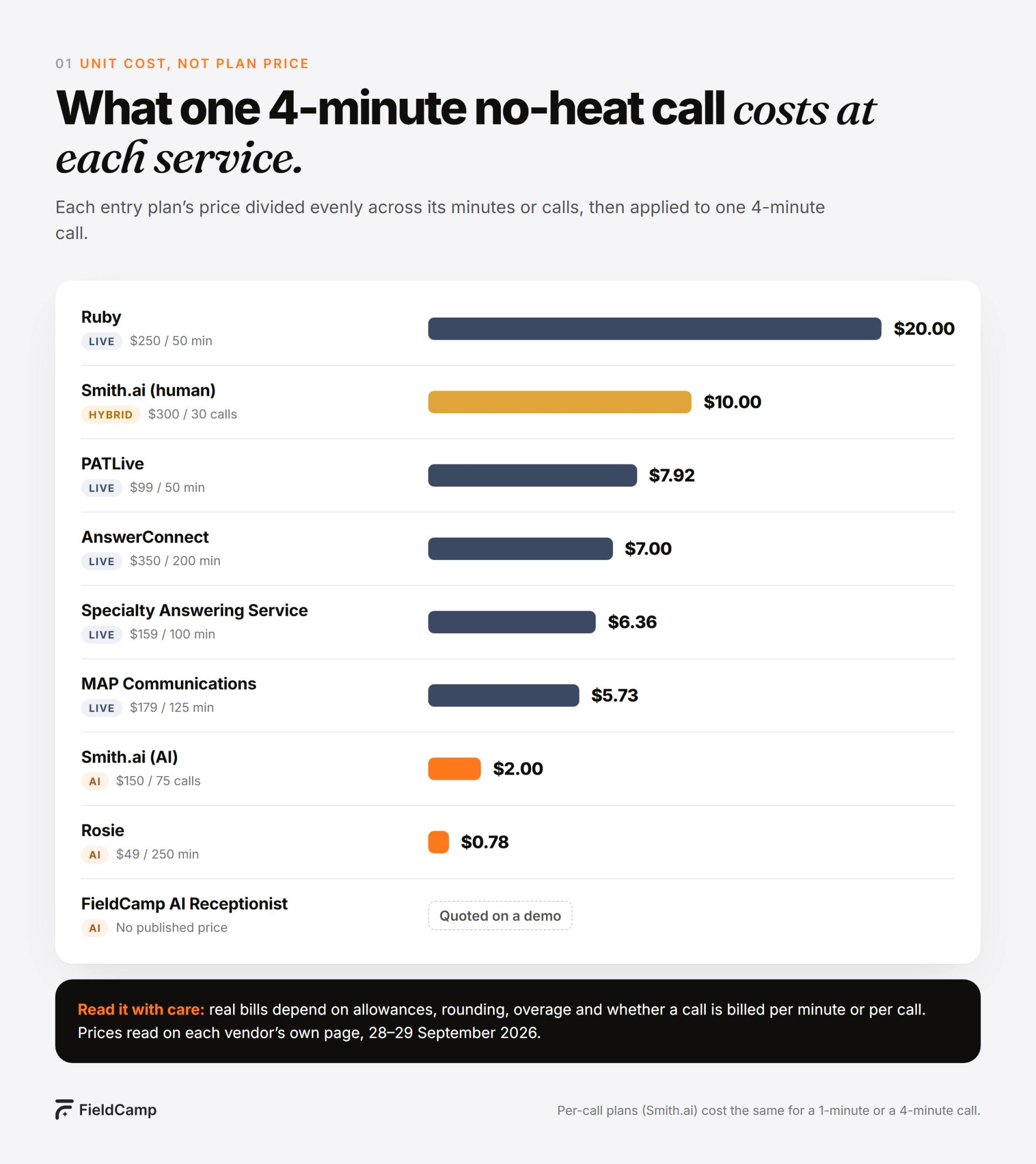
Two things stand out. Per-minute live services cost roughly $6 to $20 for one no-heat call, before overage. And per-call plans charge the same for a 40-second wrong number as for a 4-minute emergency, so the right model depends on how long your calls actually run.
How we judged them
- On-call patching, and the fallback. Can the service patch a live call through to your on-call tech, and what does it do when the tech doesn’t answer?
- Whose emergency script. Does the service follow your definition of a no-heat or gas emergency, or its own generic script?
- Message or booking. Does the call end as a message in your inbox, an appointment, or a job in your HVAC software?
- Billing in a heat-wave week. Per minute, per call or flat, and what happens when you go over the allowance.
- Spanish. Included, a paid add-on, or not stated.
The 10 best HVAC answering services
1. FieldCamp AI Receptionist: best when the call should end as a booked visit or a warm transfer to your on-call tech, not a message
Type: AI · Pricing: quoted on a demo · Books into: AI Dispatcher
FieldCamp AI Receptionist is an AI answering service built on FieldCamp Voice. Where a live service usually takes a message and patches the call, it is judged on where the call ends up:
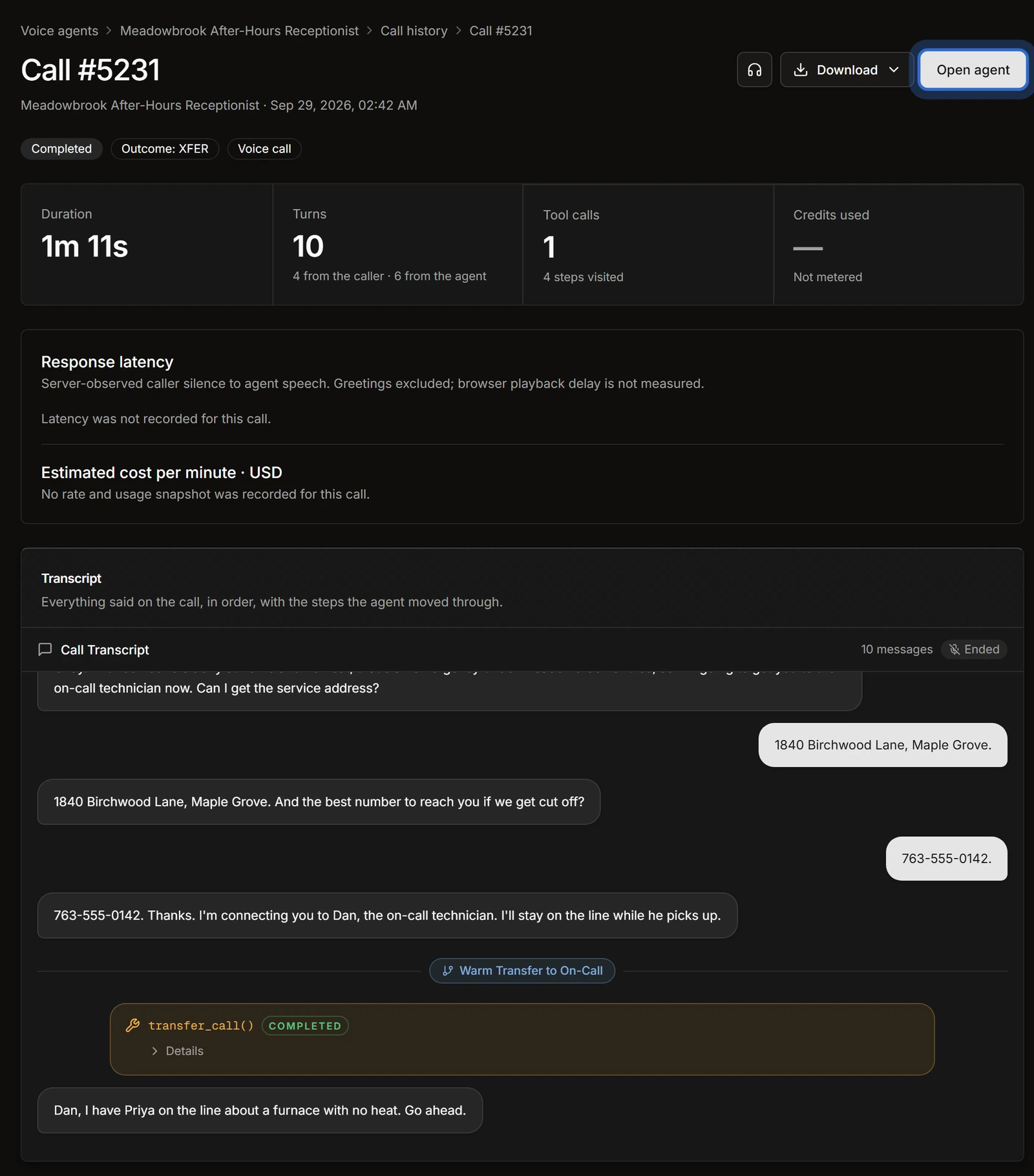
- A warm transfer to your on-call tech. Your tech hears a private whisper with the details, presses 1, and the caller is introduced. Warm transfer runs on Twilio.
- A planned fallback when nobody answers. You design the transfer-failed path before go-live, for example taking a callback number and flagging the call for a person.
- A visit booked through AI Dispatcher. AI Dispatcher suggests a technician and window, the caller agrees, and only then does the agent say “booked”.
The emergency rules are yours: FieldCamp ships no definition of its own, and the example triggers in its templates are there to be replaced. Every call has a recording and transcript, an email alert fires when a call ends without a booking, and you can test the whole thing on simulated calls before a customer hears it.
Where it is not the right fit
FieldCamp is not a human service. If your commercial customers expect a named person on the phone, or your policy is a human on every gas call, Ruby, Smith.ai or another live service on this list is the honest pick.
Bring one of last winter’s 2 a.m. calls. We’ll show you where it ends.
We write your no-heat and gas rules into FieldCamp AI Receptionist, run the call on a simulated test, and show you the result: a warm transfer to your on-call tech, the fallback when nobody picks up, or a visit booked through AI Dispatcher.
2. Smith.ai: best AI-first service with live receptionists for gas and CO calls
Type: hybrid · Pricing: AI Pro $150/mo for 75 calls; human receptionists Starter $300/mo for 30 calls, Basic $810/mo for 90, Pro $2,100/mo for 300 · Works with: ServiceTitan (call note), Housecall Pro (announced), schedulers such as Calendly
Smith.ai is the only service here that sells both an AI receptionist and North America-based human receptionists under one roof. For an HVAC owner who wants AI on routine calls but a person on every gas smell, that is the draw. Both are billed per call, not per minute, on its pricing page, and its home services page announces a Housecall Pro integration.
Worth checking: human calls cost $8.50 to $11.50 each over the allowance, depending on the plan, and Spanish on human calls is a paid add-on. Its ServiceTitan link adds a call note rather than booking capacity.
3. AnswerForce: best live service built around HVAC, with ServiceTitan and Housecall Pro integrations
Type: live · Pricing: per minute, behind a quote form · Works with: ServiceTitan, Housecall Pro, Workiz, Zapier
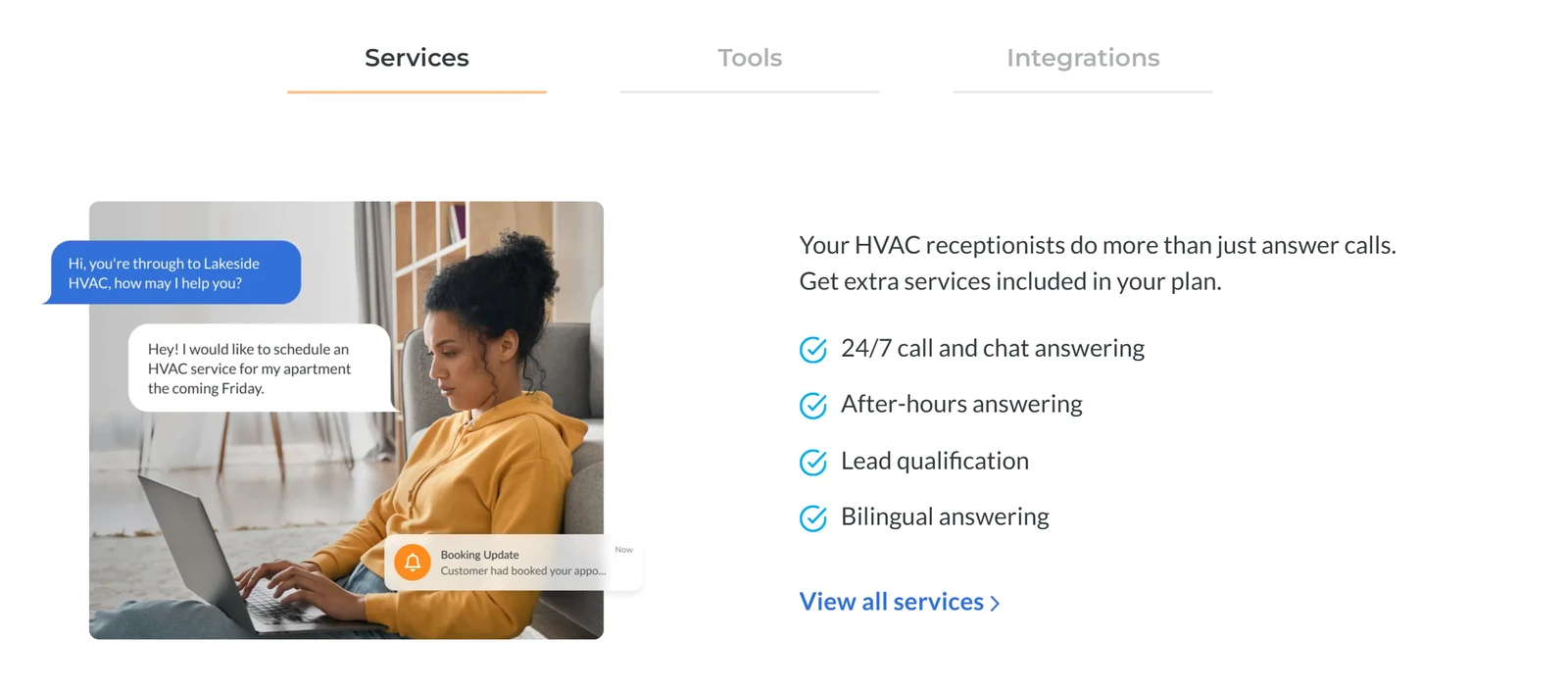
AnswerForce has an HVAC answering service page built for contractors: 24/7 live receptionists, after-hours and holiday coverage, lead qualification, appointment scheduling and bilingual answering. It says it puts call, chat and appointment details into your field service software, naming ServiceTitan and Housecall Pro. Its plans include the first 30 calls under 30 seconds free each month.
Worth checking: prices are only shown after you fill in a form. Ask for the per-minute rate, the overage rate and how on-call patching works after hours.
4. PATLive: best per-minute ladder with bilingual receptionists at no extra cost
Type: live · Pricing: pay-as-you-go $49/mo + $2.99/min; 50 min $99/mo; 100 min $189/mo; 200 min $349/mo; 300 min $479/mo; 500 min $759/mo
PATLive publishes one of the clearest ladders in the category, and the additional-minute rate falls as you move up. Every plan includes call screening and transfers, emergency dispatch, message taking and appointment scheduling, and bilingual English and Spanish receptionists can be switched on at no extra cost. There is a 14-day free trial on its pricing page.
Worth checking: a heat-wave week burns minutes quickly, and the pay-as-you-go rate is $2.99 a minute. No HVAC software is named on the pricing page.
5. MAP Communications: best low per-minute rate for live answering
Type: live · Pricing: pay-as-you-go $49/mo + $1.37/min; Business $179/mo for 125 min; Enterprise $339/mo for 250 min; Premium $649/mo for 500 min
MAP Communications charges less per extra minute than most live services here at the entry level: $1.30 on Business and $1.37 on pay-as-you-go. Every plan includes 24/7 coverage, English and Spanish, message delivery, a client portal and no long-term contract, per its pricing page.
Worth checking: ask how it patches a call to your on-call tech and what it does when the tech doesn’t answer. No HVAC software is named on the pricing page.
6. Specialty Answering Service: best low entry plan, with a 14-day trial
Type: live · Pricing: Economy $44/mo + $1.54/min; 100 min $159/mo; 220 min $269/mo; 500 min $649/mo; larger plans to 10,000 min
Specialty Answering Service (SAS) is month to month with no setup fee, and its trial covers two weeks or 200 minutes without a credit card. Its rate table lists call patching at $0.10 a minute, and it can email billing alerts at 25%, 50% and 75% of your minutes, which helps in a surge month. Per-call billing is available on some plans, per its pricing page.
Worth checking: Spanish isn’t stated on the pricing page, and patching, IVR and voicemail are billed as extras.
7. Ruby: best when a polished human voice is part of the brand
Type: live · Pricing: 50 min $250/mo; 100 min $395/mo; 200 min $720/mo; 500 min $1,725/mo
Ruby sells live receptionists who answer 24/7 in your company’s name, with bilingual answering, scheduling, client intake and AI-powered transcripts on every plan. It charges no fees for setup, onboarding or coverage at certain hours, per its plans page. For commercial customers who expect a named, polished human voice, it is the strongest brand here.
Worth checking: it is the most expensive per minute on this list, so one heat-wave week can cost more than a month of an AI plan.
8. AnswerConnect: best for high minute volumes with on-call scheduling
Type: live · Pricing: entry plan $350/mo for 200 minutes plus a $49.99 setup fee, per AnswerConnect’s own pricing sheet; Spanish is a paid add-on
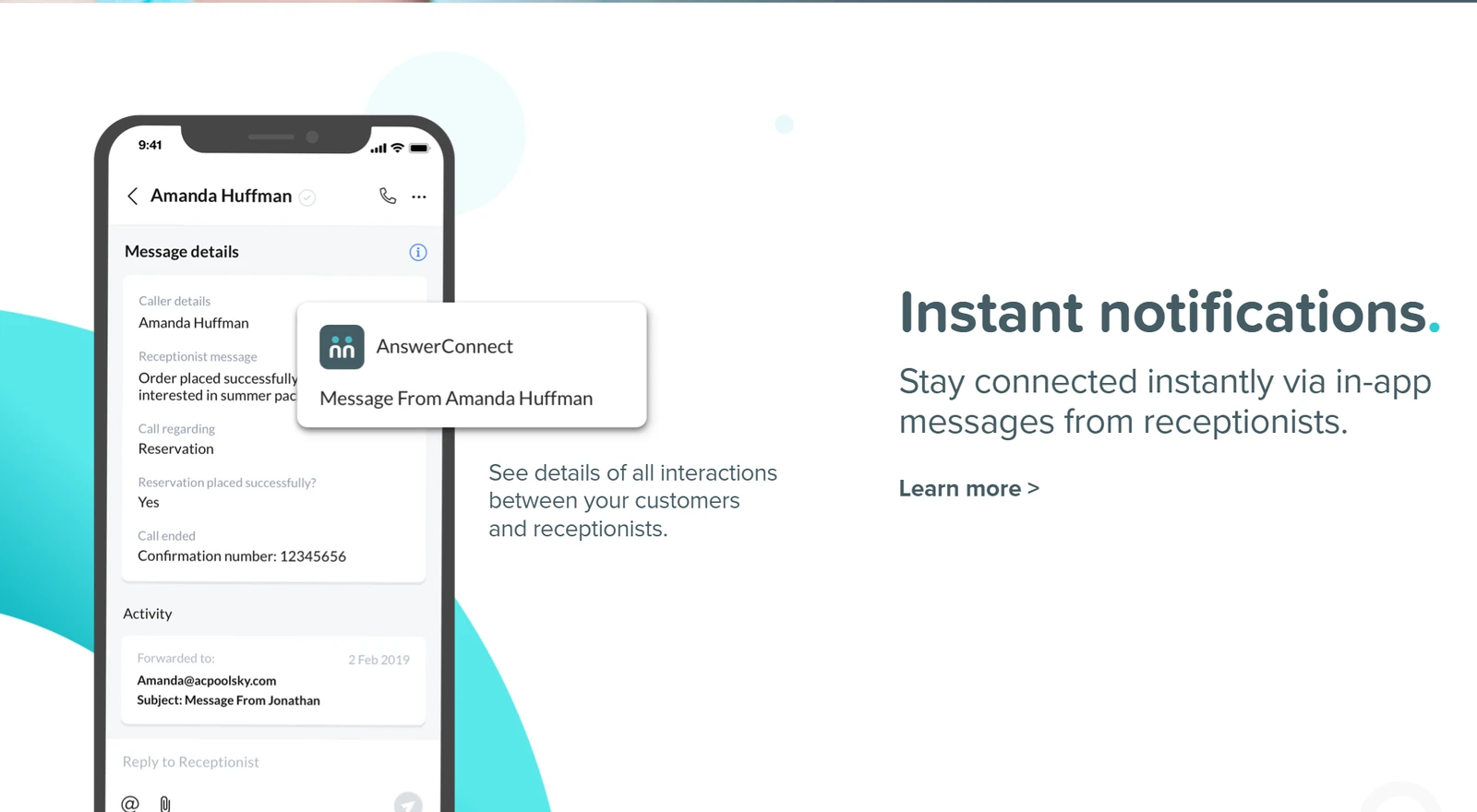
AnswerConnect offers 24/7 live answering with on-call scheduling tools, so calls can follow a rota you set. Its larger minute plans suit shops with high call volumes that still want a human on every call.
Worth checking: its public pricing page wasn’t available when we checked, so ask for the current plan sheet, the overage rate and the Spanish add-on price in writing.
9. Nexa: best blend of live agents and AI, bilingual
Type: live and AI · Pricing: not shown on its site · Works with: ServiceTitan, Housecall Pro, FieldEdge, Workiz, Schedule Engine, ServiceMinder
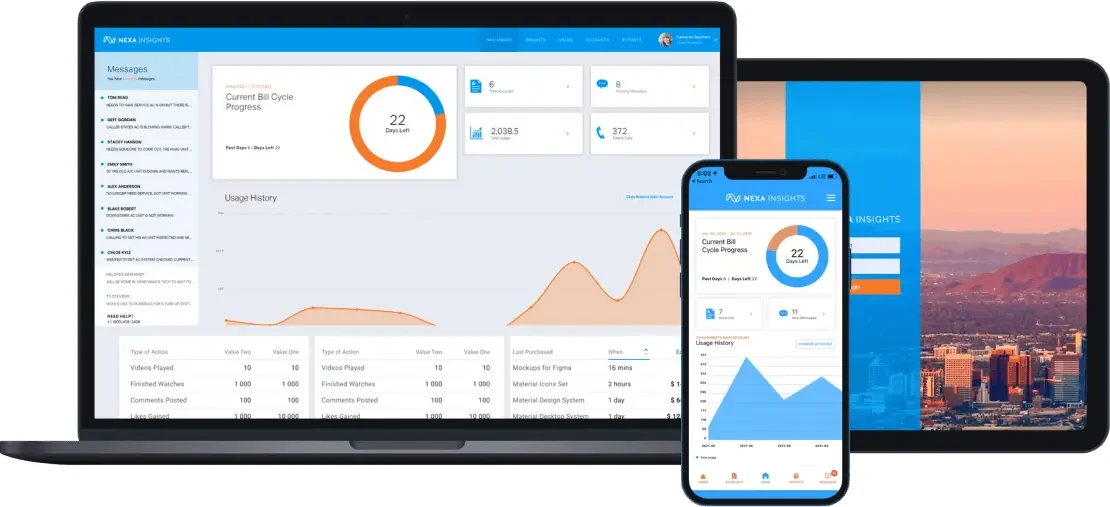
Nexa sells what it calls people-powered and AI call answering: 24/7/365 live agents, a Voice + AI option, bilingual answering, lead follow-up, chat and text.
Worth checking: there is no published price. Its home-services page lists ServiceTitan, Housecall Pro and FieldEdge, so ask whether calls book into your software or arrive as messages, and how its AI and live agents split the emergency calls.
10. Rosie: best low-cost AI option with English and Spanish on every call
Type: AI · Pricing: Professional $49/mo (250 min); Scale $149/mo (1,000 min); Growth $299/mo (2,000 min)
Rosie is an AI answering service that trains itself on your website and Google Business Profile, answers 24/7 and speaks English and Spanish on every call. Its pricing page puts booking into your calendar and warm transfers on the Scale plan, and multi-number transfer paths on Growth.
Worth checking: no HVAC software integration is listed, and the entry plan sends scheduling links rather than booking. Emergency rules and the on-call path are yours to set up and test.
A message, a patch, or a booked job
Every service on this list answers the phone. What separates them is where the no-heat call ends:
The details go to your inbox, or the call is patched to a number. If nobody answers, it becomes a morning callback.
A visit confirmed in your software, or a warm transfer to your on-call tech, with a planned path when nobody picks up.
Ask every service the same question: when my on-call tech doesn’t answer at 2 a.m., what happens to the caller, and who finds out?
After-hours and 24/7: what to check before July and January
Most HVAC shops buy an answering service for nights, weekends and the first heat wave or cold snap. Before either peak, check four things with any provider:
- Holiday and overnight staffing. A live service is only as good as its staffing at 2 a.m. on a holiday weekend. Ask how many agents are on overnight.
- The patch order. Who is called first, who second, and how long each phone rings before the next one. Give every provider the same on-call rota.
- What “emergency” means to them. Hand over your own definitions (no heat below freezing, gas smell, CO alarm) instead of accepting a generic script.
- What a surge week costs. Multiply your busiest week’s calls by your average call length and the overage rate.
For AI options built for round-the-clock coverage, see our 24/7 AI receptionist comparison and emergency answering.
Low call volume? When pay-as-you-go and per-call plans make sense
If your after-hours line only rings a few times a week, a big minute bundle is money you won’t use. Five options on this list fit a low, uneven volume:
- Specialty Answering Service Economy: $44/mo plus $1.54 a minute.
- PATLive pay-as-you-go: $49/mo plus $2.99 a minute.
- MAP pay-as-you-go: $49/mo plus $1.37 a minute.
- Smith.ai AI Receptionist: per call, with a free tier of 25 calls a month.
- Rosie Professional: $49/mo for 250 AI minutes.
Pay-as-you-go plans get expensive fast in a surge, so check what the same service charges on its next plan up before the first heat wave.
How to choose: seven questions to ask any HVAC answering service
- Who answers at 2 a.m.: a person, an AI, or an AI that hands off to a person?
- Whose emergency rules do you follow: mine, or your own script?
- How do you reach my on-call tech, and what happens when the tech doesn’t pick up?
- Does the call end as a message, an appointment, or a job in my HVAC software? Which software, exactly?
- How do you bill: per minute, per call or flat, and what is the overage rate?
- Is Spanish included, or a paid add-on?
- Can I hear real call recordings from an HVAC customer before I sign?
Put every service through the same questions, on one sheet
The answering service scorecard goes further than these seven questions: twelve things that decide whether a call becomes a job or a note, each scored 0, 1 or 2 with one word of evidence. Score your current service first, then the one you are considering.
Switching answering services before peak season
Switch in the shoulder season, not in the first week of July. Give yourself time to hand over your emergency definitions, on-call rota and scripts, forward one line first, and listen to a week of recorded calls before you move the main number. Keep the old service running until the new one has handled a busy day.
Bring your on-call rota to the demo
Leave your work email and pick a time. We set FieldCamp AI Receptionist up on your emergency rules and on-call path, then run a no-heat call through it on a simulated test while you watch.
Frequently Asked Questions
What is the best answering service for HVAC companies?
It depends on who you want on your safety calls. For a human on every call, look at Ruby, AnswerForce, PATLive or MAP Communications. For AI with human backup, Smith.ai. For a call that ends as a warm transfer to your on-call tech or a visit booked through AI Dispatcher, FieldCamp AI Receptionist. For the lowest AI price, Rosie.
How much does an HVAC answering service cost?
Published entry plans on this list run from $44 to $350 a month, read on each vendor’s page on 28–29 September 2026. Live services bill per minute, from about $1.28 to $2.99 a minute over the allowance. Smith.ai bills per call, and AI services such as Rosie start at $49 a month.
Is a live answering service or an AI receptionist better for HVAC?
A live service gives every caller a person, which some commercial customers expect. An AI receptionist answers several calls at once, costs less in a surge week, and can book the visit instead of taking a message. Many HVAC shops use AI for after-hours and overflow, and a person for calls that need judgement.
Can an answering service dispatch my on-call technician?
Most can patch a call through to a number you give them, and PATLive lists emergency dispatch on its plans. Ask what happens when the tech doesn’t answer, because that step varies most. FieldCamp AI Receptionist warm-transfers to your on-call tech on Twilio and follows a transfer-failed path you design.
Do HVAC answering services integrate with ServiceTitan, Housecall Pro or Jobber?
A few do. AnswerForce names ServiceTitan, Housecall Pro and Workiz, Nexa lists ServiceTitan, Housecall Pro and FieldEdge, and Smith.ai adds a call note in ServiceTitan. Most live services on this list don’t name any HVAC software on their pricing pages. FieldCamp books through AI Dispatcher and imports ServiceTitan data by CSV.
Do HVAC answering services have Spanish-speaking agents?
Many do. PATLive includes bilingual receptionists at no extra cost, MAP includes English and Spanish on every plan, Ruby and AnswerForce offer bilingual answering, and Rosie speaks both on every call. AnswerConnect and Smith.ai charge extra for Spanish on human calls.
Are answering services billed per minute or per call, and what happens in a heat wave?
Most live services bill per minute, so a heat-wave week with long calls can push you well past your allowance. Per-call plans cost the same for a short call and a long one. Before July, multiply your busiest week’s calls by your average call length and the overage rate.
What should an HVAC answering service collect on every call?
The caller’s name, the service address, a callback number, what the system is doing (no heat, no cooling, a leak, a noise), whether anyone at home is vulnerable, and whether there is a gas smell or CO alarm. It should read the address and number back, and never promise an arrival time it wasn’t given.
Methods, sources and disclosure
How we chose: we read each vendor’s own product, industry and pricing pages on 8 October 2026, tried the demos where they are offered, and kept tools that serve HVAC businesses and publish what they do.
Prices: read on each vendor’s own pricing page on 28–29 September 2026: smith.ai/pricing, patlive.com/pricing, mapcommunications.com/pricing, specialtyansweringservice.net/pricing, ruby.com/plans-and-pricing and heyrosie.com/pricing. AnswerConnect’s figures come from its own pricing sheet, because its pricing page wasn’t available. AnswerForce and Nexa don’t publish prices, so we don’t quote any.
Disclosure: FieldCamp makes one of the services on this list. We ranked it first and say where a human service is the better fit. Vendor screenshots are from each vendor’s own site.
The answering service scorecard
Score the service you have now and one alternative on the twelve things that decide whether a call becomes a job or a note: from 24/7 answering and triage on your rules to on-call escalation and pricing. It arrives in your inbox as a PDF.
An answering service that ends the call, not just the message
FieldCamp AI Receptionist triages HVAC calls on the rules you write, warm-transfers emergencies to your on-call tech with a planned fallback, and books through AI Dispatcher only once it accepts. Every call is recorded and transcribed.


