
ServiceMax Reviews 2026: Pricing, Pros, Cons & Best AI-First Alternatives
April 2, 2026 - 30 min read


April 2, 2026 - 30 min read

Table of Contents
Looking for honest ServiceMax reviews before committing? This guide breaks down real pricing, features, user feedback, and whether AI-powered alternatives might save you months of implementation headaches.
⚠️ Not for you if: You have fewer than 50 technicians, aren’t using Salesforce, need to be operational in weeks (not months), or want to test before buying.
| Quick Verdict: |
| ServiceMax is enterprise-grade field service management software built on Salesforce, owned by PTC. It scores 4.2/5 on G2 and Capterra. Best for large enterprises (50+ technicians) in manufacturing, utilities, and medical devices with existing Salesforce infrastructure. Not recommended for small-to-mid-size field service businesses due to $59-125+/user/month pricing, 6-12 month implementation timelines, Salesforce dependency, and steep learning curve. For teams under 50 technicians, AI-native alternatives like FieldCamp offer faster deployment (days, not months), transparent pricing ($39.99/user/month), and built-in AI dispatching without Salesforce lock-in. |
Best for: Asset-heavy enterprises (50+ technicians) already on Salesforce with dedicated IT staff and budget for complex software
Skip if: You’re a small-to-mid team, need quick setup, want transparent pricing, or run a home services business. Explore other ServiceMax alternatives — or if you just need better scheduling without switching platforms, see how FieldCamp’s AI dispatching works on top of your existing software.
Already Using ServiceMax? Just Upgrade Your Dispatch Brain.
FieldCamp’s AI Dispatcher plugs into any FSM, including ServiceMax and Salesforce,via API. It evaluates 10,000+ scheduling combinations per second, optimizes routes, and pushes the perfect schedule back. Zero disruption. $59/month
| ✅ Good Fit | ❌ Not a Fit |
| 50+ technicians | Under 30 technicians |
| Manufacturing, utilities, medical devices | HVAC, plumbing, cleaning, landscaping |
| Already using Salesforce | No Salesforce infrastructure |
| Complex asset/equipment tracking | Simple job scheduling needs |
| Dedicated IT and admin staff | Owner-operator or lean team |
| $10M+ annual revenue | Under $3M revenue |
| Can wait 6-12 months for ROI | Need results in weeks |
| Budget for $3K-$5K+/month total | Budget under $1K/month |
| Metric | Details |
| Parent Company | PTC (acquired ServiceMax) |
| Platform | Salesforce-based (Asset 360) |
| Estimated Pricing | $59-$125+/user/month |
| Implementation Cost | $5,000-$50,000+ |
| Free Trial | None |
| Capterra Rating | ⭐ 4.2/5 (42+ ratings) |
| G2 Rating | ⭐ 4.2/5 (143+ ratings) |
| TrustRadius Rating | ⭐ 7.9/10 (15+ reviews) |
| Best For | ⭐ 4.6/5 (760+ reviews) |
After digging through hundreds of reviews on G2, Capterra, Reddit, and app stores, here’s what actually works and what doesn’t.
We didn’t just read marketing material. The review was based on:
The goal was to understand the real cost, real setup time, and whether ServiceMax fits different team sizes.
ServiceMax is an enterprise-grade field service management platform built on Salesforce and owned by PTC. It supports work orders, technician dispatching, asset tracking, service contracts, and preventive maintenance.
It is designed for asset-heavy industries such as manufacturing, utilities, medical devices, and telecommunications. Reviews commonly highlight strong asset management but also mention complexity and slow mobile performance.
Bottom line: ServiceMax is powerful for large enterprises with 50+ technicians already using Salesforce, but it is overkill for small teams and home service businesses.
ServiceMax positions itself as an enterprise solution for outcome-based service. It promises improved equipment uptime, SLA management, complex service contracts, and centralized operations across large field teams.
User feedback often contradicts marketing claims. Many users report difficulty finding data, inconsistent mobile and desktop experiences, and extremely long setup times. Implementation commonly takes 6–12 months, and some teams never fully complete onboarding.
ServiceMax works best for large enterprises with dedicated IT resources. Smaller teams struggle with complexity, slow performance, and unexpected Salesforce-related costs.
What If Your Software Answered the Phone Too?
ServiceMax doesn’t have an AI receptionist. FieldCamp does. Every missed call is answered in under 2 seconds — appointments booked, leads captured, follow-ups sent. 24/7/365. Starting at $39/month.
Based on published reviews and industry research:
| Plan | Price Range | Best For |
|---|---|---|
| ServiceMax Express | $59-$135/user/month | Smaller operations (5+ users minimum) |
| ServiceMax Enterprise | Custom pricing | Full-featured enterprise deployment |
| Implementation Costs | $10,000-$50,000+ | Varies by business size and complexity |
| Multi-Year Contracts | $100,000-$4,000,000+ | Large enterprise agreements |
For small to mid-size field service businesses, these numbers often don’t make sense. A team of 10 technicians could easily spend $15,000-$20,000 annually just on software licenses, before implementation costs.
If you’re running a smaller operation and want predictable pricing, check our FieldCamp’s one of the best pricing tier, with $0 implementation fees. Or if you just need smarter dispatching, check out this — credits-based, no per-user fees.
ServiceMax offers a comprehensive feature set designed for enterprise field service operations. Here’s what you get:
ServiceMax offers comprehensive field service management capabilities. Here’s what the platform delivers:
Create, assign, track, and close work orders throughout the service lifecycle. ServiceMax provides real-time visibility into job status, technician activities, parts usage, and customer history. Technicians access work order details through mobile devices, though some users report the mobile experience can be slow and clunky.
For businesses seeking simpler work order management, modern alternatives offer faster interfaces with less complexity. Without the Salesforce overhead, AI-native platforms handle job creation through conversational interface backed by AI— say “Create a plumbing job for Johnson” and it’s done. No menus, no training.
Learn how to get started with job management in a more intuitive platform.
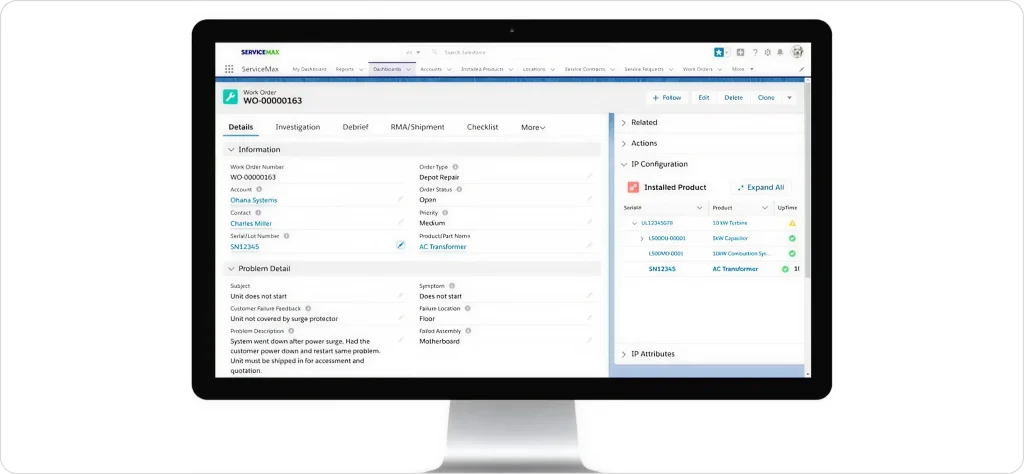
Schedule technicians based on availability, skillset, and proximity using automated algorithms. The dispatch console helps dispatchers assign jobs and visualize team capacity.
For comparison, see how AI dispatching compares to traditional dispatch software. However, multiple reviewers report the console can freeze during heavy use and load times can be slow with larger workforces.
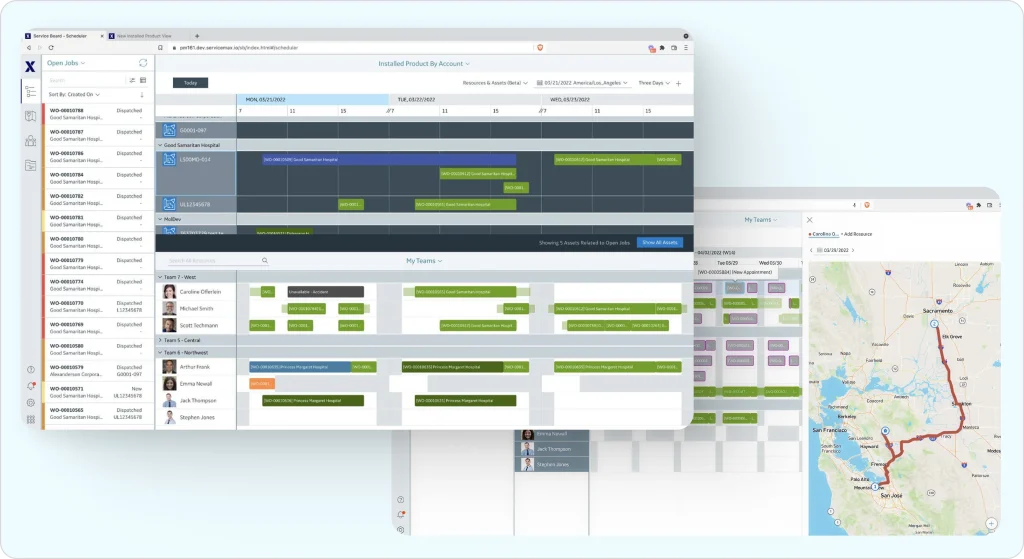
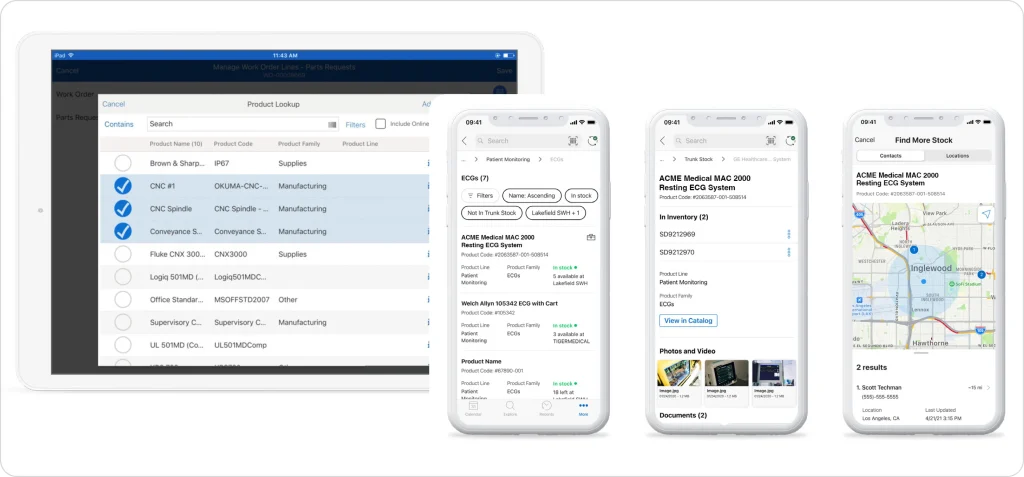
This is ServiceMax’s core strength. Track parts across warehouses, vehicles, and technician vans with real-time visibility. See how modern inventory management software handles this with less complexity. Manage service contracts, warranties, entitlements, and SLAs to prevent revenue leakage. For asset-intensive businesses managing expensive equipment and complex supply chains, these capabilities justify the platform investment.
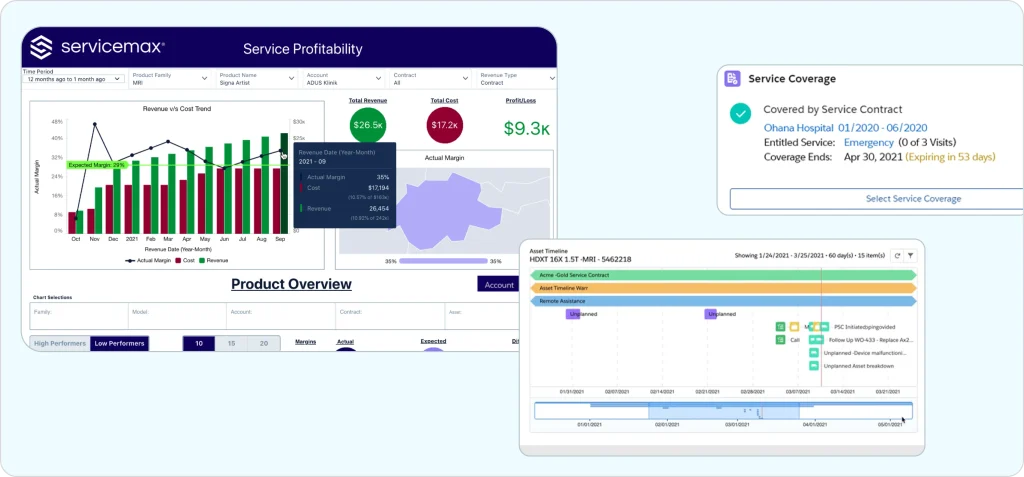
Manage customer contracts, service level agreements (SLAs), and warranty entitlements. The system helps prevent warranty leakage and tracks service commitments. You can learn more about managing service contracts in modern FSM platforms.
ServiceMax Go provides iOS and Android apps for field technicians to view schedules, access customer history, update work orders, capture photos, and submit job completion data. The app supports real-time sync when connected, though offline capabilities are limited compared to some competitors.
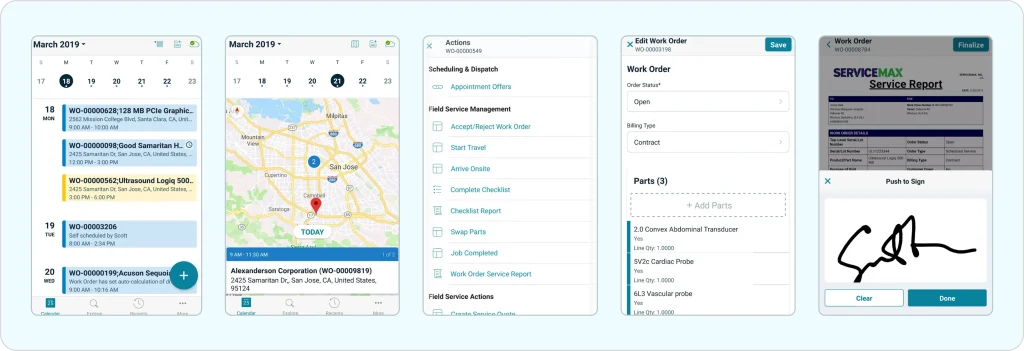
Schedule proactive maintenance based on asset performance data, usage patterns, and service history. Integrations with IoT sensors can enable predictive maintenance alerts, helping reduce equipment downtime and emergency service calls.
Access hundreds of standard reports plus ad hoc reporting capabilities for service performance analysis. Integration with Salesforce reporting tools provides deeper business intelligence for organizations in that ecosystem. For comparison, see how field service reporting works in other platforms.
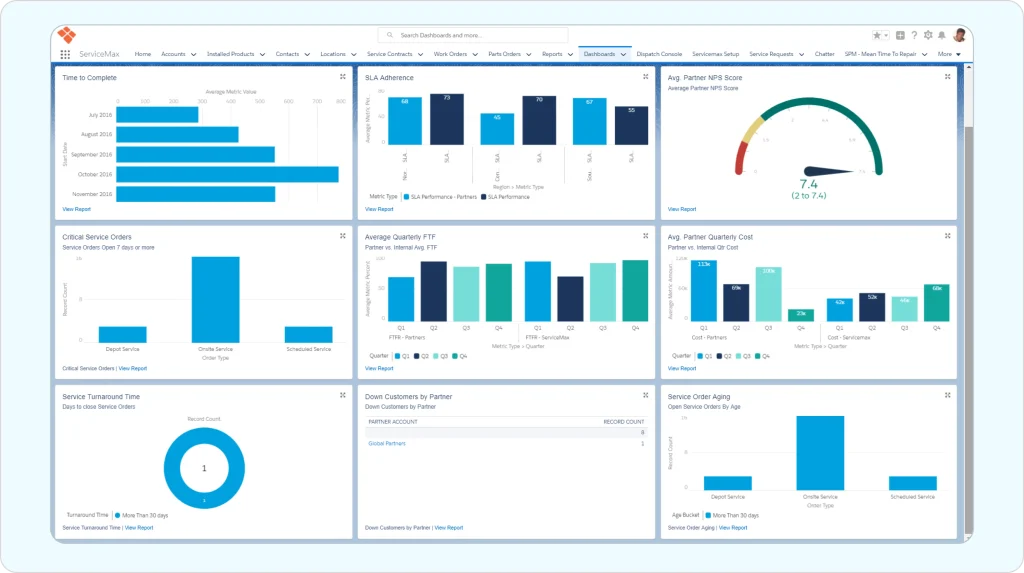
Customers can track technician status, report issues, request appointments, and view service history through an online portal. This reduces inbound call volume and improves customer satisfaction for organizations that implement it effectively.
For most small to mid-size field service businesses, ServiceMax pricing is difficult to justify. A team of 10 technicians could easily spend $15,000-$25,000 annually on software licenses alone, before implementation costs. Businesses at this scale typically find better ROI with purpose-built alternatives offering transparent pricing and faster time-to-value. Use our free profit calculator to determine what you can actually afford to spend on software, then compare with FieldCamp’s transparent pricing starting at $39.99/user/month.
Based on user reviews from Capterra (4.2/5), G2 (4.2/5), and TrustRadius (7.9/10), here’s what ServiceMax customers appreciate:
One Capterra reviewer describes ServiceMax as “a powerful tool for field service operations,” highlighting how field engineers rely on its mobile app to manage daily jobs. The platform delivers strong visibility into work orders, preventive maintenance schedules, and parts usage.
ServiceMax’s inventory management is among the best in the industry. Parts, returns, depot repairs, asset lifecycles—everything gets tracked with precision. For businesses managing expensive equipment with complex service requirements, this capability alone can justify the investment.
Built on the Salesforce platform, ServiceMax connects seamlessly with other Salesforce tools for CRM, billing, and reporting. Organizations already invested in Salesforce gain significant integration advantages. ServiceMax Asset 360 deepens this integration further.
Manage customer contracts, service level agreements (SLAs), warranty entitlements, and pricing rules in a unified system. This prevents warranty leakage, tracks service commitments, and supports complex enterprise pricing models.
Multiple reviewers highlight ServiceMax’s customer support team as knowledgeable and helpful for enterprise accounts. One user noted: “ServiceMax has by far one of the best customer support systems I have had the pleasure of dealing with.”
The platform keeps dispatchers, technicians, and managers synchronized with current information. Changes propagate across the system, reducing miscommunication from outdated data.
No software is perfect. Here are the pain points ServiceMax users consistently report:
This is the most frequent complaint. Reviewers describe ServiceMax as “intensely complex” with a steep learning curve. One user stated: “What used to take seconds with one mobile solution now can take days.” Setting up ServiceMax requires significant configuration, IT involvement, and extended implementation timelines.
For teams seeking simpler AI-powered scheduling without enterprise complexity, modern alternatives deliver faster time-to-value. Learn more about getting started with scheduling in platforms designed for smaller teams.
Multiple reviewers report frustrating performance issues:
One user shared: “I honestly have not experienced anything as frustrating as this app. It is unbelievably slow—one hour to close down a job. The app loses sync at least 4-5 times a day.”
ServiceMax’s limited offline capabilities create real problems for technicians working in areas with spotty connectivity. Key workflows require active internet connections, which isn’t always available in basements, rural areas, or underground utility spaces common in field service work.
ServiceMax doesn’t publish transparent pricing, requiring sales conversations and custom quotes. Many reviews mention that to get full platform value, organizations pay significant implementation and development fees beyond base subscriptions. Smaller teams consistently report the cost structure doesn’t make sense for their scale.
Since ServiceMax runs on Salesforce, your company needs Salesforce licensing to use it. Organizations not already in the Salesforce ecosystem face substantial additional costs. Multiple reviewers also note that “backing out” or removing ServiceMax from Salesforce once implemented is complicated and time-consuming.
For You:
For teams locked into ServiceMax but frustrated with scheduling performance, a practical middle ground exists: AI dispatch layers that plug into your existing Salesforce/ServiceMax setup via API, giving you modern scheduling intelligence without the painful migration. This “upgrade the brain, keep the body” approach lets you test AI dispatching at $59/month before committing to a full platform switch.
While enterprise customers praise support, some mid-market users report slow response times, especially for urgent issues. Support quality appears to vary by account tier and contract level.
Here’s what actual ServiceMax users say across major review platforms:
“ServiceMax is a complete field service solution. They provide iPad, Android application with real-time data and offline capabilities. Everyone in the field service department has the latest information right in their hands.” — Naveen V., 2+ years user
“ServiceMax Helps Business to dispatch work orders for any field service operations. Provides wider visibility on cases and work orders which helps technicians to easily work on those items.” — Assistant System Engineer, Capterra
“Our Alberta location had used ServiceMax for a number of years and found that it saved a lot of time on administrative tasks such as quoting, generating work orders, and invoicing.” — Curtis B., Capterra
“We’ve been using this software for 5 years now. It is the worst decision my company has made in my 24 years here. Data buried deep in the system is impossible to find. The version on the phone does not behave like the version on laptop. Countless clicks here and there to close calls and report events. Our service job in the field can change in minutes, it’s dynamic. Nothing about ServiceMax is dynamic.” — NicknameNamenik, G2
“I honestly have not experienced anything as frustrating as this app. It is unbelievably slow—one hour to close down a job and all sorts of problems along the way with syncing and uploading information. The app loses sync at least 4-5 times a day and it takes 25 minutes to re-initialize. Then you’ve lost all the information you’ve filled out so you have to start again.” — Michael Jennings, App Store
This is a critical question for buyers evaluating modern field service platforms. Here’s the honest assessment:
ServiceMax’s AI capabilities feel retrofitted onto an established platform rather than built from the ground up. The scheduling algorithms work, but they don’t deliver the conversational, natural-language experience modern users expect.
You can’t simply ask ServiceMax: “Who’s free tomorrow morning near downtown?” or “Schedule an emergency HVAC call and suggest the best technician.” The interface requires navigating menus, configuring views, and clicking through multiple screens.
AI That You Can Actually Talk To
Ask questions, schedule jobs, and manage operations in plain English with FieldCamp’s AI Command Center.
Yes. Platforms like FieldCamp were built AI-first, not AI-added. You can:
For small to mid-size field service businesses that don’t need ServiceMax’s enterprise complexity, AI-native alternatives deliver better user experience with faster implementation. Learn more about AI-powered dispatching approaches, including how AI reduces drive time and smart scheduling engine capabilities.
ServiceMax’s integration capabilities center on the Salesforce ecosystem:
Organizations not already using Salesforce face a significant hurdle—ServiceMax essentially requires Salesforce licensing, adding cost and complexity. The deep Salesforce dependency creates both integration advantages for existing Salesforce shops and potential lock-in concerns for organizations evaluating long-term platform strategy.
For field service businesses seeking simpler integrations with tools like Stripe for payments, Google Calendar, Gmail, and QuickBooks without Salesforce overhead, lighter alternatives often provide better fit. See how to set up payment integrations and configure Google Calendar sync in modern platforms.
ServiceMax probably isn’t right for you if:
You run a small service team (under 30 technicians). ServiceMax’s complexity and cost structure doesn’t make sense for smaller operations. The implementation effort alone exceeds the benefit for teams that need straightforward scheduling and invoicing.
You don’t use Salesforce and don’t plan to. Since ServiceMax runs on Salesforce, you’d need to adopt and pay for Salesforce licensing. If you’re not already invested in that ecosystem, the additional cost and learning curve may not be worth it.
You need a quick, plug-and-play solution. Setting up ServiceMax takes weeks to months, especially with workflow customization and automation. If you need to be operational in days, look elsewhere.
You’re in residential home services. HVAC contractors, plumbers, electricians, cleaning companies, lawn care businesses, and pest control operators rarely need ServiceMax’s enterprise asset management features. Solutions designed for home service businesses provide better fit.
Budget is a primary concern. If transparent, predictable pricing matters to your business, ServiceMax’s quote-based model and hidden costs create budgeting challenges.
Your technicians work in areas with poor connectivity. The limited offline mode means key workflows fail without internet access—problematic for rural, underground, or basement work common in field service.
You want modern conversational AI. If you expect to just ask your software questions or give commands naturally, ServiceMax’s traditional menu-based interface will feel dated.
If ServiceMax doesn’t fit your needs, here are alternatives across different market segments:
FieldCamp — AI-powered field service automation software with intelligent scheduling, conversational interface, and transparent pricing. Best for HVAC, plumbing, electrical, cleaning, lawn care, pest control, and similar trades. Built AI-first, not AI-added. Features include AI-powered job assignment and automated technician selection.
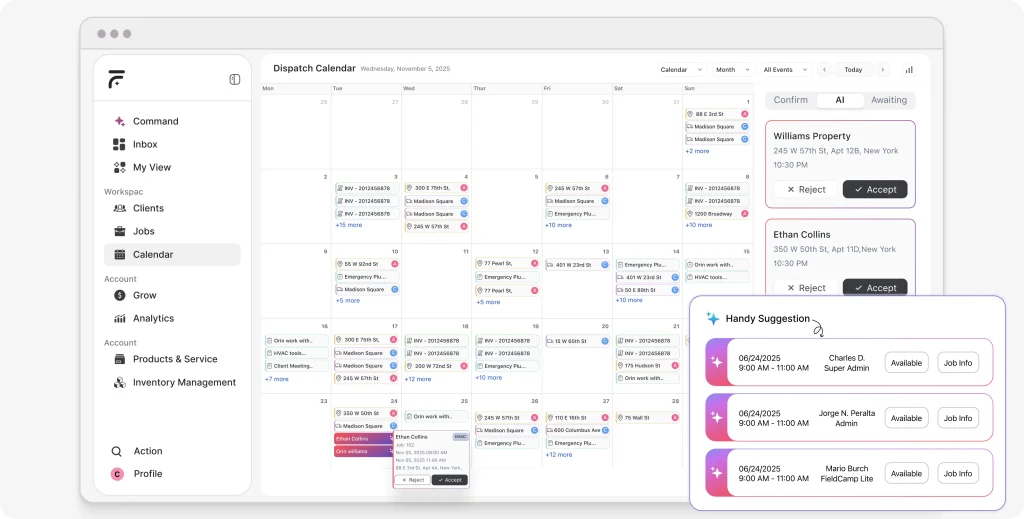
Jobber — Simple scheduling and invoicing for small teams. Easy to learn but limited for complex operations. Good starting point that many businesses outgrow. Compare Jobber alternatives.
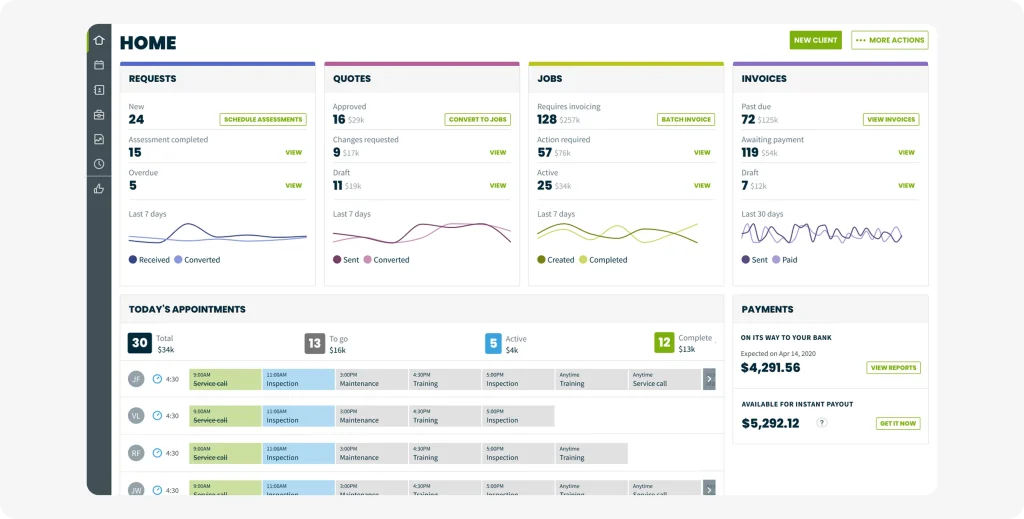
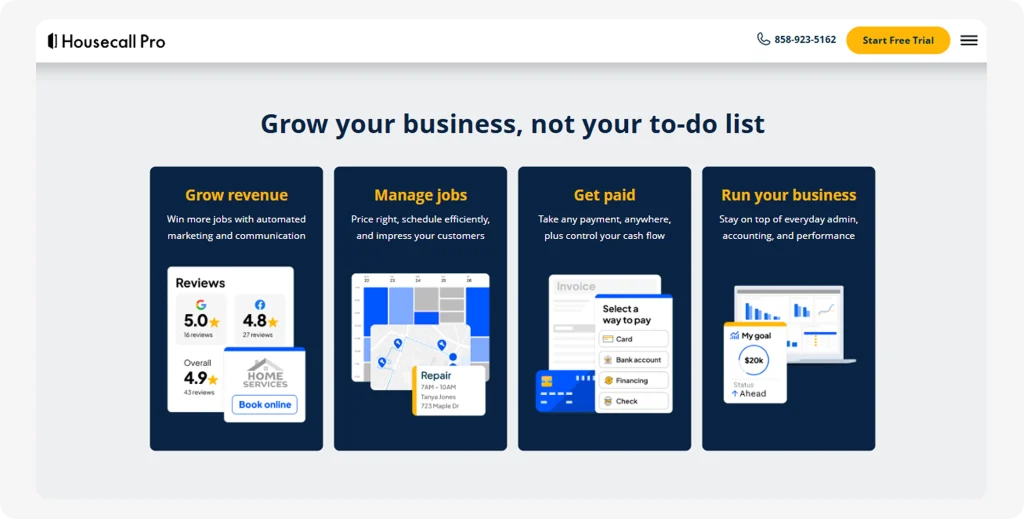
Housecall Pro — All-in-one solution for home services. Solid for residential work but struggles with complexity at scale. See Housecall Pro alternatives.
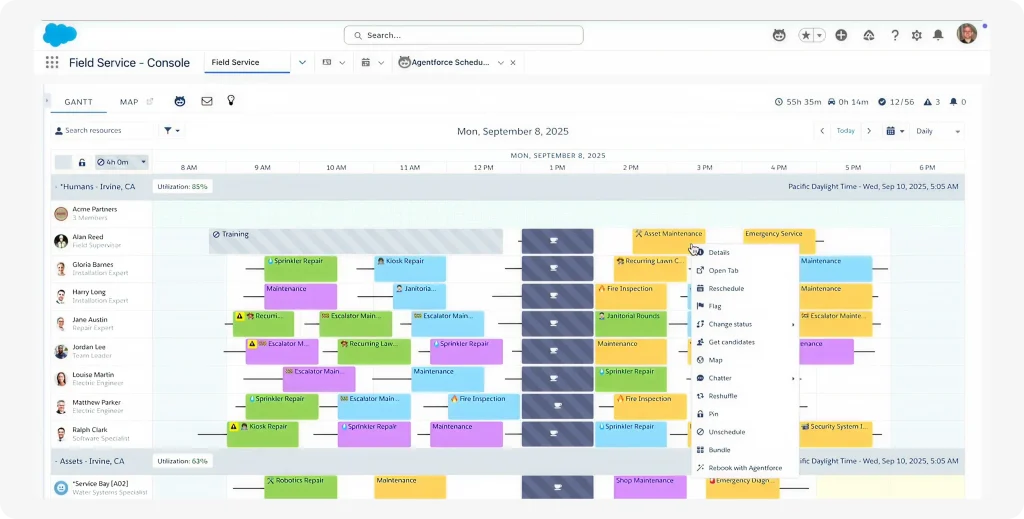
Salesforce Field Service — Direct competitor within the Salesforce ecosystem. Similar pricing tier to ServiceMax with different architectural approach.
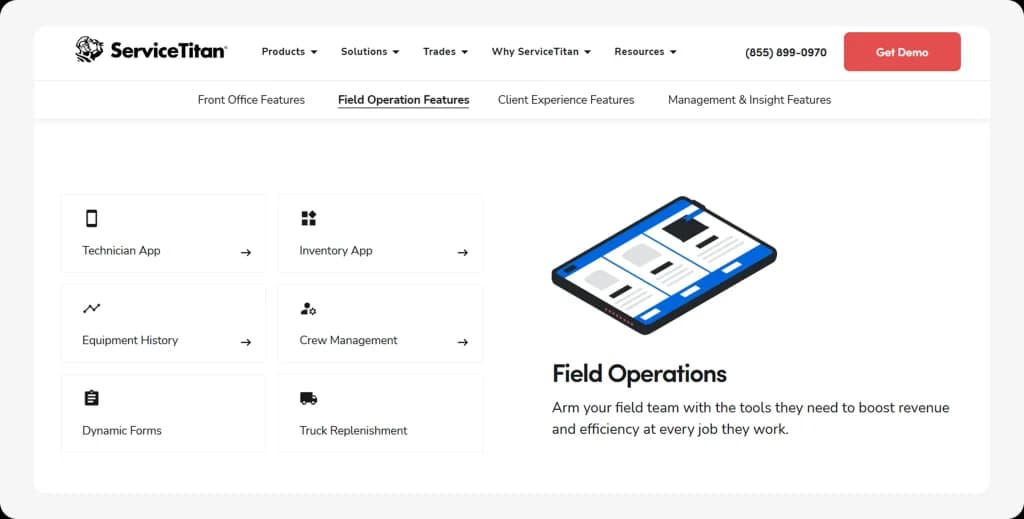
ServiceTitan — Popular for larger home service businesses. Comprehensive but expensive with lengthy implementation. Compare ServiceTitan alternatives.
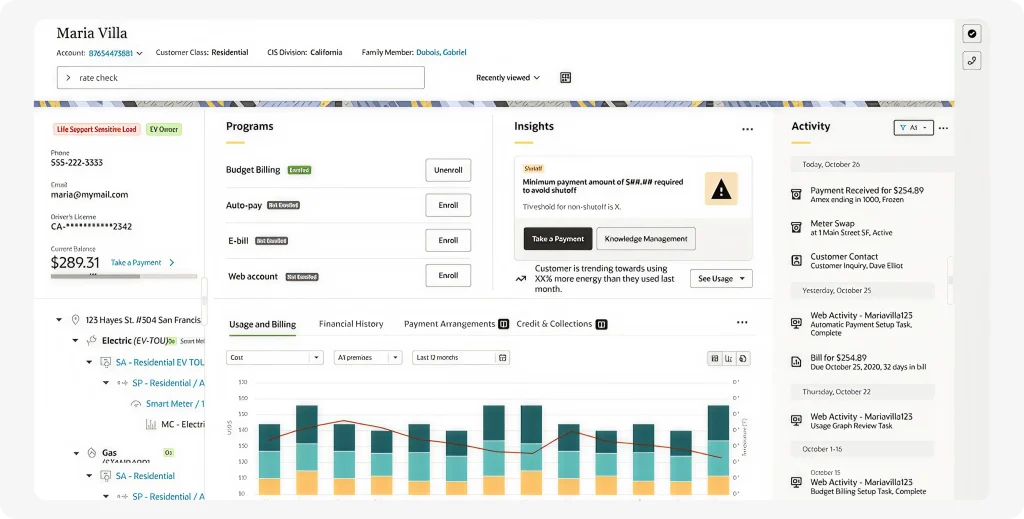
Oracle Field Service — Enterprise-grade with advanced customization. Even more expensive than ServiceMax.
| Platform | Best For | Starting Price | AI Capabilities | Implementation |
|---|---|---|---|---|
| FieldCamp | Small-mid US field service | Transparent pricing | Native AI-first | Days |
| ServiceMax | Enterprise asset-centric | $59-135/user/month | Retrofitted | Weeks-months |
| Jobber | Small teams starting out | ~$49/month | Basic | Hours |
| ServiceTitan | Large home services | ~$150+/user/month | Limited | Week |
FieldCamp — AI-native field service platform with three standalone products that also work together. Built AI-first from day one, not AI-retrofitted onto a legacy codebase. Best for HVAC, plumbing, electrical, cleaning, lawn care, pest control, fencing, roofing, painting, and tree care teams with 3-100 technicians.
What makes FieldCamp fundamentally different from ServiceMax:
Full AI Field Service Management Suite:
For teams ready to leave ServiceMax entirely. Scheduling, estimates, invoicing, CRM, GPS tracking, route optimization, workflow automation, inventory management, client portal, custom data models, and AI analytics — all in one platform.
Run operations in plain English: “Schedule HVAC repair tomorrow at 2 PM with Dave” or “Show me unpaid invoices from last month” — done in seconds. Works across Discord, Teams, WhatsApp, and SMS. Workflow automation means new request → estimate auto-generated → customer approves → job auto-created → tech dispatched → invoice sent → payment collected, all without a single manual step. Integrates with QuickBooks, Xero, Stripe, Gmail, Google Calendar, Salesforce, HubSpot, Zapier, and 30+ tools. One-click migration from Jobber, Housecall Pro, ServiceTitan, or FieldEdge.
Starting at $39.99/user/month for Core (42 features) or $69/user/month for Pro (59 features). $0 implementation. 7-day free trial, no credit card. Live in under 30 minutes. No contracts.
AI Dispatcher (Standalone or Built-in):
The smartest dispatch engine in field service. Evaluates 10,000+ scheduling combinations per second across 75+ parameters — technician skills, drive time, equipment availability, customer time windows, job priority, and overtime compliance. Five optimization modes let you run your business your way: revenue-focused, profit-focused, volume-focused, balanced, or fully custom.
Handles dynamic rerouting where 85% of schedule changes need zero dispatcher input, multi-day scheduling with shift chaining, workload balancing so your top tech isn’t drowning while others sit idle, and equipment-based dispatching that prevents double-booking shared gear like bucket trucks or diagnostic tools.
The biggest differentiator for ServiceMax users: it works as a standalone API layer on top of your existing software — ServiceMax, ServiceTitan, Jobber, Housecall Pro, or Salesforce. No migration, no disruption. It reads your jobs and technician data, optimizes every route, and pushes the perfect schedule back. A 12-technician HVAC company running 600-800 jobs per month saw 96% less scheduling time (3 hours/day down to 10 minutes), 35% less drive time per tech, 80% fewer callbacks, and $72K monthly revenue uplift with the same team. Starting at $59/month, credit-based. No per-user fees.
AI Receptionist (Standalone or Built-in):
Something ServiceMax simply doesn’t offer. Answers every customer call in under 2 seconds, 24/7/365 — nights, weekends, holidays
included. Speaks naturally in your company’s voice, trained on your specific services, pricing, and service areas. Callers genuinely don’t know it’s AI. Reads your live calendar, books appointments into the right slot without double-booking, captures lead details into your CRM, and sends SMS confirmations automatically. Handles missed calls while you’re on
a job, after-hours emergency booking, appointment rescheduling, and quote request intake where it asks the right questions and creates the lead. Works with any phone system — Google Voice, RingCentral, Vonage, any VoIP — as a completely standalone product.
One operations manager at a 12-tech HVAC company reported: “We were losing 15-20 calls a week. That’s $30K-$40K in missed revenue every month. AI Receptionist changed everything overnight.” Replaces $2,500+/month answering services. Starting at $39/month, minute-based.
Tree Rangers Tree Service in St. Petersburg, Florida replaced paper-based operations with FieldCamp and scaled to $1M annual revenue. Their AI Receptionist handles customer calls while crews work 40 feet up in trees — something ServiceMax’s platform simply doesn’t offer.
HeyMaid, a North Carolina cleaning startup, specifically chose FieldCamp over legacy platforms because “it wasn’t built 15 years ago and just had minor updates packed into it over time. You can tell it was built on top of AI, not the other way around.”
A 12-technician HVAC company reported: “We were losing 15-20 calls a week. That’s $30K-$40K in missed revenue every month. AI Receptionist changed everything overnight.”
These aren’t enterprise deployments that took 12 months. These are small teams that were fully operational in days.
For businesses evaluating options, FieldCamp offers free estimate templates and free invoice generators to help streamline operations immediately.
ServiceMax vs FieldCamp — Feature & Pricing Comparison
| Feature | ServiceMax | FieldCamp |
|---|---|---|
| AI Receptionist (24/7 Call Handling) | Not available | Built-in — answers calls, books appointments, captures leads |
| Standalone Dispatch Add-on | Not available | Yes — AI Dispatcher works on top of any FSM via API |
| Natural Language Commands | No — traditional menus | Yes — “Schedule HVAC repair tomorrow at 2 PM with Dave” |
| Starting Price (Full Platform) | $59-135/user/month + Salesforce | $39.99/user/month, no dependencies |
| Starting Price (Dispatch Only) | N/A | $59/month (credit-based) |
| Free Trial | None | 7 days, no credit card |
ServiceMax is worth it for the right organization. If you’re running a large enterprise in manufacturing, medical devices, energy, or utilities with 50+ technicians, complex asset management needs, existing Salesforce investment, and budget for proper implementation, ServiceMax delivers powerful capabilities that justify the cost.
ServiceMax is not worth it for most field service businesses. The high costs, lengthy implementation, steep learning curve, limited offline mode, and Salesforce dependency make it impractical for small to mid-size operations. HVAC contractors, plumbers, electricians, cleaning companies, lawn care businesses, and similar trades will find better value elsewhere.
Modern field service management software should make your life easier, not add complexity. It should handle scheduling puzzles in seconds, not require weeks of training. And it should let you just ask what you need instead of clicking through endless menus.
If you want smart scheduling without enterprise complexity—AI that actually thinks like a dispatcher, conversational interfaces that understand plain English, and implementation measured in days not months—try FieldCamp free and see what AI-first field service management actually feels like.
ServiceMax is powerful field service software for the right use case: large enterprises in asset-intensive industries like manufacturing, medical devices, and energy with 50+ technicians and existing Salesforce investments. It earns 4.1-4.2/5 ratings across major review platforms. However, it’s overpowered and overpriced for small to mid-size field service businesses, where simpler AI-driven alternatives deliver better value.
ServiceMax is not owned by Salesforce, but it is built on the Salesforce platform. ServiceMax is owned by PTC, which acquired it in 2023. However, ServiceMax requires Salesforce licensing to operate — it runs as an application layer on top of Salesforce (ServiceMax Asset 360). This means you need to pay for both ServiceMax AND Salesforce subscriptions, which significantly increases total cost of ownership. For businesses that don’t want Salesforce dependency, AI-native field service platforms offer similar capabilities without ecosystem lock-in.
The best ServiceMax alternatives for small-to-mid-size field service businesses in 2026 are: FieldCamp (AI-first platform, $39.99/user/month, operational in days — best for HVAC, plumbing, electrical, cleaning, lawn care teams), Jobber (simple scheduling for small teams, ~$49/month), and Housecall Pro (all-in-one for home services, ~$189/month). If you only need better dispatching without replacing your entire software stack, FieldCamp’s AI Dispatcher works as a standalone scheduling layer on top of any existing FSM for $59/month.
ServiceMax offers basic scheduling optimization algorithms that consider technician availability, skills, and proximity. However, it does not offer true conversational AI or natural-language scheduling. You cannot ask ServiceMax questions like “Who’s free tomorrow near downtown?” or give natural commands. The interface relies on traditional menu navigation. For AI-native dispatching that evaluates 10,000+ scheduling combinations per second and accepts natural language commands, FieldCamp’s AI Dispatcher also works as a standalone layer on top of ServiceMax via API.
ServiceMax is designed for mid-market to enterprise organizations, not small businesses. The platform shines with companies having 50+ technicians, complex asset management needs, dedicated IT resources, and existing Salesforce ecosystems. Small field service businesses (under 30 technicians) typically find ServiceMax too expensive, too complex, and too slow to implement for their operational needs.
ServiceMax’s total annual cost for a team of 10 technicians typically ranges from $15,000-$25,000+ for software licenses alone. This includes ServiceMax subscription ($59-135/user/month) plus mandatory Salesforce licensing. Add implementation costs ($10,000-$50,000+), training, and customization, and first-year total cost of ownership can reach $30,000-$75,000+. Multi-year enterprise contracts range from $100,000 to $4,000,000+. By comparison, FieldCamp’s transparent pricing starts at $39.99/user/month with $0 implementation fees.
Yes—ServiceMax is built on the Salesforce platform. ServiceMax Core and ServiceMax Asset 360 provide deep Salesforce integration. However, this means organizations must have Salesforce licensing to use ServiceMax, adding cost for businesses not already in the Salesforce ecosystem.
Generally, no. ServiceMax targets mid-market and enterprise organizations with complex asset management needs. Small businesses (under 30 technicians) typically find the pricing unjustifiable, implementation timeline too long, and feature set overpowered for their needs. AI-driven alternatives designed for smaller teams offer better fit, faster implementation, and more accessible pricing.
Implementation typically takes weeks to months depending on business complexity. Factors affecting timeline include data migration volume, workflow customization requirements, Salesforce integration depth, user training needs, and IT resource availability. Many organizations hire consultants or ServiceMax professional services to manage implementation. This contrasts sharply with modern alternatives that can be operational in days.
Yes. FieldCamp offers AI-powered field service management with transparent pricing, days-not-months implementation, and a conversational interface that doesn’t require extensive training. For businesses seeking scheduling, dispatching, invoicing, and route optimization without enterprise complexity, FieldCamp provides better value for small to mid-size US field service operations.